https://github.com/being-devahmad/cv-lite-admin
CV-LITE Admin Panel
https://github.com/being-devahmad/cv-lite-admin
firebase nextjs15
Last synced: 5 months ago
JSON representation
CV-LITE Admin Panel
- Host: GitHub
- URL: https://github.com/being-devahmad/cv-lite-admin
- Owner: being-devahmad
- Created: 2024-12-24T13:04:11.000Z (over 1 year ago)
- Default Branch: main
- Last Pushed: 2025-01-11T10:35:07.000Z (over 1 year ago)
- Last Synced: 2025-07-10T15:51:16.901Z (12 months ago)
- Topics: firebase, nextjs15
- Language: TypeScript
- Homepage:
- Size: 8.02 MB
- Stars: 1
- Watchers: 1
- Forks: 0
- Open Issues: 0
-
Metadata Files:
- Readme: README.md
Awesome Lists containing this project
README
# NextAdmin - Next.js Admin Dashboard Template and Components
**NextAdmin** is a Free, open-source Next.js admin dashboard toolkit featuring 200+ UI components and templates that come with pre-built elements, components, pages, high-quality design, integrations, and much more to help you create powerful admin dashboards with ease.
[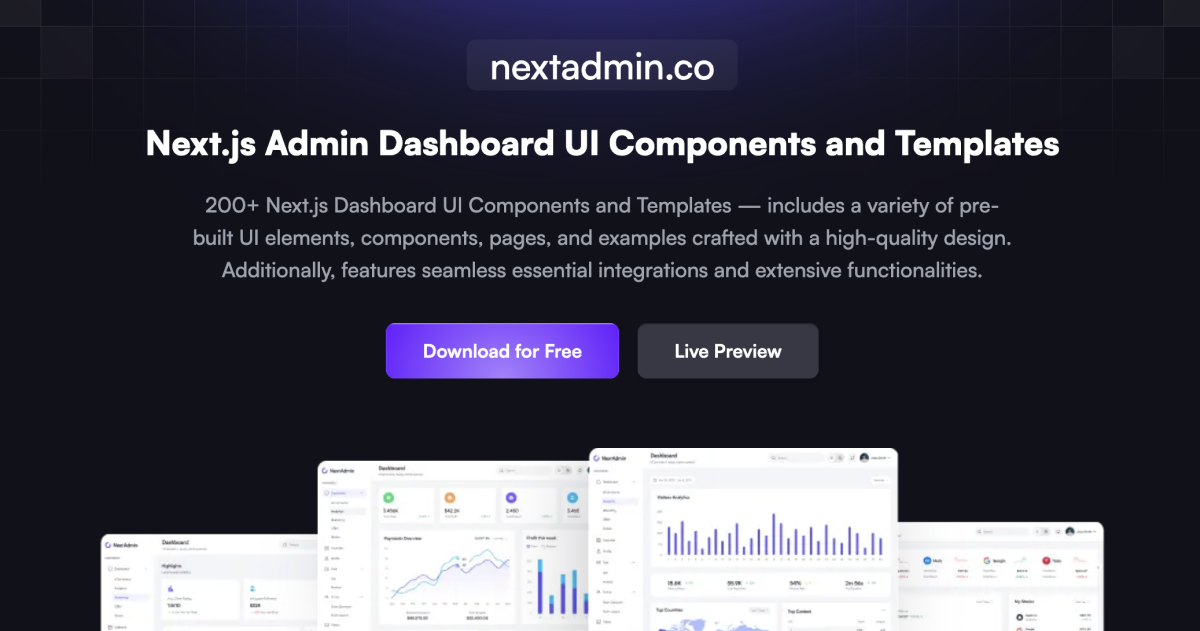](https://nextadmin.co/)
**NextAdmin** provides you with a diverse set of dashboard UI components, elements, examples and pages necessary for creating top-notch admin panels or dashboards with **powerful** features and integrations. Whether you are working on a complex web application or a basic website, **NextAdmin** has got you covered.
### [✨ Visit Website](https://nextadmin.co/)
### [🚀 Live Demo](https://demo.nextadmin.co/)
### [📖 Docs](https://docs.nextadmin.co/)
By leveraging the latest features of **Next.js 14** and key functionalities like **server-side rendering (SSR)**, **static site generation (SSG)**, and seamless **API route integration**, **NextAdmin** ensures optimal performance. With the added benefits of **React 18 advancements** and **TypeScript** reliability, **NextAdmin** is the ultimate choice to kickstart your **Next.js** project efficiently.
## Installation
1. Download/fork/clone the repo and Once you're in the correct directory, it's time to install all the necessary dependencies. You can do this by typing the following command:
```
npm install
```
If you're using **Yarn** as your package manager, the command will be:
```
yarn install
```
2. Okay, you're almost there. Now all you need to do is start the development server. If you're using **npm**, the command is:
```
npm run dev
```
And if you're using **Yarn**, it's:
```
yarn dev
```
And voila! You're now ready to start developing. **Happy coding**!
## Highlighted Features
**200+ Next.js Dashboard Ul Components and Templates** - includes a variety of prebuilt **Ul elements, components, pages, and examples** crafted with a high-quality design.
Additionally, features seamless **essential integrations and extensive functionalities**.
- A library of over **200** professional dashboard UI components and elements.
- Five distinctive dashboard variations, catering to diverse use-cases.
- A comprehensive set of essential dashboard and admin pages.
- More than **45** **Next.js** files, ready for use.
- Styling facilitated by **Tailwind CSS** files.
- A design that resonates premium quality and high aesthetics.
- A handy UI kit with assets.
- Over ten web apps complete with examples.
- Support for both **dark mode** and **light mode**.
- Essential integrations including - Authentication (**NextAuth**), Database (**Postgres** with **Prisma**), and Search (**Algolia**).
- Detailed and user-friendly documentation.
- Customizable plugins and add-ons.
- **TypeScript** compatibility.
- Plus, much more!
All these features and more make **NextAdmin** a robust, well-rounded solution for all your dashboard development needs.