https://github.com/beldar/jobby
A chatbot to interact with recruiters
https://github.com/beldar/jobby
bot bot-framework chatbot jobs recruiters
Last synced: about 1 year ago
JSON representation
A chatbot to interact with recruiters
- Host: GitHub
- URL: https://github.com/beldar/jobby
- Owner: beldar
- Created: 2017-08-24T18:23:27.000Z (almost 9 years ago)
- Default Branch: master
- Last Pushed: 2017-08-28T23:31:57.000Z (almost 9 years ago)
- Last Synced: 2025-03-31T01:51:18.408Z (over 1 year ago)
- Topics: bot, bot-framework, chatbot, jobs, recruiters
- Language: JavaScript
- Size: 15.6 KB
- Stars: 5
- Watchers: 1
- Forks: 1
- Open Issues: 0
-
Metadata Files:
- Readme: README.md
Awesome Lists containing this project
README
# Jobby
The bot to interact with recruiters.
## Technology
Jobby is written in NodeJS (stable v7.5.0) and connects to a MongoDB instance to save job opportunities.
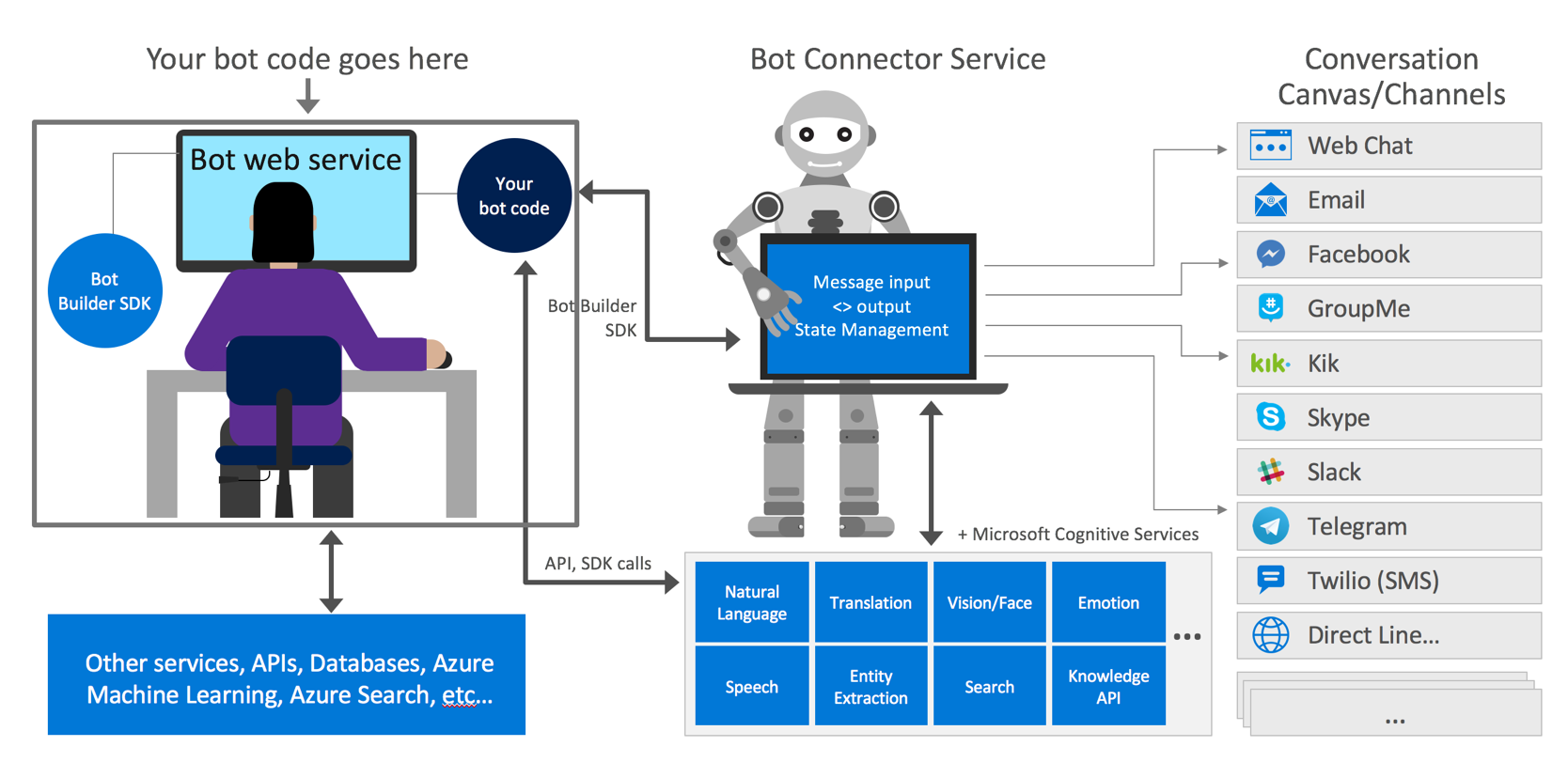
Uses the open source [Microsoft Bot Framework](https://dev.botframework.com) to build dialogs and interface with almost any messaging application.
It uses [Restify](http://restify.com/) to create a RESTful API server and [Mongoose](http://mongoosejs.com/) to model the DB documents.
I hosted it all on [Heroku](https://heroku.com) which offers free tier, and [mLab](https://mlab.com) for the MongoDB instance.
When in production it acts as a RESTful API, when in a local environment acts as an interactive CLI application where you can talk to Jobby from the terminal and save the data on a local MongoDB instance.

## Microsoft Bot Framework
It allows to create [conversation steps with waterfall](https://docs.microsoft.com/en-us/bot-framework/nodejs/bot-builder-nodejs-dialog-waterfall) to model dialogs and prompt the user for different types of data.
In the case of Jobby we only use simple dialogs, but it can be hooked to any other AI platforms like luis.ai, etc.
[You need to create an account and add a new bot ](https://dev.botframework.com/bots), that will give you the credentials to connect your bot, once you've done that and the code is hosted, the dashboard allows you to select any kind of messaging platform including a web chat interface, as well as email.
## Environment variables
Jobby needs some environmental variables to work properly.
| Variable name | Description |
| ------------- | ----------- |
| NODE_ENV | If the value is `production` the application will act as an API rest server, if its anything else it will act as an interactive CLI interface. |
| MONGO_URI | MongoDB remote uri address, if not defined the value of `MONGO` on `config.js` will be used (local DB) |
| IP | IP used by the Restify application, if undefined it defaults to the value of `IP` on `config.js` |
| PORT | Port to be used by the Restify application, if undefined it defaults to the value of `SERVER_PORT` on `config.js` |
| MICROSOFT_APP_ID | Bot framework App Id (get one [here](https://dev.botframework.com/bots))|
| MICROSOFT_APP_PASSWORD | Bot framework password (get one [here](https://dev.botframework.com/bots))|
| CHATBASE_KEY | Key for Chatbase, Google's bot analytics service (get one [here](https://www.chatbase.com)) |
## Install and run
As any other Node application, you can clone this repo and install all dependencies running:
```
npm install
```
And you can run the application by running:
```
npm start
```