https://github.com/bengtfrost/nvim-config
My personal Neovim config in Lua 🚀 | Fast startup with Lazy.nvim | LSP (Pyright, LuaLS, TSServer), Completion (Cmp+LuaSnip), Telescope, Treesitter, NvimTree | Nightfox Theme | Tested on Fedora/Sway/Foot
https://github.com/bengtfrost/nvim-config
dotfiles-nvim fedora lazy-nvim linux lsp lua nvim nvim-config telescope
Last synced: 2 months ago
JSON representation
My personal Neovim config in Lua 🚀 | Fast startup with Lazy.nvim | LSP (Pyright, LuaLS, TSServer), Completion (Cmp+LuaSnip), Telescope, Treesitter, NvimTree | Nightfox Theme | Tested on Fedora/Sway/Foot
- Host: GitHub
- URL: https://github.com/bengtfrost/nvim-config
- Owner: bengtfrost
- License: mit
- Created: 2025-04-05T13:21:37.000Z (over 1 year ago)
- Default Branch: master
- Last Pushed: 2025-04-26T20:02:50.000Z (about 1 year ago)
- Last Synced: 2025-07-06T08:46:32.282Z (about 1 year ago)
- Topics: dotfiles-nvim, fedora, lazy-nvim, linux, lsp, lua, nvim, nvim-config, telescope
- Language: Lua
- Homepage:
- Size: 4.21 MB
- Stars: 1
- Watchers: 1
- Forks: 0
- Open Issues: 0
-
Metadata Files:
- Readme: README.md
- License: LICENSE
Awesome Lists containing this project
README
# My Neovim Configuration
[](https://lua.org)
[](https://neovim.io/)
[](https://opensource.org/licenses/MIT)
This repository contains my personal Neovim configuration files, built with Lua and optimized for development workflows on Linux (specifically tested on Fedora with Sway/Foot). It aims for a balance between features, performance, and maintainability using modern Neovim plugins and practices, **including configuration for `molten-nvim` to enable direct interaction with Jupyter kernels and `.ipynb` files within Neovim.**
## ✨ Features
* **🚀 Fast Startup:** Utilizes `folke/lazy.nvim` for plugin management and lazy loading.
* **💻 LSP Integration:** Out-of-the-box support for Lua, Python, TypeScript/JavaScript via `nvim-lspconfig` and `mason.nvim`.
* **💅 Formatting:** Consistent code formatting via `stevearc/conform.nvim` using standard tools (Ruff, Black, Prettier, Stylua, etc.). Format on save enabled.
* **🤖 Completion:** Smooth completion experience powered by `nvim-cmp` and `LuaSnip`.
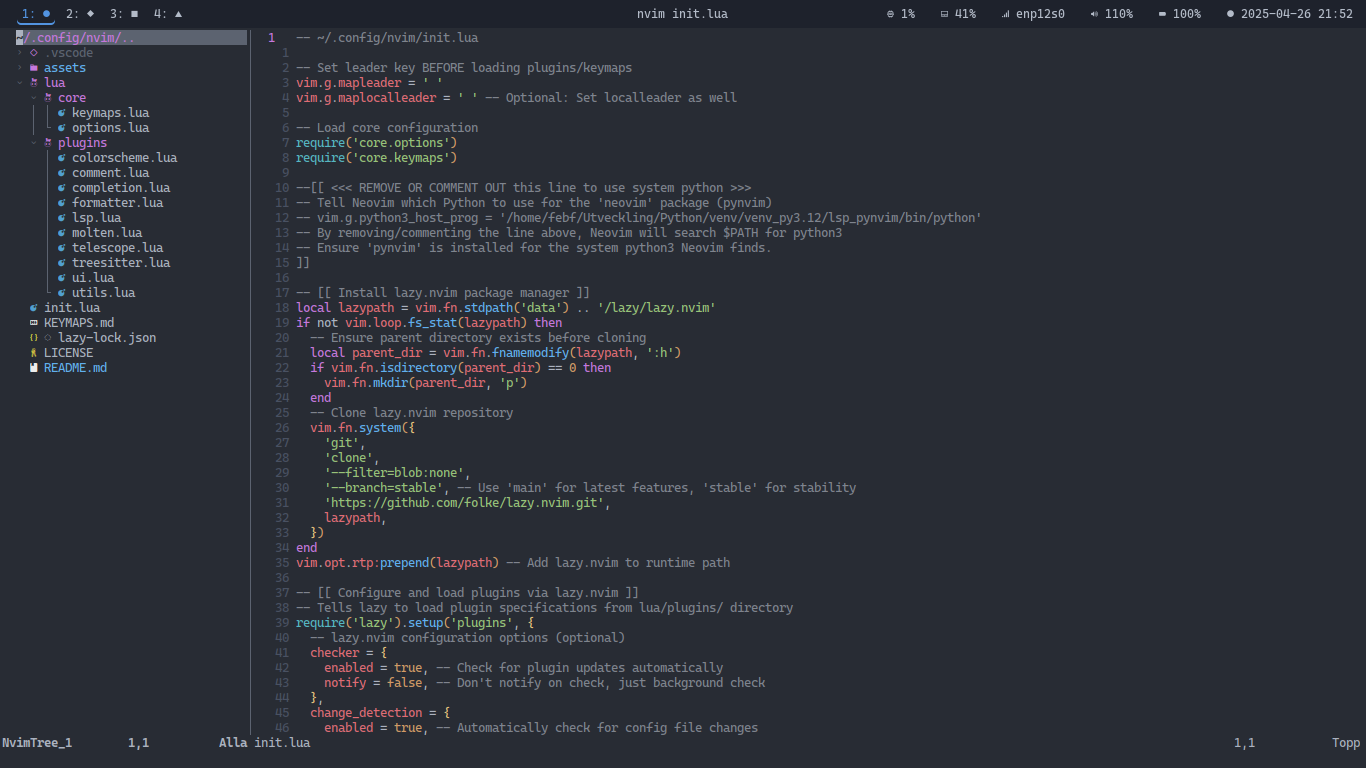
* **🌳 File Explorer:** Integrated file tree using `nvim-tree.lua`.
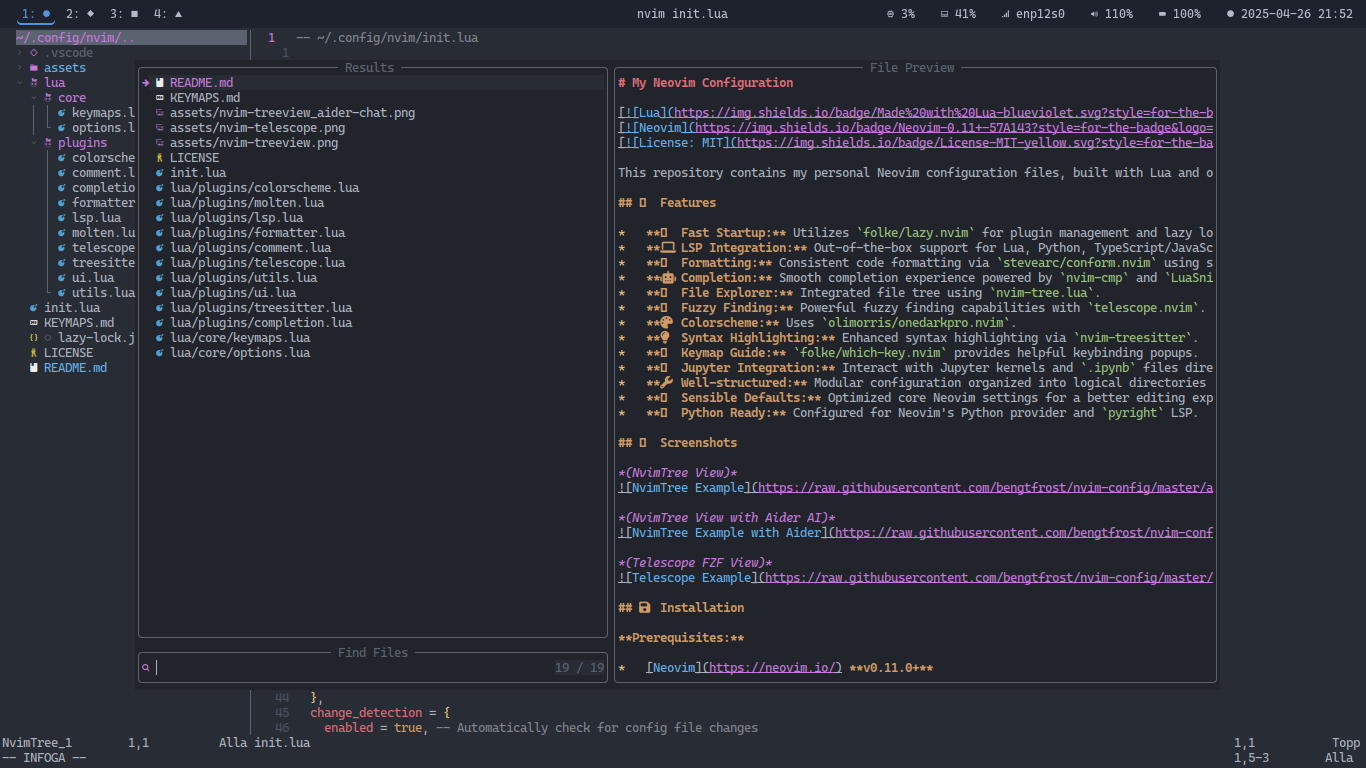
* **🔭 Fuzzy Finding:** Powerful fuzzy finding capabilities with `telescope.nvim`.
* **🎨 Colorscheme:** Uses `olimorris/onedarkpro.nvim`.
* **💡 Syntax Highlighting:** Enhanced syntax highlighting via `nvim-treesitter`.
* **⌨️ Keymap Guide:** `folke/which-key.nvim` provides helpful keybinding popups.
* **📓 Jupyter Integration:** Interact with Jupyter kernels and `.ipynb` files directly within Neovim using `benlubas/molten-nvim`. Supports connecting to kernels, viewing outputs, and executing code line-by-line or by selection from the raw `.ipynb` JSON view.
* **🔧 Well-structured:** Modular configuration organized into logical directories (`core`, `plugins`).
* **⚙️ Sensible Defaults:** Optimized core Neovim settings for a better editing experience.
* **🐍 Python Ready:** Configured for Neovim's Python provider and `pyright` LSP.
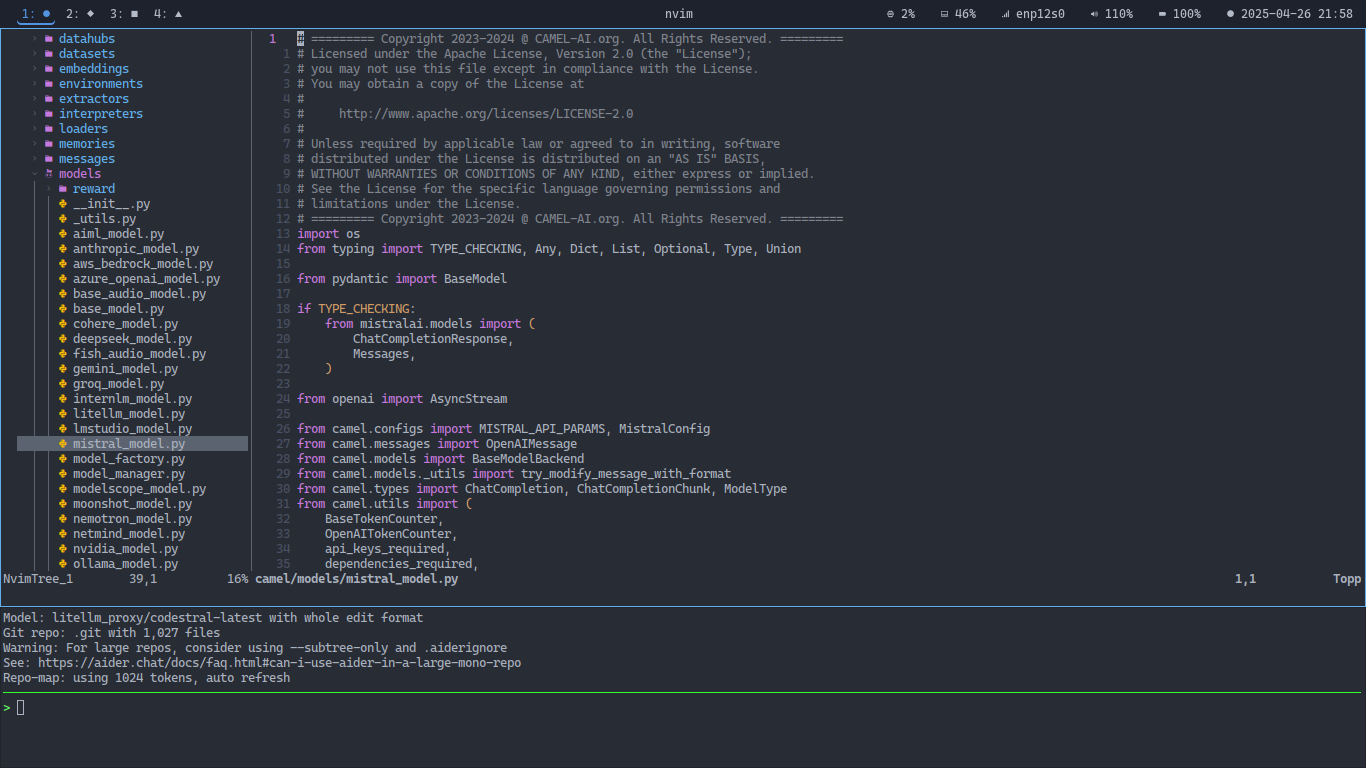
## 📸 Screenshots
*(NvimTree View)*
*(NvimTree View with Aider AI)*
*(Telescope FZF View)*
## 💾 Installation
**Prerequisites:**
* [Neovim](https://neovim.io/) **v0.11.0+**
* [Git](https://git-scm.com/)
* [Make](https://www.gnu.org/software/make/) (for building `telescope-fzf-native`)
* A [Nerd Font](https://www.nerdfonts.com/) installed and configured in your terminal (for icons)
* **Python 3 & Environment Setup:**
* **For Neovim Host:** Ensure `pip` is available for the Python Neovim uses (check `:checkhealth provider`). Install the required host packages:
```bash
# Example using system python identified by checkhealth:
/usr/bin/python3 -m pip install --user pynvim
# OR (if using a dedicated venv for nvim host):
# /path/to/nvim_host_venv/bin/python -m pip install pynvim
```
* **For Jupyter/Molten Host Features:** Install these packages using the **same Neovim host Python**:
```bash
# Example using system python:
sudo /usr/bin/python3 -m pip install jupyter_client nbformat
# OR (if using pip install --user):
# /usr/bin/python3 -m pip install --user jupyter_client nbformat
# OR (if using dedicated venv):
# /path/to/nvim_host_venv/bin/python -m pip install jupyter_client nbformat
```
*(Note: On systems like Fedora, installing `python3-neovim`, `python3-jupyter-client`, `python3-nbformat` via `dnf` might achieve the same result for the system Python).*
* **For Kernel Environment:** Ensure `ipykernel` and `notebook` (or `jupyterlab`) are installed in the Python virtual environment(s) you intend to run your Jupyter kernels from.
```bash
# Example within your project venv:
# pip install ipykernel notebook
```
* (Recommended) `ripgrep` (for Telescope live grep), `fd` (for Telescope find files performance).
* (Recommended) Node.js/npm (for some LSPs/formatters installed via Mason like `pyright`, `typescript-language-server`, `prettierd`).
**Steps:**
1. **Backup your existing Neovim configuration (if any):**
```bash
# Backup config
mv ~/.config/nvim ~/.config/nvim.bak
# Optional: Backup data/state/cache
# mv ~/.local/share/nvim ~/.local/share/nvim.bak
# mv ~/.local/state/nvim ~/.local/state/nvim.bak
# mv ~/.cache/nvim ~/.cache/nvim.bak
```
2. **Clone this repository:**
```bash
git clone https://github.com/bengtfrost/nvim-config ~/.config/nvim
```
3. **Start Neovim:**
```bash
nvim
```
* `lazy.nvim` will automatically bootstrap itself and install/update all the configured plugins on the first run. Make sure you restart Neovim after the plugin updates are complete.
* **Molten Requirement:** After the first install of `molten-nvim` (or after updates), run `:UpdateRemotePlugins` inside Neovim and then **restart Neovim**.
* **Mason:** Mason will attempt to install LSPs and Formatters. If any fail, run `:Mason` after startup to manage them.
## ⚙️ Configuration Structure
This configuration follows a modular structure:
* **`init.lua`**: Main entry point.
* **`assets/`**: Static assets.
* **`lua/core/`**: Base Neovim settings (`options.lua`, `keymaps.lua`).
* **`lua/plugins/`**: Plugin configurations managed by `lazy.nvim`.
* `colorscheme.lua`: Theme (`onedarkpro.nvim`).
* `comment.lua`: Commenting (`Comment.nvim`).
* `completion.lua`: Completion (`nvim-cmp`, `LuaSnip`).
* `formatter.lua`: Formatting (`conform.nvim`).
* `lsp.lua`: LSP setup (`nvim-lspconfig`, `mason.nvim`).
* `molten.lua`: Jupyter integration (`molten-nvim`).
* `telescope.lua`: Fuzzy finder (`telescope.nvim`).
* `treesitter.lua`: Syntax engine (`nvim-treesitter`).
* `ui.lua`: File explorer (`nvim-tree.lua`).
* `utils.lua`: Utility plugins (`which-key.nvim`, `mini.icons`).
## ⌨️ Keybindings
* **Leader Key:** ``
* Press `` in Normal Mode and wait briefly to see available mappings via Which-Key. Specific groups exist for Telescope (`f`), LSP (`l`, `c`, `w`), Molten (`j`), etc.
* Primary format command: `fd` (uses `conform.nvim`).
* Refer to the [Keymap Summary](KEYMAPS.md) for a detailed list of all mappings. *(Remember to resolve the `fd` overlap between Conform and Telescope Diagnostics if desired)*
## 🤝 Contributing
This is a personal configuration, but suggestions or improvements are welcome via issues or pull requests.
## 📜 License
Distributed under the MIT License. See [LICENSE](LICENSE) for more information.