https://github.com/benlau/sparkqml
SparkQML - A QML Document Viewer for State and Transition Preview
https://github.com/benlau/sparkqml
Last synced: 5 months ago
JSON representation
SparkQML - A QML Document Viewer for State and Transition Preview
- Host: GitHub
- URL: https://github.com/benlau/sparkqml
- Owner: benlau
- License: apache-2.0
- Created: 2016-11-01T17:08:09.000Z (about 9 years ago)
- Default Branch: master
- Last Pushed: 2019-06-01T20:37:37.000Z (over 6 years ago)
- Last Synced: 2025-07-14T22:27:52.124Z (5 months ago)
- Language: JavaScript
- Homepage:
- Size: 986 KB
- Stars: 100
- Watchers: 9
- Forks: 9
- Open Issues: 1
-
Metadata Files:
- Readme: README.md
- License: LICENSE
Awesome Lists containing this project
- awesome-qt-qml - sparkqml - SparkQML - A QML Document Viewer for State and Transition Preview. (Misc)
README
# SparkQML
SparkQML is a utility that loads and displays QML document like the qmlscene from Qt SDK.
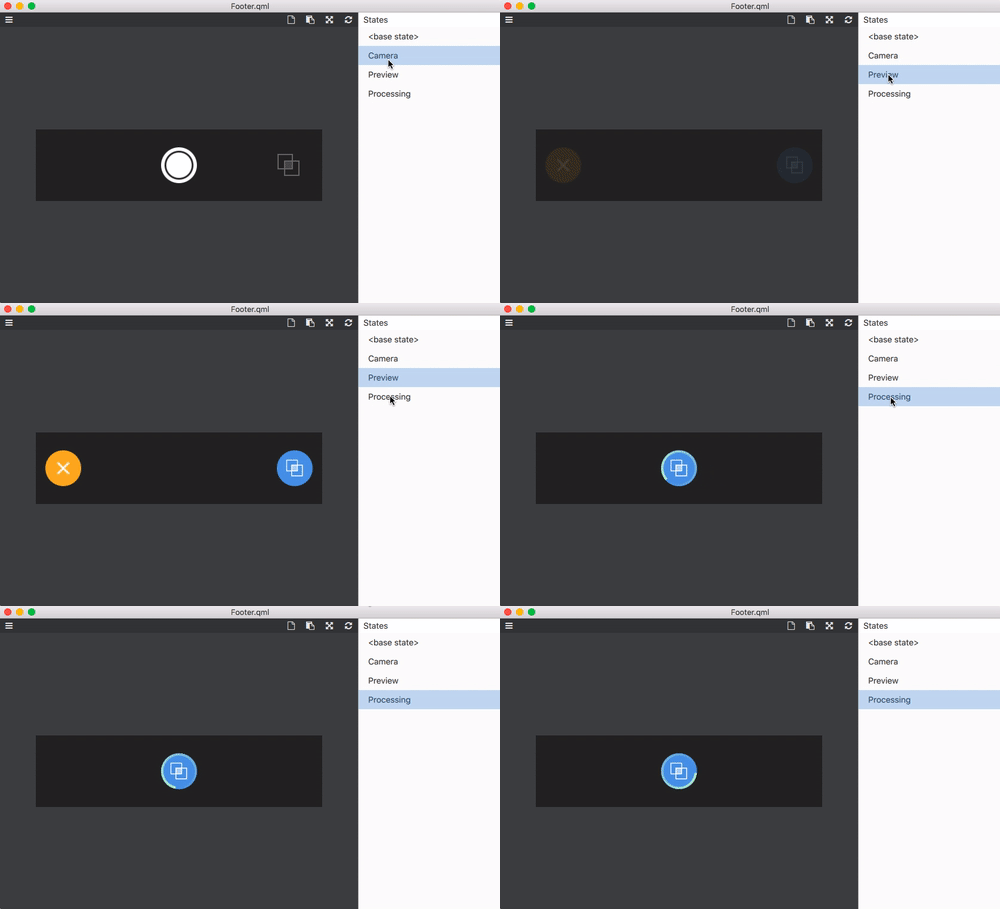
Moreover, it could show all the available states of a component and change to preview the transition effect.
It is useful to demonstrate and verify the visual effect of a component.
Features
========
1. Load and display QML document
2. Show all available states of the QML document. Allow to change for transition effect preview
3. Convert to image and export to file / clipboard
4. Read QML_IMPORT_PATH from a file generated by qmake. Easy to integrate with Qt Creator
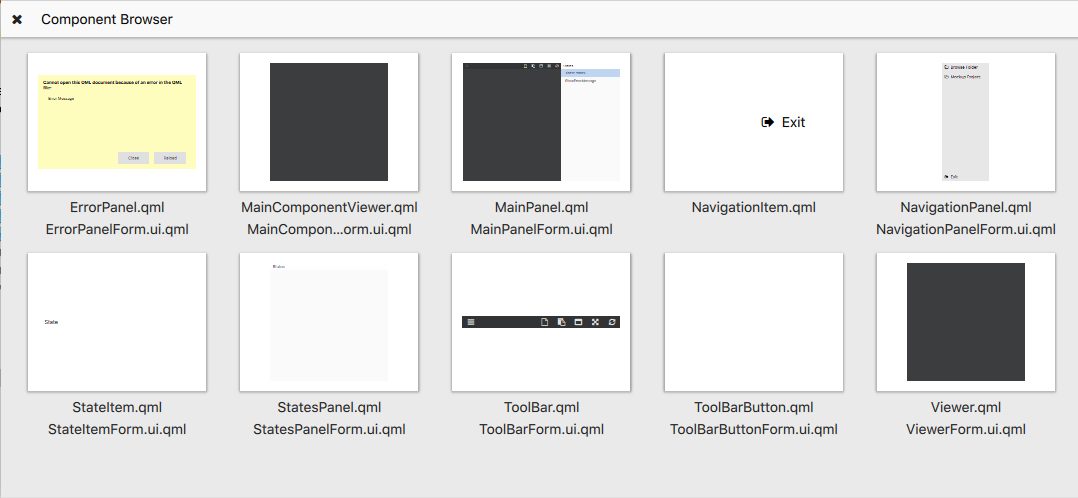
5. Browse components in a folder with preview
Command Line Arguments
======================
sparkqml [qmlimport.path]
filename - The QML file name
qmlimport.path - A file that provides the value of QML_IMPORT_PATH. If this parameter is missing, sparkqml would try to search the file started from the document path to root folder.
Build Instruction
=================
Download and extract the release file from github. Then:
```
cd app/sparkqml
qpm install
qmake
make
```
Integration with Qt Creator
============================
1) Copy the executable built in previous step to somewhere you like
2) In menu, press "Tools" -> "External" -> "Configure"
3) Then press "Add" -> "Add Tool". Drag the newly created tool under "Qt Quick" category
You may rename it to “SparkQML Viewer"
4) Fill in the following values
```
Executable : The path to the executable
Arguments: %{CurrentDocument:FilePath} %{CurrentProject:Path}/qmlimport.path
```
It is done. Now you could trigger SparkQML while editing a QML file by “Tools” -> "External" -> "Qt Quick" -> "SparkQML Viewer"
QML_IMPORT_PATH
==================
In case SparkQML can’t display your QML file due to “xxx is not installed” error.
Probably is because it can’t locate your package.
To fix this problem, you may add the following lines at the end of your pro file:
write_file(qmlimport.path, QML_IMPORT_PATH)
Then run qmake.
It will create a file called qmlimport.path with the value of QML_IMPORT_PATH.
You may add this file to your .gitignore.
Restart SparkQML. Now it would know where to find packages.
C++ Module
==========
SparkQML do not understand C++ code.
In case you have referred a component from C++.
You need to use a mockup project.
It is a QML project with package and component same as the C++ plugin but it doesn’t need to implement any logic.
Within SparkQML UI, trigger navigation menu and press "Mockup Project". Then it will open a project called "sparkmockup" in Qt Creator. Then you could create a package and component with name as the C++ module.
For example, if you have a package called "MyApp" and it has a "CustomItem" singleton object. You may add following files to the sparkmockup project:
**MyApp/qmldir**
```
CustomItem 1.0 CustomItem.qml
```
**MyApp/CustomItem**
```
import QtQuick 2.0
Item {
}
```