https://github.com/benthillerkus/debug_hit_points
Visually debug where a Widget can be tapped
https://github.com/benthillerkus/debug_hit_points
debug flutter hit-testing
Last synced: 5 months ago
JSON representation
Visually debug where a Widget can be tapped
- Host: GitHub
- URL: https://github.com/benthillerkus/debug_hit_points
- Owner: benthillerkus
- License: bsd-3-clause
- Created: 2024-09-26T15:22:42.000Z (almost 2 years ago)
- Default Branch: main
- Last Pushed: 2024-09-26T17:15:34.000Z (almost 2 years ago)
- Last Synced: 2025-04-09T21:44:59.485Z (about 1 year ago)
- Topics: debug, flutter, hit-testing
- Language: Dart
- Homepage: https://pub.dev/packages/debug_hit_points
- Size: 64.5 KB
- Stars: 1
- Watchers: 1
- Forks: 1
- Open Issues: 0
-
Metadata Files:
- Readme: README.md
- Changelog: CHANGELOG.md
- License: LICENSE
Awesome Lists containing this project
README
Ever wondered why your custom slider doesn't register all taps? Or maybe it seems you can tap everywhere, even though your button should be much smaller?
`package:debug_hit_points` renders a dot matrix on top of your Widget, displaying exactly where hit tests succeed.
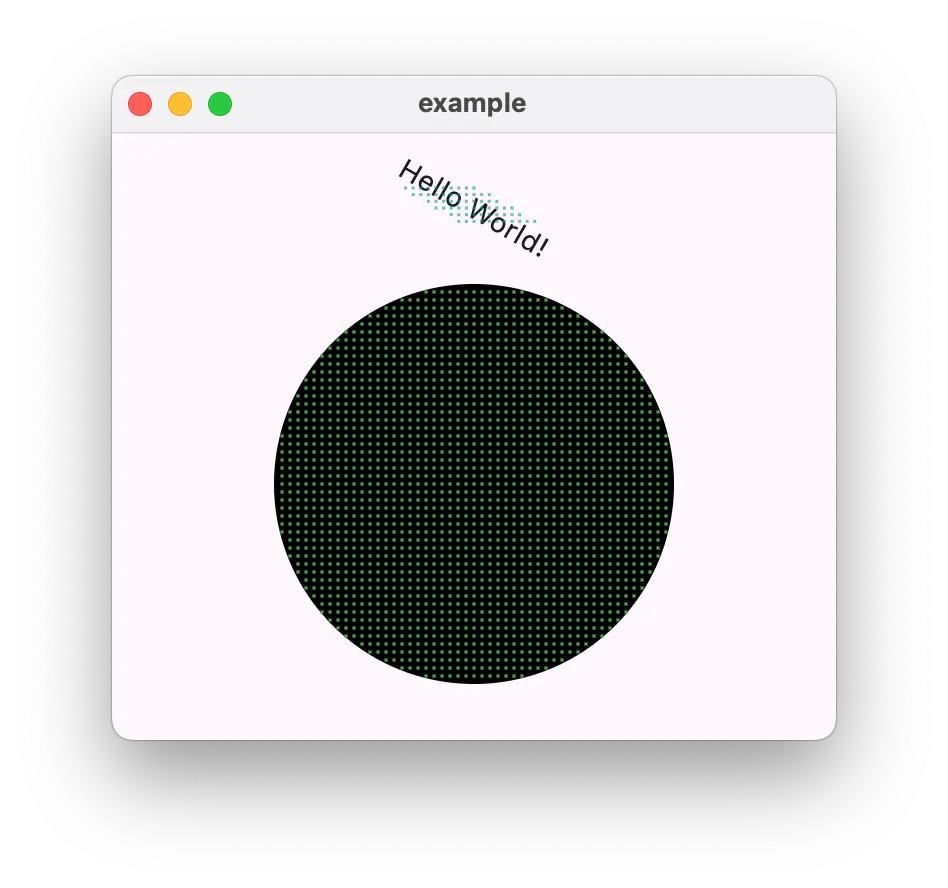
## Features
- Can be wrapped around any Box widget
- Per default disabled in non-debug builds
- Point grid resolution, color and point size can be customized
- Try different `HitTestBehavior` modes
## Getting started
In your `pubspec.yaml` add:
```yaml
dependencies:
debug_hit_points: ^1.0.0
```
or run
```bash
flutter pub add debug_hit_points
```
## Usage
Import the package
```dart
import 'package:debug_hit_points/debug_hit_points.dart';
```
And wrap your widget with `DebugHitPoints`
```dart
Scaffold(
body: DebugHitPoints(
color: Colors.red,
resolution: 10,
child: FlutterLogo(),
),
)
```
## Additional information
If you run into any issues or have some suggestions, please open an issue on [GitHub](https://github.com/benthillerkus/debug_hit_points/issues).