https://github.com/bep/docuapi
Beautiful multilingual API documentation theme for Hugo
https://github.com/bep/docuapi
Last synced: about 1 year ago
JSON representation
Beautiful multilingual API documentation theme for Hugo
- Host: GitHub
- URL: https://github.com/bep/docuapi
- Owner: bep
- License: other
- Created: 2016-10-17T19:02:31.000Z (over 9 years ago)
- Default Branch: master
- Last Pushed: 2025-04-13T16:41:13.000Z (about 1 year ago)
- Last Synced: 2025-04-14T14:59:36.156Z (about 1 year ago)
- Language: HTML
- Homepage: https://docuapi.netlify.app/
- Size: 1.74 MB
- Stars: 766
- Watchers: 14
- Forks: 201
- Open Issues: 18
-
Metadata Files:
- Readme: README.md
- Funding: .github/FUNDING.yml
- License: LICENSE.md
Awesome Lists containing this project
README
[](https://app.netlify.com/sites/docuapi/deploys)
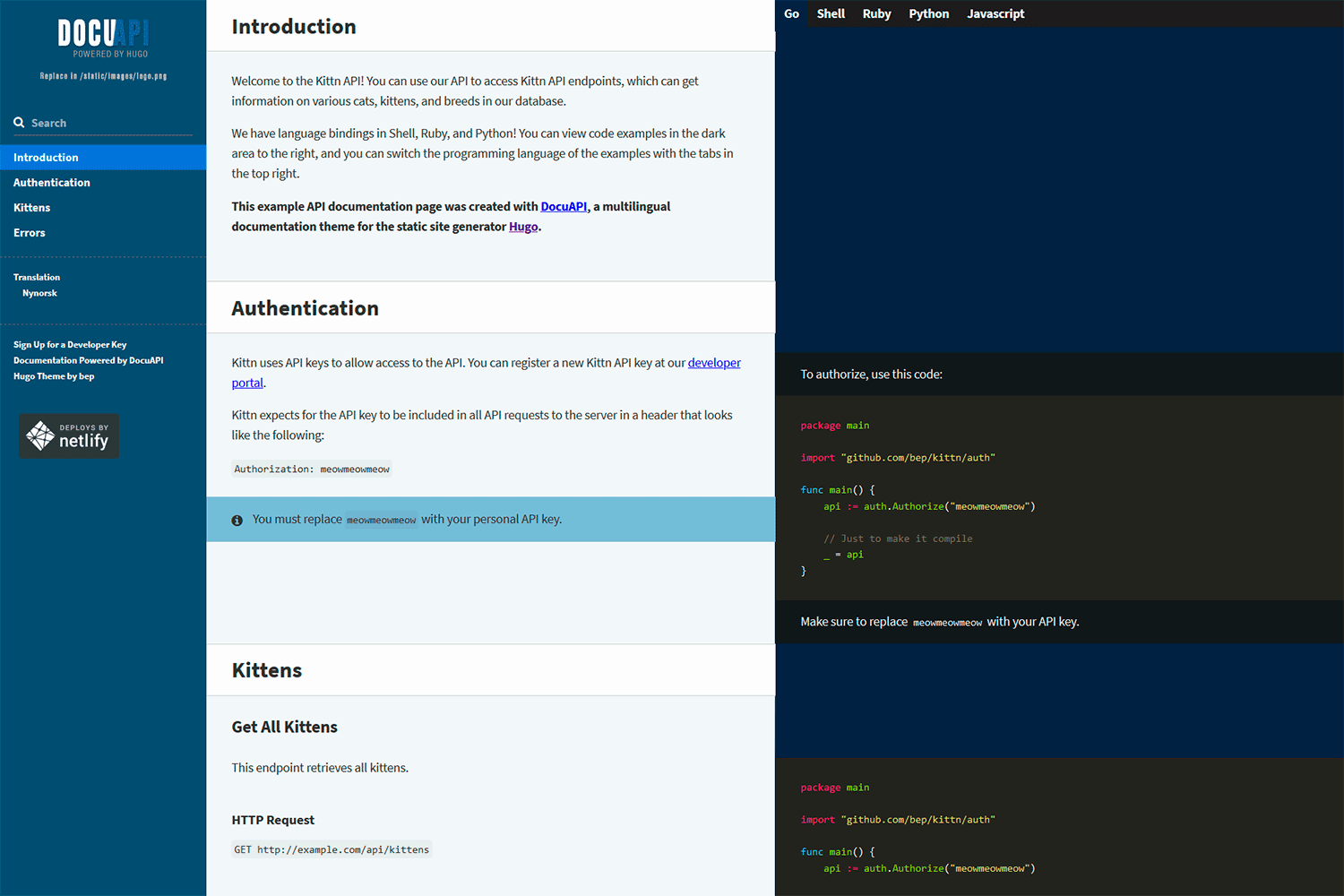
**DocuAPI** is a beautiful multilingual API documentation theme for [Hugo](http://gohugo.io/). This theme is built on top of the beautiful work of [Robert Lord](https://github.com/lord) and others on the [Slate](https://github.com/slatedocs/slate) project ([Apache 2 License](https://github.com/slatedocs/slate/blob/master/LICENSE)). The JS part has recently been rewritten from Jquery to [AlpineJS](https://alpinejs.dev/).
> Visit the [demo site](https://docuapi.netlify.app/).
## Use
Import the theme in your Hugo config:
```toml
[[module.imports]]
path = "github.com/bep/docuapi/v2"
```
Note, if you want the older jQuery-version, replace the path with `github.com/bep/docuapi`.
If you want to edit the SCSS styles, you need:
* The extended Hugo version.
* PostCSS CLI (run `npm install` to install requirements)
See the [exampleSite](https://github.com/bep/docuapi/tree/master/exampleSite) and more specific its site [configuration](https://github.com/bep/docuapi/blob/master/exampleSite/hugo.toml) for the available options.
**Most notable:** This theme will use all the (non drafts) pages in the site and build a single-page API documentation. Using `weight` in the page front matter is the easiest way to control page order.
If you want a different page selection, please provide your own `layouts/index.html` template.
You can customize the look-and-feel by adding your own CSS variables in `assets/scss/docuapi_overrides.scss`. See the exampleSite folder for an example.
## Hooks
You can override the layouts by providing some custom partials:
* `partials/hook_head_end.html` is inserted right before the `head` end tag. Useful for additional styles etc.
* `partials/hook_body_end.html` which should be clear by its name.
* `partials/hook_left_sidebar_start.html` the start of the left sidebar
* `partials/hook_left_sidebar_end.html` the end of the left sidebar
* `partials/hook_left_sidebar_logo.html` the log `img` source
The styles and Javascript import are also put in each partial and as such can be overridden if really needed:
* `partials/styles.html`
* `partials/js.html`
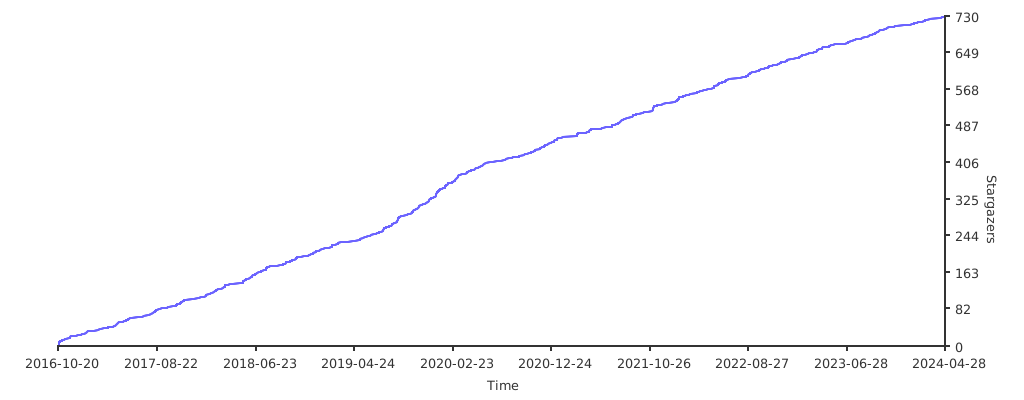
## Stargazers over time
[](https://starchart.cc/bep/docuapi)