https://github.com/bernaferrari/diagonal-wipe-icon-flutter
Polished wipe-style icon transitions for Flutter
https://github.com/bernaferrari/diagonal-wipe-icon-flutter
Last synced: about 1 month ago
JSON representation
Polished wipe-style icon transitions for Flutter
- Host: GitHub
- URL: https://github.com/bernaferrari/diagonal-wipe-icon-flutter
- Owner: bernaferrari
- License: mit
- Created: 2026-03-10T18:32:41.000Z (4 months ago)
- Default Branch: main
- Last Pushed: 2026-03-10T22:21:30.000Z (4 months ago)
- Last Synced: 2026-03-11T01:10:25.690Z (4 months ago)
- Language: Dart
- Homepage: https://bernaferrari.github.io/diagonal-wipe-icon-flutter/
- Size: 2.84 MB
- Stars: 0
- Watchers: 0
- Forks: 0
- Open Issues: 0
-
Metadata Files:
- Readme: README.md
- Changelog: CHANGELOG.md
- License: LICENSE
Awesome Lists containing this project
README
# Diagonal Wipe Icon for Flutter
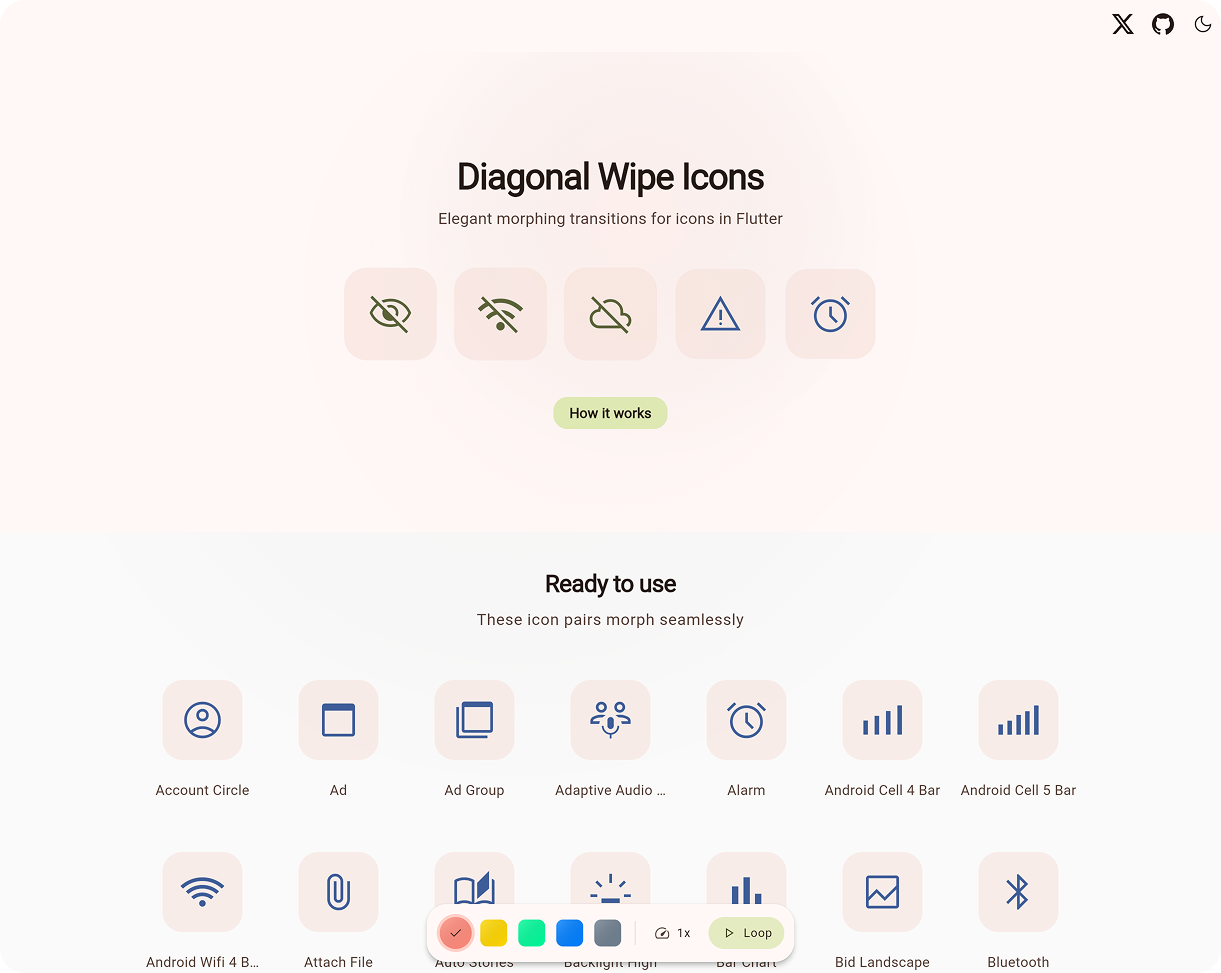
**[🚀 Live Demo](https://bernaferrari.github.io/diagonal-wipe-icon-flutter/)**
## 📖 What Is This?

Apple's **SF Symbols** makes it easy to add wipe icon transitions to iOS apps. Flutter does not ship that interaction out of the box, making it tempting to skip the animation entirely.
**Diagonal Wipe Icon** bridges this gap. It provides a polished component that blends two icon states with a moving mask, supporting 8 different wipe directions. Perfect for:
- 🎛️ **Toggle controls** (`mute`, `favorite`, `visible`)
- ⚙️ **Settings screens** with stateful icons
- ✨ **Anywhere** you want polished micro-interactions
**Accessible & lightweight. Zero dependencies.**
## 🚀 Quick Start
[](https://pub.dev/packages/diagonal_wipe_icon)
Add the package via terminal:
```bash
flutter pub add diagonal_wipe_icon
```
Or add it manually to your `pubspec.yaml`:
```yaml
dependencies:
diagonal_wipe_icon: ^0.2.1
```
Then, use it anywhere you would typically place an `Icon`, such as inside an `IconButton` or a `GestureDetector`:
```dart
import 'package:diagonal_wipe_icon/diagonal_wipe_icon.dart';
IconButton(
onPressed: () => setState(() => isFavorite = !isFavorite),
icon: AnimatedDiagonalWipe.icon(
isWiped: isFavorite,
baseIcon: Icons.favorite_border,
wipedIcon: Icons.favorite,
semanticsLabel: 'Favorite Toggle',
),
);
```
## 🧰 Choose The Right API
| If you have... | Use |
| --- | --- |
| Two `IconData` values | `AnimatedDiagonalWipe.icon(...)` |
| Two widgets | `AnimatedDiagonalWipe(...)` |
| An `Animation` and two widgets | `DiagonalWipeTransition(...)` |
### Key Properties
| Property | Description |
| --- | --- |
| `isWiped` | Which icon is fully visible (true/false state). |
| `baseIcon` / `wipedIcon` | The two icons to transition between. |
| `baseTint` / `wipedTint` | Optional colors. Inherits from `IconTheme` if null. |
| `size` | Optional size. Inherits from `IconTheme` if null. |
| `direction` | Forward wipe direction. Defaults to `topLeftToBottomRight`. |
| `reverseDirection` | Optional visual reverse wipe direction. Defaults to `direction.opposite`. |
| `animationStyle` | Timing constraints, curves, or disables animation entirely. |
## 🎨 Customization
`AnimatedDiagonalWipe` animates automatically when `isWiped` changes. You can deeply customize the transition timing and ease using `animationStyle` or tweak the exact direction and colors:
```dart
AnimatedDiagonalWipe.icon(
// State and Icons
isWiped: isMuted,
baseIcon: Icons.volume_up,
wipedIcon: Icons.volume_off,
// Customization
baseTint: Colors.teal,
direction: WipeDirection.bottomLeftToTopRight, // 8 directions supported
reverseDirection: WipeDirection.topRightToBottomLeft,
// Motion Presets
animationStyle: const AnimationStyle(
duration: Duration(milliseconds: 220),
curve: Curves.fastOutSlowIn,
),
)
```
If you omit `reverseDirection`, the reverse pass uses `direction.opposite`. Internally the clip path mirrors reverse progress (`1.0` to `0.0`) so explicit reverse values still match the visual direction you choose.
```dart
AnimatedDiagonalWipe.icon(
isWiped: isVisible,
baseIcon: Icons.visibility,
wipedIcon: Icons.visibility_off,
direction: WipeDirection.topLeftToBottomRight,
// Defaults to WipeDirection.bottomRightToTopLeft on the reverse pass.
)
```
## ⚡ Performance & Under The Hood

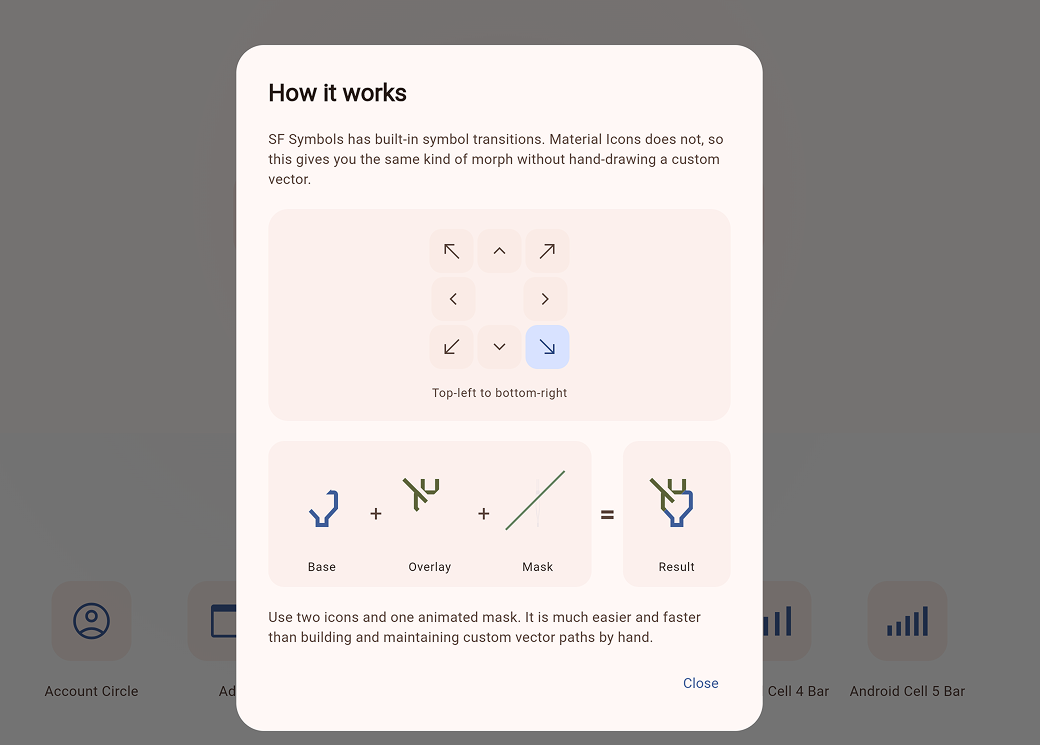
The effect works by revealing one layer while clipping the other across a shared square box.
| Scenario | Performance |
|----------|-------------|
| **At Rest** (`isWiped` settled) | Same as rendering a single static layer. |
| **During Transition** | Two clipped layers plus path updates. |
| **Normal Usage** | Flawless and smooth on modern devices. |
- ✅ Settled states bypass clipping overhead
- ✅ Respects system reduce-motion preferences by jumping to final state
## ❓ FAQ
- **Why use this instead of `AnimatedSwitcher`?**
Use it when you want an icon transition to feel like a state change. If a simple cross-fade is enough, `AnimatedSwitcher` is a great fit.
- **Can I use custom widgets?**
Yes! Use `AnimatedDiagonalWipe(...)` for arbitrary widgets, like a `CircularProgressIndicator`.
- **Run the Demo Locally:**
```bash
cd example
flutter run -d chrome
```
## 🌍 Also Available For Compose
A Compose Multiplatform version lives in the companion repository:
- [bernaferrari/diagonal-wipe-icon](https://github.com/bernaferrari/diagonal-wipe-icon)