https://github.com/bertpl/gitsvg-action
GitHub Action to render, validate, and drift-check git graph diagrams (gitsvg) as SVG in CI
https://github.com/bertpl/gitsvg-action
ci diagram-as-code git-diagram git-graph github-action gitsvg svg
Last synced: about 1 month ago
JSON representation
GitHub Action to render, validate, and drift-check git graph diagrams (gitsvg) as SVG in CI
- Host: GitHub
- URL: https://github.com/bertpl/gitsvg-action
- Owner: bertpl
- License: mit
- Created: 2026-06-02T20:37:04.000Z (about 1 month ago)
- Default Branch: main
- Last Pushed: 2026-06-02T20:54:06.000Z (about 1 month ago)
- Last Synced: 2026-06-02T22:24:27.232Z (about 1 month ago)
- Topics: ci, diagram-as-code, git-diagram, git-graph, github-action, gitsvg, svg
- Size: 7.81 KB
- Stars: 0
- Watchers: 0
- Forks: 0
- Open Issues: 0
-
Metadata Files:
- Readme: README.md
- Changelog: CHANGELOG.md
- License: LICENSE
Awesome Lists containing this project
README
# gitsvg-action
Render, validate, or drift-check [`gitsvg`](https://github.com/bertpl/gitsvg) diagrams as SVG in your GitHub Actions workflows.
[`gitsvg`](https://pypi.org/project/gitsvg/) turns a declarative `.gitsvg.jsonl` file — a list of git operations like `branch`, `commit`, `merge`, and `pull_request` — into a polished SVG of a git history. This action lets you keep those diagrams as **source under version control** and act on them in CI: render them to SVG, validate them on every pull request, or fail the build when a committed SVG drifts out of sync with its source.
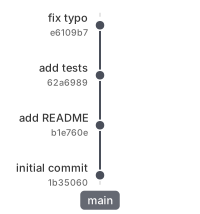
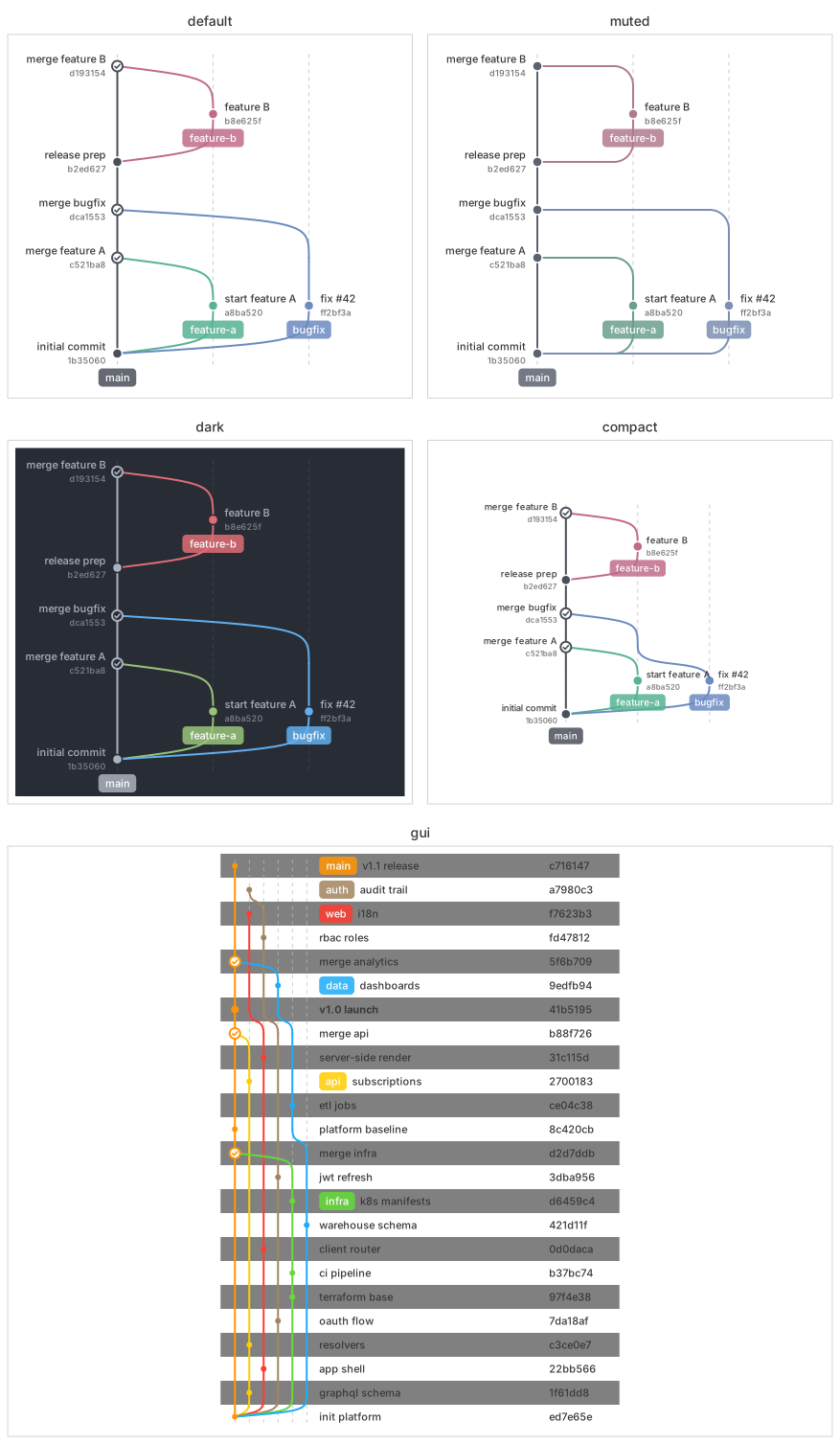
That's one diagram in the default style. `gitsvg` also ships a set of built-in themes — here's the same git history rendered across several of them, alongside its desktop-GUI table layout, so you can see at a glance the range of looks gitsvg can produce:
## Usage
Render every `.gitsvg.jsonl` under a directory, in place:
```yaml
steps:
- uses: actions/checkout@v6
- uses: bertpl/gitsvg-action@v1
with:
input: docs/diagrams
```
No `fetch-depth: 0` is needed — `gitsvg` reads your `.gitsvg.jsonl` files, not your repository's git history.
### Validate diagrams on every pull request
```yaml
- uses: bertpl/gitsvg-action@v1
with:
command: validate
input: docs/diagrams
```
### Guard committed SVGs against drift
Fail the build when a committed `.svg` no longer matches what its source renders to:
```yaml
- uses: bertpl/gitsvg-action@v1
with:
command: check
input: docs/diagrams
gitsvg-version: "0.2.6" # pin for check, so an upstream gitsvg release can't cause a spurious drift failure
```
### Render a single file, minified
```yaml
- uses: bertpl/gitsvg-action@v1
with:
input: docs/graph.gitsvg.jsonl
output: docs/graph.svg
small: "2"
```
## Commands
- **`render`** (default) — render a single file to SVG, or recursively render a directory tree of `*.gitsvg.jsonl` files to mirrored `.svg` outputs.
- **`validate`** — run `gitsvg`'s validation pipeline and fail on any malformed diagram. A cheap pull-request gate.
- **`check`** — re-render and fail if a committed `.svg` is stale relative to its source, so diagram source and rendered output can't silently drift apart. Pin `gitsvg-version` when using `check`, so an upstream gitsvg change can't surface as a spurious drift failure.
## Inputs
| Input | Default | Description |
|-------|---------|-------------|
| `command` | `render` | `render`, `validate`, or `check`. |
| `input` | _(required)_ | Path to a `.gitsvg.jsonl` file, or a directory containing them. |
| `output` | _(derived)_ | Where to write SVG output for `render` / `check`. A file path for a single-file input, a directory for a directory input. Defaults to the input's sibling `.svg` (file) or in place (directory). |
| `small` | `0` | Minification level 0–3 (`render` / `check`); `0` is pristine. |
| `gitsvg-version` | `latest` | The `gitsvg` version to install — a [PyPI version](https://pypi.org/project/gitsvg/#history) (e.g. `0.2.6`), or `latest`. Pin it for reproducible output. |
| `python-version` | `3.13` | Python version for the runner (`gitsvg` requires 3.11+). |
## Outputs
| Output | Description |
|--------|-------------|
| `svg-path` | Path of the generated SVG (single-file `render`; empty for a directory input). |
| `svg-count` | Number of diagrams rendered. |
## How it works
This is a composite action: it sets up Python, installs `gitsvg` from PyPI, and runs its CLI. It needs no special `permissions:` — all three commands are read-only with respect to your repository. (`check` re-renders and compares against your committed SVGs; it never writes back.)
## License
[MIT](LICENSE).