https://github.com/bertrandom/vestaboard-pattern-pusher
Push the Top Pick pattern to the Vestaboard
https://github.com/bertrandom/vestaboard-pattern-pusher
Last synced: 2 months ago
JSON representation
Push the Top Pick pattern to the Vestaboard
- Host: GitHub
- URL: https://github.com/bertrandom/vestaboard-pattern-pusher
- Owner: bertrandom
- Created: 2021-09-09T00:22:12.000Z (almost 5 years ago)
- Default Branch: main
- Last Pushed: 2026-03-14T13:43:14.000Z (4 months ago)
- Last Synced: 2026-03-15T00:52:49.452Z (4 months ago)
- Language: JavaScript
- Homepage:
- Size: 11.7 KB
- Stars: 1
- Watchers: 1
- Forks: 0
- Open Issues: 0
-
Metadata Files:
- Readme: README.md
Awesome Lists containing this project
README
# vestaboard-pattern-pusher
Each day, the Vestaboard iOS app shows 3 suggested messages under "Top Picks". One of the messages is always a colorful pattern.
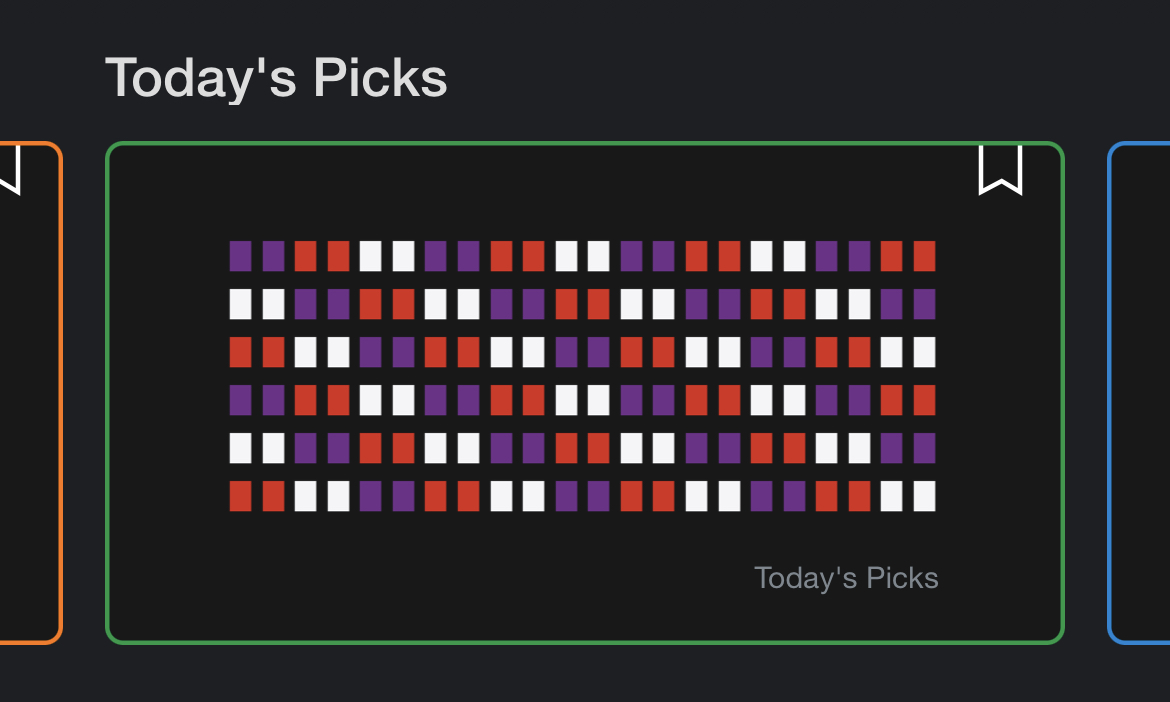
I usually like that pattern, so I'll press the button to **Send** it to my Vestaboard, but I'd like to automate this.
Luckily, the Vestaboard iOS app does not use certificate pinning, so by placing [mitmproxy](https://mitmproxy.org/) between it and the Internet, we can examine the traffic to it.
After you login to the Vestaboard app, it'll go through an OAuth flow, which will call `https://vestaboard.auth0.com/oauth/token`, exchanging the code for an access token and a refresh token. The access token lasts 1 day. The refresh token can be used to get a new access token.
If you kill the Vestaboard app and start it up, it'll make several calls to `https://platform.vestaboard.com/graphql`. One of these calls will get information about the viewer, which includes a person ID. Another call will fetch a list of suggestions, passing in the person ID.
Then we simply take the pattern and push it to the Vestaboard using the API.
## Installation
Copy `config/default.json5` to `config/local.json5`.
Go to https://web.vestaboard.com/ and click on Developers.
Create a new Installable, then click on Create API Credential. Put the key and secret in `config/local.json5`.
Call:
```
curl -H "X-Vestaboard-Api-Key: YOUR_API_KEY" -H "X-Vestaboard-Api-Secret: YOUR_API_SECRET" https://platform.vestaboard.com/subscriptions
```
and note the subscription ID. Put this in `config/local.json5`.
Configure your iPhone to use mitmproxy and launch the Vestaboard app. Logout and login again.
Look for a request to `https://vestaboard.auth0.com/oauth/token` and examine the response - it should contain the refresh token. Put this in `config/local.json5`.
Run `npm install`.
## Usage
Calling
```
node push
```
will push the pattern to your Vestaboard. You can add this to a cronjob, for example, to run it at 8 AM everyday.