https://github.com/betabison/strava-maps
Personalized heatmaps created from Strava bulk download
https://github.com/betabison/strava-maps
Last synced: 8 months ago
JSON representation
Personalized heatmaps created from Strava bulk download
- Host: GitHub
- URL: https://github.com/betabison/strava-maps
- Owner: betaBison
- Created: 2021-12-24T22:05:42.000Z (over 4 years ago)
- Default Branch: main
- Last Pushed: 2024-08-31T04:53:49.000Z (almost 2 years ago)
- Last Synced: 2025-01-16T14:45:36.440Z (over 1 year ago)
- Language: Python
- Size: 13.6 MB
- Stars: 0
- Watchers: 2
- Forks: 0
- Open Issues: 0
-
Metadata Files:
- Readme: README.md
Awesome Lists containing this project
README
# Strava Maps
Create personalized heatmaps.
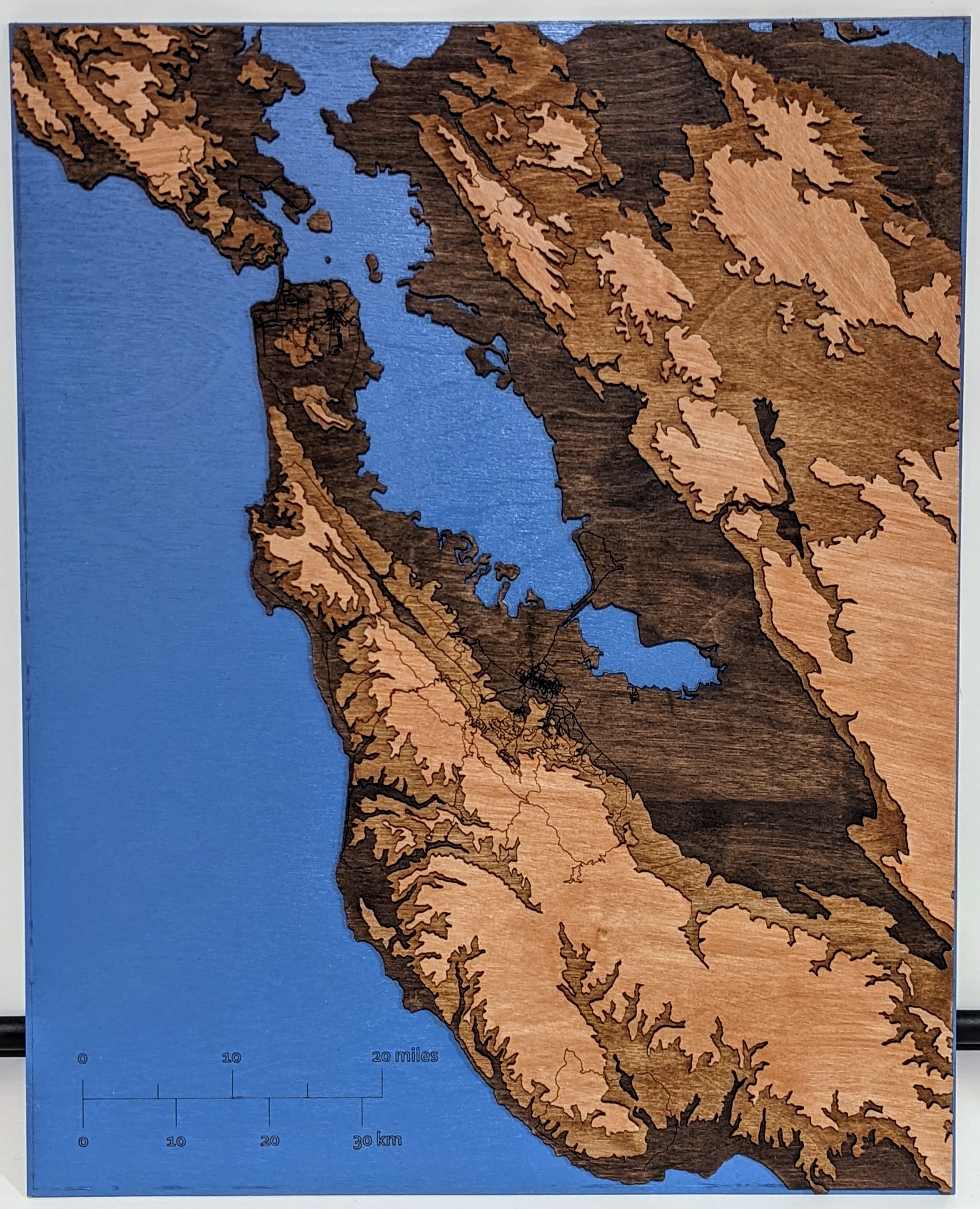
## Installation
1. Clone the repository.
2. Install python dependencies
```pip3 install -r requirements.txt```
## Normal Usage
1. Request and download your bulk export data from Strava. You can
follow detailed instructions from Strava [here](https://support.strava.com/hc/en-us/articles/216918437-Exporting-your-Data-and-Bulk-Export#Bulk).
2. Unzip the exported folder
1. Change the `config/settings.ini` strava `data_path` variable to the
location of the strava exported data.
4. Run the `main.py` script. This script will unzip all files inside of
the directory, convert .gz, .gpx, .fit, and .tcx files to a common .csv
format, and then call plotting functions to visualize your data.
```python3 main.py```
## Elevation Map Creation
The elevation map for this project is comprised of merged USGS elvation
data. For the Bay area, I merged the .TIF file of eight 1/3 arc second
USGS elevation maps. Namely:
- [n37w122](https://www.sciencebase.gov/catalog/item/60cc2883d34e86b938a54560)
- [n37w123](https://www.sciencebase.gov/catalog/item/60cc2881d34e86b938a5455b)
- [n38w122](https://www.sciencebase.gov/catalog/item/60cc2880d34e86b938a54554)
- [n38w123](https://www.sciencebase.gov/catalog/item/60cc287bd34e86b938a5454a)
- [n38w124](https://www.sciencebase.gov/catalog/item/5f7783d482ce1d74e7d6c1ff)
- [n39w122](https://www.sciencebase.gov/catalog/item/5f77839782ce1d74e7d6c0f2)
- [n39w123](https://www.sciencebase.gov/catalog/item/5f77839882ce1d74e7d6c0f6)
- [n39w124](https://www.sciencebase.gov/catalog/item/5f7783d582ce1d74e7d6c202)
The small and medium arrays of these combined images are included in the
`data/` directory. If you want to base your elevation map using a higher
resolution version, you'll need to:
1. Download the eight TIFF images from the above links
2. Change the `config/settings.ini` usgs `data_path` variable to the
location of the directory that contains the TIFF images you just
downloaded.
3. Run the `elevation_map_creation.py` file with the `size` variable
changed from `medium` to `large` at the bottom of the file. This file
will combine the images, save the composite into the `data/` directory,
and then show you the composite image.
As a note of caution: the large version is a 5.6GB file and needs about 20GB of
memory on your machine to create.