https://github.com/bewaremypower/vim-dev-env
The development environment based on Vim editor.
https://github.com/bewaremypower/vim-dev-env
Last synced: 5 months ago
JSON representation
The development environment based on Vim editor.
- Host: GitHub
- URL: https://github.com/bewaremypower/vim-dev-env
- Owner: BewareMyPower
- Created: 2022-04-10T15:36:17.000Z (over 4 years ago)
- Default Branch: main
- Last Pushed: 2022-10-31T10:43:56.000Z (over 3 years ago)
- Last Synced: 2025-10-09T18:34:27.967Z (9 months ago)
- Language: Vim Script
- Size: 28.3 KB
- Stars: 0
- Watchers: 1
- Forks: 0
- Open Issues: 0
-
Metadata Files:
- Readme: README.md
Awesome Lists containing this project
README
          # vim-dev-env

The development environment based on Vim editor.

## Install on Ubuntu

You only need to run `./install.sh`.

> **NOTE**

>

> On Ubuntu 18.04, you might need to import some special paths in `.ccls` file, see [.ccls-ubuntu-18.04](./.ccls-ubuntu-18.04).

## Proxy

Since GitHub and apt source are blocked in some particular areas, if you have a proxy, you can configure the environment variable `PROXY` before running `install.sh`.

For example, my Ubuntu runs in [WSL2](https://learn.microsoft.com/en-us/windows/wsl/install) and there is a proxy that listens on 10808 port. Here are how I configured the `PROXY` variable:

```bash

# Inside WSL2, run `ipconfig` on Windows to see the actual IP in your env

export PROXY=socks5://172.30.80.1:10808

```

```bash

# Inside a ubuntu:20.04 docker container

export PROXY=socks5://host.docker.internal:10808

```

You might need to configure a separate proxy for `apt` because it uses `socks5h` instead of `socks5` as the scheme, e.g.

```bash

export APT_PROXY=socks5h://172.30.80.1:10808

```

> **NOTE**

>

> For WSL2, copy `./.bash_profile` to your home directory to have all proxies configured. Assuming the proxy port is 10808 and proxy is socks5 proxy.

## Docker image set up

You can also set up the development environment in a Docker image. Here are the instructions to build a Ubuntu-based image with Vim and the plugins installed.

### Build the image

```bash

docker build -t ubuntu-18.04-vim-dev .

```

### Example

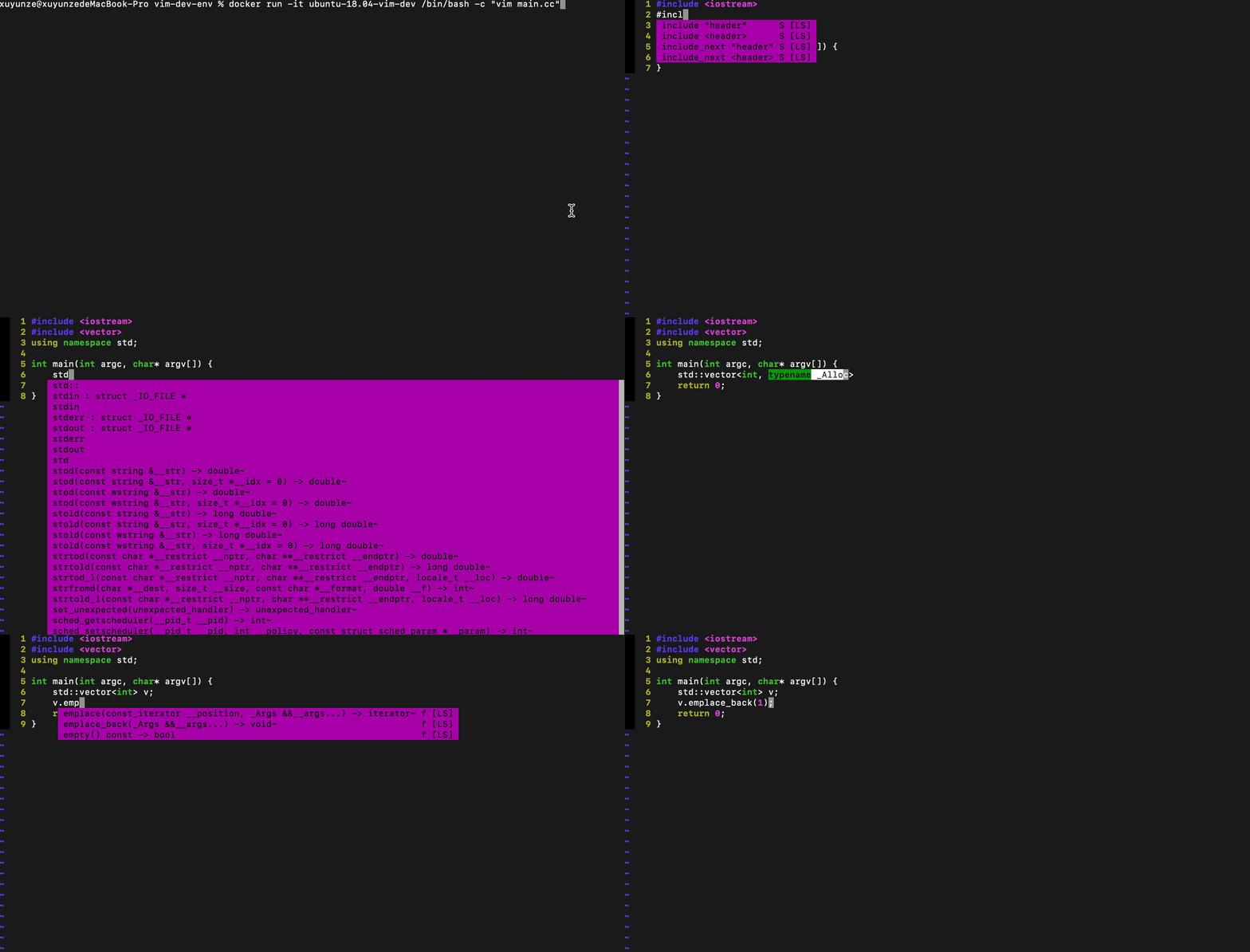
After building the image successfully, you can edit [the C++ example file](./example.cc) when starting the container.

```bash

docker run -it ubuntu-18.04-vim-dev /bin/bash -c "vim main.cc"

```