https://github.com/biasiolo/menu-full-screen
Enhance your website with the Full Screen Navigation Menu, a modern and interactive solution designed to elevate user experience.
https://github.com/biasiolo/menu-full-screen
css full-screen html javascript menu-full-screen menu-navigation plugin user-interface
Last synced: about 2 months ago
JSON representation
Enhance your website with the Full Screen Navigation Menu, a modern and interactive solution designed to elevate user experience.
- Host: GitHub
- URL: https://github.com/biasiolo/menu-full-screen
- Owner: Biasiolo
- License: mit
- Created: 2023-12-09T01:55:26.000Z (over 2 years ago)
- Default Branch: main
- Last Pushed: 2023-12-15T02:52:47.000Z (over 2 years ago)
- Last Synced: 2024-03-15T04:11:28.861Z (about 2 years ago)
- Topics: css, full-screen, html, javascript, menu-full-screen, menu-navigation, plugin, user-interface
- Language: CSS
- Homepage: https://menu-full-screen.vercel.app
- Size: 30.3 KB
- Stars: 0
- Watchers: 1
- Forks: 0
- Open Issues: 0
-
Metadata Files:
- Readme: README.md
- License: license.md
Awesome Lists containing this project
README
# Full Screen Navigation Menu
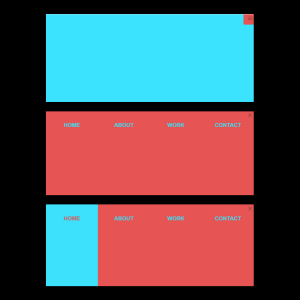
Enhance your website with the Full Screen Navigation Menu, a modern and interactive solution designed to upgrade user experience, with bubble animation.
[Live aplication](https://menu-full-screen.vercel.app/)
## Features
- Sleek Design: The menu features a clean and contemporary design that adds a touch of sophistication to your website.
- Responsive Layout: The menu is crafted to ensure optimal performance on various screen sizes, making it user-friendly across devices.
- Easy integration with your website or web application
- Lightweight and customizable
### New features
- Bubble Animation:
Explore a captivating visual experience with our new bubble animation. The screen comes to life with gracefully moving bubbles, creating an engaging and dynamic atmosphere.
- Glassmorphism Aesthetics:
Immerse yourself in the modern design trend with the addition of glassmorphism. The menu elements showcase a sleek glass-like appearance, providing a visually appealing and immersive user interface.
## Installation
To use this full-screen navigation menu in your project, follow these steps:
1. Install plugin:
```bash
npm i full-screen-navigation-menu
```
2. Include jQuery and the plugin in your HTML file:
```html
$(document).ready(function () {
// Initialize the plugin
$('body').fullScreenMenu({
menuTrigger: '.nav-trigger',
closeButton: '.js_close_button',
menuElement: '.nav-menu',
animationDuration: 200
});
});
```
3. Customize the menu styles and settings according to your preferences.
## Usage
```javascript
// Include the full-screen-menu plugin
$(document).ready(function () {
// Initialize the plugin
$('body').fullScreenMenu({
menuTrigger: '.nav-trigger',
closeButton: '.js_close_button',
menuElement: '.nav-menu',
animationDuration: 200
});
});
```
## License
This project is licensed under the MIT License by BIASIOLO.
```