https://github.com/biosshot/easyeda-copilot
AI-powered assistant for EasyEDA — generate schematics from natural language, export BOMs (GOST), browse LCSC components, and get interactive circuit design help.
https://github.com/biosshot/easyeda-copilot
ai ai-agents ai-assistant circuit easyeda easyeda-extension easyeda-extensions electronics electronics-engineering spice spice-simulation vue
Last synced: 3 months ago
JSON representation
AI-powered assistant for EasyEDA — generate schematics from natural language, export BOMs (GOST), browse LCSC components, and get interactive circuit design help.
- Host: GitHub
- URL: https://github.com/biosshot/easyeda-copilot
- Owner: biosshot
- License: mit
- Created: 2025-12-09T10:55:00.000Z (7 months ago)
- Default Branch: main
- Last Pushed: 2026-04-17T12:35:11.000Z (3 months ago)
- Last Synced: 2026-04-17T14:27:43.178Z (3 months ago)
- Topics: ai, ai-agents, ai-assistant, circuit, easyeda, easyeda-extension, easyeda-extensions, electronics, electronics-engineering, spice, spice-simulation, vue
- Language: Vue
- Homepage:
- Size: 10.4 MB
- Stars: 33
- Watchers: 4
- Forks: 4
- Open Issues: 2
-
Metadata Files:
- Readme: README.md
- Contributing: CONTRIBUTING.md
- License: LICENSE
Awesome Lists containing this project
README
# EasyEda Copilot - Your AI peer circuit design

EasyEda Copilot is an AI-powered extension for EasyEDA that improves the circuit design workflow with intelligent assistance. This extension provides AI-powered schematic creation tools and interactive chat features to assist you with your electronic design projects.
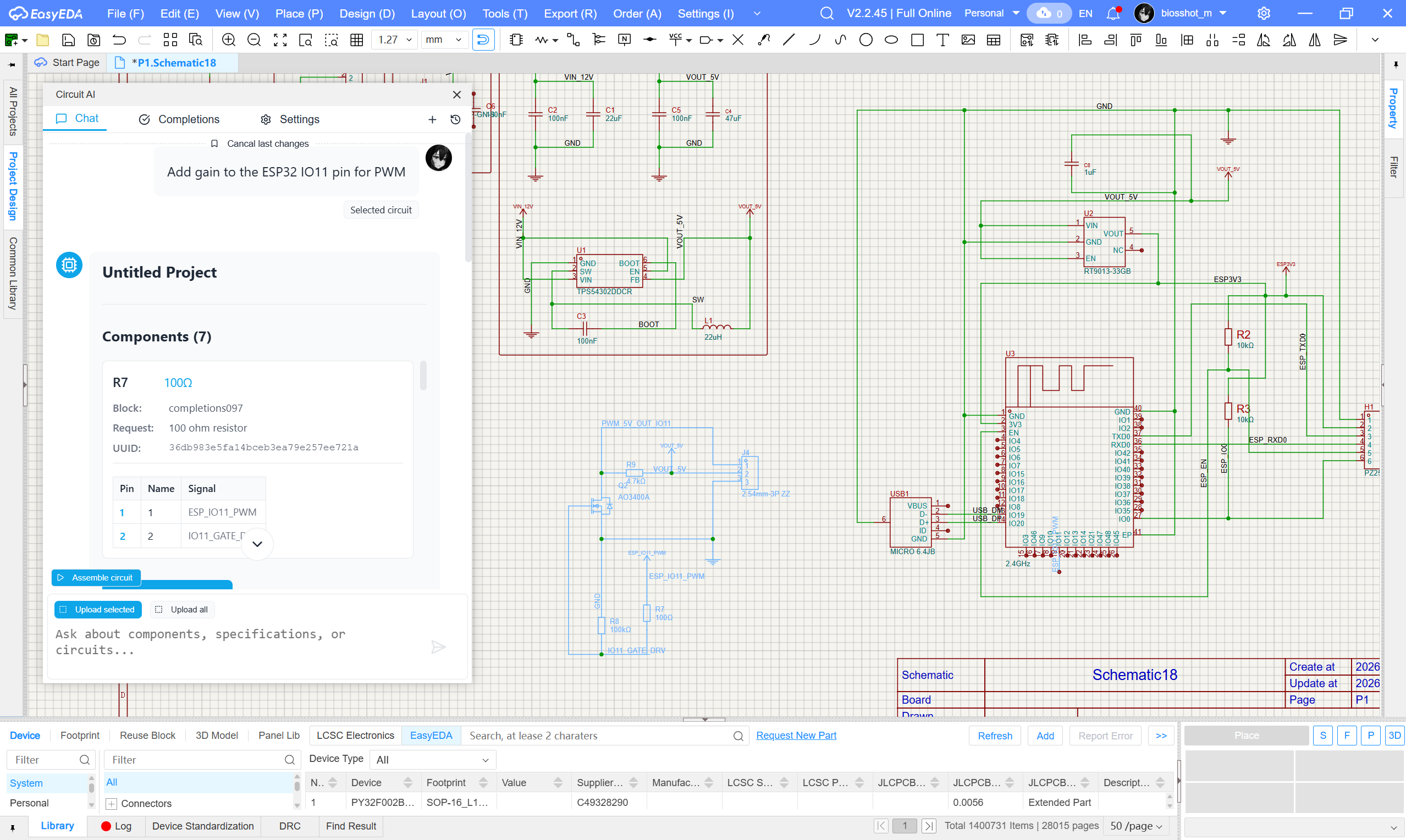
# More examples:
[Oshwlab](https://oshwlab.com/biosshot/edacopilotexamples)
## Installation
### Table of easyeda versions on which the functionality was tested.
| Version | Status |
| --------------------------- | ---------- |
| EasyEDA Pro Desktop V2.2.45 | ✅ Verified |
To install the extension, download the latest release. In EasyEDA Pro, go to Settings → Extensions → Extensions Manager → Import Extensions, select the *.eext file, and be sure to check the External Interactions box.
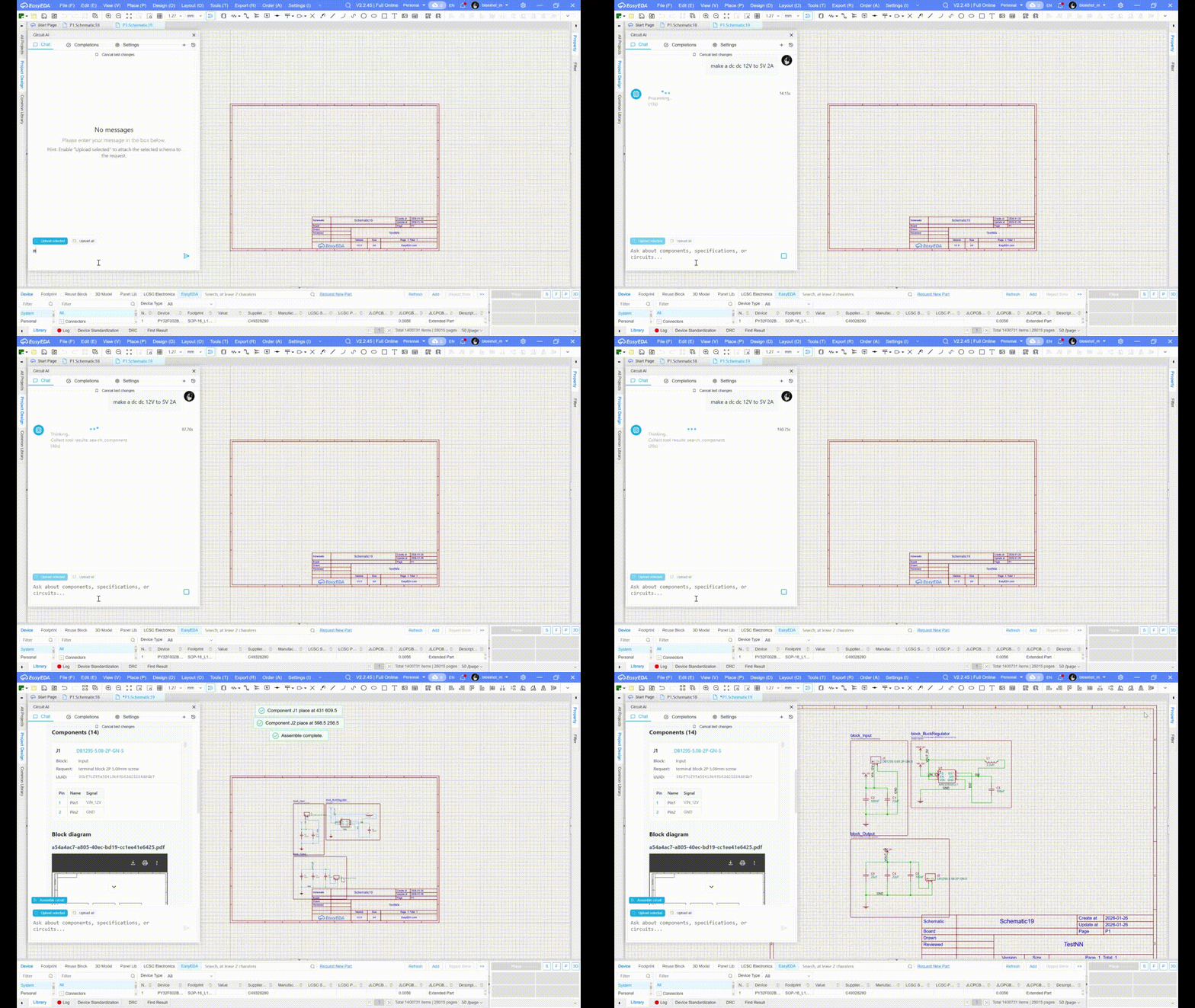
## Generating Circuits
Generate сircuits from descriptions
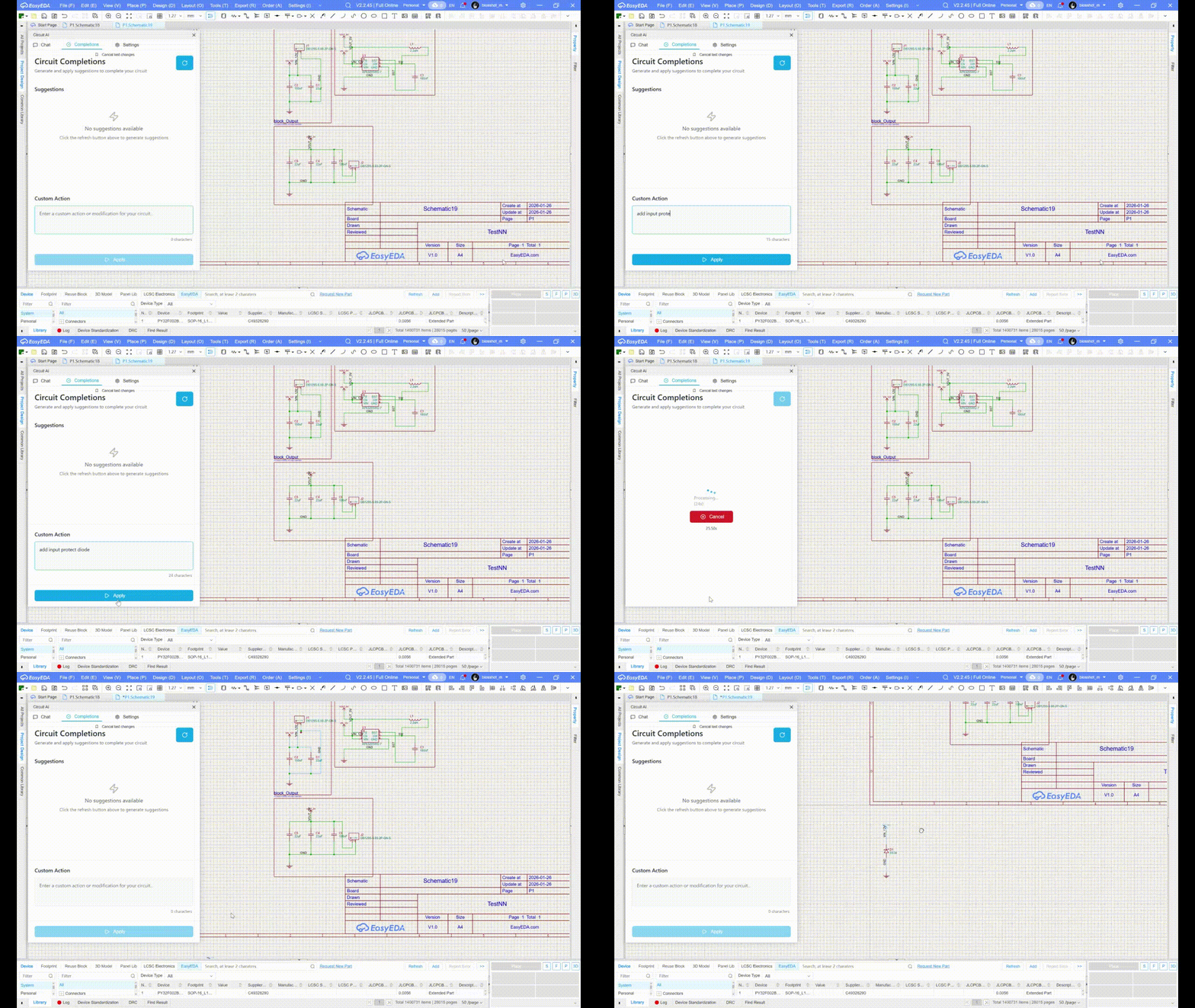
## Circuits Completions
Complete your svemas with completions
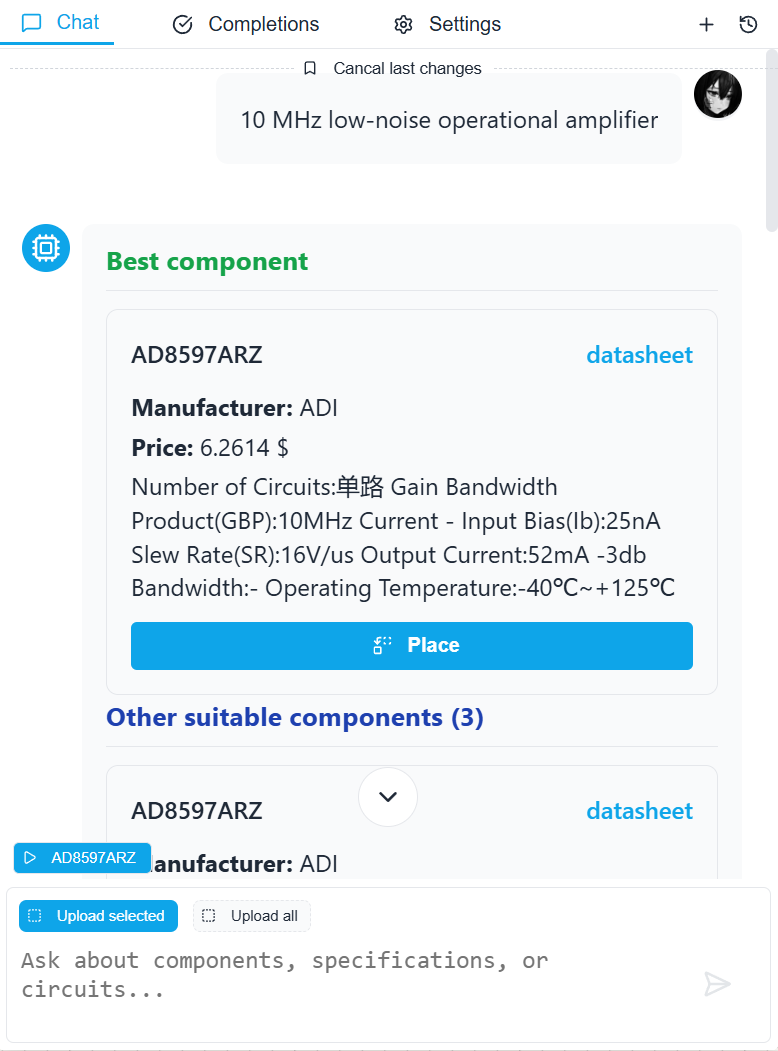
## Component Selection
Search for components in LCSC by description or characteristics

100Ω 10W resistor
10 MHz low-noise operational amplifier
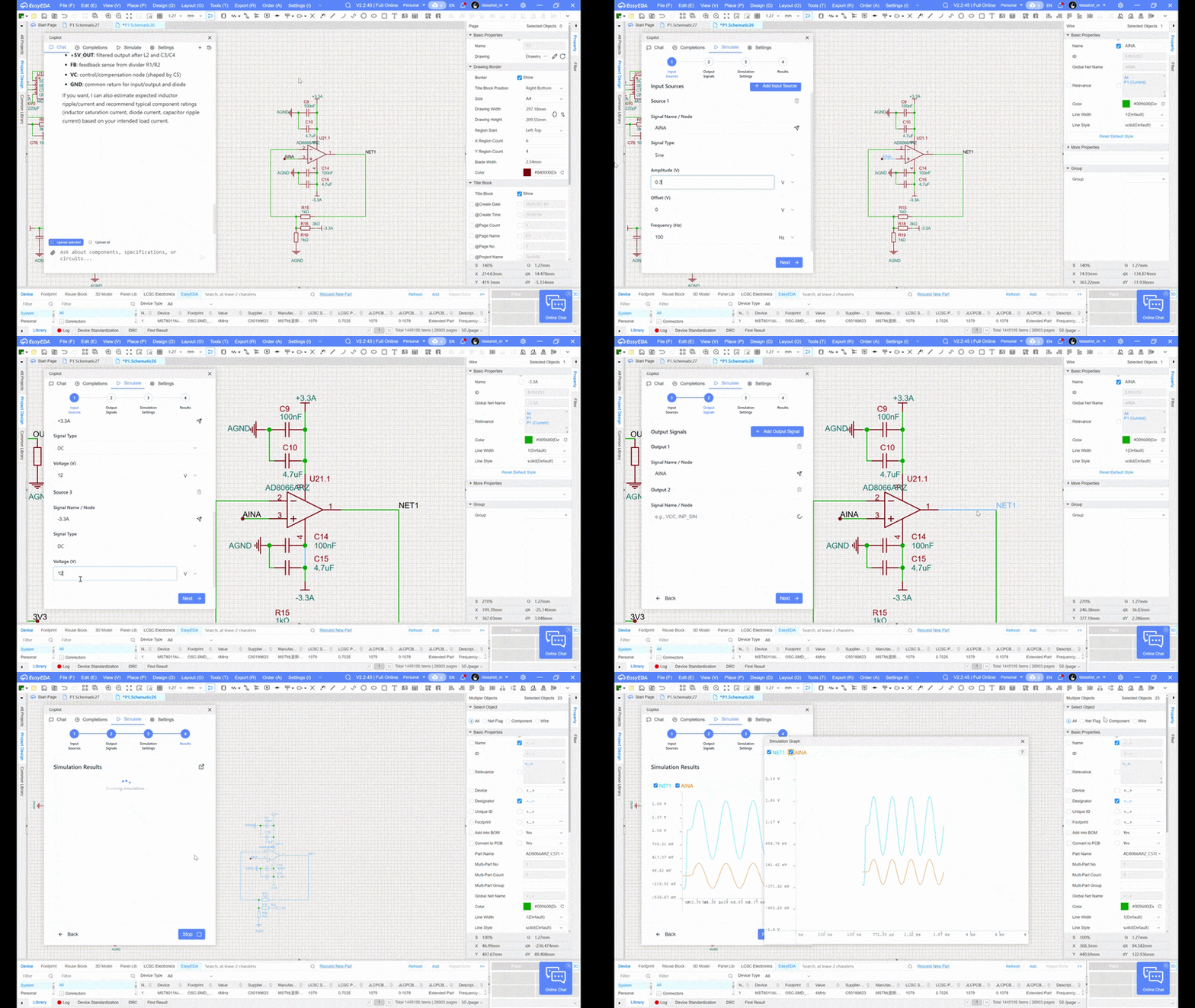
## SPICE Circuit Simulation
Automatically selects SPICE models from a library of 50,000 components.
!CRITICAL: ALWAYS VERIFY THE SPICE MODELS USED TO REPLACE YOUR COMPONENTS. YOU CAN FIND THEM BELOW THE GRAPH AFTER THE SIMULATION!
## Generating Documentation
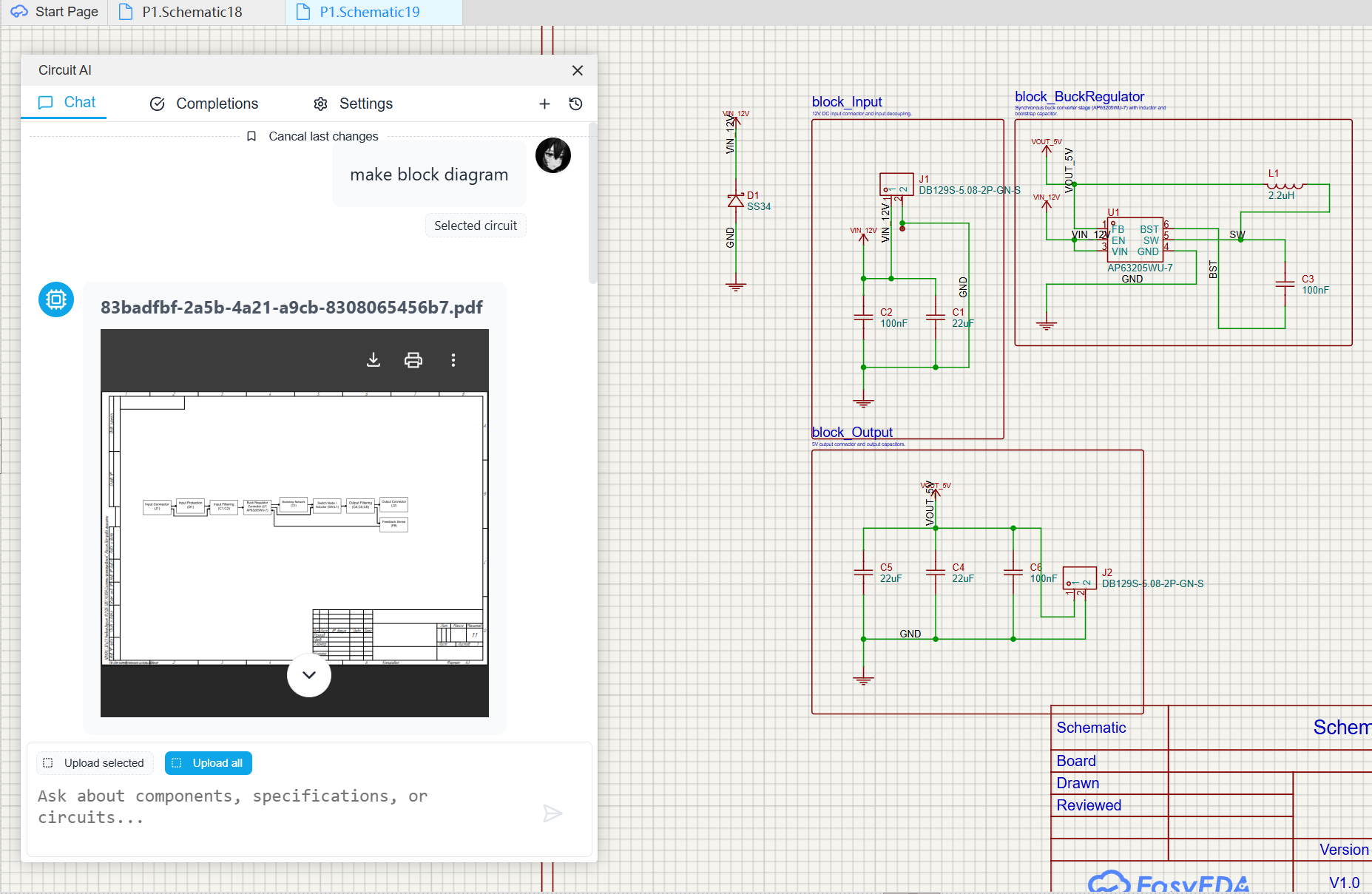
*Structural diagram generation for a complex circuit, showing both the schematic and the generated PDF output*

*Diagnostic algorithm generation for circuit analysis, with visual flowchart representation*
## Support
We welcome your feedback.