https://github.com/birchill/10ten-ja-reader
A browser extension to translate Japanese by hovering over words.
https://github.com/birchill/10ten-ja-reader
addon dictionary firefox japanese rikaichamp rikaichan rikaikun web-extension webextension
Last synced: about 2 months ago
JSON representation
A browser extension to translate Japanese by hovering over words.
- Host: GitHub
- URL: https://github.com/birchill/10ten-ja-reader
- Owner: birchill
- License: gpl-3.0
- Created: 2017-01-10T23:41:43.000Z (over 9 years ago)
- Default Branch: main
- Last Pushed: 2026-05-03T21:50:35.000Z (about 2 months ago)
- Last Synced: 2026-05-03T23:31:47.104Z (about 2 months ago)
- Topics: addon, dictionary, firefox, japanese, rikaichamp, rikaichan, rikaikun, web-extension, webextension
- Language: TypeScript
- Homepage: https://10ten.life
- Size: 1.36 GB
- Stars: 731
- Watchers: 7
- Forks: 62
- Open Issues: 114
-
Metadata Files:
- Readme: README.md
- Changelog: CHANGELOG.md
- Contributing: CONTRIBUTING.md
- License: LICENSE
Awesome Lists containing this project
- awesome-immersion - 10ten - hover-over dictionary. (Browser-based)
README

10ten Japanese Reader
Hi fellow Japanese reader! Formerly known as Rikaichamp, this browser extension lets you look up Japanese words with the hover of a mouse or tap of a screen.


## Table of Contents
- [Installing](#installing)
- [Features](#features)
- [Usage](#usage)
- [Building from source](#building-a-release-from-source)
- [Contributing](#contributing)
- [Contributors](#contributors)
## Installing
- [Firefox Add-ons](https://addons.mozilla.org/firefox/addon/10ten-ja-reader/)
- [Chrome Web Store](https://chrome.google.com/webstore/detail/pnmaklegiibbioifkmfkgpfnmdehdfan)
- [Edge Web Store](https://microsoftedge.microsoft.com/addons/detail/cgiogkjpebgfcpcaipiicfeaelpapeig)
- [App Store](https://apps.apple.com/app/10ten-japanese-reader/id1573540634) (Safari)
- [Thunderbird](https://addons.thunderbird.net/thunderbird/addon/10ten-ja-reader/)
## Features
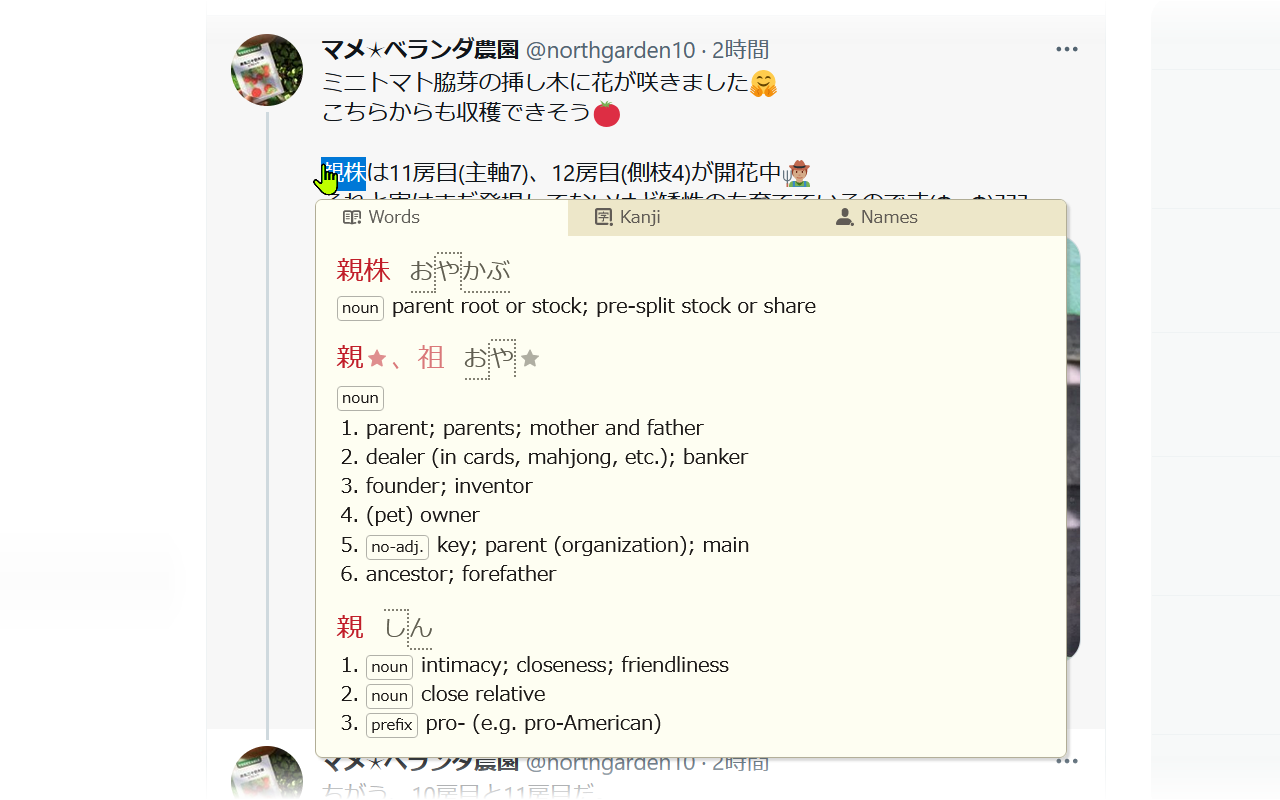
- Pitch accent information
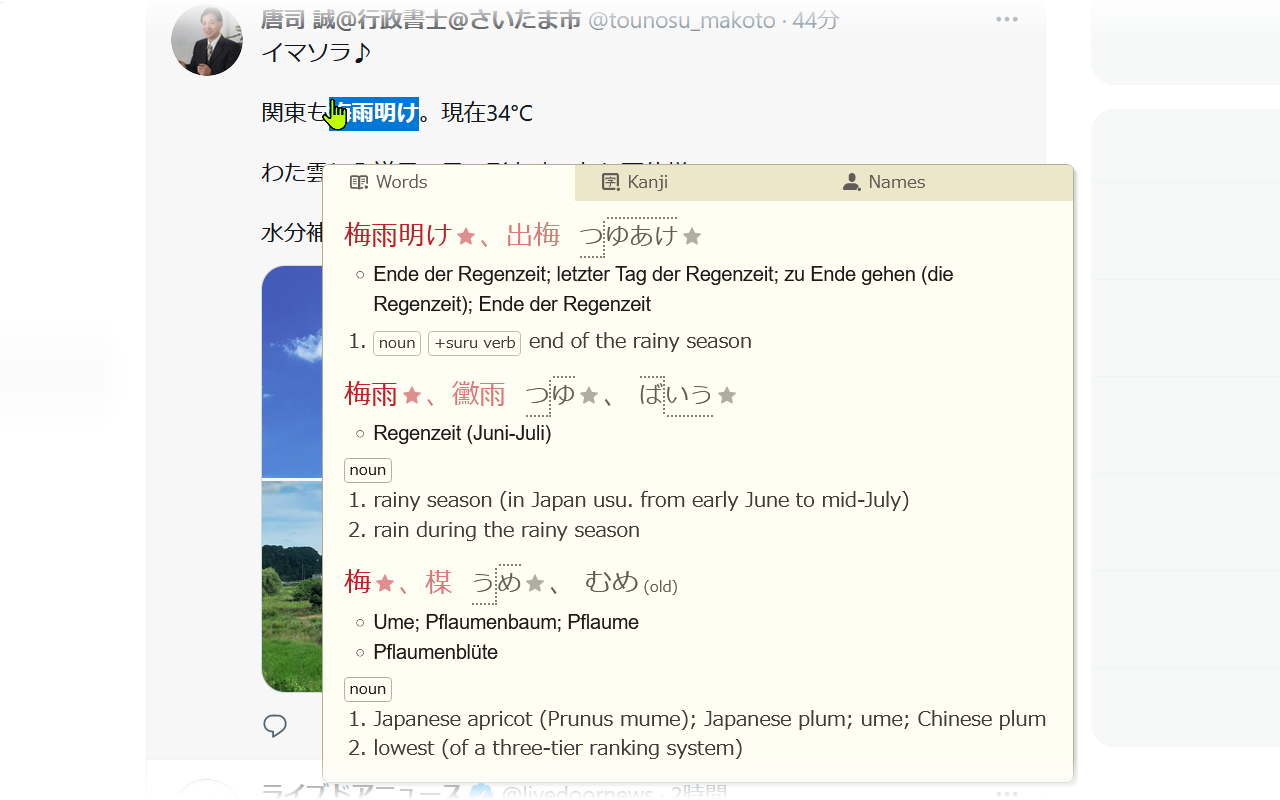
- Support for non-English dictionaries
- Dictionaries that update automatically twice a week by fetching just the updated entries
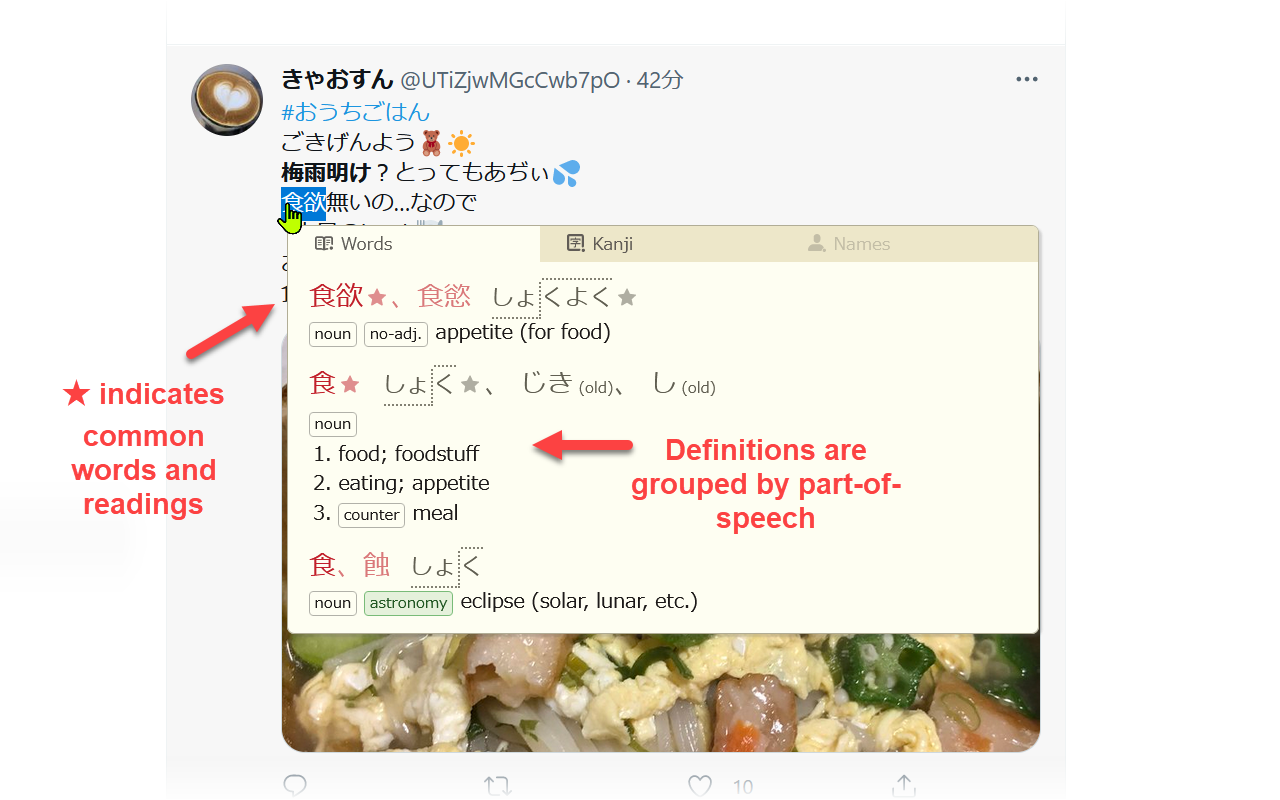
- Easy to read dictionary entries
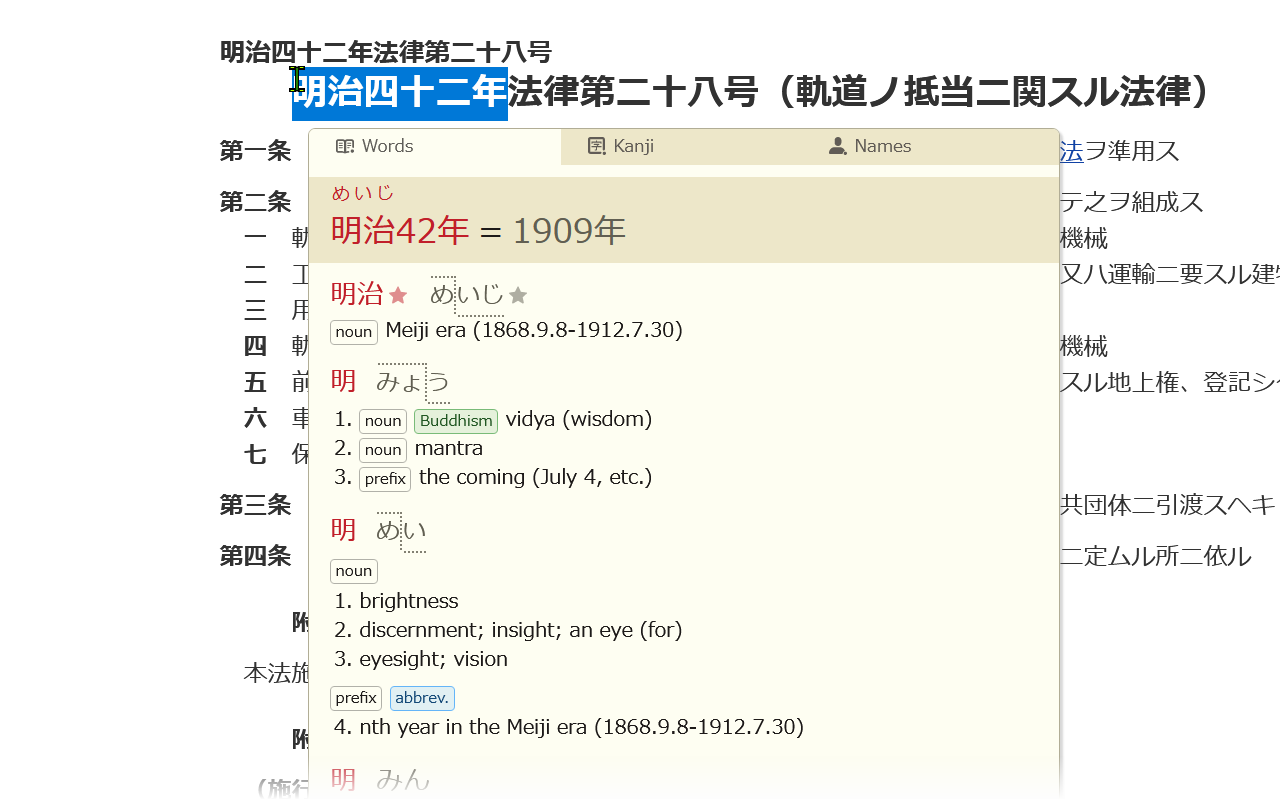
- Automatic translation of Japanese-era years into Gregorian years (e.g. 昭和56年、令和元年、平成三十一年)
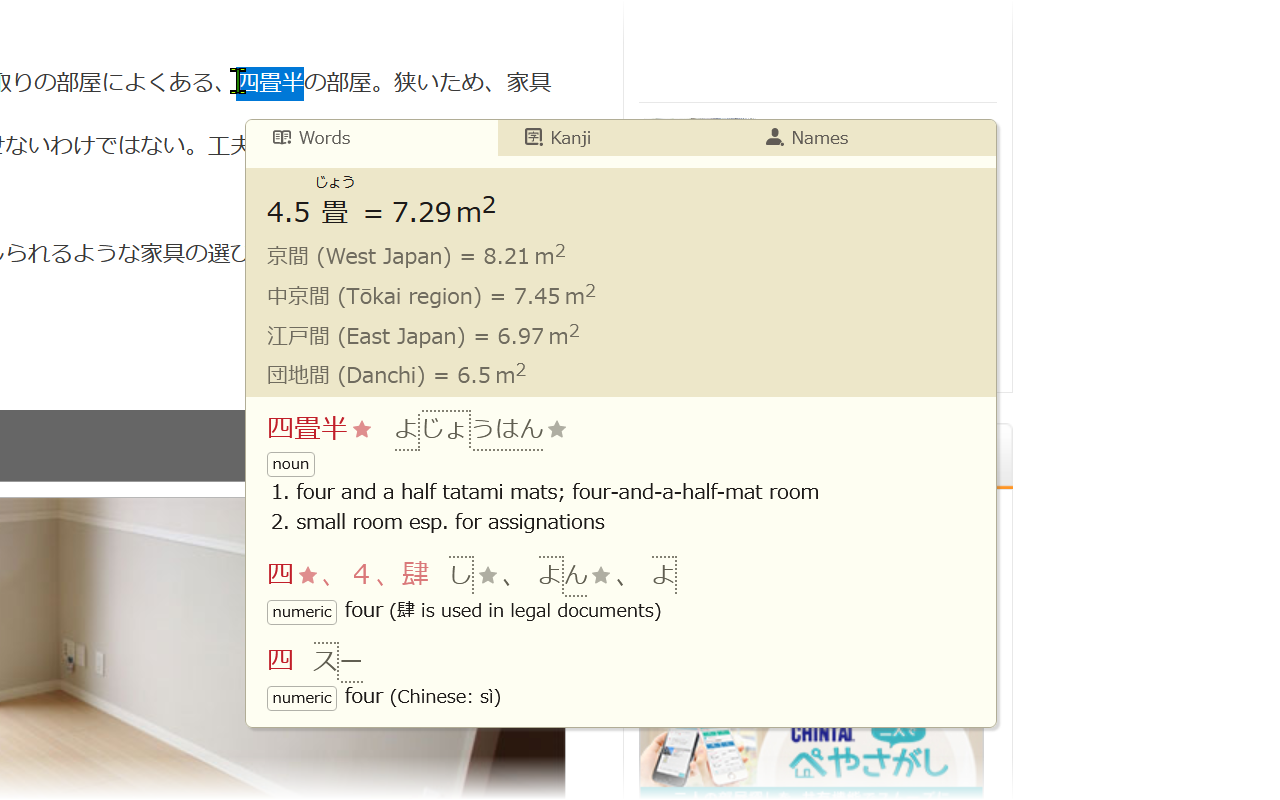
- Automatic translation between 畳/帖 measurements and square meters (e.g. 四畳半、12.6 帖、25 平米、6m2)
- Recognition of a wide range of grammatical forms
(e.g. irregular inflections of する-verbs like 罰せられる,
irregular verbs like いらっしゃいます,
continuous forms like 食べてた,
ん as a negative form like 分からん、知らん,
words with ー like じーちゃん、頑張ろー、そーゆー,
ぬ verbs,
とく・どく forms like 買っとく,
causative passive, させる for verbs ending in す e.g. 起こさせる)
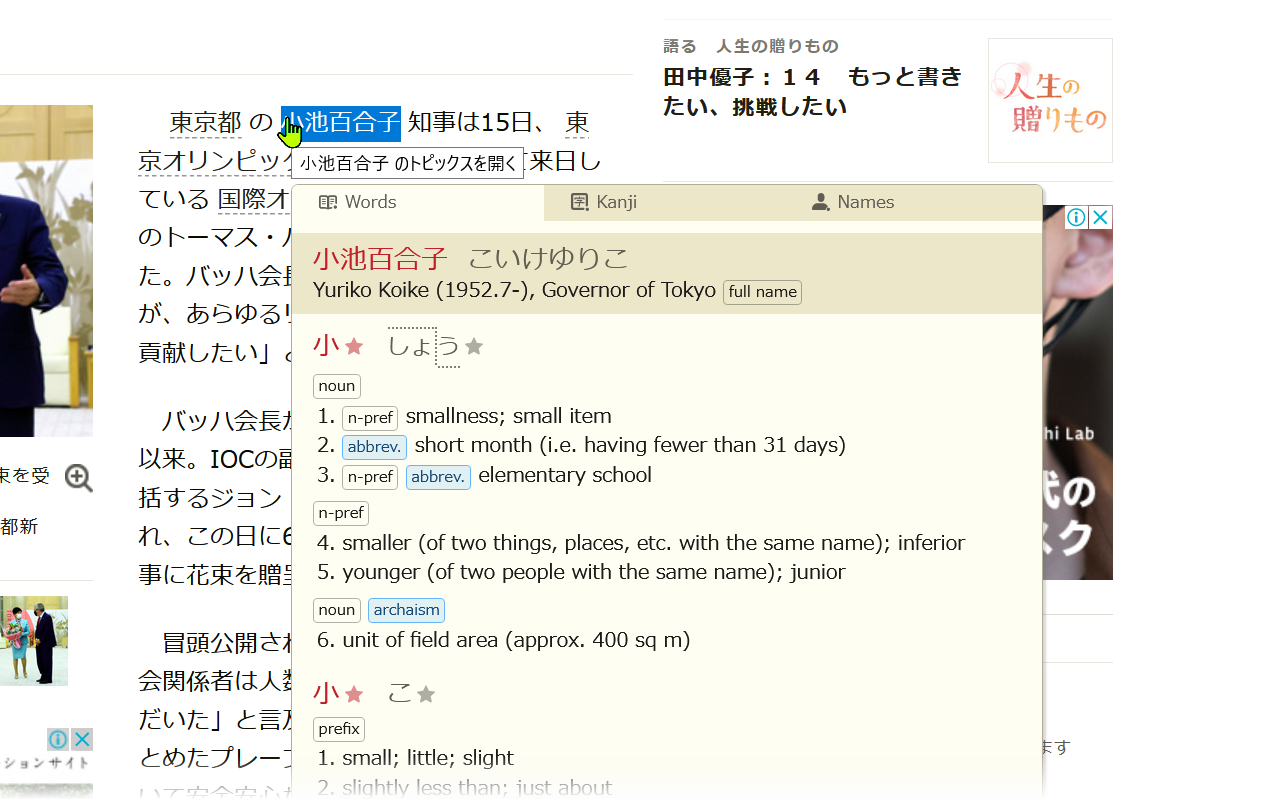
- Automatic preview of name entries when there is a better match in the name dictionary
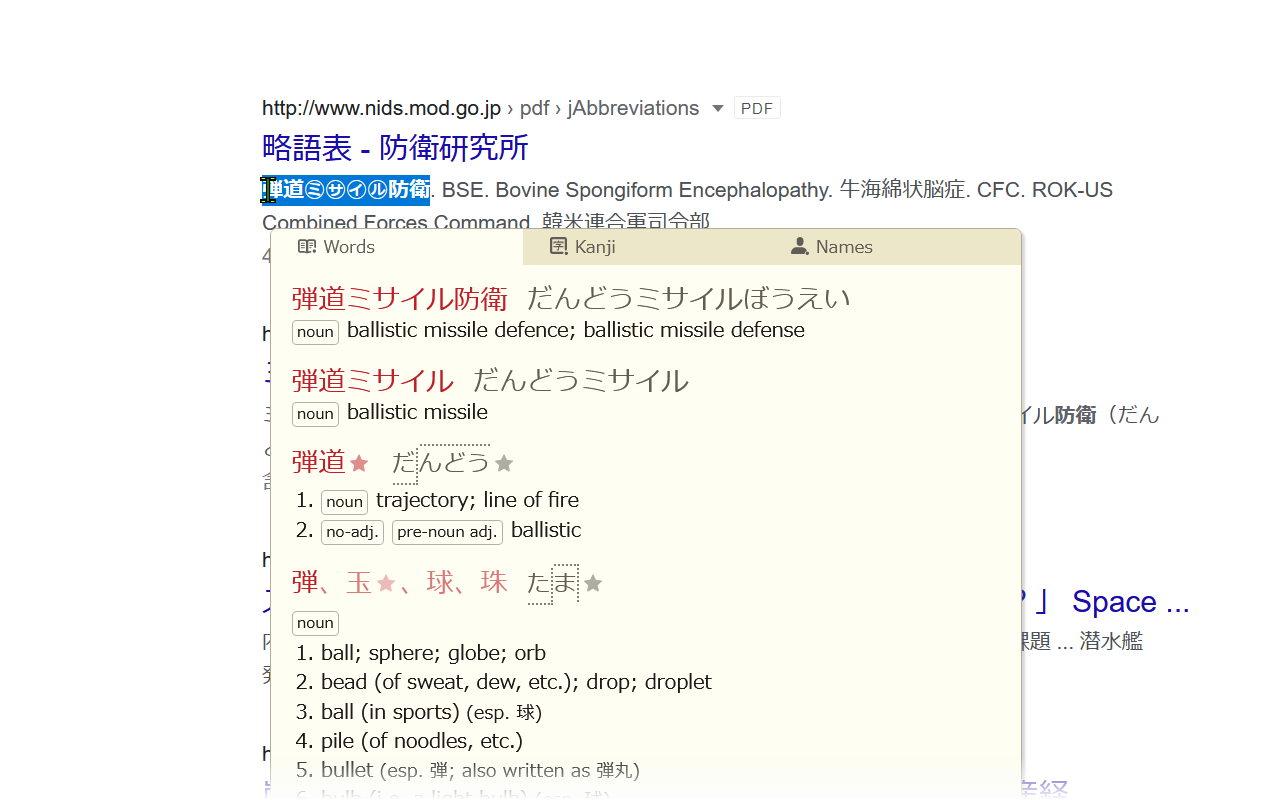
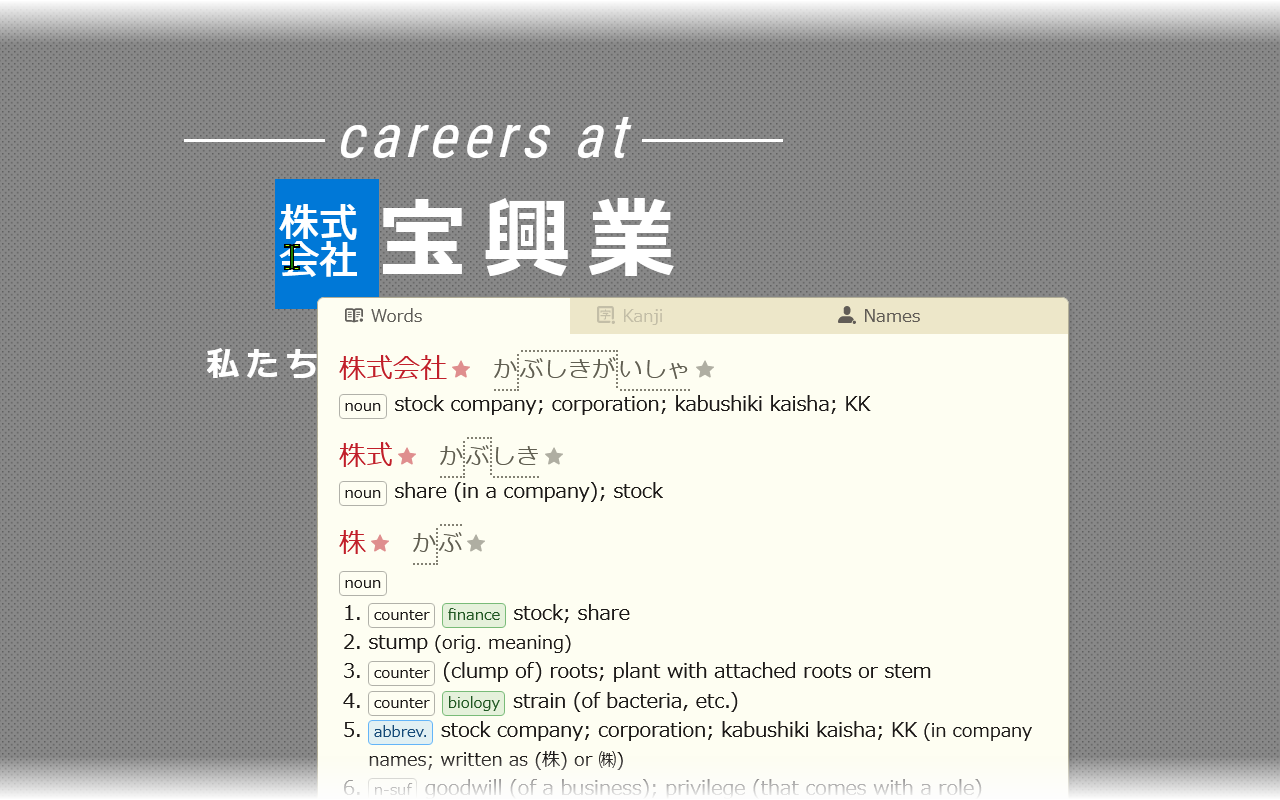
- Handling of a wide range of characters including ㋕, ㌀, ㋿, 𠏹沢, 8月, B級グルメ, オーサカ
- Localized into Japanese (so you can study Japanese while you study Japanese!) and Simplified Chinese
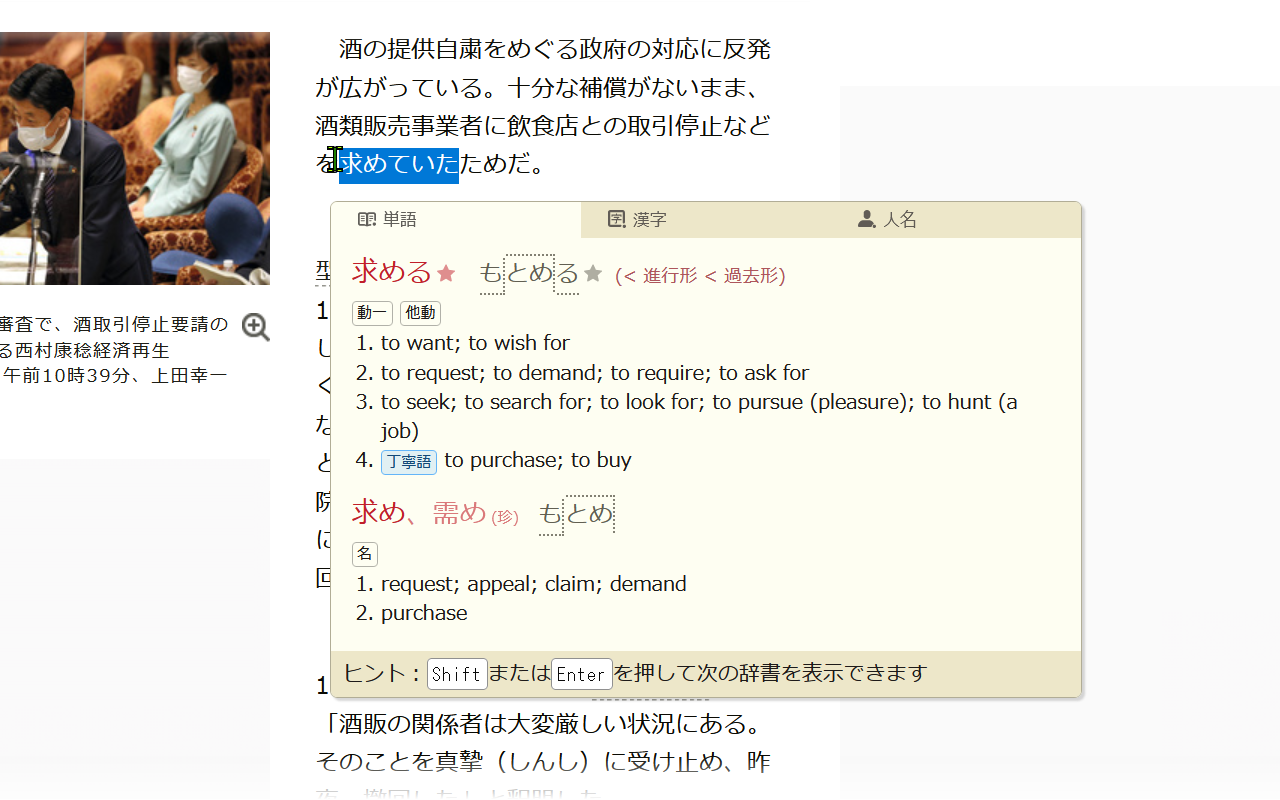
- Prioritization of common matches
- Support for displaying romaji
- Copy feature that allows selecting which entry and in what format to copy to the clipboard
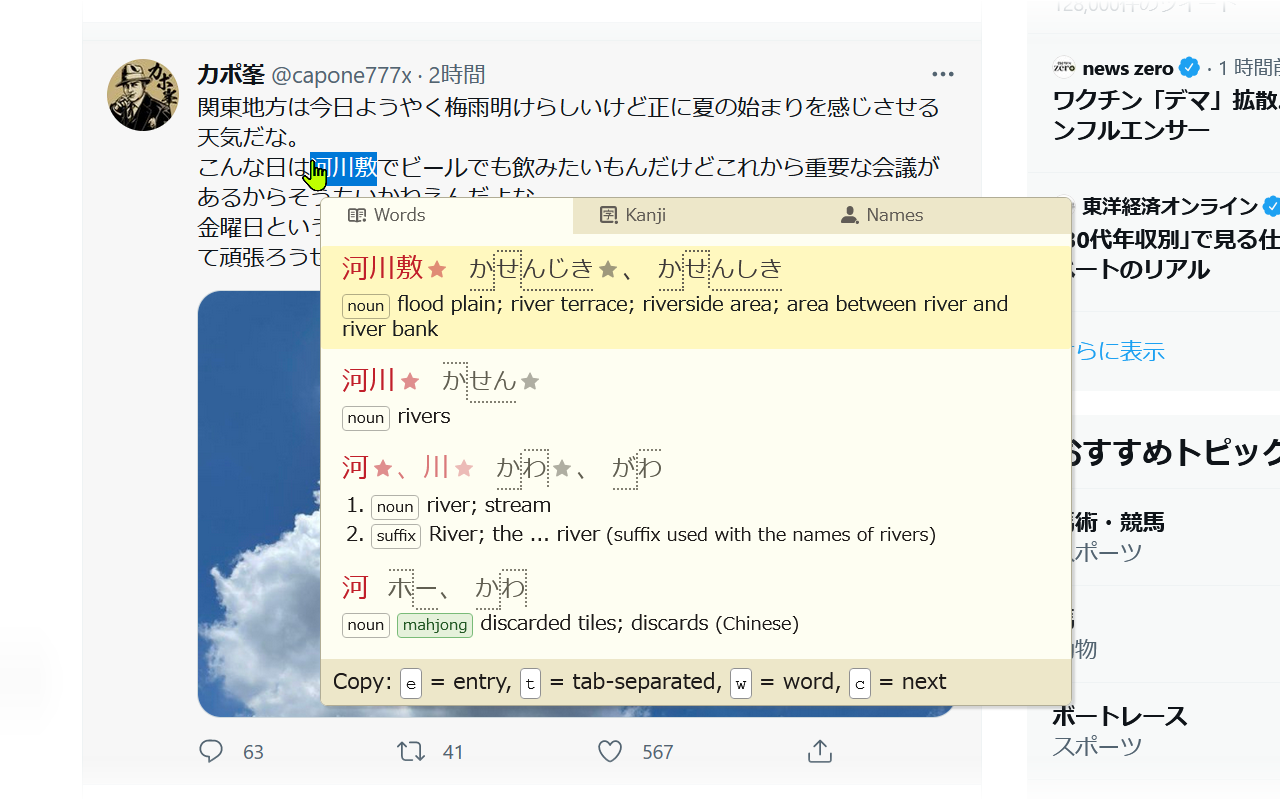
- Smart popup positioning
- Support for vertical text and text in SVG images
- Minimal memory usage
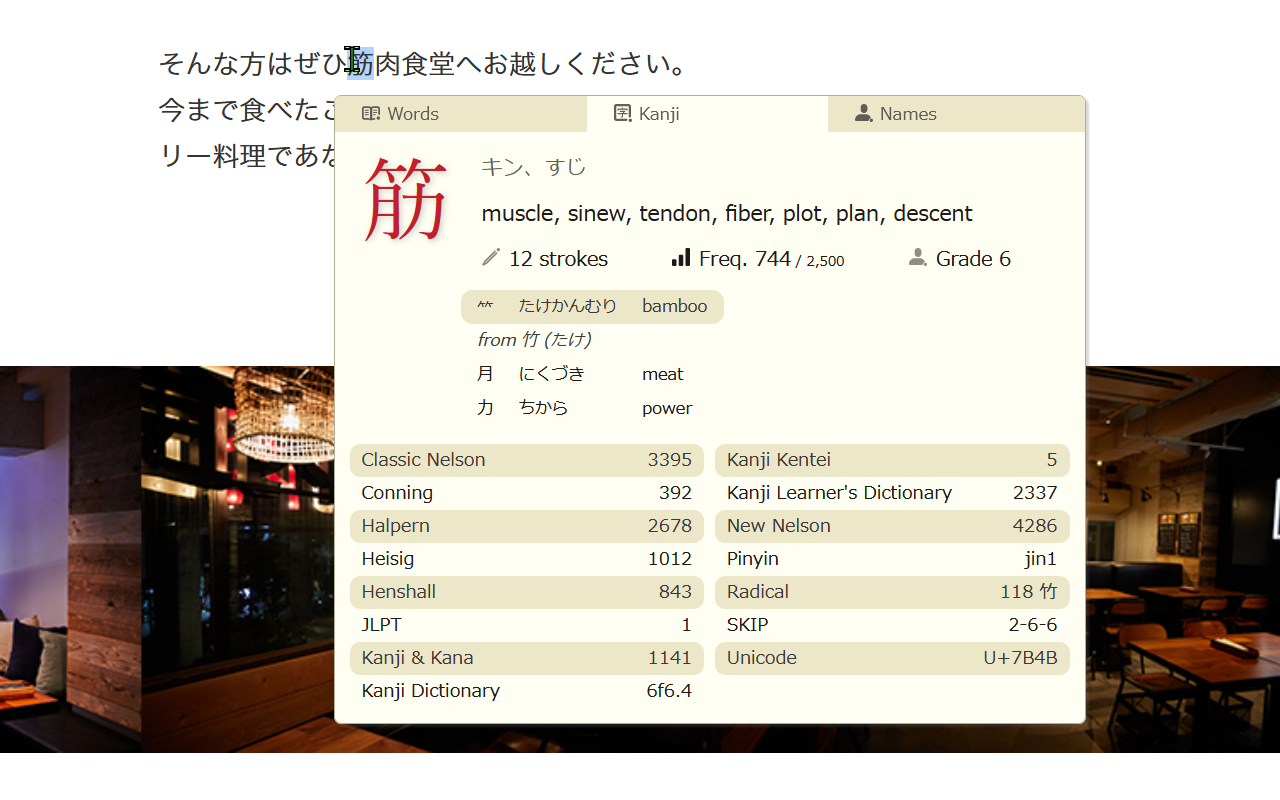
- Kanji data for Kanji kentei, Conning references, updated educational levels, heavily reworked kanji components etc.
- Intuitive settings window
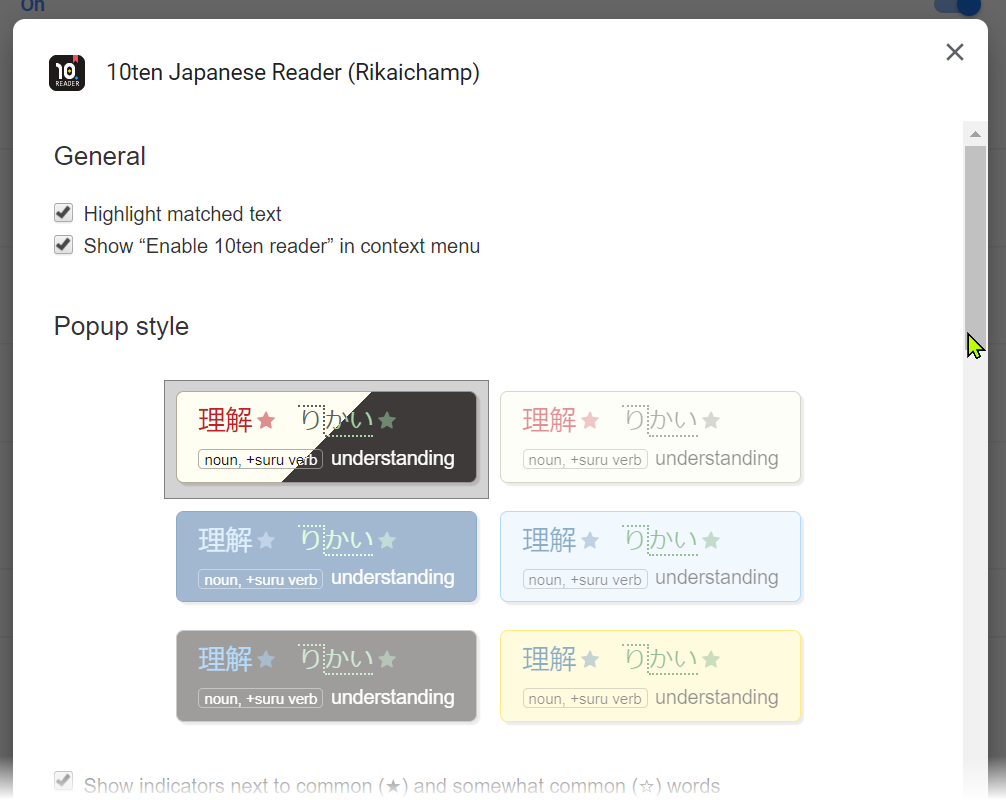
- Isolation of styles so that the popup always looks correct
- Handling of ruby text in YouTube
## Usage
By default, you can enable the 10ten Japanese Reader by either:
- Pressing the toolbar button (you may need to add it to the browser toolbar yourself in some browsers)
- Pressing Alt+R
- Choosing to enable it from the context menu
Alternatively, a lot of users find it helpful to have the extension permanently
enabled but configured to only show the pop-up when either Alt or
Ctrl is pressed.
The other keys are as follows:
| Action | Key |
| ----------------------------------------- | --------------------------------------------------- |
| Switch dictionary (words → kanji → names) | Shift / Enter |
| Show kanji results only | Shift _(disabled by default)_ |
| Toggle display of definitions | d _(disabled by default)_ |
| Move the popup up or down | j / k _(disabled by default)_ |
| Enter copy mode | c |
| (Copy mode) Copy entry | e |
| (Copy mode) Copy tab-separated fields | y |
| (Copy mode) Copy word/kanji | w |
| (Copy mode) Select next entry | c |
## Building a release from source
You may also build the add-ons using a source package from the
[Releases](https://github.com/birchill/10ten-ja-reader/releases) page and running the
following commands:
```
export RELEASE_BUILD=1
pnpm install
pnpm package:firefox
# Or `yarn package:firefox` for versions 0.20.0 and earlier
# Or `yarn package` for versions 0.5.8 and earlier
```
(Note that you may ignore the `.js` files associated with each release.
These are published simply to provide a public URL for each version of the
source files to associating stack traces from error reports.)
The above builds the package for **Firefox**.
Use `pnpm package:chrome` to build the Chrome package, `pnpm package:edge` for
Edge, `pnpm package:safari` for Safari, or `pnpm package:thunderbird` for
Thunderbird.
**Note:** For versions prior to and including 0.5.5 `pnpm install` will try to
install `husky` but fail so you will need to run `pnpm install --ignore-scripts`.
To build the latest trunk version please see [CONTRIBUTING.md](CONTRIBUTING.md).
## Contributing
Please see [CONTRIBUTING.md](CONTRIBUTING.md).
## Contributors
Thank you to everyone who has contributed including the following people ([emoji key](https://allcontributors.org/docs/en/emoji-key)):

SaltfishAmi
💻 🌍

Claudio Freitas
💻

Kala-J
💻 🔣

ispedals
💻

YUKI "Piro" Hiroshi
🌍

kikaxa
💻

Edho Arief
💻

Erek Speed
💻

Jamie Birch
💻 🤔 🐛 📦

Martin Böhm
🐛 🤔

nicolasmaia
🐛 🤔

Jack Arrington
💻 📖

Eneas
💻

Phong Phan
💻

Mai Lavelle
💻
This project follows the [all-contributors](https://github.com/all-contributors/all-contributors) specification. Contributions are very welcome!