https://github.com/birdflop/web
Birdflop - Minecraft Hosting & Resources
https://github.com/birdflop/web
hacktoberfest minecraft spigot
Last synced: 4 months ago
JSON representation
Birdflop - Minecraft Hosting & Resources
- Host: GitHub
- URL: https://github.com/birdflop/web
- Owner: birdflop
- License: other
- Created: 2021-01-03T10:42:12.000Z (over 5 years ago)
- Default Branch: birdflop
- Last Pushed: 2026-03-07T21:06:27.000Z (4 months ago)
- Last Synced: 2026-03-08T01:20:27.900Z (4 months ago)
- Topics: hacktoberfest, minecraft, spigot
- Language: TypeScript
- Homepage: https://www.birdflop.com
- Size: 108 MB
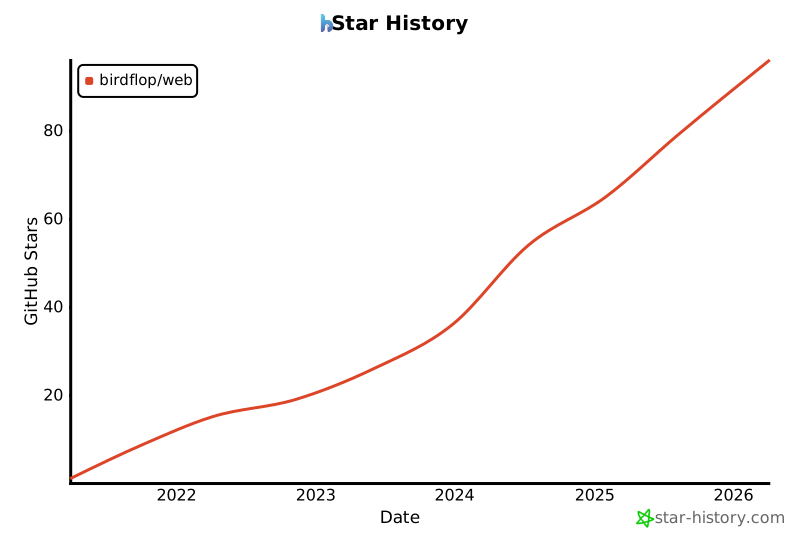
- Stars: 96
- Watchers: 0
- Forks: 59
- Open Issues: 5
-
Metadata Files:
- Readme: README.md
- Contributing: CONTRIBUTING.md
- Funding: .github/FUNDING.yml
- Maintainers: MAINTAINERS.md
Awesome Lists containing this project
README
# Birdflop Website
The website for Birdflop, a 501(c)(3) nonprofit aiming to provide accessible hosting and resources.






# Contributing
#### All contributions are welcome. Birdflop is a community-project aiming to support its community.
## Setting up a Local Development Environment
To contribute to the Birdflop website, you'll need to set up a local development environment.
### Prerequisites
- **Node.js** (version 24.13.0 or higher)
- **pnpm** package manager
### Steps to Set Up
1. **Clone the Repository**: Fork the Birdflop website repository on GitHub https://github.com/birdflop/web and clone it
2. **Install Dependencies**: Navigate to the project directory and run `pnpm install` to install all necessary dependencies.
3. **Build the Project**: Run `pnpm build` to build the project. This is only necessary the first time you set up the project to setup the RGBirdflop package and Cloudflare worker types to avoid type errors.
4. **Run the Development Server**: Start the development server with `pnpm start`. The website should now be accessible at `http://localhost:5173`.
### Database Setup
The Birdflop website uses Cloudflare D1 for its database, setting up a local database may be required for contributing to the Presets and other systems that require database setup, otherwise Flopbird will give you an error while opening some pages. To set up a local database:
1. **Migrate the Database**: Run `pnpm wrangler:migrate-local` to set up the local database schema on your machine.
2. **Run the server**: Start the development server with `pnpm start`.
### Setting up Environment Variables
For login with Discord to work, you will need to set up a Discord application from the dev portal and set up environment variables. Create a `.env` file in the root of the project and add the following variables:
```
AUTH_SECRET=this_can_be_any_random_string
AUTH_DISCORD_ID=the_client_id_from_your_discord_application
AUTH_DISCORD_SECRET=the_client_secret_from_your_discord_application
ADMINS=your_user_id_in_profile_page_after_you_login
```
#### Thank you to our Contributors
[](https://github.com/birdflop/web/graphs/contributors)
## Forking & Licensing
If you are hosting this site or a single page from this site for your server or own project, please credit the original in some way. A link to the original GitHub is sufficient. <3
This project is dual-licensed. For open-source usage, it is available under the AGPL-3.0 license (OSS_LICENSE.md). Additional closed-source use, both commercial and non-commercial, is permitted under the details outlined in CSS_LICENSE.md. Licensing is required to re-use the RGBirdflop / RGB Birdflop gradient creator code.