https://github.com/bitbof/klecks
Community funded painting tool powering Kleki.com
https://github.com/bitbof/klecks
draw image-editor paint paint-application pixel-editor typescript
Last synced: 7 months ago
JSON representation
Community funded painting tool powering Kleki.com
- Host: GitHub
- URL: https://github.com/bitbof/klecks
- Owner: bitbof
- License: mit
- Created: 2022-01-25T15:45:06.000Z (over 4 years ago)
- Default Branch: main
- Last Pushed: 2024-09-28T19:26:47.000Z (almost 2 years ago)
- Last Synced: 2024-11-04T23:35:08.329Z (over 1 year ago)
- Topics: draw, image-editor, paint, paint-application, pixel-editor, typescript
- Language: TypeScript
- Homepage: https://klecks.org
- Size: 6.13 MB
- Stars: 232
- Watchers: 8
- Forks: 73
- Open Issues: 30
-
Metadata Files:
- Readme: README.md
- License: LICENSE
Awesome Lists containing this project
README
🖌️ [Demo](https://kleki.com/) | ❓ [About](https://kleki.com/about/) | 📝 [Dev Blog](https://blog.kleki.com/)
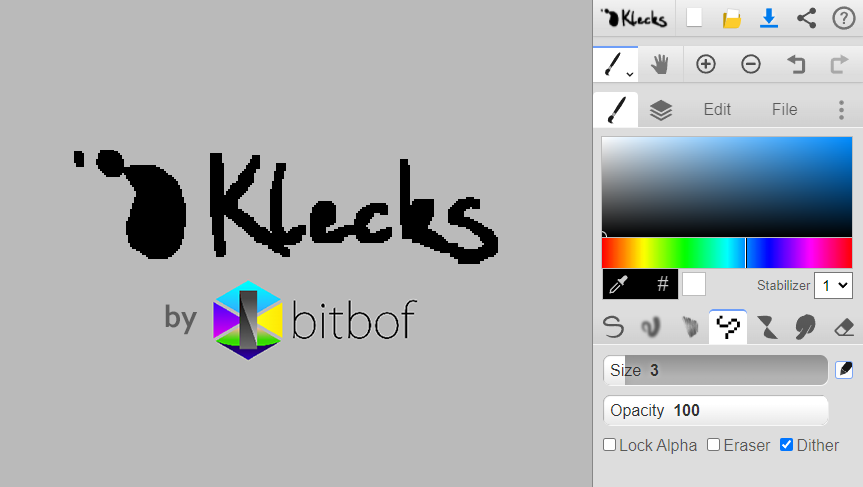
Klecks (German for "splash of color", pronounced "clex") is the official open-source release of the community-funded online painting app [Kleki](https://kleki.com).
Klecks can run in standalone mode (e.g. on [kleki.com](https://kleki.com)), or embed (e.g. on [2draw.net](https://2draw.net)) for drawing communities.
## Features
- Layers
- Pen-support with pressure and stabilizer
- Touch gestures
- Brushes: pen, blend, sketchy, pixel, chemy, smudge, eraser
- Tools: selection, paint bucket, text, shapes, gradient
- WebGL-powered filters: blur, tilt-shift, curves, distort, noise.
- Lineart extraction
- Editing tools: transform, crop/expand, resize, perspective
- Supports all major form factors: desktop, tablet and phone
- Multi-language (10+ languages)
---
Created by developer/artist [bitbof](https://bitbof.com)
---
# Commands
- initialize via `npm ci` (requires node and npm to be installed already)
- `npm run lang:build` - generate language files necessary to run Klecks
- `npm run lang:build -- --missing` - generate language files and list all keys with a missing translation.
- `npm run start` - dev server (to run it locally)
- `npm run build` - build standalone into `/dist/`
- `npm run build:embed` - build of embed into `/dist/`
- `npm run build:help` - build help page (when clicking the question mark) into `/dist/`
# Embed
Example usage of the embed can be found under: `/examples/embed/`
# Docker
To run Klecks (standalone) within a Docker container, run the following commands in project root:
`docker-compose build`
`docker-compose up -d`
It is then accessible through: http://localhost:5050
# Contributing
How you can contribute to this project:
- Bug reporting (detailed bug reports that are reproducible)
- Contribute to a translation (see below)
- Donate to this project (Klecks, Kleki) [Donate](https://kleki.com/donate/)
# Translations
Are you a native speaker or have advanced skills in a language? Any contribution by you is highly encouraged and appreciated!
### Where are translation files?
Translations are located in `src/languages` where each translation is its own JSON5 file, e.g. `de.json5` for German.
Within such a file everything except `value` is to be kept in sync with `_base-en.json5`.
### Structure of a translation file
```json5
{
// key by which this text is referenced in code
stabilizer: {
// A hint, further explaining the text
hint: 'Common feature in drawing software to make lines smoother',
// Original text (English)
original: 'Stabilizer',
// Translated text
value: '抖动修正'
},
// ...
}
```
### Creating/editing a translation
To **create a new translation** run `npm run lang:add `, which creates `src/languages/.json5`. You find all
(ISO 639-1) language codes in `src/languages/languages.json`. The generated file will already include everything except `value`.
To **edit an existing translation**, simply edit one of the files in `src/languages`. If a language file is out of sync with
`src/languages/_base-en.json5` (English), whatever key is out of sync will be ignored and fall back on English. English is the
source of truth. A translation cannot add new keys without them also being present in `_base-en.json5`.
To **see your changes** in Klecks, run `npm run lang:build`. It needs to be run whenever changes to `src/languages` are
made or it won't be up-to-date. Then build or start Klecks.
A translation should try not to cause additional line-breaks in the UI if possible. Test to make sure translations
fit the context of the application. Note, some texts are only visible in the standalone-version and vice versa with
the embed-version.
### List of commands
- `npm run lang:add ` - creates new language file `src/languages/.json5`.
- See (ISO 639-1) language codes in `src/languages/languages.json`
- `npm run lang:sync ` - synchronizes with base file. (TODO)
- `npm run lang:build` - generates JSON & TS files in `src/app/languages`
- Problems are printed to the command line output
# Help fund this project
Klecks and Kleki are community funded. [Donate today](https://kleki.com/donate/)
# License
bitbof © 2025 - Released under the MIT License. Icons by bitbof are public domain (excluding the Klecks logo, bitbof logo).
While Kleki and Klecks are jointly developed, Kleki's license is separate from Klecks. Kleki must be licensed from bitbof.