https://github.com/bitbravo/ngx-img-cropper
Image cropping tool for Angular
https://github.com/bitbravo/ngx-img-cropper
Last synced: 8 days ago
JSON representation
Image cropping tool for Angular
- Host: GitHub
- URL: https://github.com/bitbravo/ngx-img-cropper
- Owner: BitBravo
- License: mit
- Created: 2018-07-09T18:58:17.000Z (almost 8 years ago)
- Default Branch: master
- Last Pushed: 2018-07-09T19:18:11.000Z (almost 8 years ago)
- Last Synced: 2025-02-21T20:36:38.626Z (over 1 year ago)
- Language: TypeScript
- Size: 24.2 MB
- Stars: 0
- Watchers: 1
- Forks: 0
- Open Issues: 0
-
Metadata Files:
- Readme: README.md
- License: LICENSE.md
Awesome Lists containing this project
README
# ngx-img-cropper
## I inherited this project from cstefanache [angular2-img-cropper](https://github.com/cstefanache/angular2-img-cropper)
This is an adapatation of Angular 1 image cropper from: https://github.com/AllanBishop/angular-img-cropper
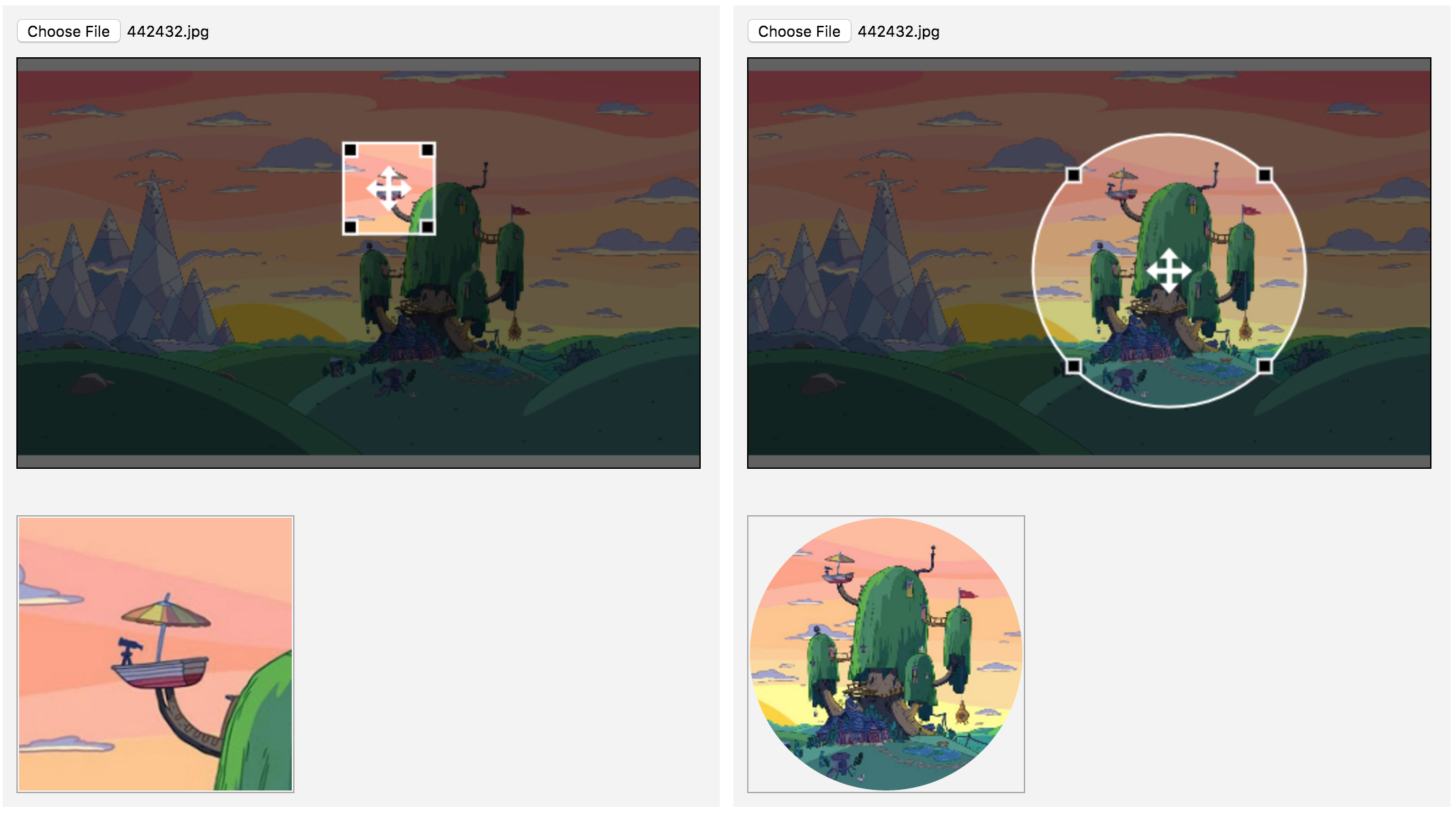
An image cropping tool for AngularJS. Features a rectangular crop area. The crop area's aspect ratio can be enforced during dragging.
The crop image can either be 1:1 or scaled to fit an area.
## Install from NPM
```
npm i ngx-img-cropper --save
```
## Screenshot
## contributing
```
git clone
npm i
npm start
```
Do your magic
create a branch for your feature and send a PR
Let's do awesome stuff!
## Testing
```
npm install
npm run all
```
## Example usage
```typescript
import { Component } from "angular2/core";
import { ImageCropperComponent, CropperSettings } from "ngx-img-cropper";
@Component({
selector: "test-app",
template: `
![]()
`,
declarations: [ImageCropperComponent]
})
export class AppComponent {
data: any;
cropperSettings: CropperSettings;
constructor() {
this.cropperSettings = new CropperSettings();
this.cropperSettings.width = 100;
this.cropperSettings.height = 100;
this.cropperSettings.croppedWidth = 100;
this.cropperSettings.croppedHeight = 100;
this.cropperSettings.canvasWidth = 400;
this.cropperSettings.canvasHeight = 300;
this.data = {};
}
}
```
Checkout this [sample plunker](https://embed.plnkr.co/VFwGvAO6MhV06IDTLk5W/)
## Settings
* **canvasWidth**:_number_ - Canvas DOM Element width
* **canvasHeight**:_number_ - Canvas DOM Element height
* **width**:_number_ - Crop Width
* **height**:_number_ - Crop Height
* **minWidth**:_number_ - Minimum crop Width
* **minHeight**:_number_ - Minimum crop height
* **croppedWidth**:_number_ - Resulting image width
* **croppedHeight**:_number_ - Resulting image height
* **touchRadius**:_number_ - (default: 20) Touch devices radius for the corner markers
* **centerTouchRadius**:_number_ (default: 20) - Touch devices radius for the drag center marker
* **minWithRelativeToResolution**:_boolean_ - (default: true) By default the resulting image will be cropped from original image. If false, it will be cropped from canvas pixels
* **noFileInput**:_boolean_ - (default: false) - hides the file input element from cropper canvas.
* **cropperDrawSettings**:_CropperDrawSettings_ - rendering options
* **strokeWidth**:_number_ - box/ellipsis stroke width
* **strokeColor**:_string_ - box/ellipsis stroke color
* **allowedFilesRegex**:_RegExp_ - (default: /\.(jpe?g|png|gif)$/i) - Regex for allowed images
* **preserveSize**:_boolean_ - will not scale the resulting image to the croppedWidth/croppedHeight and will output the exact crop size from original
* **fileType**:_string_ - if defined all images will be converted to desired format. sample: cropperSample.fileType = 'image/jpeg'
* **compressRatio**:_number_ (default: 1.0) - default compress ratio
* **dynamicSizing**: (default: false) - if true then the cropper becomes responsive - might introduce performance issues on resize
* **cropperClass**: string - set class on canvas element
* **croppingClass**: string - appends class to cropper when image is set (#142)
* **resampleFn**: Function(canvas) - function used to resample the cropped image (#136); - see example #3 from runtime sample app
* **cropOnResize**:_boolean_ (default: true) - if true the cropper will create a new cropped Image object immediately when the crop area is resized
* **markerSizeMultiplier**:_number_ (default: 1) - A variable that controls the corner markers' size
* **showCenterMarker**:_boolean_ (default: true) - if true, the drag center marker is visible
* **keepAspect**:_boolean_ (default: true) - if true, the aspect ratio of `width` and `height` of the crop window is retained during resizing
## Customizing Image cropper
Replacing component file input:
```html
upload
![]()
```
```typescript
data:any;
@ViewChild('cropper', undefined)
cropper:ImageCropperComponent;
constructor() {
this.cropperSettings = new CropperSettings();
this.cropperSettings.noFileInput = true;
this.data = {};
}
fileChangeListener($event) {
var image:any = new Image();
var file:File = $event.target.files[0];
var myReader:FileReader = new FileReader();
var that = this;
myReader.onloadend = function (loadEvent:any) {
image.src = loadEvent.target.result;
that.cropper.setImage(image);
};
myReader.readAsDataURL(file);
}
```
# ToDo:
* write tests
# Changelog
### Release 0.10.2
* IOS Fix
* Angular 5 support
### Release 0.10.1
### Release 0.10.0
### Release 0.9.2
* Angular 5 support
### Release 0.8.9
Fix for #36 - Add button to crop
Fix for #186 - Handle Hi-Res images
Fix for #92 - IOS crop issue
### Release 0.8.6
* Dist package cleanup (PR by: @leosvelperez)
### Release 0.8.4
* Made compatible with Angular 4 && AOT
### Release 0.8.2
* CR: #148 - removed ts files from output package.
* fix for #150 - made fileType undefined as default. if defined it will enforce output format
### Release 0.8.1
* added dynamicSizing, cropperClass for responsive purposes
### Release 0.8
* added reset() method on ImageCropperComponent - fix for #118
* added compressRatio as parameter in the cropper settings
### Release 0.7.6
* 21 Bugs in the code, I fixed 3, (hopefully not) 30 Bugs in the code
### Release 0.7.1
* Fixed #87 get unsacled crop of image
### Release 0.7.0
* update for AngularJS 2.0.1
* removed typings
* fixed aspect ratio issue
* made cropper property public
* added onmouseleave behavior
### Release 0.6.1
* Fixed issue #49 - Error on reading exif
### Release 0.6.0
* Parsed EXIF information for image orientation
* fixed multiple browser compatibility issues
* added accepted files regex
* updated to Angular RC5
### Release 0.5.0
* introduced flag to hide the component file input in order to allow customization
* added pinch/zoom feature for touch devices
### Release 0.4.5:
* introduced rounded cropper: cropperSettings.rounded = true. Making keep aspect = false will throw an error on rounded cropper. (Issue #14)
* cropper takes into consideration source image data pixels not cropper image data. (Issue #17)
* support for minSize now have the following option: minWithRelativeToResolution. When set to false it will keep min size relative to canvas size. (Issue #21)
* allow user to customize look and feel of the cropper:
this.cropperSettings.cropperDrawSettings.strokeColor = 'rgba(255,255,255,1)';
this.cropperSettings.cropperDrawSettings.strokeWidth = 2;
### Release 0.4.2:
Starting with: 0.4.2 ts files are no loger published (only js & d.ts).
Please change your system.config files to make use of the js files.
```
'ngx-img-cropper' : { main: 'index.js', defaultExtension: 'js' }
```
## Build
should work with one of these
```
"release:patch": "npm version patch && npm run release",
"release:minor": "npm version minor && npm run release",
"release:major": "npm version major && npm run release",
```
Steps:
1. npm test (no tests yet)
2. npm run build
3. git commit -am \"Prerelease updates\"
4. git checkout -b release
5. git add -f ./
6. git push --tags
7. git checkout master
8. git branch -D release
9. git push
10. npm run copy:release
11. cd dist
12. npm publish
13. cd ..