https://github.com/bitedits/pie
https://github.com/bitedits/pie
Last synced: over 1 year ago
JSON representation
- Host: GitHub
- URL: https://github.com/bitedits/pie
- Owner: BitEdits
- License: mit
- Created: 2022-04-08T01:06:33.000Z (over 4 years ago)
- Default Branch: main
- Last Pushed: 2022-04-08T01:07:22.000Z (over 4 years ago)
- Last Synced: 2025-04-08T10:00:05.489Z (over 1 year ago)
- Language: Erlang
- Size: 88.9 KB
- Stars: 3
- Watchers: 2
- Forks: 2
- Open Issues: 0
-
Metadata Files:
- Readme: README.md
- License: LICENSE
Awesome Lists containing this project
README
Programmer's Interactive Editor
===============================
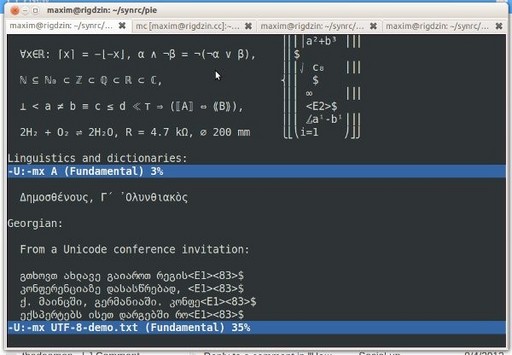
Emacs-like Erlang editor fully written in Erlang with S-Lang driver.
It is refined and ready to run on R16B01 with built-in sync and lager.
Pie codebase is very tiny, clean and extendable.

Mac Install
-----------
$ curl ftp://ftp.fu-berlin.de/pub/unix/misc/slang/v2.2/slang-2.2.4.tar.gz | tar xzf -
$ ./configure --prefix=/usr
$ make static
$ sudo make install-static
Ubuntu Install
--------------
$ sudo apt-get install libslang2-pic
Install Pie
-----------
$ rebar get-deps
$ rebar compile
$ ./install
Run
---
$ pie README.md
CUA mode
--------
Pie suports Extended Kystrokes and CUA mode being general purpose
editor saving your hands from RSI.
CURSOR -- Navigation
HOME (Fn-LEFT) -- Begining of line
END (Fn-RIGHT) -- End of line
PGUP (Fn-UP) -- Page up
PGDN (Fn-DOWN) -- Page down
Selection
S-CURSOR -- Selection
C-S-LEFT -- Begining of line
C-S-RIGHT -- End of line
M-S-LEFT -- Word left
M-S-RIGHT -- Word right
Selection CUA mode caveats due to Linux Terminal limitations
C-S-UP/DN -- unbinded
S-PGUP/PGDN -- unbinded
Copy & Paste
M-c -- Copy
M-v -- Paste
Remember that Pie is an Emacs (Erlang Macros) editor thus
it supports all basic Emacs commands which you can find
in edit_globalmap bindings. Here are most important:
File Operations
---------------
C-x C-c -- Quit
C-x C-f -- Find File, supports autocompletion in popup-windows
C-x C-s -- Save File
Window Management
-----------------
C-x o -- Next Window
C-x 0 -- Delete selected Window
C-x 1 -- Delete other Windows
C-x 2 -- Vertical Split
Pie Commands
------------
M-x -- will run internal Pie command in module:function format.
E.g. you can type "edit_lib:scroll_up"
For developing Pie commands a parse_transform syntax was introduced.
Here is example of edit_lib:unix_command
-command({unix_command, [{shell_command, "Shell command:"}]}).
unix_command(State, Cmd) ->
Text = os:cmd(["sh -c '(cd ",edit_util:pwd(State)," ; ",Cmd,")'"]),
edit_util:popup_message(State, '*Shell Command Output*', Text).
State is mandatory first argument of Pie state.
Eval
----
M-: -- command will evaluate Erlang Expression in the minibuffer,
like "os:type()." or "lists:seq(1,100).". If output is
not fit into one line another window will be created.
Interactive Mode
----------------
C-x i -- command will enter Erlang Interactive shell
where you can evaluate Erlang expressions
inside editor buffer by pressing ENTER on them.
The result would be displayed also in the
editor buffer below.
os:type(). ENTER
=> {unix,linux}
>>
Fundamental Mode
----------------
C-x f -- command will bring you back to Fundamental mode which
is defaul editing mode.
Erlang Mode
-----------
C-x e -- command will dive you into Erlang mode which helps you edit Erlang code.
C-i -- reformat selected code
Futher tasks
------------
* Syntax Coloring
* UTF-8
Credits
-------
* Torbjorn Tornkvist -- original edit program
* Luke Gorrie -- ermacs package
* Maxim Sokhatsky -- pie renaissance
Notes
-----
This file was edited using Pie.
Pie supports self-developing using sync.
OM A HUM