https://github.com/bitfocus/companion-satellite
Satellite Streamdeck connector for Companion
https://github.com/bitfocus/companion-satellite
companion elgato elgato-stream-deck hacktoberfest streamdeck
Last synced: 5 months ago
JSON representation
Satellite Streamdeck connector for Companion
- Host: GitHub
- URL: https://github.com/bitfocus/companion-satellite
- Owner: bitfocus
- License: mit
- Created: 2021-01-19T20:33:34.000Z (over 5 years ago)
- Default Branch: main
- Last Pushed: 2026-02-28T14:22:50.000Z (5 months ago)
- Last Synced: 2026-02-28T14:37:33.081Z (5 months ago)
- Topics: companion, elgato, elgato-stream-deck, hacktoberfest, streamdeck
- Language: TypeScript
- Homepage: https://companion.free/satellite/
- Size: 5.78 MB
- Stars: 107
- Watchers: 16
- Forks: 26
- Open Issues: 25
-
Metadata Files:
- Readme: README.md
- Changelog: CHANGELOG.md
- License: LICENSE
Awesome Lists containing this project
README
## Companion Satellite
[](https://github.com/bitfocus/companion-satellite/blob/main/LICENSE)
[](https://github.com/bitfocus/companion-satellite/releases)
📋 [View Changelog](CHANGELOG.md)
A small application to allow for connecting Elgato Stream Deck and other supprted surface types to [Bitfocus Companion](https://github.com/bitfocus/companion) over a network.
Companion 3.4.0 and newer are supported
Each surface will appear in companion as its own 'satellite' surface, and can be configured as if they are local.
Note: This connects over the satellite surface api which uses port TCP 16622.
[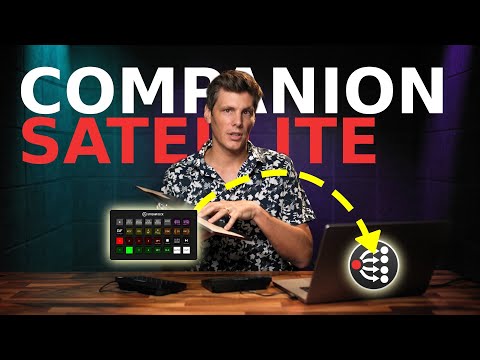](http://www.youtube.com/watch?v=eNnUxRl4yP4 'Remote Stream Deck control with Companion Satellite')
## Getting started
You can find installers on the [Bitfocus website](https://user.bitfocus.io/download)
### Raspberry Pi
A prebuilt image is available on the [Bitfocus website](https://user.bitfocus.io/download).
After writing the image to an sd card, edit the satellite-config file in the boot partition to point to your companion instance. Configuration can also be done through the web interface, running on port 9999.
If mdns works on your network, Companion will discover your Satellite, and will offer to configure it for you.
### Desktop
This application can be built with electron to provide a minimal ui and to allow for minimising to the system tray.
You can right click the tray icon to:
- Set the ip address of the companion instance to connect to
- Force a manual scan for surfaces. This is done automatically when a new surface is detected, but it can sometimes miss some
To manually build the latest version for your machine:
- `yarn install`
- `yarn dist`
- Locate the output under `electron-output/`
### Manual Headless / Raspberry pi
We only support x64 and arm64 Linux distributions. We recommend something debian based, but it should be possible to use on other distros with some additional work.
If using a Raspberry Pi, we require the 64bit 'Raspberry Pi OS Lite' images.
If using a different brand SBC, we recommend running [Armbian](https://www.armbian.com/) specifically the minimal debian images, as this provides a minimal and consistent debian environment and are typically more up to date then the manufacturer images.
It can be built and run as a systemd service on a pi or other linux machine
No images are provided for this, but the process has been written to be a single script.
Switch to the root user, if required:
```
sudo -i
```
As root, run the following:
```
curl https://raw.githubusercontent.com/bitfocus/companion-satellite/main/pi-image/install.sh | bash
```
Note: This script will create a new user called `satellite`, which Satellite will be run as and will own the configuration.
After this, you can use `sudo satellite-update` to change the version it has installed.
Optionally, you can supply an argument to this updater to specify the new version to install. This should be either `beta` or `stable`.
## Configuration
Once installation is complete, configure your Companion Satellite installation using the web UI at `http://Satellite-IP:9999`
For details of configuration options, see `https://companion.free/satellite/`
## Development
NodeJS 24 is required
### Headless
1. Install the dependencies `yarn install`
1. Run it `yarn dev` substituting in your companion instance ip address
1. In another terminal run `yarn dev:webui` to serve the web interface
1. Access the web interface at http://127.0.0.1:5173
### Electron
1. Install the dependencies `yarn install`
1. In one terminal run `yarn dev:webui` to serve the web interface
1. Run it `yarn dev:electron`
You can package for electron with `yarn dist`.
Building for another platform has not been tested.
### REST API
The default rest port is 9999
- a GET request to `http://Satellite-IP:9999/api/host` will return the current target ip in plain text
- a GET request to `http://Satellite-IP:9999/api/port` will return the current target port in plain text
- a GET request to `http://Satellite-IP:9999/api/config` will return the current target port and ip as json
- a POST request to `http://Satellite-IP:9999/api/host` with json body `{"host": "newhostip"}` or plain text `newhostip` will connect the satellite to that ip or hostname
- a POST request to `http://Satellite-IP:9999/api/port` with `{"port": 16622}` or plain text `16622` will connect the satellite to that port
- a POST request to `http://Satellite-IP:9999/api/config` with `{"host": "newhostip", "port": 16622}` will connect the satellite to that ip/hostname and port