https://github.com/bitpay/bitpay-browser-extension
Pay with BitPay: Spend Crypto Instantly
https://github.com/bitpay/bitpay-browser-extension
Last synced: 7 months ago
JSON representation
Pay with BitPay: Spend Crypto Instantly
- Host: GitHub
- URL: https://github.com/bitpay/bitpay-browser-extension
- Owner: bitpay
- License: mit
- Created: 2020-04-21T11:41:51.000Z (about 6 years ago)
- Default Branch: master
- Last Pushed: 2023-10-27T13:37:53.000Z (over 2 years ago)
- Last Synced: 2024-04-13T18:52:40.736Z (about 2 years ago)
- Language: TypeScript
- Homepage: https://bitpay.com/extension
- Size: 3.1 MB
- Stars: 24
- Watchers: 4
- Forks: 27
- Open Issues: 1
-
Metadata Files:
- Readme: README.md
- License: LICENSE
Awesome Lists containing this project
README

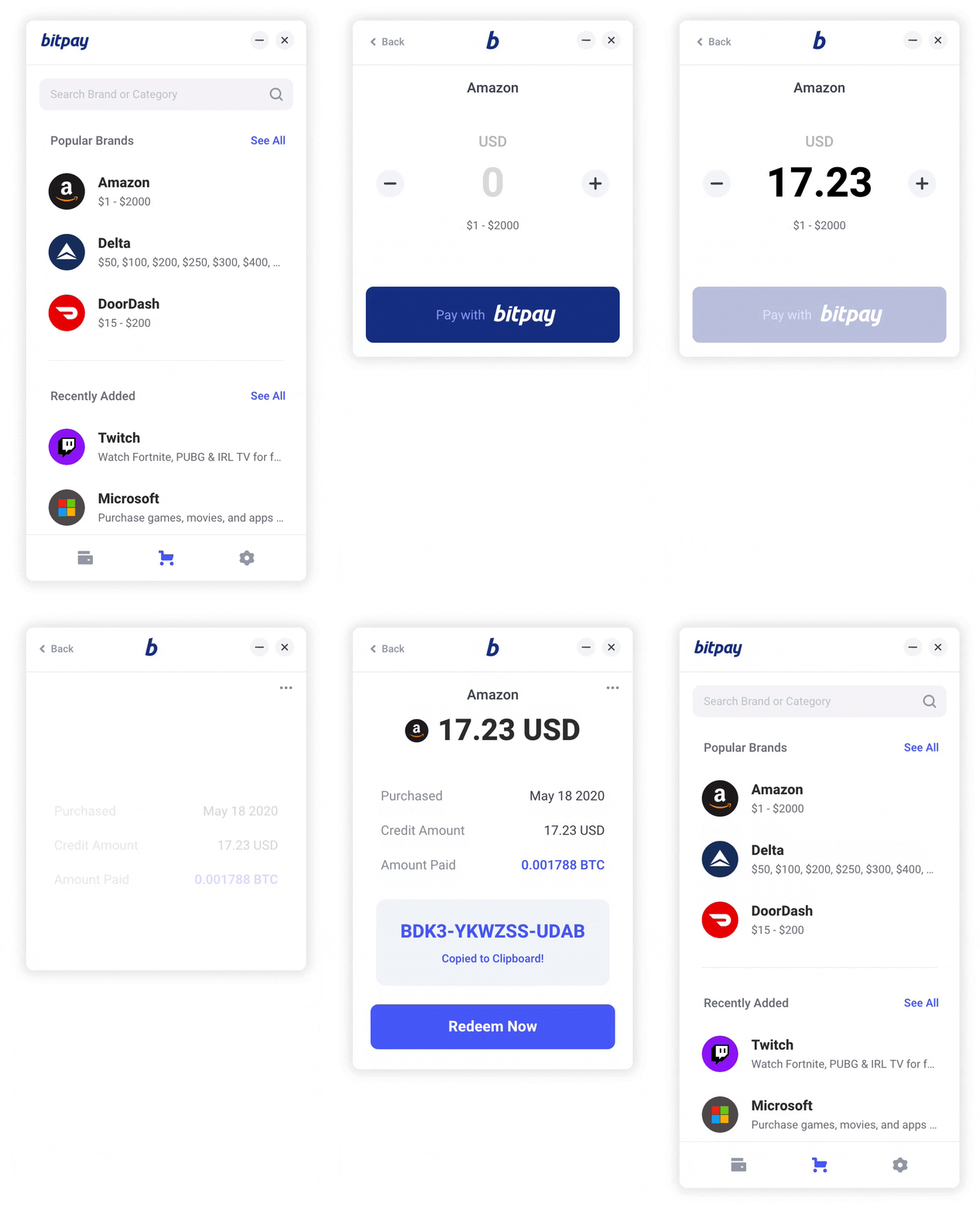
Discover new ways to use crypto
Be alerted whenever a website you visit offers crypto as a payment option.
Pay directly at checkout, or purchase and manage store credit through the app.
## Browser Support
| [](https://chrome.google.com/webstore/detail/pay-with-bitpay/jkjgekcefbkpogohigkgooodolhdgcda) | [](https://addons.mozilla.org/en-US/firefox/addon/pay-with-bitpay/) | [](https://chrome.google.com/webstore/detail/pay-with-bitpay/jkjgekcefbkpogohigkgooodolhdgcda) | [](https://addons.opera.com/en/extensions/details/pay-with-bitpay/) |
--------------------------------------------------------------------------------------------------------------------------------------------------------------------------- | --------------------------------------------------------------------------------------------------------------------------------------------- | ------------------------------------------------------------------------------------------------------------------------ | --------------------------------------------------------------------------------------------------------------------------------------------------------------------------- |
| 49 & later ✔ | 52 & later ✔ | 36 & later ✔ | 79 & later ✔
## 🚀 Quick Start
Ensure you have
- [Node.js](https://nodejs.org) 10 or later installed
- [Yarn](https://yarnpkg.com) v1 or v2 installed
Then run the following:
- `yarn install` to install dependencies.
- `yarn run dev:chrome` to start the development server for chrome extension
- `yarn run dev:firefox` to start the development server for firefox addon
- `yarn run dev:opera` to start the development server for opera extension
- `yarn run build:chrome` to build chrome extension
- `yarn run build:firefox` to build firefox addon
- `yarn run build:opera` to build opera extension
- `yarn run build` builds and packs extensions all at once to extension/ directory
### Development
- `yarn install` to install dependencies.
- To watch file changes in development (please note that Hot Module Replacement is currently only supported for Manifest v2 builds):
- Chrome
- `yarn run dev:chrome`
- Firefox
- `yarn run dev:firefox`
- Opera
- `yarn run dev:opera`
- **Load extension in browser**
- ### Chrome
- Go to the browser address bar and type `chrome://extensions`
- Check the `Developer Mode` button to enable it.
- Click on the `Load Unpacked Extension…` button.
- Select your extension’s extracted directory.
- ### Firefox
- Load the Add-on via `about:debugging` as temporary Add-on.
- Choose the `manifest.json` file in the extracted directory
- ### Opera
- Load the extension via `opera:extensions`
- Check the `Developer Mode` and load as unpacked from extension’s extracted directory.
### Enabling testnet payments
Change your `.env.development` file to the following:
```bash
API_ORIGIN=https://test.bitpay.com
```
### Generating browser specific manifest.json
See the original [README](https://github.com/abhijithvijayan/wext-manifest) of wext-manifest package for more details
### Production
- `yarn run build` builds the extension for all the browsers to `extension/BROWSER` directory respectively.
## Show your support
Give a ⭐️ if this project helped you!
## License
Code released under the [MIT License](LICENSE).