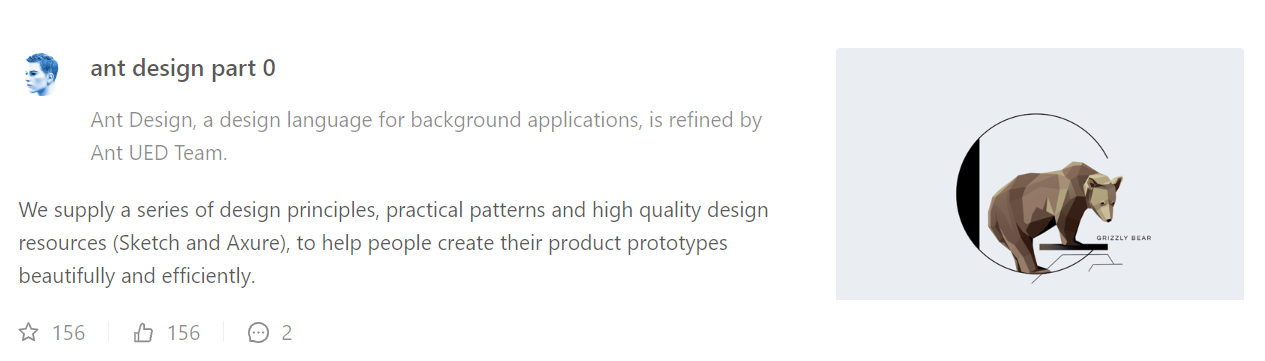
https://github.com/blackboxo/antdesignleftimagelist
Ant Design 的 List 列表组件,图片在左侧的样式的实现
https://github.com/blackboxo/antdesignleftimagelist
Last synced: 9 months ago
JSON representation
Ant Design 的 List 列表组件,图片在左侧的样式的实现
- Host: GitHub
- URL: https://github.com/blackboxo/antdesignleftimagelist
- Owner: blackboxo
- Created: 2020-03-13T14:15:33.000Z (almost 6 years ago)
- Default Branch: master
- Last Pushed: 2020-03-13T14:36:19.000Z (almost 6 years ago)
- Last Synced: 2025-04-12T21:46:40.958Z (9 months ago)
- Language: CSS
- Size: 20.5 KB
- Stars: 2
- Watchers: 2
- Forks: 0
- Open Issues: 0
-
Metadata Files:
- Readme: README.md
Awesome Lists containing this project
README
# AntDesignLeftImageList
Ant Design 的 List 列表组件,图片在左侧的样式的实现。
## 如何实现
1. 将 node_module 中 antd/es/list 的 List 组件拷贝出来;
2. 修改 index.js 和 item.js 的 import 方法,改变其路径,从 ../xx 改为 antd/es/xx;
3. 更换图片和主内容的位置,在 item.js 的下方代码,更换 main 和 extra 的前后位置即可;
```js
var itemChildren = React.createElement(Tag, _extends({}, others, {
// `li` element `onCopy` prop args is not same as `div`
className: classNames("".concat(prefixCls, "-item"), className, _defineProperty({}, "".concat(prefixCls, "-item-no-flex"), !_this.isFlexMode()))
}), itemLayout === 'vertical' && extra ? [React.createElement("div", {
className: "".concat(prefixCls, "-item-extra-change"),
key: "extra"
}, extra), React.createElement("div", {
className: "".concat(prefixCls, "-item-main-change"),
key: "content"
}, children, actionsContent),] : [children, actionsContent, cloneElement(extra, {
key: 'extra'
})]);
```
4. 调整样式,因为在拷贝过来的 style 文件中修改无法起效,更换上方代码中的 className,然后在 less/edit.less 中重写样式;
5. 采用 import List from '../component/list' 引入;
## 实现效果
### 修改后的样式,图片在左侧

已适配移动端:
### 原本的样式,图片在右侧