https://github.com/blackfyre/wga
Jumping forward ~30 years
https://github.com/blackfyre/wga
daisy-ui golang-application hacktoberfest pocketbase tech-debt
Last synced: 6 months ago
JSON representation
Jumping forward ~30 years
- Host: GitHub
- URL: https://github.com/blackfyre/wga
- Owner: blackfyre
- License: mit
- Created: 2023-09-25T07:32:16.000Z (almost 3 years ago)
- Default Branch: main
- Last Pushed: 2025-10-30T20:58:37.000Z (8 months ago)
- Last Synced: 2025-10-30T22:28:06.374Z (8 months ago)
- Topics: daisy-ui, golang-application, hacktoberfest, pocketbase, tech-debt
- Language: Go
- Homepage: https://wga-uat.blackfyre.ninja/
- Size: 62.8 MB
- Stars: 190
- Watchers: 0
- Forks: 12
- Open Issues: 17
-
Metadata Files:
- Readme: README.md
- Contributing: CONTRIBUTING.md
- Funding: .github/FUNDING.yml
- License: LICENSE.md
- Code of conduct: CODE_OF_CONDUCT.md
- Security: SECURITY.md
- Agents: AGENTS.md
Awesome Lists containing this project
README
# Web Gallery of Art
[](https://app.fossa.com/projects/git%2Bgithub.com%2Fblackfyre%2Fwga?ref=badge_shield)
## Introduction
This repository contains the code for the Web Gallery of Art project. The project is a web application that allows users to browse through a collection of paintings, sculptures and other forms of Art. This project is intended to shave off the 3 decades of tech debt on the original website and provide a modern, responsive and user friendly experience with the same content.
## Activity

## Technologies
The project is built using the following technologies:
- [htmx](https://htmx.org) - A javascript library for building web applications
- [TailwindCSS](https://tailwindcss.com/) - A utility-first CSS framework
- [DaisyUI](https://daisyui.com/) - A component library for TailwindCSS
- [Go](https://go.dev/) 1.21+ - A programming language for building web applications
- [PocketBase](https://pocketbase.io) - A Go based SaaS platform for building web applications
- [Goreleaser](https://goreleaser.com/) - A tool for building and releasing Go applications
## Getting Started
### Prerequisites
To run the application you'll have to have a `.env` file next to your executable with the following contents:
```bash
WGA_ENV=development
WGA_ADMIN_EMAIL=
WGA_ADMIN_PASSWORD=
WGA_S3_ENDPOINT=
WGA_S3_BUCKET=
WGA_S3_REGION=
WGA_S3_ACCESS_KEY=
WGA_S3_ACCESS_SECRET=
WGA_PROTOCOL=http
WGA_HOSTNAME=localhost:8090
WGA_SMTP_HOST=
WGA_SMTP_PORT=
WGA_SMTP_USERNAME=
WGA_SMTP_PASSWORD=
WGA_SENDER_ADDRESS=
WGA_SENDER_NAME=
MAILPIT_URL=
```
| Variable | Description |
| ---------------------- | ------------------------------------------------------------------------------------------------------ |
| `WGA_ENV` | The environment the application is running in, valid values are `development`, `staging`, `production` |
| `WGA_ADMIN_EMAIL` | The email address of the admin user |
| `WGA_ADMIN_PASSWORD` | The password of the admin user |
| `WGA_S3_ENDPOINT` | The endpoint of the S3 bucket |
| `WGA_S3_BUCKET` | The name of the S3 bucket |
| `WGA_S3_REGION` | The region of the S3 bucket |
| `WGA_S3_ACCESS_KEY` | The access key of the S3 bucket |
| `WGA_S3_ACCESS_SECRET` | The access secret of the S3 bucket |
| `WGA_PROTOCOL` | The protocol to use for the application, valid values are `http` and `https` |
| `WGA_HOSTNAME` | The domain pointing to the application |
| `WGA_SMTP_HOST` | The address of the SMTP host |
| `WGA_SMTP_PORT` | The SMTP service port on the host address |
| `WGA_SMTP_USERNAME` | The username for the SMTP service |
| `WGA_SMTP_PASSWORD` | The password for the SMTP service |
| `WGA_SENDER_ADDRESS` | The sending email address |
| `WGA_SENDER_NAME` | The name of the email sender |
| `MAILPIT_URL` | For testing only! |
### Running the application
To run the application simply download the release for your platform and run it with:
```bash
./wga serve
```
The application will start on port 8090 by default. You can access it by going to
### Build from source
#### Prerequisites
To build the application you will need to have the following installed:
- [Go](https://go.dev/) 1.21+
- [Bun](https://bun.sh/) v1.1+
- [Goreleaser](https://goreleaser.com/)
- [Templ](https://templ.guide/)
#### Building the application
To build the application simply run:
```bash
templ generate && go build -o wga
```
This will build the application and place the binary in the `./dist` folder.
## Contributing
Contributions are welcome. Please read [CONTRIBUTING.md](CONTRIBUTING.md) for more information.
### Development quick start
#### Docker
The supplied `docker-compose.yml` file will bring up a configured `minio` and `mailpit` instance to simulate the services used in production.
#### Frontend
All frontend assets (templ, postcss) can be built with `bun run dev` (this command will start a dev server as well) and the JS dependencies with `bun run build:js`.
#### Seeding
The database is populated on first start, and if you want to have images available, make sure that your `WGA_ENV=development` is set and then you can execute:
```bash
./wga seed:images
```
This will go through the contents of the database and will use placeholder images to "generate" the necessary images to the designated S3 compatible file hosting solution designated in the `.env` file.
## With DevEnv
Devenv is a Nix based development environment that's more easily accessible than a pure nix based approach.
You can check [devenv.sh](https://devenv.sh/getting-started/) for installation and usage details.
For first-time setup:
1. Install Devenv following the [getting started guide](https://devenv.sh/getting-started/)
2. (optional) copy the `devenv.local.stub.nix` file to `devenv.local.nix`
3. Run `devenv up` to start the development environment
Checking the [/devenv.nix](devenv.nix) file for more details is also recommended.
This file contains:
- Development dependencies
- Environment variables
- Service configurations
## License
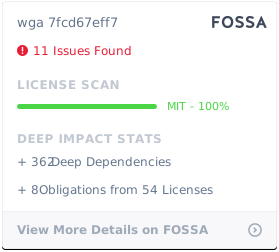
This project is licensed under the MIT License - see the [LICENSE.md](LICENSE.md) file for details
[](https://app.fossa.com/projects/git%2Bgithub.com%2Fblackfyre%2Fwga?ref=badge_large)