https://github.com/blankeos/zen
🦋 A bluer poimandres VSCode theme. Forked from poimandres.
https://github.com/blankeos/zen
Last synced: about 1 year ago
JSON representation
🦋 A bluer poimandres VSCode theme. Forked from poimandres.
- Host: GitHub
- URL: https://github.com/blankeos/zen
- Owner: Blankeos
- License: mit
- Created: 2024-03-25T18:18:07.000Z (over 2 years ago)
- Default Branch: main
- Last Pushed: 2024-08-02T16:05:23.000Z (almost 2 years ago)
- Last Synced: 2025-02-13T08:41:22.570Z (over 1 year ago)
- Language: JavaScript
- Size: 14.4 MB
- Stars: 0
- Watchers: 1
- Forks: 0
- Open Issues: 0
-
Metadata Files:
- Readme: README.md
- Changelog: CHANGELOG.md
- License: LICENSE
Awesome Lists containing this project
README

Blankeos Zen
A minimal, dark, and frameless theme for VS Code. Based on poimandres.


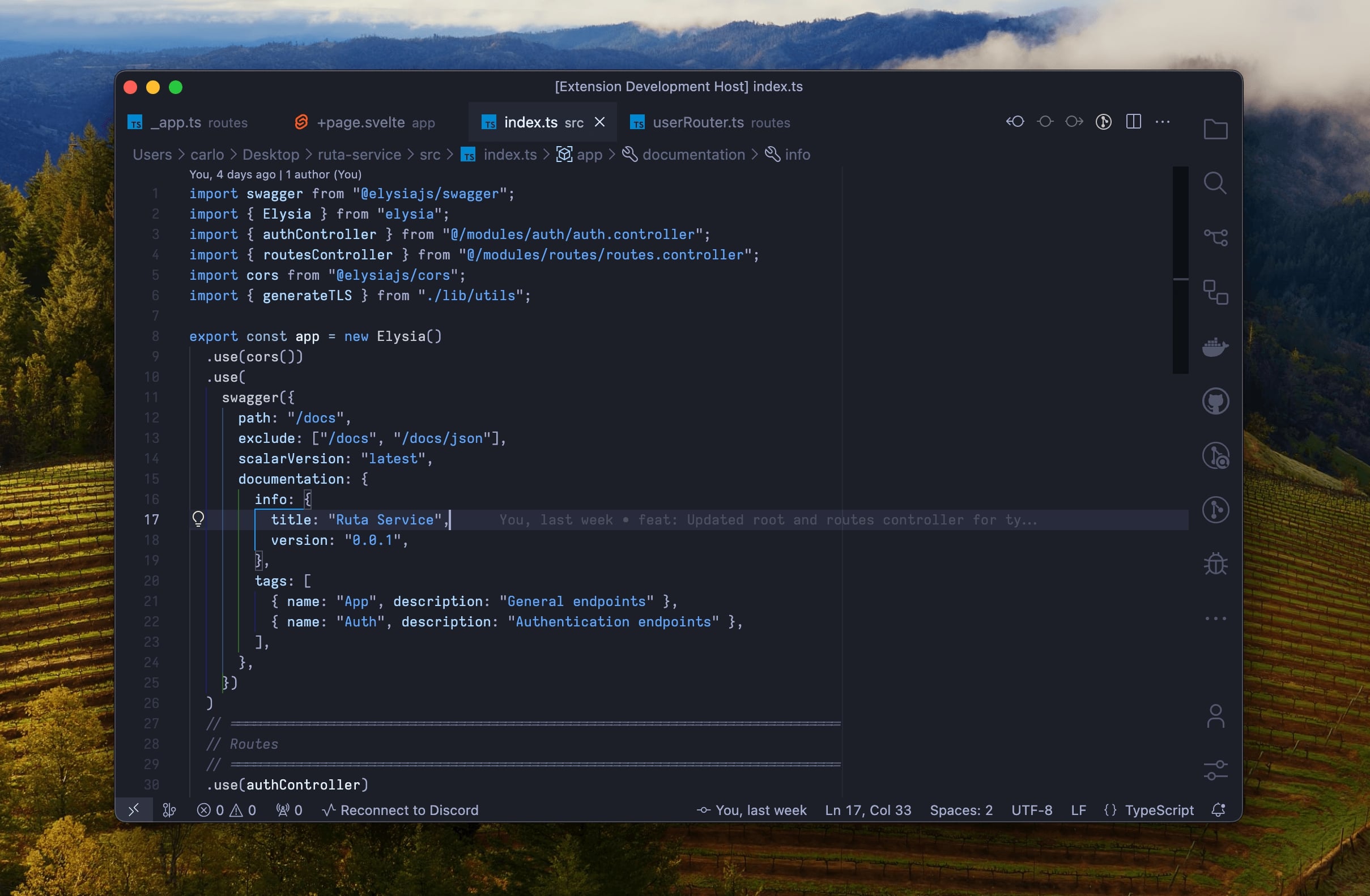
**Blankeos Zen** is essentially a **_blue [poimandres](https://github.com/drcmda/poimandres-theme)_**. It's my own personal, minimal, and frameless dark-theme. Sometimes I don't feel the green in poimandres and wanted a bluer vibe to my editor. That's why I made this.
This theme contains:
- Blankeos Zen - a bluer poimandres.
- Blankeos Zen Dark - a bluer poimandres but darker background.
---
#### Development Requirements & Tips
- Use [Bun](bun.sh)
- Install [`vsce`](https://code.visualstudio.com/api/working-with-extensions/publishing-extension) (for packaging & publishing the extension)
#### Publishing To Marketplace
- Go to [Visual Studio Marketplace](https://marketplace.visualstudio.com/) > Publish Extensions > Create Publisher.
- Generate a Personal Access Token on [dev.azure.com](dev.azure.com) > Click the 💁🏻♂️⚙️ icon > Personal Access Tokens > New Token. Make sure it's "Custom" and "Marketplace" scope is "Manage".
- Run the following commands:
```sh
vsce login
vsce package
vsce publish
```
- References: [Vid](https://www.youtube.com/watch?v=pGzssFNtWXw) on how to publish. [Official Doc](https://code.visualstudio.com/api/working-with-extensions/publishing-extension) by Visual Studio.
#### Contribute
git clone https://github.com/Blankeos/zen
cd zen
bun install
bun run dev
- Go to `Run and Debug`, click the ▶ icon, any change you make in `src/theme.js` will now be reflected when you save.