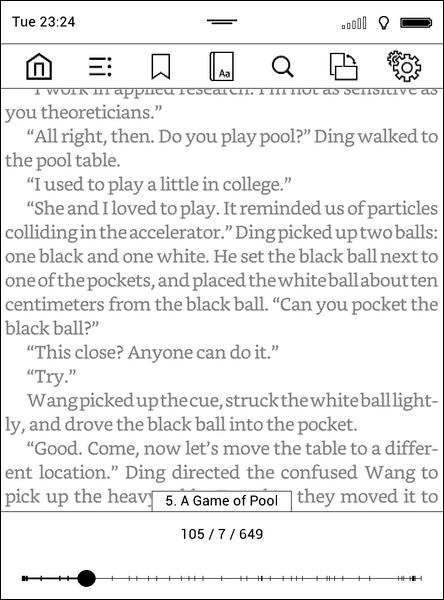
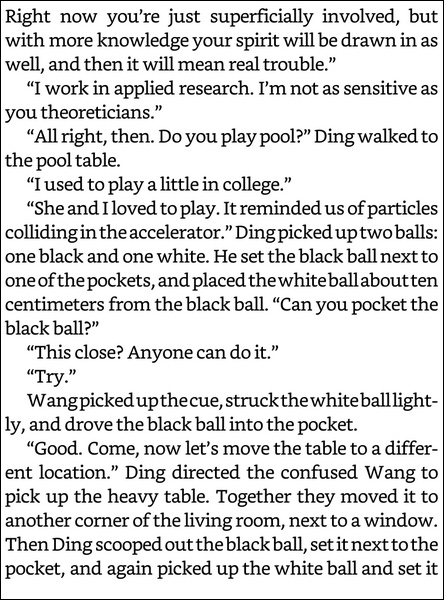
https://github.com/blchinezu/pocketbook-coolreader
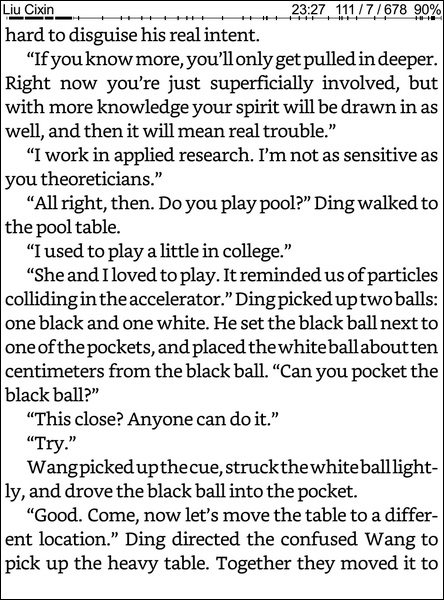
Alternative reading application for the PocketBook eReaders based on Linux.
https://github.com/blchinezu/pocketbook-coolreader
coolreader ebooks ereader pocketbook reader touch
Last synced: 7 months ago
JSON representation
Alternative reading application for the PocketBook eReaders based on Linux.
- Host: GitHub
- URL: https://github.com/blchinezu/pocketbook-coolreader
- Owner: blchinezu
- License: gpl-2.0
- Created: 2015-03-25T10:35:17.000Z (over 11 years ago)
- Default Branch: master
- Last Pushed: 2020-05-15T11:06:28.000Z (about 6 years ago)
- Last Synced: 2023-10-25T22:59:52.570Z (almost 3 years ago)
- Topics: coolreader, ebooks, ereader, pocketbook, reader, touch
- Language: C++
- Homepage: http://www.mobileread.com/forums/showthread.php?t=256917
- Size: 976 MB
- Stars: 163
- Watchers: 33
- Forks: 23
- Open Issues: 75
-
Metadata Files:
- Readme: README.md
- License: LICENSE
Awesome Lists containing this project
README
# CoolReader 3 - free e-book reader
(c) Vadim Lopatin, 1998-2009
All source codes (except thirdparty directory) are provided under the terms of GNU GPL license, version 2
--------------------------------------------------------------------------------
This is a **fork of** [pocketbook-port (sourceforge.net)](https://sourceforge.net/p/crengine/crengine/ci/pocketbook-port/tree/)
**Source code** is available at [github.com](https://github.com/blchinezu/pocketbook-coolreader)
The **forum thread** is at [mobileread.com](http://www.mobileread.com/forums/showthread.php?t=256917)
**Help translating** the app at [transifex.com](https://www.transifex.com/projects/p/coolreader-pocketbook/)
--------------------------------------------------------------------------------
### Download
- [Latest release](https://github.com/blchinezu/pocketbook-coolreader/releases)
- [OTA Source](https://github.com/blchinezu/pocketbook-coolreader/tree/master/builds)
--------------------------------------------------------------------------------
### Install
Grab the zip corresponding to your firmware from the link above. (Check the firmware from your device menu)
```php
360 -> PB360
pro2 -> FW2.*
pro4 -> FW4.*
pro5 -> FW5.*
```
After downloading the zip file, extract it and copy the system dir to your device (overwrite the existing one)
--------------------------------------------------------------------------------
### Features summary (compared to [pkb](https://sourceforge.net/p/crengine/crengine/ci/pocketbook-port/tree/)'s version)
**General**
- FW5 compatible [[pal](http://www.the-ebook.org/forum/profile.php?mode=viewprofile&u=45840&sid=43f0dd795517591f5bae7add0e609962)]
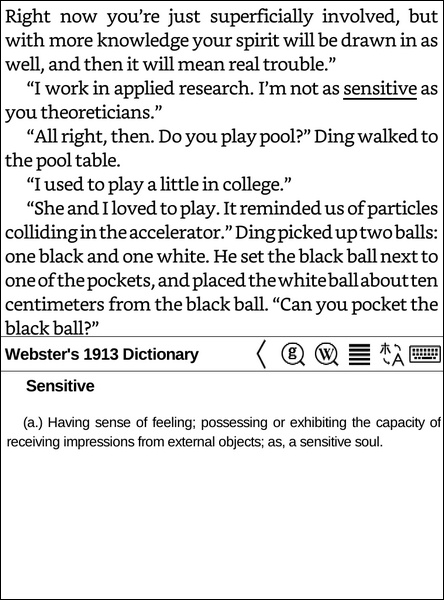
- Google & Wikipedia buttons in the dictionary window
- Set book cover as power off logo [[pal](http://www.the-ebook.org/forum/profile.php?mode=viewprofile&u=45840&sid=43f0dd795517591f5bae7add0e609962)]
- Get hardware depth from device
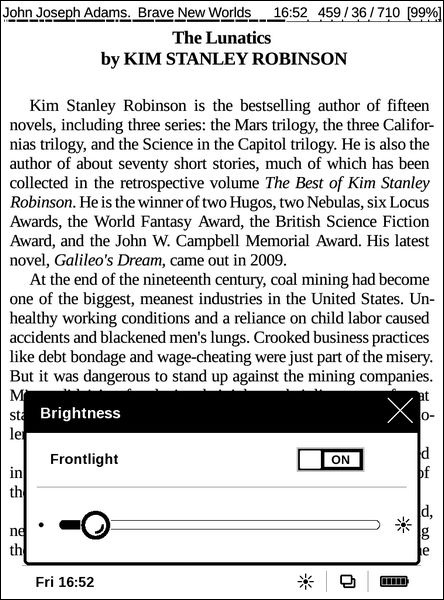
- Control front light brightness by vertically swiping in FW5
- Control front light color by vertically swiping in FW5
- Turn pages by horizontally swiping
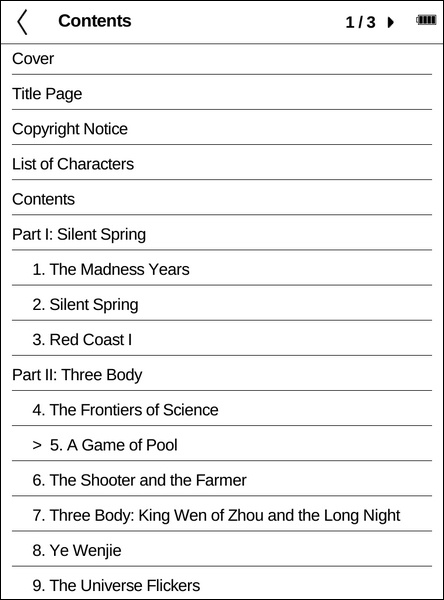
- Rewritten TOC window
- StandBy Mode
- Updated translations
- Full screen update on book load
- Fixed font selection bug in settings [[pkb](https://github.com/pkb)]
- Cite toolbar is working with touch devices
- Updated freetype
- More hyphenations
- Pinch screen to change font size
- Chinese is correctly shown in menus
- More page margin values
- More font size values
- Set default skin according to firmware and screen resolution (for fresh installs)
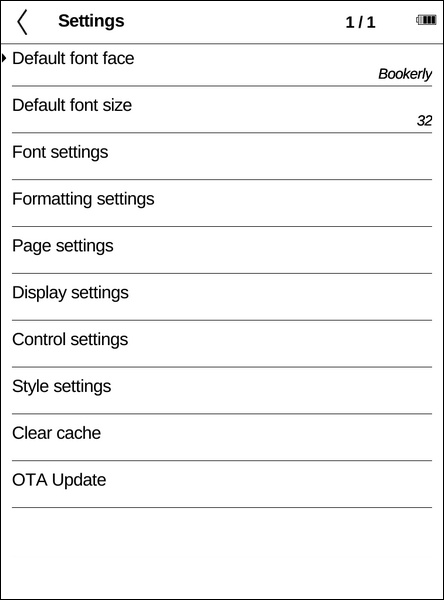
**Settings**
- Default font size (up to 300px)
- Formatting settings > Space expanding percent [[xl743](https://github.com/xl743)]
- Display settings > Standby
- Display settings > Custom system theme
- Display settings > Use new TOC menu
- Font settings > Font embolding [[xl743](https://github.com/xl743)]
- Font settings > Tracking [[xl743](https://github.com/xl743)]
- Style settings > * > Letter spacing [[xl743](https://github.com/xl743)]
- Page settings > Status line settings > Time format
- Page settings > Status line settings > Default font size (up to 300px)
- Control settings > Page Turn Swipes
- Control settings > Front Light Swipes
- Control settings > Pinch zoom
- Clear cache
- OTA Update (through Github)
**Dictionary**
- Show when long-tapping a word [[pkb](https://github.com/pkb)]
- Window doesn't jump around
- Set current word as default in the search keyboard
- Treat some dictionary "redirects" for Webster's 1913 Dictionary
- Working with Chinese [[ailin-nemui](https://github.com/ailin-nemui)]
- Try matching case sensitive before case insensitive
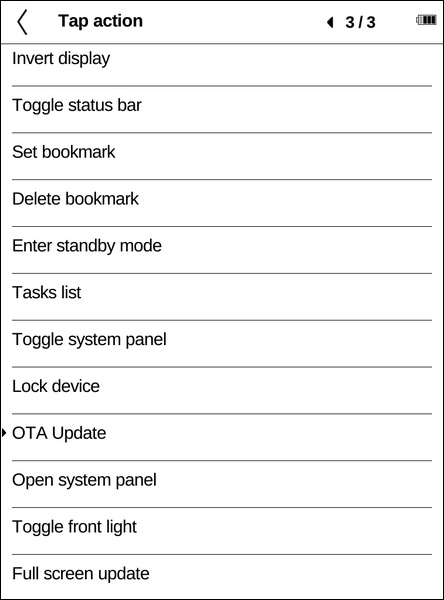
**Tap actions**
- Toggle system panel
- Open system panel (FW5 only)
- Launch front light (FW4 only, FW5 uses system panel)
- Toggle invert display
- Toggle status bar
- Tasks list
- Lock device
- OTA Update
- Full screen update
- Toggle Front Light (FW5 only)
- Set bookmark (for current page)
- Delete bookmark (for current page)
- Enter standby mode
**Theme**
- Changed the grey things to black
- New FW5 skin (for 758x1024 screens)
- Redesigned menu for touch devices with resolution greater than 600x800 using theme pb626fw5
- New touch menu automatically adapts to different resolutions
- Dictionary font automatically adapts to different resolutions
- Long tap the bookmark icon in the new menu to toggle current page bookmark
**Localization**
- Bulgarian
- Chinese
- Czech
- Dutch
- English
- Estonian
- French
- German
- Hungarian
- Italian
- Polish
- Romanian
- Russian
- Spanish
- Turkish
- Ukrainian
--------------------------------------------------------------------------------
### Directories:
crengine - CREngine (DOM/XML/CSS ebook rendering library) sources
cr3gui - CR3 with CR3GUI for e-ink devices sources
thirdparty - third party libraries, to use if not found in system
tinydict - small library for .dict file format support
tools - miscellaneous configuration files
--------------------------------------------------------------------------------
### External dependencies:
common: zlib, libpng, libjpeg, freetype, libcurl
cr3gui/xcb: libxcb, fontconfig
cr3gui/nanoX: libnanoX
--------------------------------------------------------------------------------
### Setting up the build environment:
```bash
# update repositories
sudo apt-get update
# install required binaries
sudo apt-get install cmake git zip
# download sdk
git clone https://github.com/blchinezu/pocketbook-sdk ~/PBDEV
# create required dirs
mkdir -p ~/PBDEV/sources ~/PBDEV/releases/coolreader3/dev
# download CR3 source
# (if you symlink this dir cmake will crash!)
git clone https://github.com/blchinezu/pocketbook-coolreader.git ~/PBDEV/sources/cr3-fork
```
--------------------------------------------------------------------------------
### Building stable version:
```bash
# go to the CR3 source
cd ~/PBDEV/sources/cr3-fork
# make sure you're working with "master" branch
git checkout master
# update source code
git pull
# build for all firmwares
bash make.sh
# or build for a single firmware
bash make.sh pro5
# you'll find your builds in ~/PBDEV/releases/coolreader3/dev/
```
--------------------------------------------------------------------------------
### Building dev version:
```bash
# go to the CR3 source
cd ~/PBDEV/sources/cr3-fork
# switch to "dev" branch
git checkout dev
# update source code
git pull
# build for all firmwares
bash make.sh
# or build for a single firmware
bash make.sh pro5
# you'll find your builds in ~/PBDEV/releases/coolreader3/dev/
```
--------------------------------------------------------------------------------
### Screenshots: