https://github.com/blopa/magento-short-description-autofill
https://github.com/blopa/magento-short-description-autofill
Last synced: 4 months ago
JSON representation
- Host: GitHub
- URL: https://github.com/blopa/magento-short-description-autofill
- Owner: blopa
- License: mit
- Created: 2024-12-17T23:50:33.000Z (over 1 year ago)
- Default Branch: main
- Last Pushed: 2025-01-09T18:39:05.000Z (over 1 year ago)
- Last Synced: 2025-01-09T19:44:30.886Z (over 1 year ago)
- Language: PHP
- Size: 94.7 KB
- Stars: 1
- Watchers: 1
- Forks: 1
- Open Issues: 0
-
Metadata Files:
- Readme: README.md
- License: LICENSE
Awesome Lists containing this project
README
# Magento 2 Short Description Autofill
**Werules/Autofill** is a Magento 2 extension that automatically generates product short descriptions using AI services like **OpenAI (GPT-4)** and **Google Gemini**. This saves time for store owners by generating engaging and accurate descriptions based on product details.
---
## Features
- **AI Integration**: Generate short descriptions using either **OpenAI (GPT-4)** or **Google Gemini**.
- **Customizable System Message**: Define the context or style for the AI-generated descriptions.
- **Enable/Disable Option**: Easily toggle the feature on or off from the admin panel.
- **Provider Selection**: Choose between OpenAI and Gemini APIs.
- **Dynamic Data Input**: Uses product name, categories, price, and unsaved short descriptions as input for AI.
- **Admin Configuration**: Manage API keys and settings from the Magento admin panel.
---
## Installation
Follow these steps to install the extension via Composer:
1. **Download or Clone the Extension**:
```bash
git clone https://github.com/blopa/magento-short-description-autofill.git app/code/Werules/Autofill
```
2. **Enable the Extension**:
```bash
php bin/magento module:enable Werules_Autofill
```
3. **Run Setup Upgrade**:
```bash
php bin/magento setup:upgrade
```
4. **Compile and Clean Cache**:
```bash
php bin/magento setup:di:compile
php bin/magento cache:clean
```
---
## Configuration
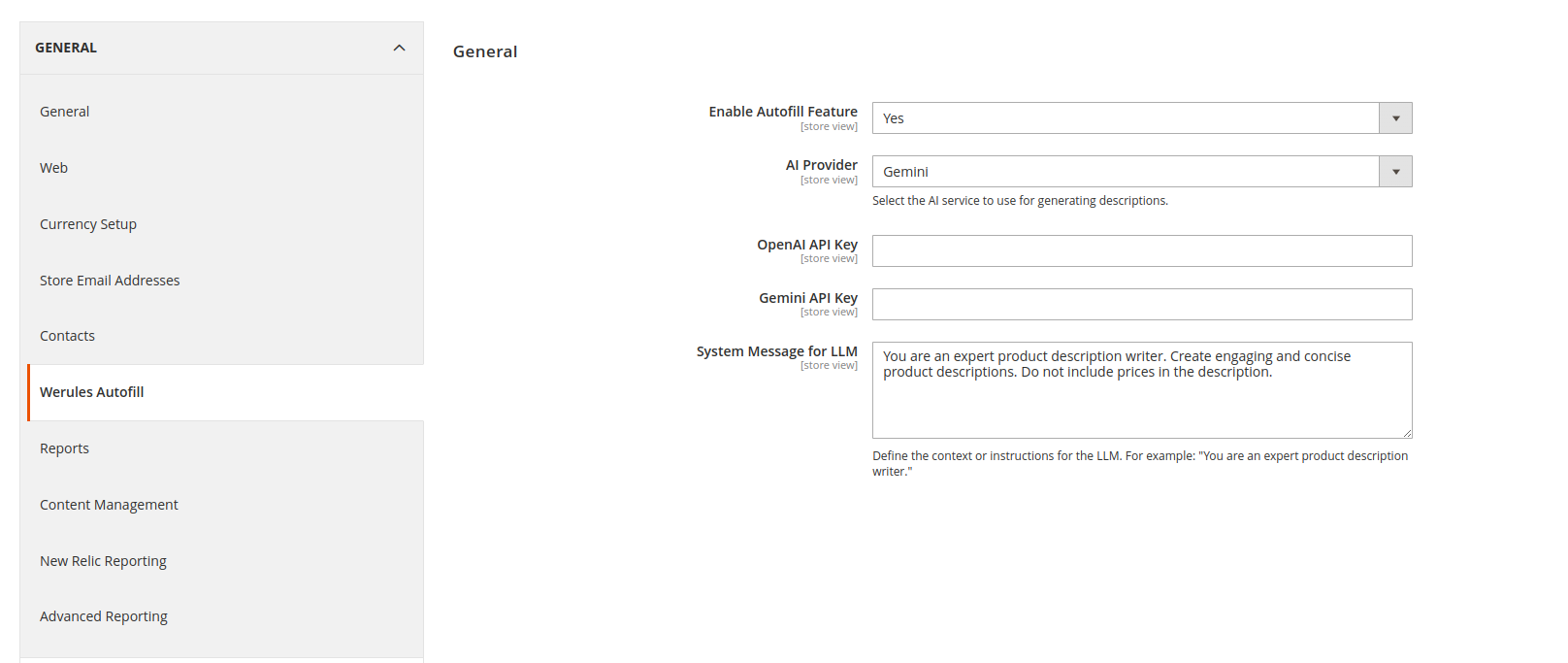
1. Go to **Stores > Configuration > Werules Autofill**.
2. Configure the following settings:
- **Enable Autofill Feature**: Toggle the feature on or off.
- **AI Provider**: Choose between **OpenAI** and **Gemini**.
- **OpenAI API Key**: Enter your OpenAI API key.
- **Gemini API Key**: Enter your Gemini API key.
- **System Message for LLM**: Provide instructions for the AI (e.g., "You are an expert product description writer.").
---
## Usage
1. **Navigate to the Product Edit Page**:
- Go to **Catalog > Products** in the admin panel.
- Select an existing product or create a new one.
2. **Autofill Button**:
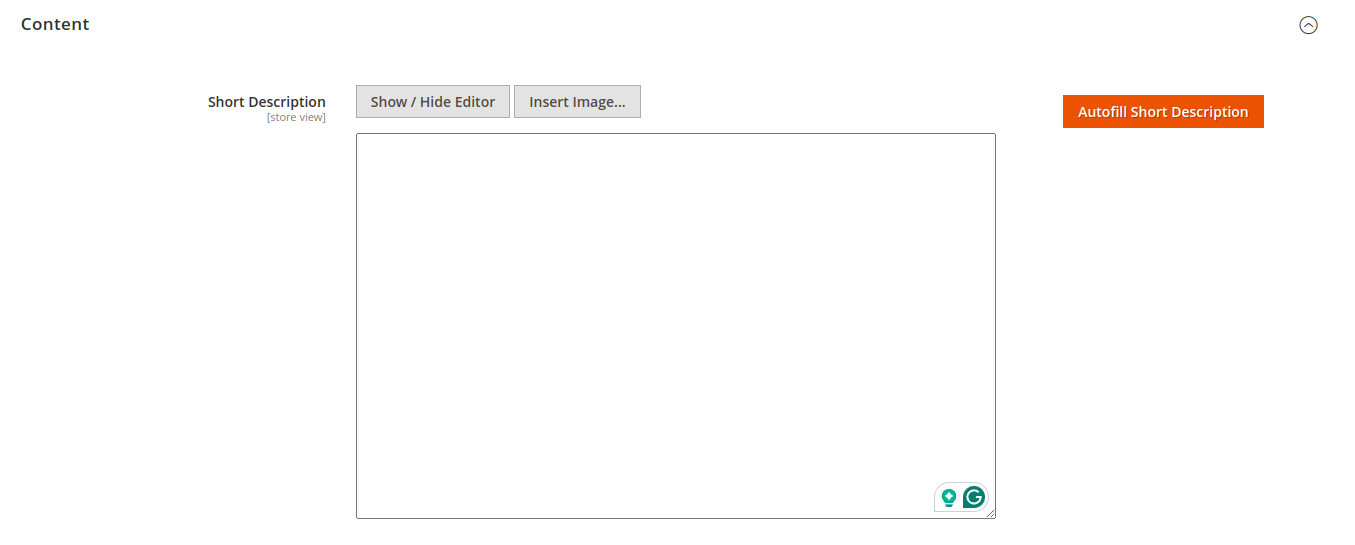
- On the product edit page, find the **"Autofill Short Description"** button.
- Click the button to send product data to the selected AI provider and generate a short description.
3. **Product Data Used**:
- Product Name
- Product Categories
- Product Price
- Current or Unsaved Short Description
4. **Generated Result**:
- The AI-generated description will be automatically filled into the **Short Description** field.
---
## Screenshots
1. **Admin Configuration**:
2. **Autofill Button on Product Edit Page**:
---
## Compatibility
- Magento 2.4.x
- PHP 7.4 / 8.x
---
## Support
If you encounter any issues or have feature requests, feel free to open an issue on the [GitHub repository](https://github.com/blopa/magento-short-description-autofill).
---
## License
This project is licensed under the MIT License. See the [LICENSE](LICENSE) file for details.