https://github.com/blyxyas/braincum-syntax
Syntax highlighting for the Braincum language
https://github.com/blyxyas/braincum-syntax
esolang extension mit-license programming-language syntax-highlighting vscode vscode-extension
Last synced: about 1 year ago
JSON representation
Syntax highlighting for the Braincum language
- Host: GitHub
- URL: https://github.com/blyxyas/braincum-syntax
- Owner: blyxyas
- License: mit
- Created: 2022-10-01T21:46:49.000Z (over 3 years ago)
- Default Branch: master
- Last Pushed: 2022-10-02T08:33:12.000Z (over 3 years ago)
- Last Synced: 2025-03-28T22:18:37.719Z (about 1 year ago)
- Topics: esolang, extension, mit-license, programming-language, syntax-highlighting, vscode, vscode-extension
- Homepage:
- Size: 5.86 KB
- Stars: 2
- Watchers: 1
- Forks: 0
- Open Issues: 0
-
Metadata Files:
- Readme: README.md
- License: LICENSE
Awesome Lists containing this project
README
# Braincum Syntax
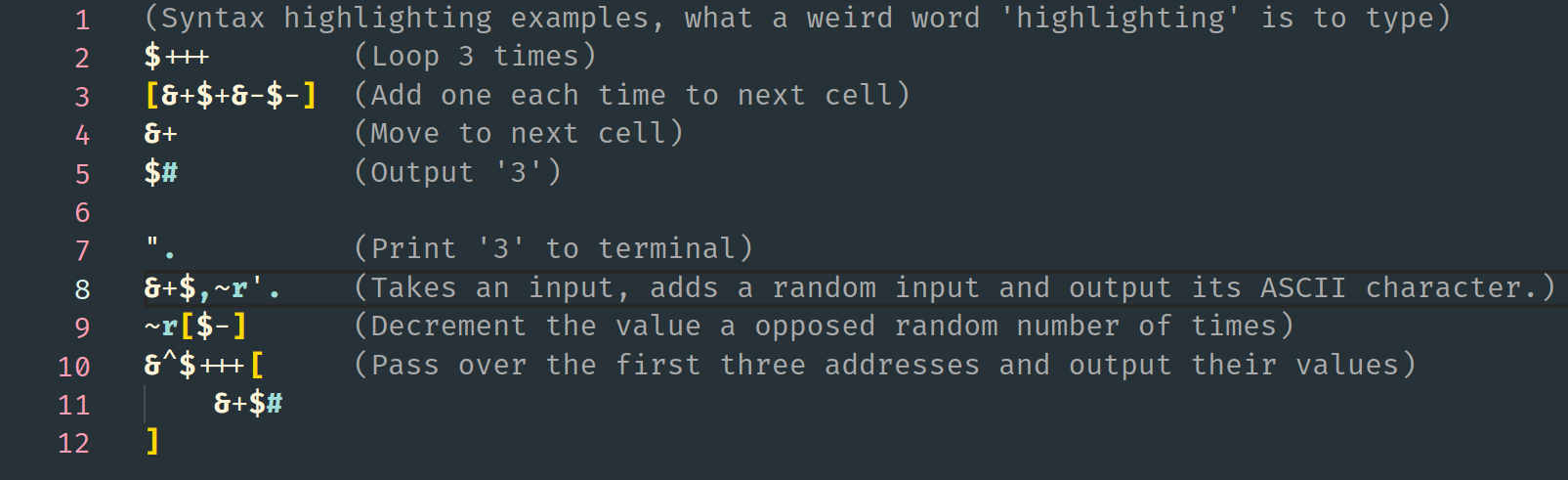
This is the syntax highlighting tool for the [Braincum esolang](https://github.com/qexat/braincum).
## Installation
Currently the tool isn't on the Visual Studio Code Marketplace, so you'll have to download the `.vsix` file from *Releases* or package the source yourself.
### Downloading the binary
Head over to [*Releases*](https://github.com/blyxyas/braincum-syntax/releases) and download the binary from the latest release. Here you can choose from a `tar.gz` file or a `.zip` file, choose one.
When you've download the compressed file, uncompress it:
**`.zip`**
```
unzip
```
(If you're using Windows you already know what to do)
**`.tar.gz`**
```
tar xzvf
```
**Both ways will leave you with a `.vsix` file.**
### Building from source
(If you get stuck, check the [VSCode docs](https://code.visualstudio.com/api/working-with-extensions/publishing-extension#vsce))
1. Clone the repo
(or download the zip file)
```bash
git clone https://github.com/blyxyas/braincum-syntax
```
2. Install the `vsce` Node.js CLI.
```bash
npm install -g vsce
```
3. Package the extension
```bash
cd braincum-syntax
vsce package
# braincum-syntax-.vsix generated
```
This will leave you with a `.vsix` file in the root directory of the repo.
### Installing the binary
1. Open VSCode
2. Ctrl / ⌘ + Shift + P
3. Write *"Extensions: Install from VSIX"*
4. This will open a file explorer, select the `.vsix` file you downloaded earlier.
5. **Enjoy your new extension!**
## Usage
Now you can open any `.bc` file and enjoy the syntax highlighting!
## License
Check the *LICENSE* file for licensing information.