https://github.com/boneskull/jetbrains-afterglow-scheme
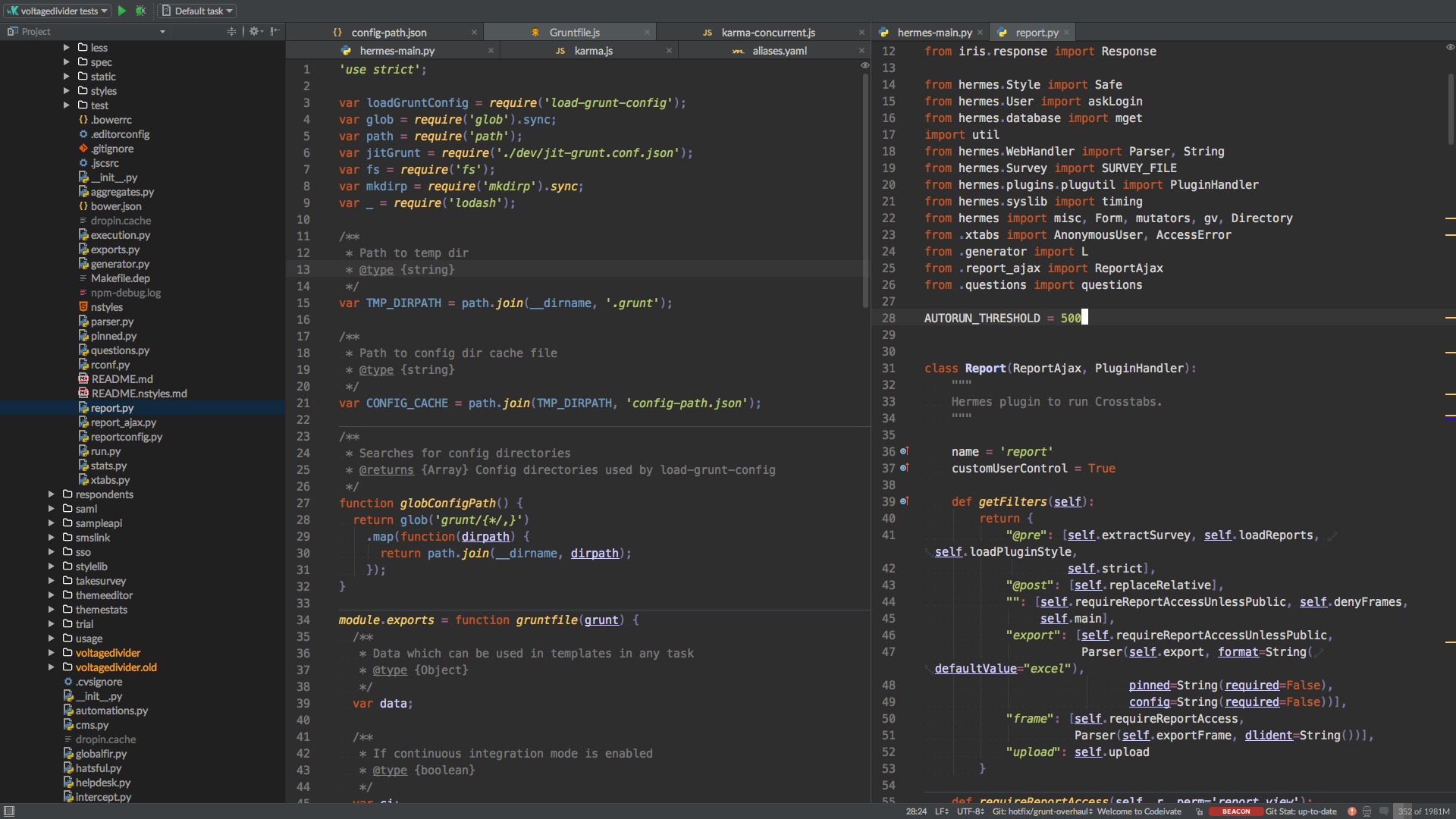
"Afterglow"-style Syntax highlighting scheme for JetBrains IDEs
https://github.com/boneskull/jetbrains-afterglow-scheme
Last synced: 10 months ago
JSON representation
"Afterglow"-style Syntax highlighting scheme for JetBrains IDEs
- Host: GitHub
- URL: https://github.com/boneskull/jetbrains-afterglow-scheme
- Owner: boneskull
- License: mit
- Archived: true
- Created: 2015-12-10T22:03:11.000Z (over 10 years ago)
- Default Branch: master
- Last Pushed: 2016-06-22T08:18:27.000Z (almost 10 years ago)
- Last Synced: 2025-04-04T06:12:04.023Z (about 1 year ago)
- Size: 487 KB
- Stars: 19
- Watchers: 3
- Forks: 4
- Open Issues: 0
-
Metadata Files:
- Readme: README.md
- License: LICENSE
Awesome Lists containing this project
README
# jetbrains-afterglow-scheme
> "Afterglow"-style Syntax highlighting scheme for JetBrains' IDEs
- Inspired by the Sublime [Afterglow Theme](https://github.com/YabataDesign/afterglow-theme).
- Works best with the [Afterglow Plugin](https://github.com/JustSid/AfterglowIntelliJ) for JetBrains' IDEs.
- Grab [Lato](http://www.latofonts.com/lato-free-fonts/) and use it as a replacement UI font.
## Screenshot
## Installation
1. Clone this repo.
2. Copy `Afterglow.icls` into the `colors/` subdirectory of your IDE preferences directory.
Example (MacOS X, PyCharm):
```shell
/Users/you/Library/Preferences/PyCharm50/colors/Afterglow.icls
```
For more information on the installation location, see [DOC-181](https://devnet.jetbrains.com/docs/DOC-181).
## Development
Symlink the file? Dunno.
## Notes
- I haven't built this out entirely yet.
- The default code font is [Menlo](https://en.wikipedia.org/wiki/Menlo_(typeface)) with a fallback of [Inconsolata](http://levien.com/type/myfonts/inconsolata.html).
- Tweaks/contributions appreciated!
## License
© 2015 [Christopher Hiller](https://boneskull.com). Licensed MIT.