https://github.com/boredsquirrel/unsudo
Remove "sudo" access from your user to improve security
https://github.com/boredsquirrel/unsudo
Last synced: about 1 year ago
JSON representation
Remove "sudo" access from your user to improve security
- Host: GitHub
- URL: https://github.com/boredsquirrel/unsudo
- Owner: boredsquirrel
- License: apache-2.0
- Created: 2024-12-10T13:27:36.000Z (over 1 year ago)
- Default Branch: main
- Last Pushed: 2025-02-06T15:42:22.000Z (over 1 year ago)
- Last Synced: 2025-02-06T15:42:26.729Z (over 1 year ago)
- Language: Shell
- Size: 8.79 KB
- Stars: 0
- Watchers: 1
- Forks: 0
- Open Issues: 0
-
Metadata Files:
- Readme: README.md
- License: LICENSE
Awesome Lists containing this project
README
# unsudo
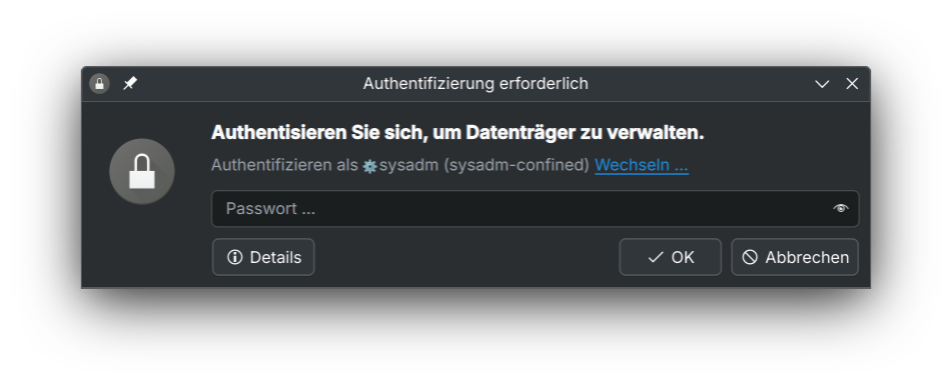
Remove "sudo" access from your user to improve security. Instead, a dedicated Admin account is created.
This script works on Distributions using the `sudo` group (like Debian, Ubuntu, Linux Mint) or the `wheel` group (like Fedora, OpenSUSE, Arch).
When using systemd version 256 or higher, it automatically uses `run0` for privilege escalation.
If the creation of an admin user fails, the current user stays untouched.
## What works
After setting up such a dedicated admin user and removing this access from your main user, `sudo` will not work anymore.
### Executing Commands
Instead, you can use `run0` or `pkexec` for privilege escalation. Example:
```
run0 cat /etc/shadow
pkexec nano /etc/fstab
```
> [!NOTE]
> `pkexec` and `su` have [setuid](https://en.wikipedia.org/wiki/Setuid) set, to be able to escalate their privileges to root (the owner of the files). This is generally seen as dangerous.
>
> `run0` is part of `systemd`, a big and monolithic project that many people don't like for it's total lack of interoperability with other tools or operating systems.
>
> You have to decide what you want to use.
#### Multiple commands
For executing multiple commands with a single authentication prompt, spawn an elevated shell:
```
run0 sh -c '
command1
command2
command3
'
```
> [!NOTE]
> `run0` does not pass on variables from the user session like `sudo` does.
>
> This means you need to set variables from within the elevated shell, otherwise bad things can happen
### Switching users
Alternatively, you can switch to the admin user using `ru` or `run0`:
```
run0 -u admin
su admin
```
In here, you can escalate privileges using sudo, run0 or pkexec.
If some actions are not polkit-aware (they don't show a prompt to authenticate with a different user) but allow passwordless execution from a `wheel`/`sudo` user, you can switch to that user and execute them, without escalating to root.
### Graphical Apps
These use polkit since basically forever, so they will work. A password prompt is shown and automatically asks you for the password of a user in the `wheel`/`sudo` group.
Examples:
- KDE Plasma
- Partitionmager
- Dolphin File Manager
- `kio-admin` (entering `admin:/` in the location bar)
- mounting, decrypting external drives
- Kate Editor
- GNOME
- Nautilus File Manager
- privilege escalation (entering `admin:/` in the location bar)
- mounting, decrypting external drives
- Text editor
- Other apps
- Fedora media writer
- Impression