https://github.com/boreec/nvim-config
Personal Neovim configuration
https://github.com/boreec/nvim-config
Last synced: about 1 year ago
JSON representation
Personal Neovim configuration
- Host: GitHub
- URL: https://github.com/boreec/nvim-config
- Owner: boreec
- License: apache-2.0
- Created: 2025-03-02T10:58:09.000Z (over 1 year ago)
- Default Branch: main
- Last Pushed: 2025-03-10T04:31:09.000Z (over 1 year ago)
- Last Synced: 2025-03-10T05:28:38.896Z (over 1 year ago)
- Language: Lua
- Size: 49.8 KB
- Stars: 1
- Watchers: 1
- Forks: 0
- Open Issues: 0
-
Metadata Files:
- Readme: README.md
- License: LICENSE.md
Awesome Lists containing this project
README


[](https://opensource.org/licenses/Apache-2.0)
# ✨ Neovim Configuration
This repository contains my personal neovim setup. While I strive to keep it
clean and functional, I can not guarantee that everything will always work
perfectly. Use it at your own risk.
- [🚀 How to use](#🚀-how-to-use)
- [📦 Contents](#📦-contents)
- [🔌 Plugin Manager](#🔌-plugin-manager)
- [🎨 Colorscheme](#🎨-colorscheme)
- [📚 Languages support](#📚-languages-support)
- [🔦 Syntax highlighting](#🔦-syntax-highlighting)
- [👅 LSP (Language Server Protocol)](#👅-lsp-language-server-protocol)
- [📏 Formatting](#📏-formatting)
- [🧩 Completion](#🧩-completion)
- [⛵ Navigation](#navigation)
- [🔭 Telescope](#🔭-telescope)
- [🔱 Arrow](#🔱-arrow)
## 🚀 How to use
Backup your existing nvim config (optional):
```console
mv ~/.config/nvim ~/nvim-backup
```
Clone this repository to the nvim directory:
```console
git clone --depth 1 https://github.com/boreec/nvim-config ~/.config/nvim
```
Open neovim, and run `:Lazy`, follow the screen instructions to update and sync
the plugins.
When reopening neovim, Mason should automatically fetch the LSPs, linters and
formatters.
## 📦 Contents
### 🔌 Plugin Manager
The plugins are managed using [lazy.nvim](https://github.com/folke/lazy.nvim).
The configuration follows the structure recommended by the official
documentation:
```text
.
├── init.lua # Entry point for loading the Lua files
├── lua # Directory containing all Lua files
│ ├── config # Subdirectory with the main Neovim configuration
│ │ ├── lazy.lua # lazy.nvim setup
│ │ ├── mappings.lua # All key mappings
│ │ └── options.lua # Configuration for vim.opt settings
│ └── plugins # Subdirectory for plugins
│ ├── bookmark.lua # Plugin to bookmark and navigate between files
│ ├── colorscheme.lua # Plugins for colorscheme themes
│ ├── completetion.lua # Plugins for word completions
│ ├── formatter.lua # Plugins for configuring languages formatter
│ ├── lsp.lua # Plugins for setting up LSPs
│ ├── telescope.lua # Plugin for fuzzy finding and searching
│ └── treesitter.lua # Plugins for language syntax highlighting
├── .gitignore # File and directory patterns not tracked by GIT
├── .stylua.toml # Formatting options for Lua files in the repository
├── LICENSE.md # Details on using, modifying and sharing the code
└── README.md # You are here
```
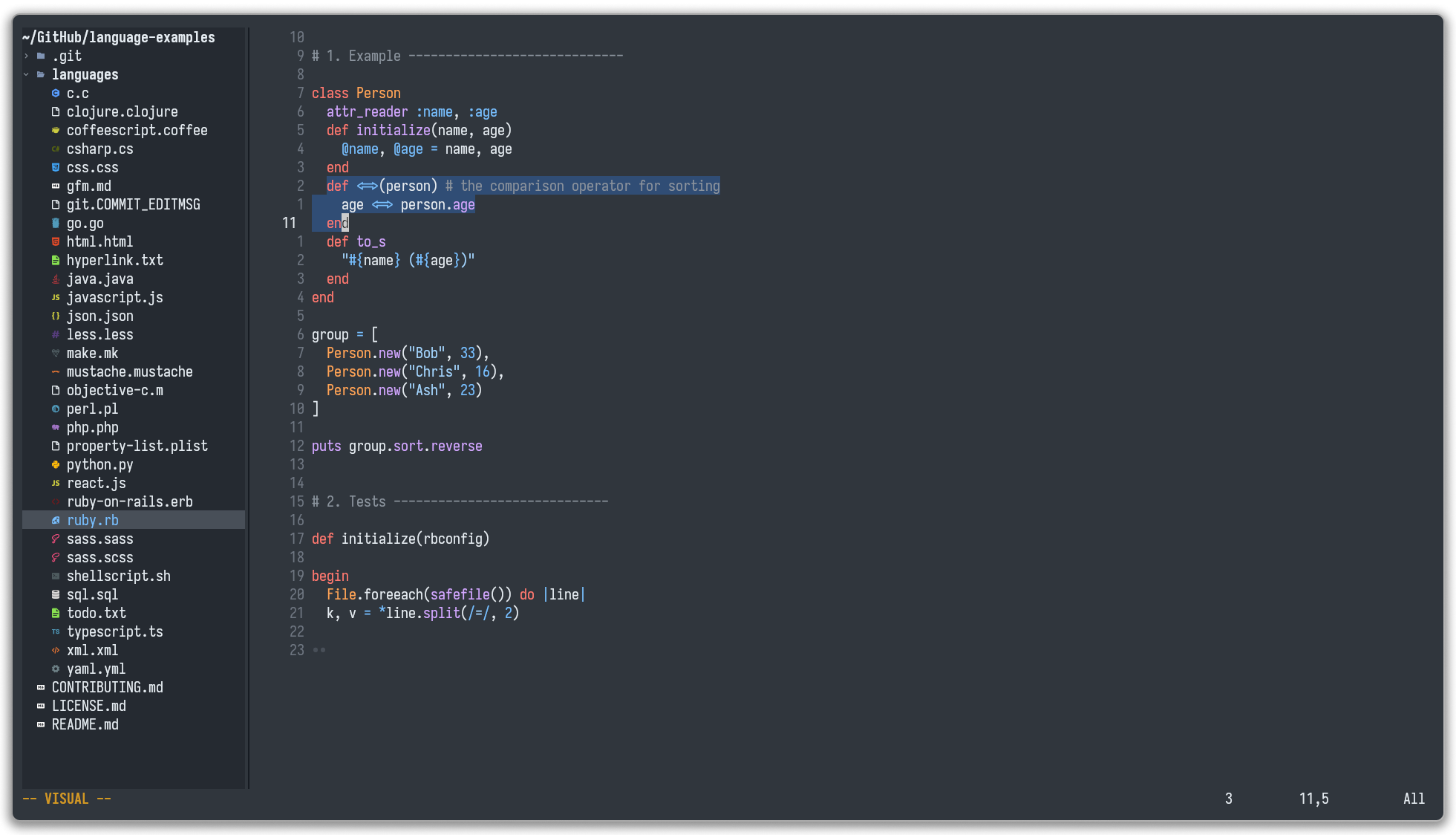
### 🎨 Colorscheme
The main colorscheme is `github_dark` from
[github nvim themes](https://github.com/projekt0n/github-nvim-theme) and is
configured in `lua/plugins/colorscheme.lua`.
### 📚 Languages support
#### 🔦 Syntax highlighting
Language syntax highlighting is handled by
[nvim-treesitter](https://github.com/nvim-treesitter/nvim-treesitter)
and configured for:
- [bash](https://github.com/tree-sitter/tree-sitter-bash)
- [c](https://github.com/tree-sitter/tree-sitter-c),
[cpp](https://github.com/tree-sitter/tree-sitter-cpp)
- [dockerfile](https://github.com/camdencheek/tree-sitter-dockerfile)
- [gitignore](https://github.com/shunsambongi/tree-sitter-gitignore)
- [go](https://github.com/tree-sitter/tree-sitter-go),
[gomod](https://github.com/camdencheek/tree-sitter-go-mod),
[gosum](https://github.com/tree-sitter-grammars/tree-sitter-go-sum),
[gowork](https://github.com/omertuc/tree-sitter-go-work)
- [graphql](https://github.com/bkegley/tree-sitter-graphql)
- [json](https://github.com/tree-sitter/tree-sitter-json)
- [lua](https://github.com/tree-sitter-grammars/tree-sitter-lua)
- [make](https://github.com/alemuller/tree-sitter-make)
- [markdown](https://github.com/tree-sitter-grammars/tree-sitter-markdown)
- [proto](https://github.com/treywood/tree-sitter-proto)
- [python](https://github.com/tree-sitter/tree-sitter-python)
- [rust](https://github.com/tree-sitter/tree-sitter-rust)
- [sql](https://github.com/derekstride/tree-sitter-sql)
- [toml](https://github.com/tree-sitter-grammars/tree-sitter-toml)
- [typescript](https://github.com/tree-sitter/tree-sitter-typescript)
- [xml](https://github.com/tree-sitter-grammars/tree-sitter-xml)
- [yaml](https://github.com/tree-sitter-grammars/tree-sitter-yaml)
#### 👅 LSP (Language Server Protocol)
LSPs are handled by the combination of plugins:
- [mason](https://github.com/williamboman/mason.nvim)
- [mason-lspconfig](https://github.com/williamboman/mason-lspconfig.nvim)
- [mason-tool-installer](https://github.com/WhoIsSethDaniel/mason-tool-installer.nvim)
- [nvim-lspconfig](https://github.com/neovim/nvim-lspconfig)
LSPs are configured in `lua/plugins/lsp.lua` and offers support for:
- json via `jsonls`
- go via `gopls`
- graphql via `graphql-language-service-cli` (a root configuration is required
in the project)
- lua via `lua_ls`
- typescript via `ts_ls`
#### 📏 Formatting
Language formatting is handled by
[conform.nvim](https://github.com/stevearc/conform.nvim).
Formatters are installed via mason, configured in `lua/plugins/formatter.lua`
and offer support for:
- go with `gofumpt`
- graphql with `prettier`
- json with `prettier`
- lua with `stylua` (this repository uses `.stylua.toml`)
- markdown with `prettier`
- toml with `taplo`
- typescript with `prettier`
The formatter are ran automatically when saving the buffer.
#### 🧩 Completion
Syntax completion is managed by the plugin
[blink.cmp](https://github.com/saghen/blink.cmp) and configured in
`lua/plugins/completion.lua`. For now only the LSP is used as a completion
source.
### ⛵ Navigation
#### 🔭 Telescope
[Telescope](https://github.com/nvim-telescope/telescope.nvim) is used for
searching trough the file systems, files content or the opened buffers. Its
behavior is configured in `lua/plugins/telescope.lua`
#### 🔱 Arrow
[Arrow](https://github.com/otavioschwanck/arrow.nvim) is used
to manage a small set of files and quickly switch between them. It is
configured in `lua/plugins/bookmark.lua`.
Note: May be changed in the near future with
[snipe](https://github.com/leath-dub/snipe.nvim).