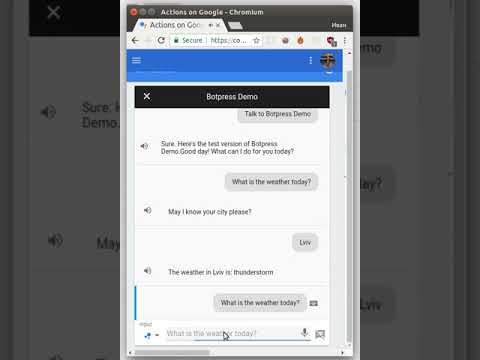
https://github.com/botpress/botpress-google-analytics-demo
https://github.com/botpress/botpress-google-analytics-demo
Last synced: over 1 year ago
JSON representation
- Host: GitHub
- URL: https://github.com/botpress/botpress-google-analytics-demo
- Owner: botpress
- Created: 2018-07-29T13:03:51.000Z (almost 8 years ago)
- Default Branch: master
- Last Pushed: 2018-07-29T13:11:31.000Z (almost 8 years ago)
- Last Synced: 2025-02-15T14:47:47.053Z (over 1 year ago)
- Language: JavaScript
- Size: 53.7 KB
- Stars: 1
- Watchers: 5
- Forks: 1
- Open Issues: 1
-
Metadata Files:
- Readme: README.md
Awesome Lists containing this project
README
## Run bot
1. Run `yarn` to install dependencies.
2. Set up Google-Assistant (see below)
3. Run `OPEN_WEATHER_MAP_APP_ID= yarn start` to start your bot.
By default bot runs locally with web interface available at http://localhost:3000
## Setting up Google Assistant
To set up google-assistant and DialogFlow accounts you can follow a guide in the first part of video.
You don't want to set up Firebase-app, but to point an app to your server.
Webhook URL is `/api/botpress-channel-ga`. You can use `ngrok` or similar in development to make your webserver available from the internet.
Also you need to set up "What's the weather now?" intent at Google DialogFlow and edit default fallback intent to send a request to a webhook rather then responding with predefined text.
## Deploy
Check [Heroku](https://botpress.io/docs/deploy/heroku/) and [AWS](https://botpress.io/docs/deploy/aws/) deploy tutorials to get started
## Development
To learn more on how to work with [Botpress](https://botpress.io/) you can read [here](https://botpress.io/docs/getting_started/).
## Demo