https://github.com/bpierre/loot-rarity
🤍 💚 💙 💜 🧡 ❤️ Rarity levels for Loot.
https://github.com/bpierre/loot-rarity
Last synced: about 1 year ago
JSON representation
🤍 💚 💙 💜 🧡 ❤️ Rarity levels for Loot.
- Host: GitHub
- URL: https://github.com/bpierre/loot-rarity
- Owner: bpierre
- License: mit
- Created: 2021-08-29T02:37:30.000Z (almost 5 years ago)
- Default Branch: main
- Last Pushed: 2021-09-09T11:59:55.000Z (almost 5 years ago)
- Last Synced: 2025-06-13T10:56:11.324Z (about 1 year ago)
- Language: TypeScript
- Homepage: https://loot-rarity.bpier.re/
- Size: 592 KB
- Stars: 455
- Watchers: 12
- Forks: 51
- Open Issues: 1
-
Metadata Files:
- Readme: README.md
- License: LICENSE
Awesome Lists containing this project
README

[](https://www.npmjs.com/package/loot-rarity) [](https://bundlephobia.com/result?p=loot-rarity) [](https://github.com/bpierre/loot-rarity/blob/main/LICENSE)
Rarity levels for [Loot](https://lootproject.com).
## How are the rarity levels determined?
The rarity level of any given item is deducted from its number of occurrences in the total number of Loot items.
| Rarity level | Description | Occurrences |
| ---------------------------------------------------------------------------------------------------------------------------------------- | :------------------------------------------------- | --------------------: |
|  Level 1 | **Common** items appear **375** or more times. | 47.25% - 30,237 items |
|  Level 2 | **Uncommon** items appear less than **375** times. | 12.61% - 8,073 items |
|  Level 3 | **Rare** items appear less than **358** times. | 11.78% - 7,537 items |
|  Level 4 | **Epic** items appear less than **101** times. | 10.29% - 6,587 items |
|  Level 5 | **Legendary** items appear less than **10** times. | 9.67% - 6,189 items |
|  Level 6 | **Mythic** items appear exactly **1** time. | 8.4% - 5,377 items |
## Installation
```sh
npm i --save loot-rarity # npm
yarn add loot-rarity # yarn
pnpm add loot-rarity # pnpm
```
## API
### Types
```ts
// RarityLevel goes from 1 (common) to 6 (mythic). See table above for more info.
type RarityLevel = 1 | 2 | 3 | 4 | 5 | 6;
// ColorFn allows to override a color in different places.
type ColorFn = (colorParameters: {
level: RarityLevel; // the rarity level
color: string; // the base color you can override
itemName?: string; // in certain cases the item name will be present
}) => string | void | null; // return a string to override the color
```
### itemRarity()
```ts
function itemRarity(itemName: string): RarityLevel;
```
This function returns the rarity level of an item, given its name.
Example:
```js
let rarity = itemRarity('"Golem Roar" Studded Leather Belt of Fury');
console.log(rarity); // 6
```
### lootRarity()
```ts
function lootRarity(items: string): RarityLevel;
```
This function returns the rarity level of a Loot from the 8 items it contains.
Example:
```js
let items = [
"Warhammer of the Fox",
"Studded Leather Armor",
"Demon Crown",
"Sash",
"Studded Leather Boots of Power",
"Silk Gloves",
"Necklace of Power",
"Silver Ring",
];
let rarity = lootRarity(items);
console.log(rarity); // 3
```
### rarityColor()
```ts
function rarityColor(
itemOrRarityLevel: string | RarityLevel,
options?: { colorFn: ColorFn }
): string;
```
This function returns the color of a rarity level, given an item name or a rarity level.
Example:
```js
let color = rarityColor("Ornate Belt of Perfection");
console.log(color); // "#c13cff"
```
### rarityDescription()
```ts
function rarityDescription(itemOrRarityLevel: string | RarityLevel): string;
```
This function returns the description of a rarity level, given an item name or a rarity level.
Example:
```js
let levelA = rarityDescription(1);
let levelB = rarityDescription("Studded Leather Boots of Rage");
console.log(levelA); // "Common"
console.log(levelB); // "Legendary"
```
### rarityImage()
```ts
function rarityImage(
imageOrItems: string | string[],
options?: {
colorFn?: ColorFn;
displayItemLevels?: Boolean;
displayLootLevel?: Boolean;
imageFormat: "data-uri" | "svg";
}
): Promise;
```
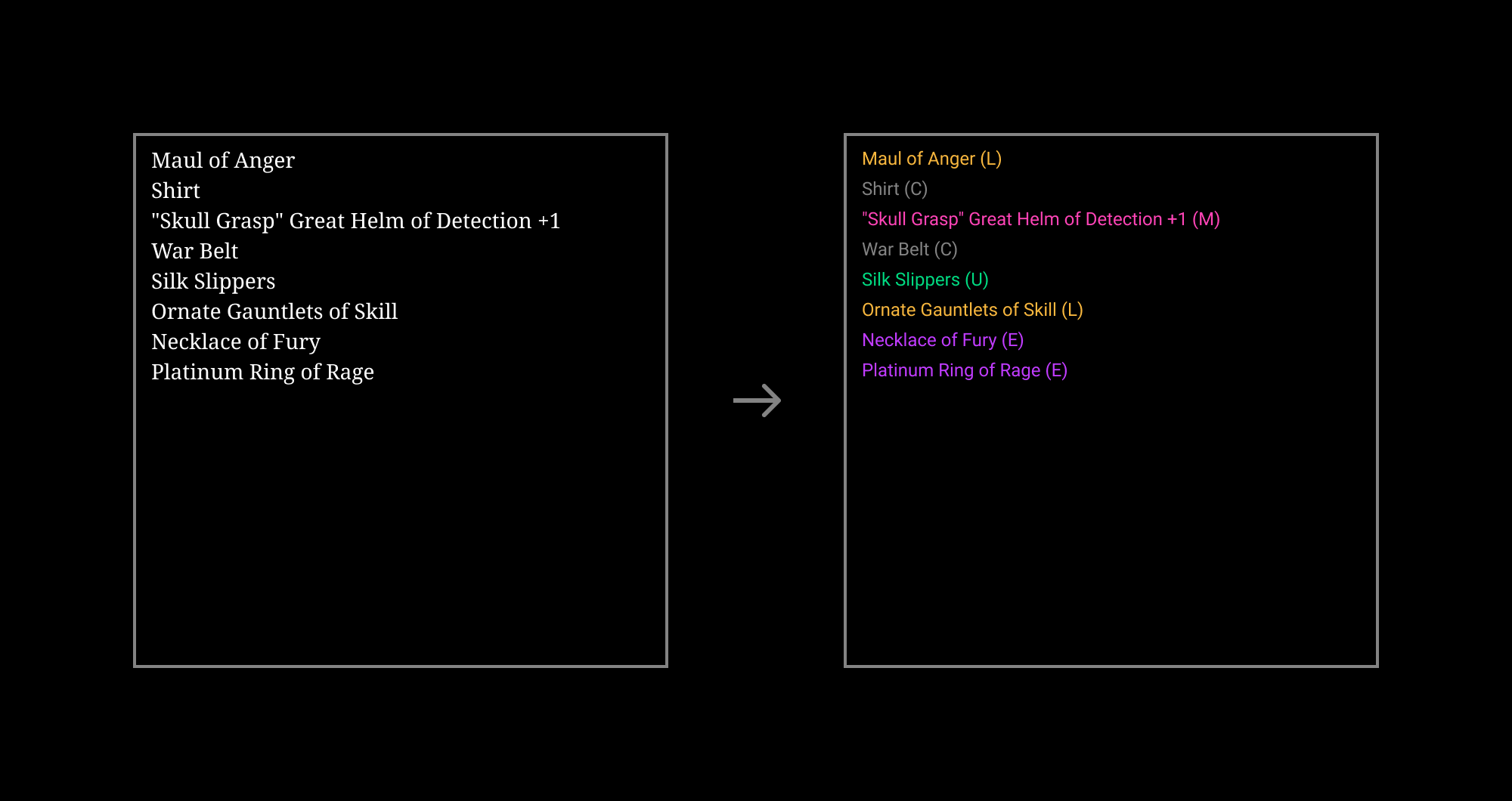
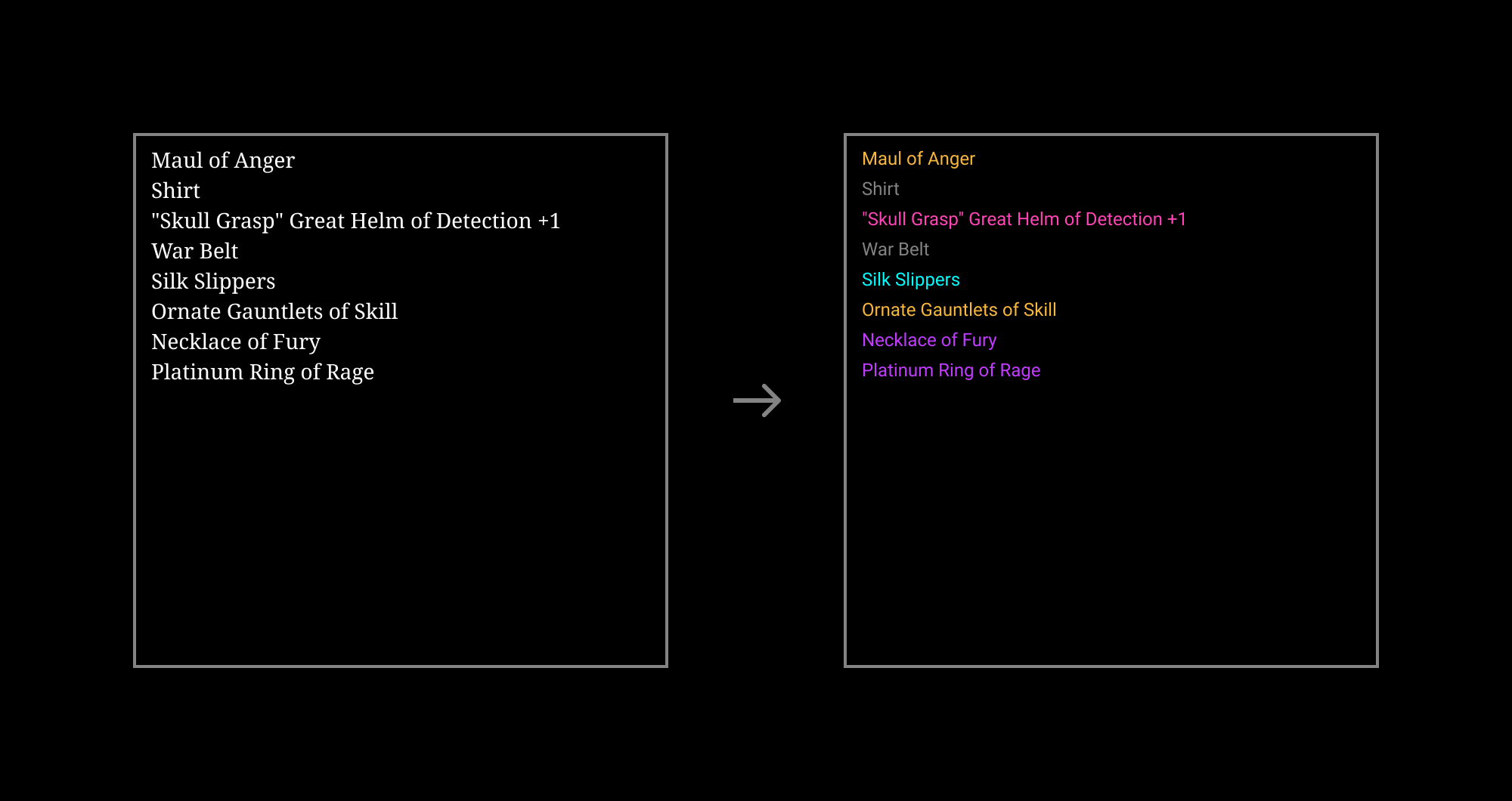
This function generates an image with added rarity levels.
It accepts any of the following:
- SVG source of a Loot image.
- An array of Loot items.
- Data URI representing a Loot image.
- Data URI representing a Loot metadata (as returned by the `tokenURI()` method of the Loot contract).
- HTTP URL pointing to a Loot image.
Options:
- `colorFn` allows to override the color of a particular item.
- `displayItemLevels` allows to add levels to the items list.
- `displayLootLevel` allows to display the Loot level badge.
- `imageFormat` controls the output: data URI (`"data-uri"`) (default) or SVG source (`"svg"`).
Example with React, [use-nft](https://github.com/spectrexyz/use-nft) to load the image, and [swr](https://github.com/vercel/swr) to handle the async function:
```jsx
import { rarityImage } from "loot-rarity";
import { useNft } from "use-nft";
import useSWR from "swr";
function Loot({ tokenId }) {
const { nft } = useNft(LOOT, id);
const { data: image } = useSWR(nft?.image, rarityImage);
return image ?  :
:
Loading…;
}
```
The resulting images could look like this:
#### Default
```js
let image = await rarityImage(image);
```

#### With the rarity levels displayed
```js
let rarified = await rarityImage(image, { displayItemLevels: true });
```
#### With custom colors
```js
let rarified = await rarityImage(image, {
colorFn: ({ itemName }) => itemName?.includes("Slippers") && "cyan",
});
```
#### With the Loot level
```js
let rarified = await rarityImage(image, { displayLootLevel: true });
```

### rarityImageFromItems()
```ts
function rarityImageFromItems(
items: string[],
options: {
colorFn?: ColorFn;
displayItemLevels?: Boolean;
displayLootLevel?: Boolean;
imageFormat: "data-uri" | "svg";
}
): string;
```
This function is similar to rarityImage, except it only accepts an array of items. It is useful when you already have a list of items, because it returns a `string` directly (while `rarityImage()` returns a `Promise` resolving to a `string`).
Options:
- `colorFn` allows to override the color of a particular item.
- `displayItemLevels` allows to add levels to the items list.
- `displayLootLevel` allows to display the Loot level badge.
- `imageFormat` controls the output: data URI (`"data-uri"`) (default) or SVG source (`"svg"`).
Example:
```js
import { rarityImageFromItems } from "loot-rarity";
const bag = [
"Grimoire",
'"Woe Bite" Ornate Chestplate of the Fox +1',
"Silk Hood",
"Heavy Belt of Fury",
"Shoes",
"Silk Gloves",
'"Rune Glow" Amulet of Rage',
"Silver Ring",
];
document.body.innerHTML = `
})
`;
```
## Demo app
Have a look at [the demo app](https://loot-rarity.vercel.app/) to see how it works.
You can also run it from this repository (see [`demo/`](./demo/)):
```sh
# Install pnpm if needed
npm i -g pnpm
# Build loot-rarity
pnpm i
pnpm build
# Run the demo app
cd demo
pnpm i
pnpm dev
```
## Thanks
- [@scotato](https://github.com/scotato) for [github.com/scotato/inventory](https://github.com/scotato/inventory), loot-rarity was heavily inspired by it.
- [@Anish-Agnihotri](https://github.com/Anish-Agnihotri) for [the data](https://github.com/Anish-Agnihotri/dhof-loot) he extracted from Loot and that loot-rarity is using.
## License
[MIT](./LICENSE)