https://github.com/bpierre/minidrag
A simple solution to make an HTML element draggable (no dependencies).
https://github.com/bpierre/minidrag
Last synced: 4 months ago
JSON representation
A simple solution to make an HTML element draggable (no dependencies).
- Host: GitHub
- URL: https://github.com/bpierre/minidrag
- Owner: bpierre
- License: mit
- Created: 2014-07-11T14:44:28.000Z (about 12 years ago)
- Default Branch: master
- Last Pushed: 2019-02-13T17:16:27.000Z (over 7 years ago)
- Last Synced: 2025-07-22T02:04:33.184Z (about 1 year ago)
- Language: JavaScript
- Homepage:
- Size: 21.5 KB
- Stars: 10
- Watchers: 3
- Forks: 4
- Open Issues: 0
-
Metadata Files:
- Readme: README.md
- License: LICENSE
Awesome Lists containing this project
README
# minidrag [](https://travis-ci.org/bpierre/minidrag)
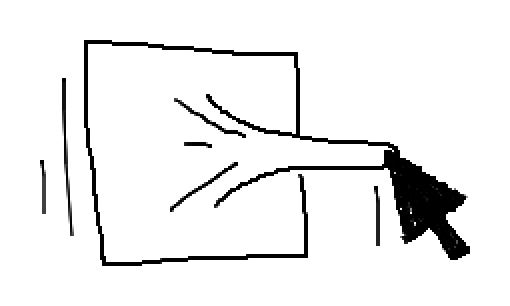
A simple solution to make an HTML element draggable. There is no dependencies.
## Usage
```js
minidrag(element, options);
```
Where `element` is the `HTMLElement` that will be draggable, and `options` is an object containing the options.
## Example
A simple example that just makes the handle draggable:
```html
```
```js
var minidrag = require('minidrag');
var handle = document.querySelector('#handle');
var container = document.querySelector('#container');
minidrag(handle, { constraint: container });
```
A more complex example with two handles that won’t overlap themselves:
```html
```
```js
var minidrag = require('minidrag');
var handle1 = container.querySelector('#handle-1');
var handle2 = container.querySelector('#handle-2');
var container = document.querySelector('#container');
// starting x values
var handle1X = 0;
var handle2X = 560;
var handleWidth = 40;
handle2.style.left = handle2X + 'px';
minidrag(handle1, {
constraint: container,
move: function(position) { handle1X = position.left },
// constraintFn: this function can change the position values
// before they are applied to the dragged element. It doesn’t replace
// the `constraint` option: both are applied.
constraintFn: function(position) {
if (position.left + handleWidth > handle2X) {
position.left = handle2X - handleWidth;
}
return position;
}
});
minidrag(handle2, {
constraint: container,
move: function(position) { handle2X = position.left },
constraintFn: function(position) {
if (position.left < handle1X + handleWidth) {
position.left = handle1X + handleWidth;
}
return position;
}
});
```
## Installation
```shell
$ npm install minidrag
```
## Options
### `constraint`
The constraint (limits) of the dragged Element. Possible values: `null` (no
constraints), `'x'`, `'y'` (horizontal / vertical axis), or an `HTMLElement`
(stay in the limits of the Element).
### `constraintFn`
In addition to the `constraint` parameter, this function can change the position of the dragged Element, adding another limitation if needed (see the second example above). It must return the new position.
This function takes one paramater, which is the current `position` (`{ top: Number, left: Number }`) of the handle, after the `constraint` has been applied to it.
### `move`
A function that will be called on every move event while the Element is dragged.
Parameters: `position` (`{ top: Number, left: Number }`), `element` (the dragged Element).
### `drop`
A function that will be called when the Element is dropped.
Parameters: `position` (`{ top: Number, left: Number }`), `element` (the dragged Element).
## Browser compatibility
IE9+ and modern browsers.
[](https://ci.testling.com/bpierre/minidrag)
## License
[MIT](LICENSE)
## Special thanks
Illustration made by [Raphaël Bastide](http://raphaelbastide.com/) with [scri.ch](http://scri.ch/).