https://github.com/brakmic/zeromq
:rocket: Client/Server & Pub/Sub Examples with ZeroMQ & Boost
https://github.com/brakmic/zeromq
boost c-plus-plus cplusplus cpp zeromq
Last synced: 11 months ago
JSON representation
:rocket: Client/Server & Pub/Sub Examples with ZeroMQ & Boost
- Host: GitHub
- URL: https://github.com/brakmic/zeromq
- Owner: brakmic
- License: mit
- Created: 2015-08-02T20:34:18.000Z (almost 11 years ago)
- Default Branch: master
- Last Pushed: 2016-11-04T14:20:04.000Z (over 9 years ago)
- Last Synced: 2025-07-14T10:52:22.534Z (about 1 year ago)
- Topics: boost, c-plus-plus, cplusplus, cpp, zeromq
- Language: C++
- Homepage:
- Size: 34.2 KB
- Stars: 42
- Watchers: 6
- Forks: 23
- Open Issues: 0
-
Metadata Files:
- Readme: README.md
- License: LICENSE
Awesome Lists containing this project
README
**ZeroMQ with Boost under VisualStudio 2015**
This repository contains a VS 2015 Solution with four projects based on ZeroMQ examples:
a) **ZeroMQ Client/Server example** (server and client projects)
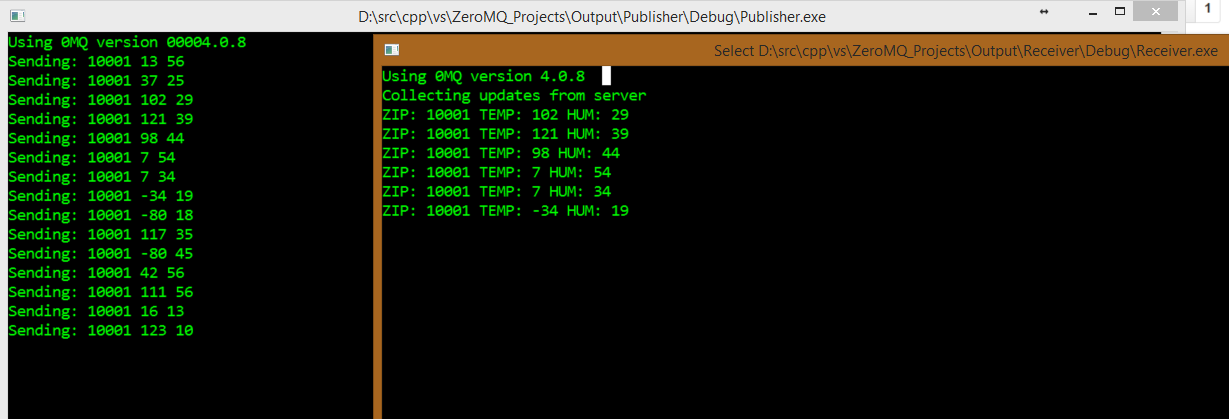
b) **ZeroMQ Publish/Subscribe example** (server and client projects)
The PubSub example uses the boost libraries for message parsing.
**Compiling**
To compile the projects you'll need to compile ZeroMQ and checkout some sources. The predefined settings in the VS-Solution will expand to several paths. So take care of putting them into these ENV-variables:
ZMQ_HOME: sources from zeromq/libzmq
ZMQ_CPP_HEADERS: sources from zeromq/cppzmq
ZMQ_LIBS: binaries compiled from ZMQ_HOME directory
ZMQ_LIBSODIUM: sources from jedisct1/libsodium (IMPORTANT: libsodium must go inside the libzmq-root directory so the ZMQ-lib can be compiled with libsodium support)
ZMQ_ZGUIDE: sources from booksbyus/zguide
Additionally:
* Compile *libzmq* by opening the solution under *builds/msvc/vs2015* or via batch-files under *builds/msvc/build*. As already mentioned, if you want to have libsodium support _you must checkout_ its sources inside the root directory of libzmq _before_ you compile libzmq!
* Compile *libsodium* by using the solution under *builds/msvc/vs2015* or via batch files under *builds/msvc/build*.
* Put the paths to the DLLs into their respective env variables (ZMQ_LIBS & ZMQ_LIBSODIUM)
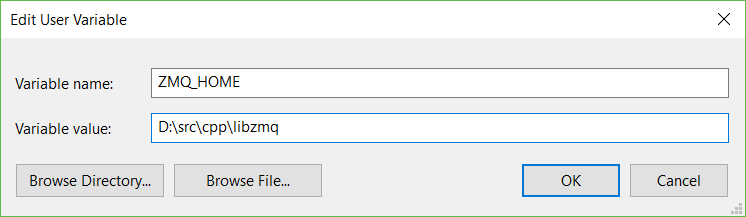
This is how the path to **ZMQ-Sources* looks like on my machine:
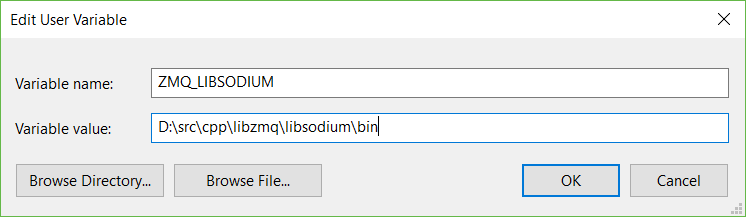
Here's the path to the **compiled Libsodium-binary** (notice the root directory that belongs to ZeroMQ):
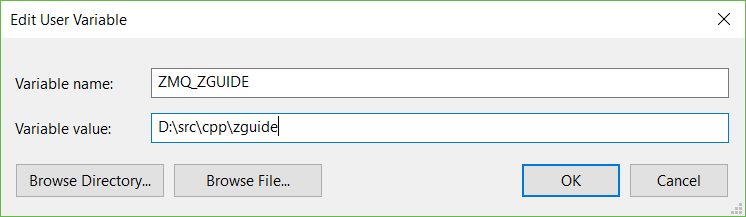
* Additionally insert the base path of *zguide* where the C++ helper-headers reside. This is not mandatory but these header files contain many helpful functions & macros.
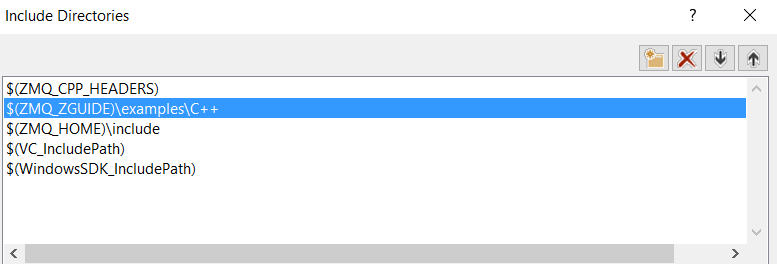
* And this is how we reference them in our projects:
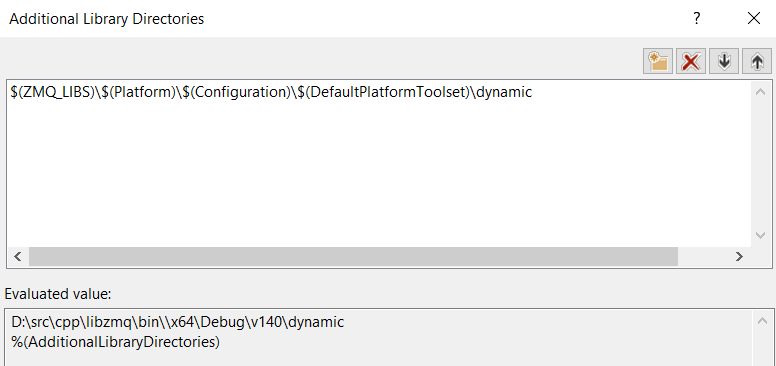
* ZMQ-Binaries have their own env-variable, of course. Depending on what architecture and toolset are being used the predefined variables in VS2015 will expand to their x86/x64 & Debug/Release versions.
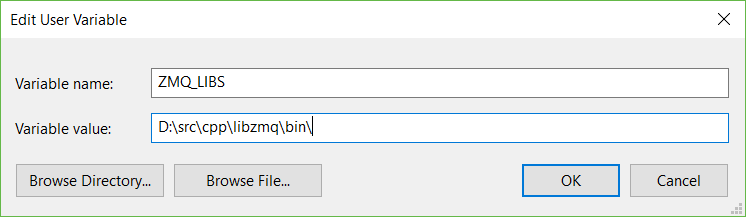
* Here's how it looks like in VS-Project Properties:
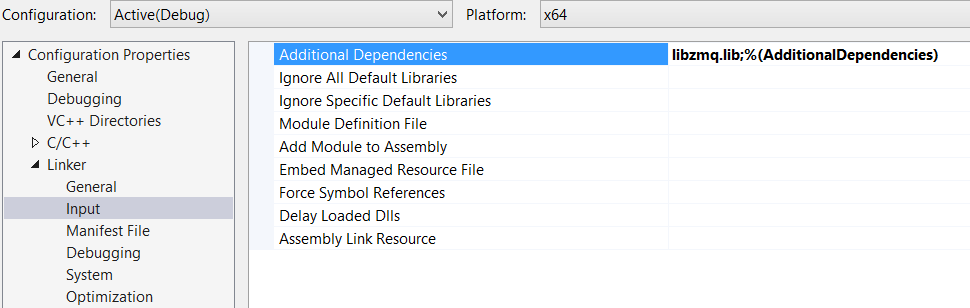
* The ZeroMQ **static library** is also in the list of additional dependencies.
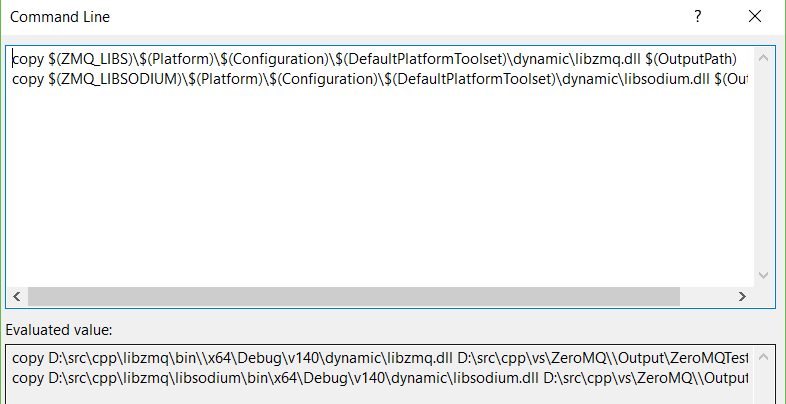
* To properly run client/server apps based on ZeroMQ we need the *ZeroMQ-DLL* for **dynamic binding**. There's already a *Post-Build-Event* that'll be executed after each successful build:
Now, compile the sources and let ZeroMQ fly :smile:
**License**
[MIT](https://github.com/brakmic/ZeroMQ/blob/master/LICENSE)