https://github.com/branflake2267/debugging-angular-appengine
Debugging and deploying Angular application to app engine.
https://github.com/branflake2267/debugging-angular-appengine
angular appengine debugging-with-brandondonnelson travis-ci vscode
Last synced: 2 months ago
JSON representation
Debugging and deploying Angular application to app engine.
- Host: GitHub
- URL: https://github.com/branflake2267/debugging-angular-appengine
- Owner: branflake2267
- Created: 2020-05-14T23:56:34.000Z (about 6 years ago)
- Default Branch: master
- Last Pushed: 2022-12-12T19:06:44.000Z (over 3 years ago)
- Last Synced: 2025-01-18T15:21:13.020Z (over 1 year ago)
- Topics: angular, appengine, debugging-with-brandondonnelson, travis-ci, vscode
- Language: TypeScript
- Homepage: https://www.youtube.com/watch?v=oT9jTNL56S0
- Size: 194 KB
- Stars: 2
- Watchers: 3
- Forks: 0
- Open Issues: 2
-
Metadata Files:
- Readme: README.md
Awesome Lists containing this project
README
# Debugging Angular with App Engine Hosting
Debugging Angular with Visual Studio Code hosted on App Engine.
[](https://travis-ci.org/branflake2267/debugging-angular-appengine)
## Debugging Angular as the Client & Express as the server
This covers debugging Angular as the client with Express as the web server, which will be hosted on App Engine.
[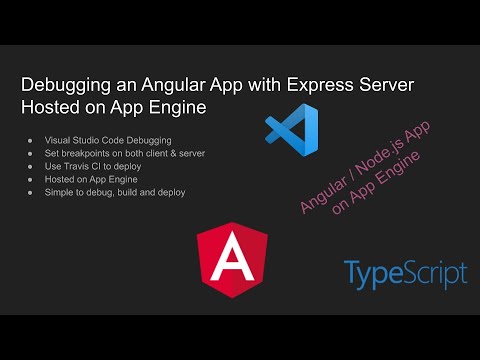](https://www.youtube.com/watch?v=oT9jTNL56S0)
## Project Configuration
| Setting | Value |
| --- | --- |
| Purpose | Debugging with VS Code using a simple Angular project |
| Client | Angular application |
| Server | Express web server |
| Client Framework | Angular |
| Client Language | TypeScript |
| Server Language | JavaScript |
| Architecture | npm/node |
| IDE | Visual Studio Code |
| License | GPL v3 |
| Tutorial | [Youtube Tutorial](https://www.youtube.com/watch?v=oT9jTNL56S0)|
## Generate Application
The app generation is based on https://angular.io/guide/setup-local.
* Run `npm install -g @angular/cli` - Install the app generator CLI tool.
* Run `ng new client` - Generate an application, I named it `client`.
* Run `cd client` - Change directory to the app.
* Run `ng serve --open` - Start the compiler, web server and open Chrome.
## Debugging
* From the project root, run `npm install` to download the libraries used in the client and server directories.
### Debugging Server
* Use the VS Code Launcher `1. Launch Server`
* http://localhost:8080 - ./ server
* http://localhost:8080/api - ./api server
### Debugging Client
The client uses a proxy to the server. [Proxy config reference](https://github.com/angular/angular-cli/blob/master/docs/documentation/stories/proxy.md).
* Use the VS Code Launcher `2. Launch ng serve & Chrome`
* http://localhost:4200 - ./ - client
* http://localhost:4200/api - ./api - server
### Debugging with npm
* From the ./server directory run `npm start` to start the express web server.
* From the ./client directory run `npm start` to start the client compiler and angular debugging.
## Deploy
The application is deployed to https://donnelson-sandbox.appspot.com.
### Travis CI Deployent
* [.travis.yml](https://travis-ci.org/github/branflake2267/debugging-angular-appengine) deploys the application to GAE on master commits.
## Manual Deployment
* Run `cd ./dist`
* Run `gcloud app deploy`
## Init Reference
These are the instructions I used to generate angular and configure App Engine on GCP.
### Generate Angular Application
The app generation is based on https://angular.io/guide/setup-local.
* Run `npm install -g @angular/cli` - Install the app generator CLI tool.
* Run `ng new client` - Generate an application, I named it `client`.
* Run `cd client` - Change directory to the app.
* Run `ng serve --open` - Start the compiler, web server and open Chrome.
### Cloud Tools CLI Installation
1. Sign up for [Google Cloud Compute](https://console.cloud.google.com/).
2. Create a GCP project.
3. Create an App Engine Application https://console.cloud.google.com/appengine/start.
- This app is Node.js & a Standard App Engine deployment.
- Download Cloud SDK CLI tools
- Run gcloud init
4. Create a service account for App Engine Admin for deployments.
- And be sure you add the `Cloud Build API` permissions to the services account.
- And turn on the [Cloud API Dash](https://console.developers.google.com/apis/api/cloudbuild.googleapis.com/overview) for the project.
5. Create an App Engine project in the console https://console.cloud.google.com/appengine.
- After you create an app engine project, follow the App Engine getting strted instructions on how to install Cloud CLI.
### app.yaml
[app.yaml](./server/app.yaml) configures the App Engine web hosting service options. [app.yaml reference](https://cloud.google.com/appengine/docs/standard/nodejs/config/appref)