https://github.com/branflake2267/debugging-dart-webserver
Debugging, building and deploying a Dart HTTP web server to Elastic Beanstalk.
https://github.com/branflake2267/debugging-dart-webserver
aws dart dart-web dartlang debugging-with-brandondonnelson elasticbeanstalk travis-ci vscode
Last synced: 2 months ago
JSON representation
Debugging, building and deploying a Dart HTTP web server to Elastic Beanstalk.
- Host: GitHub
- URL: https://github.com/branflake2267/debugging-dart-webserver
- Owner: branflake2267
- Created: 2020-05-17T04:11:52.000Z (about 6 years ago)
- Default Branch: master
- Last Pushed: 2020-05-18T02:55:04.000Z (about 6 years ago)
- Last Synced: 2025-03-12T05:16:33.685Z (over 1 year ago)
- Topics: aws, dart, dart-web, dartlang, debugging-with-brandondonnelson, elasticbeanstalk, travis-ci, vscode
- Language: Dart
- Homepage:
- Size: 22.5 KB
- Stars: 4
- Watchers: 1
- Forks: 0
- Open Issues: 0
-
Metadata Files:
- Readme: README.md
Awesome Lists containing this project
README
# Debugging & Deploying a Dart Web Server
Debugging and deploying Dart HTTP web server to Elastic Beanstalk.
[](https://www.travis-ci.org/branflake2267/debugging-dart-webserver)
[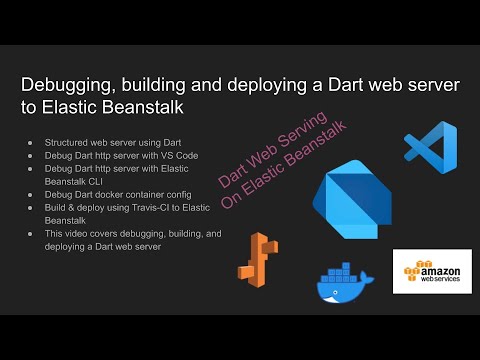](https://www.youtube.com/watch?v=k_NmD1qmDcA)
## Project Configuration
| Setting | Value |
| --- | --- |
| Purpose | Debugging dart web server deployed in a multi-container docker config hosted on Elastic Beanstalk |
| Server | Dart http web server |
| Server Language | Dart |
| Architecture | Dart |
| IDE | Visual Studio Code |
| CI | Travis CI |
| Hosting | Elastic Beanstalk |
| License | GPL v3 |
| Tutorial | [Youtube Tutorial](https://www.youtube.com/watch?v=k_NmD1qmDcA) |
## Debugging
* Run `pub get` to initialize the project.
### Debugging Server with Dart CLI
* Run `dart ./server/lib/server.dart`
### Debugging Server with VS Code
* Use the VS Code Launcher `1. Launch Server`
* http://localhost:8080 - ./ server
* http://localhost:8080/api - ./api server
### Debugging Docker Container
Make sure things work locally in the `eb local run` runner!
* Run `eb local run`
* Open http://localhost:8080
### Debugging Docker Containers
| cmd | details |
| --- | --- |
| docker ps | list the docker containers and [container id]s |
| docker exec -it [container id] bash| /bin/bash into the container. (The container name could be used as well.) |
| eb local run | This will run the Dockerrun.aws.json multi-container configuration |
## Init Reference
### Install Dart
The [dart tools](https://dart.dev/get-dart) are required to use this project.
### Install VS Code Dart Plugin
Install the Dart VS Code plugin.
Add the program launcher, to launch the web server.
```
{
"version": "0.2.0",
"configurations": [
{
"name": "Launch Web Server",
"program": "lib/server.dart",
"request": "launch",
"type": "dart"
}
]
}
```
### Configure AWS & EB CLI
Configure the AWS CLI and EB CLI utilities.
* [AWS CLI](https://docs.aws.amazon.com/cli/latest/userguide/cli-chap-install.html)
* [Configure AWS CLI](https://docs.aws.amazon.com/cli/latest/userguide/cli-chap-configure.html)
* [EB CLI](https://docs.aws.amazon.com/elasticbeanstalk/latest/dg/eb-cli3.html)
Run `aws configure` to configure the AWS credentials locally.
#### Create Elastic Beanstalk Application
Set up the Elastic Beanstalk application.
Run `eb init` to configure the Elastic Beanstalk hosting config.
* Choose the datacenter that makes sense to you. (I'll choose the default.)
* Choose `Create New Application` and I use the default application name in this example.
* Choose `Multi-container Docker` and the latest version.
* Do not choose CodeCommit in this config.
* Choose the SSH key to setup SSH, if you want to use SSH.
This will create a project file [./.elasticbeanstalk/config.yml](./.elasticbeanstalk/config.yml).
#### Create Elastic Beanstalk Environment.
Set up an Elastic environment for your application.
Run `eb create dartserver-staging-v1` where `dartserver-staging-v1` is the enviornment name you choose.
### Docker Config
The `Dockerrun.aws.json` will configure the docker container when deployed.
In this configuration I won't show how to build and deploy a Docker image to ECR.