https://github.com/breinify/brein-api-library-node
Breinify's Node.js API Library
https://github.com/breinify/brein-api-library-node
analytics breinify events geocoding holidays ipaddress ipaddress-to-address ipaddresses location-service reverse-geocoding temporal-data timezone weather
Last synced: 5 months ago
JSON representation
Breinify's Node.js API Library
- Host: GitHub
- URL: https://github.com/breinify/brein-api-library-node
- Owner: Breinify
- License: mit
- Created: 2016-07-18T22:20:02.000Z (almost 10 years ago)
- Default Branch: master
- Last Pushed: 2022-09-15T01:50:23.000Z (almost 4 years ago)
- Last Synced: 2025-11-03T19:19:38.559Z (7 months ago)
- Topics: analytics, breinify, events, geocoding, holidays, ipaddress, ipaddress-to-address, ipaddresses, location-service, reverse-geocoding, temporal-data, timezone, weather
- Language: JavaScript
- Homepage: https://www.breinify.com
- Size: 2.44 MB
- Stars: 3
- Watchers: 8
- Forks: 0
- Open Issues: 0
-
Metadata Files:
- Readme: README.md
- License: LICENSE
Awesome Lists containing this project
README

# Breinify's API Library
[](https://badge.fury.io/js/breinify-node)
[](https://opensource.org/licenses/MIT)
Features: **Temporal Data**, **(Reverse) Geocoding**, **Events**, **Weather**, **Holidays**, **Analytics**
This library utilizes [Breinify's API](https://www.breinify.com) to provide tasks like `geocoding`, `reverse geocoding`, `weather and events look up`, `holidays determination` through the API's endpoints, i.e., `/activity` and `/temporaldata`. Each endpoint provides different features, which are explained in the following paragraphs. In addition, this documentation gives detailed examples for each of the features available for the different endpoints.
**Activity Endpoint**: The endpoint is used to understand the usage-patterns and the behavior of a user using, e.g., an application, a mobile app, or a web-browser. The endpoint offers analytics and insights through Breinify's dashboard.
**TemporalData Endpoint**: The endpoint offers features to resolve temporal information like a timestamp, a location (latitude and longitude or free-text), or an IP-address, to temporal information (e.g., timezone, epoch, formatted dates, day-name), holidays at the specified time and location, city, zip-code, neighborhood, country, or county of the location, events at the specified time and location (e.g., description, size, type), weather at the specified time and location (e.g., description, temperature).
## Getting Started
### Retrieving an API-Key
First of all, you need a valid API-key, which you can get for free at [https://www.breinify.com](https://www.breinify.com). In the examples, we assume you have the following API key:
**938D-3120-64DD-413F-BB55-6573-90CE-473A**
It is recommended to use signed messages when utilizing the Node.js library. A signed messages ensures, that the request is authorized. To activate signed message ensure that `Verification Signature` is enabled for your key (see [Breinify's API Docs](https://www.breinify.com/documentation) for further information).
In this documentation we assume that the following secret is attached to the API key and used to sign a message.
**utakxp7sm6weo5gvk7cytw==**
### Including the Library
The library is available on [npm](https://www.npmjs.com/package/breinify-node) and can be easily added using:
```shell
npm install breinify-node --save
```
### Configuring the Library
Whenever the library is used, it needs to be configured, i.e., the configuration defines which API key and which secret
(if signed messages are enabled, i.e., `Verification Signature` is checked) to use.
```javascript
var Breinify = require('breinify-node');
var breinify = new Breinify({
apiKey: '938D-3120-64DD-413F-BB55-6573-90CE-473A',
secret: 'utakxp7sm6weo5gvk7cytw=='
});
// use the breinify instance, see the following usage examples
```
## Activity: Selected Usage Examples
The `/activity` endpoint is used to track the usage of, e.g., an application, an app, or a web-site. There are several libraries available to be used for different system (e.g., [iOS](https://github.com/Breinify/brein-api-library-ios), [Android](https://github.com/Breinify/brein-api-library-android), [Java](https://github.com/Breinify/brein-api-library-java), [JavaScript](https://github.com/Breinify/brein-api-library-javascript-browser), [ruby](https://github.com/Breinify/brein-api-library-ruby), [php](https://github.com/Breinify/brein-api-library-php), [python](https://github.com/Breinify/brein-api-library-python)).
### Send `login` Activity
The example shows, how to send a login activity, reading the data from an request. In general, activities are added to the interesting measure points within your applications process (e.g., `login`, `addToCart`, `readArticle`). The endpoint offers analytics and insights through Breinify's dashboard.
```javascript
// the req object may be passed, e.g., using express:
// app.post('/login', function(req, res) { ... });
var user = {
'sessionId': req.sessionID,
'email': req.body.email
};
breinify.activity(user, 'login');
```
### Send Activities with Additional Information (`tags`)
It is also possible to send additional information with an activity, e.g., which items were added to a cart. More precise information help to group or filter when analyzing the collected data.
```javascript
// the req object may be passed, e.g., using express:
// app.post('/login', function(req, res) { ... });
var user = {
'sessionId': req.sessionID
};
var tags = {
'productIds': [ req.productId ],
'productPrices': [ req.productPrice ]
};
breinify.activity(user, 'addToCart', null, tags);
```
## TemporalData: Selected Usage Examples
### IP-Resolving (retrieve information for an IP-address)
One of the use cases of the `/temporalData` endpoint is to retrieve information about a specific IP-address.
```javascript
Breinify.temporalData('204.28.127.66', function(data) {
// use the returned data
});
```
An example is available on [runkit.com](https://runkit.com/breinify-stage/looking-up-ip-data). The retrieved
information contains, other than just a location, weather, holiday, time, and events.
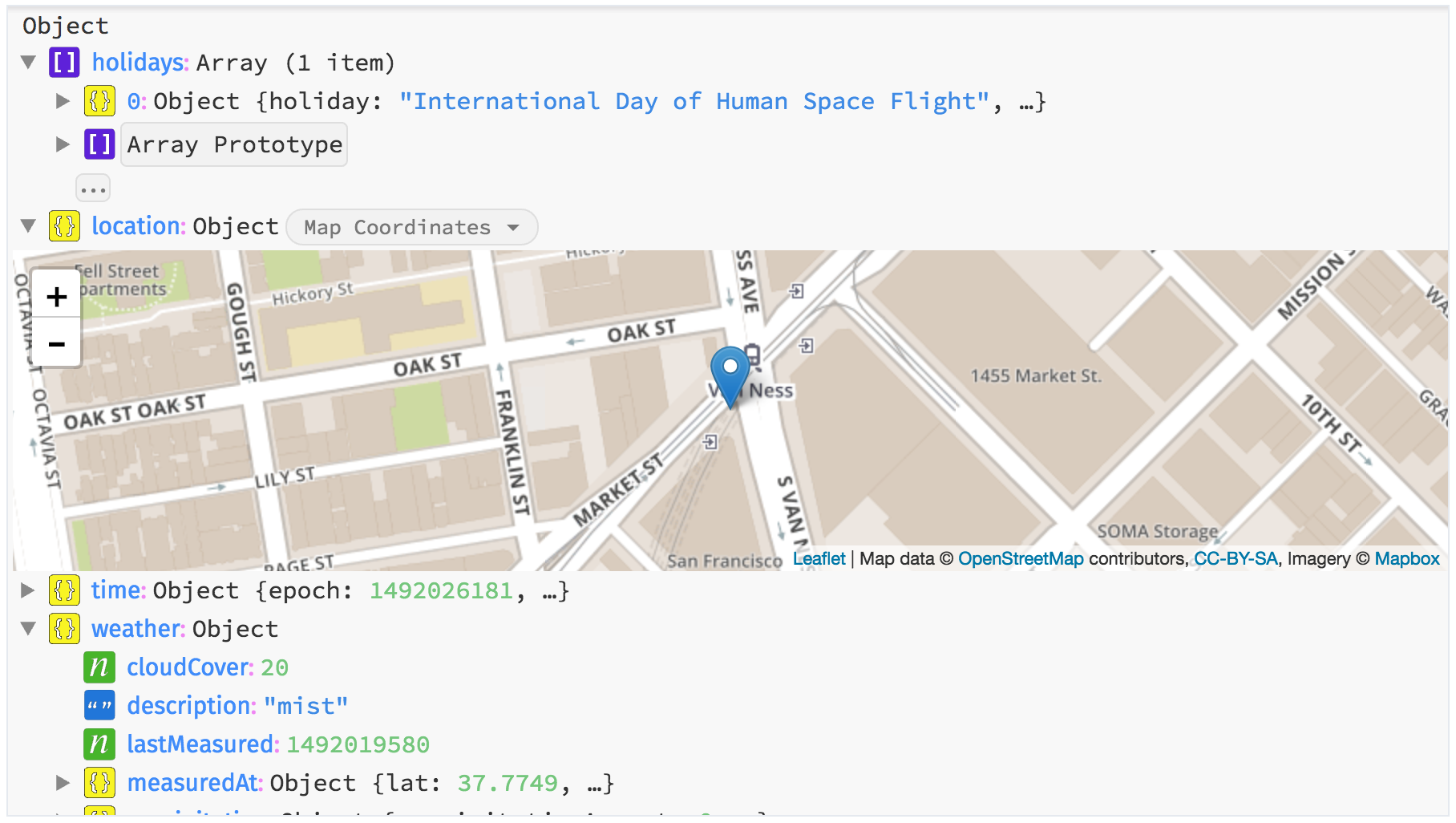
Screenshot of the result resolving the IP 204.28.127.66
### Geocoding (retrieve information from text)
Sometimes you need specific information for a city or some textual description of a location. The following example shows
how to retrieve the temporal information (i.e., location, events, holidays, time) from a text. For example, did you know
where `Bemidji` and how the current weather is?
```javascript
Breinify.temporalData({ location: { text: 'Bemidji' }}, function(data) {
// use the returned data
});
```
The above example is also available on [runkit.com](https://runkit.com/breinify-stage/geocoding-free-text). Now we know,
`Bemidji` is a city in Minnesota, "close" to the Canadian border.
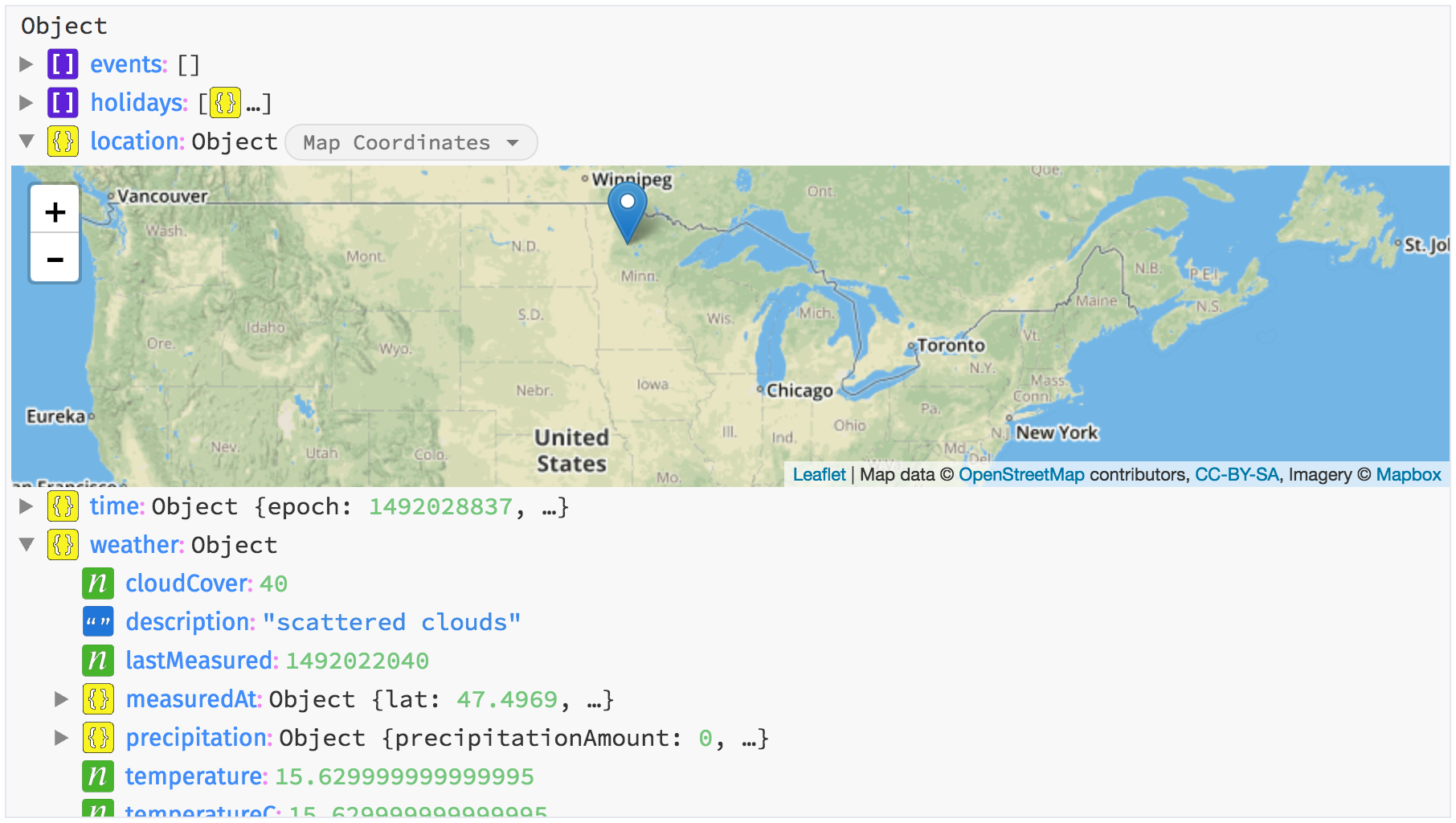
Screenshot of the result resolving the text Bemidji
### Reverse Geocoding (retrieve information from coordinates)
The `/temporalData` endpoint enables you to perform reverse geocoding. To do so, simple pass in the known latitude and longitude
into the request.
```javascript
Breinify.temporalData(40.4406, -79.9959, function(data) {
// use the returned data
});
```
An example for Pittsburgh (the coordinates used in the code-snippet), is available on [runkit.com](https://runkit.com/breinify-stage/reverse-geocoding-lati-long),
utilizing the latest version of the library. The result contains besides the actual location (as shown in the following screenshot),
information about the current weather, current events or regional and global holidays.
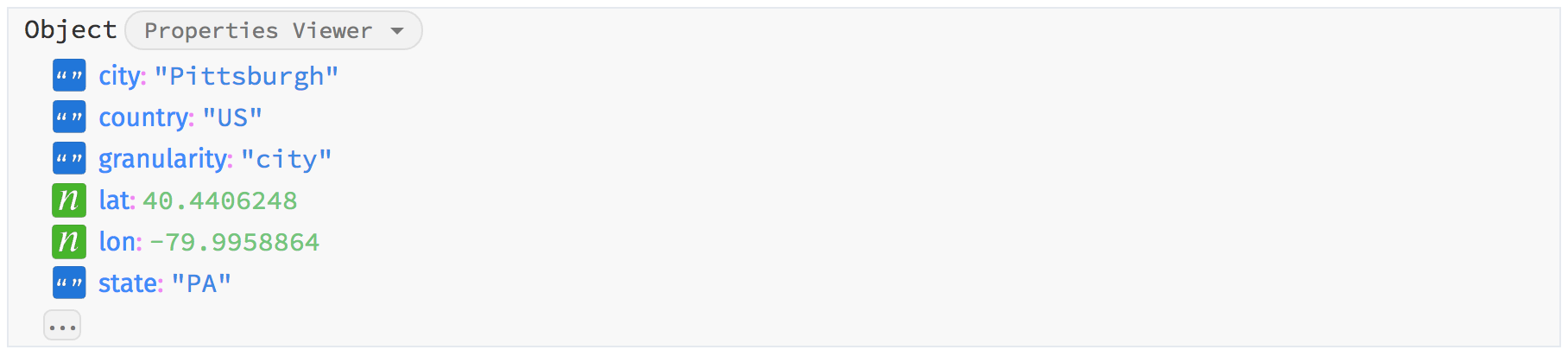
Screenshot of the result (location only) resolving the coordinates 40.4406° N, 79.9959° W
The endpoint also offers the possibility to retrieve `GeoJson` instances for, e.g., the neighborhood (if available), the city, or the state. The following
code-snippets shows how a `GeoJson` can be retrieved.
```javascript
var loc = {
latitude: 40.7608,
longitude: -111.8910,
shapeTypes: ['CITY']
};
Breinify.temporalData({ location: loc }, function(data) {
console.log(data.location.geojson.CITY);
});
```
The example with `GeoJson` is also available on [runkit.com](https://runkit.com/breinify-stage/reverse-geocoding-geojson). The following
screenshots shows the result.
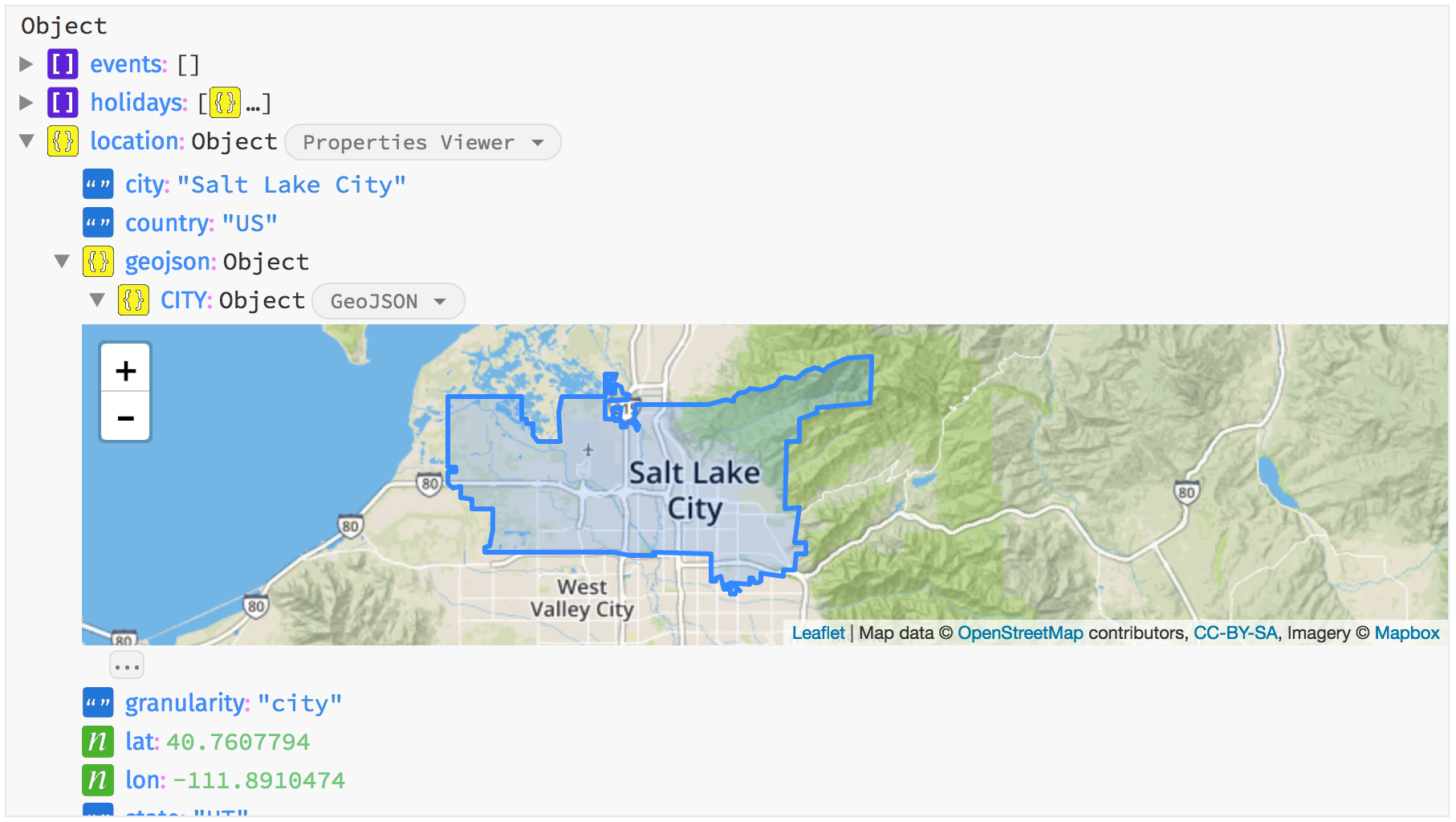
Screenshot of the result visualizing the GeoJson of the city located at 40.7608° N, 111.8910° W
## Further links
To understand all the capabilities of Breinify's API, you can find further information:
- the [library documentation](documentation/api.md),
- the [full API documentation](https://www.breinify.com/documentation/index.html),
- [Breinify's Website](https://www.breinify.com).