https://github.com/brianbaldner/dinoui
DinoUI is an easy way to make a UI for your .NET console project.
https://github.com/brianbaldner/dinoui
csharp net
Last synced: about 1 year ago
JSON representation
DinoUI is an easy way to make a UI for your .NET console project.
- Host: GitHub
- URL: https://github.com/brianbaldner/dinoui
- Owner: brianbaldner
- License: mit
- Created: 2022-08-11T05:46:55.000Z (almost 4 years ago)
- Default Branch: master
- Last Pushed: 2022-08-11T16:00:00.000Z (almost 4 years ago)
- Last Synced: 2025-04-14T19:41:13.175Z (over 1 year ago)
- Topics: csharp, net
- Language: C#
- Homepage:
- Size: 60.5 KB
- Stars: 18
- Watchers: 1
- Forks: 0
- Open Issues: 0
-
Metadata Files:
- Readme: README.md
- Contributing: CONTRIBUTING.md
- License: LICENSE
- Code of conduct: CODE_OF_CONDUCT.md
Awesome Lists containing this project
README
# DinoUI
   
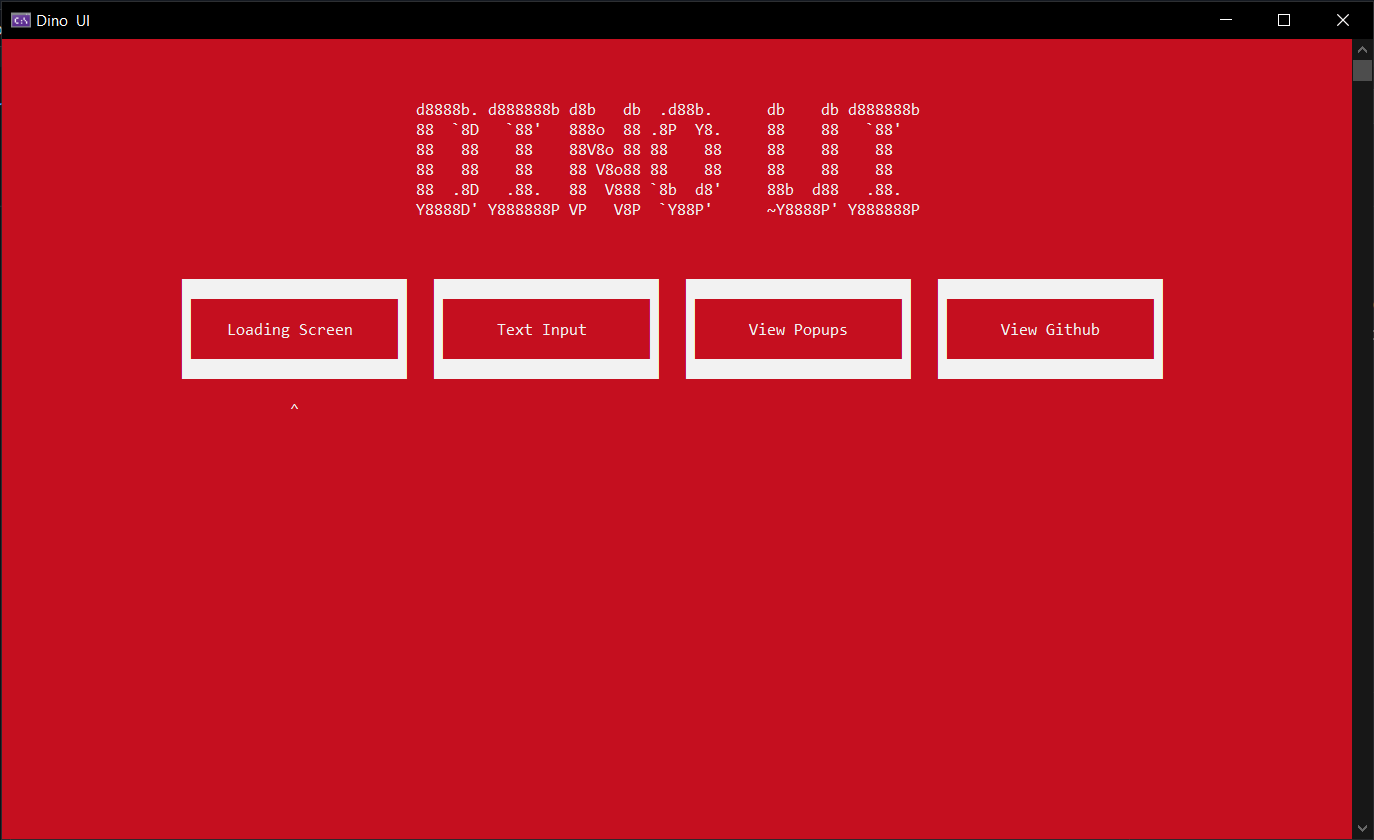
DinoUI is the easiest way to make a UI for your .NET console project.
## Installation
Install to your project with [Nuget](https://www.nuget.org/packages/DinoUI)
## Usage
View the full example [in the test program.](DinoUI.Test/Program.cs)
```csharp
using DinoUI;
var config = new MainConfig()
{
Title = "DinoUI",
Buttons = button,
ForegroundColor = ConsoleColor.White,
BackgroundColor = ConsoleColor.DarkRed
};
//Load Home Screen
HomeScreen.Run(config).Invoke();
//Create progress bar
var lscreen = new LoadingScreen();
lscreen.SetProgress(50)
//Show an alert screen with an OK button
Popup.Alert("The task has completed");
//A confirmation screen where you can select "OK" or "Cancel"
var r = Popup.Confirm("Are you sure you want to see popups?");
if (r)
Popup.Alert("You said Ok");
else
Popup.Alert("You said Cancel");
//A prompt box to ask for input
string name = TextInput.Run("What is your name?");
```
## Contributing
If you would like to request a new screen, create an issue with the tag "Screen Idea" to suggest the idea. If you find a bug, open an issue or you can also make a pull request.
## License
[MIT](https://choosealicense.com/licenses/mit/)