https://github.com/bric3/excalidraw-jetbrains-plugin
Create or edit Excalidraw files within Jetbrains IDEs (IntelliJ, CLion, Webstorm, Goland, ...)
https://github.com/bric3/excalidraw-jetbrains-plugin
clion excalidraw goland ide intellij jetbrains webstorm
Last synced: about 1 year ago
JSON representation
Create or edit Excalidraw files within Jetbrains IDEs (IntelliJ, CLion, Webstorm, Goland, ...)
- Host: GitHub
- URL: https://github.com/bric3/excalidraw-jetbrains-plugin
- Owner: bric3
- License: mit
- Created: 2021-06-12T14:24:58.000Z (about 5 years ago)
- Default Branch: main
- Last Pushed: 2024-10-29T18:09:02.000Z (over 1 year ago)
- Last Synced: 2024-10-29T20:12:53.156Z (over 1 year ago)
- Topics: clion, excalidraw, goland, ide, intellij, jetbrains, webstorm
- Language: Kotlin
- Homepage: https://plugins.jetbrains.com/plugin/17096-excalidraw-integration/
- Size: 12.9 MB
- Stars: 79
- Watchers: 6
- Forks: 12
- Open Issues: 27
-
Metadata Files:
- Readme: README.md
- Changelog: CHANGELOG.md
- Contributing: CONTRIBUTING.adoc
- License: LICENSE.adoc
Awesome Lists containing this project
README
# Excalidraw Integration for Jetbrains IDEs

[](https://plugins.jetbrains.com/plugin/17096)
[](https://plugins.jetbrains.com/plugin/17096)
[](https://conventionalcommits.org)
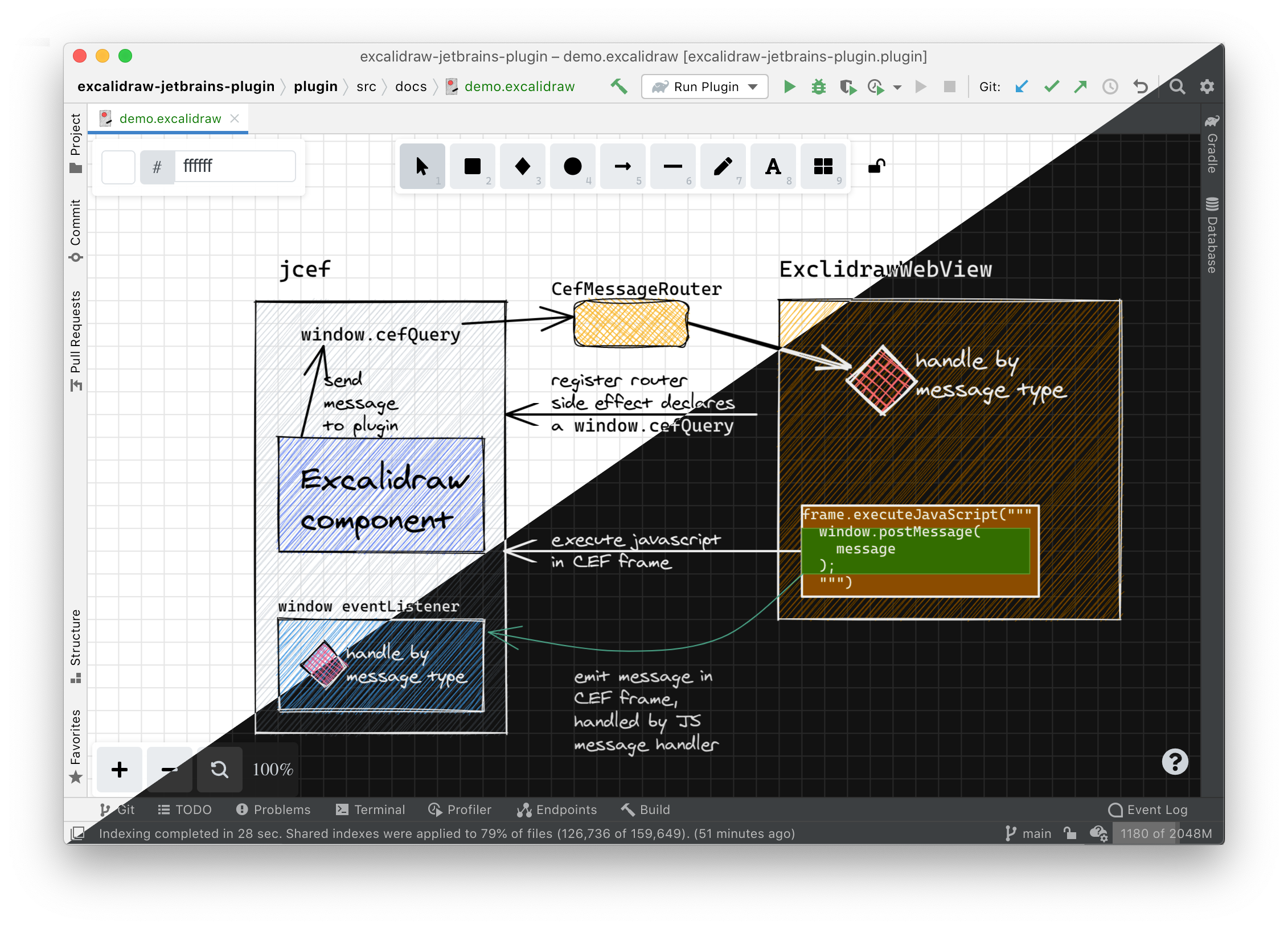
This plugin allows creating or editing [Excalidraw](https://excalidraw.com/)
virtual whiteboard within the IDE.
## Installation
- Using IDE built-in plugin system:
Settings/Preferences > Plugins > Marketplace > Search for "excalidraw-jetbrains-plugin" >
Install Plugin
- Manually:
Download the [latest release](https://github.com/bric3/excalidraw-jetbrains-plugin/releases/latest) and install it manually using
Settings/Preferences > Plugins > ⚙️ > Install plugin from disk...
## How do I build and run this project?
For development purpose, clone the project locally and start it with
the command:
```
./gradlew runIde
```
This will build the plugin and start a sandboxed instance of IntelliJ with
the plugin already installed. You can even start this in debug mode.
----
The Logo is inspired from the actual [Excalidraw logo](https://github.com/excalidraw/excalidraw-logo/blob/afabcf3f9f5e12d6b1574bc7abd5d63466744155/logo256.svg) (MIT licensed).