https://github.com/bright-cloud-studio/add-user-fields
Adds two custom user fields, image and bio, so they can be displayed on News posts and elsewhere
https://github.com/bright-cloud-studio/add-user-fields
Last synced: 6 months ago
JSON representation
Adds two custom user fields, image and bio, so they can be displayed on News posts and elsewhere
- Host: GitHub
- URL: https://github.com/bright-cloud-studio/add-user-fields
- Owner: bright-cloud-studio
- Created: 2021-05-20T18:28:57.000Z (about 5 years ago)
- Default Branch: main
- Last Pushed: 2025-05-26T22:13:05.000Z (about 1 year ago)
- Last Synced: 2025-09-03T23:52:28.620Z (10 months ago)
- Language: PHP
- Homepage: https://www.brightcloudstudio.com
- Size: 242 KB
- Stars: 0
- Watchers: 2
- Forks: 0
- Open Issues: 0
-
Metadata Files:
- Readme: README.md
Awesome Lists containing this project
README
# Bright Cloud Studio's Add User Fields
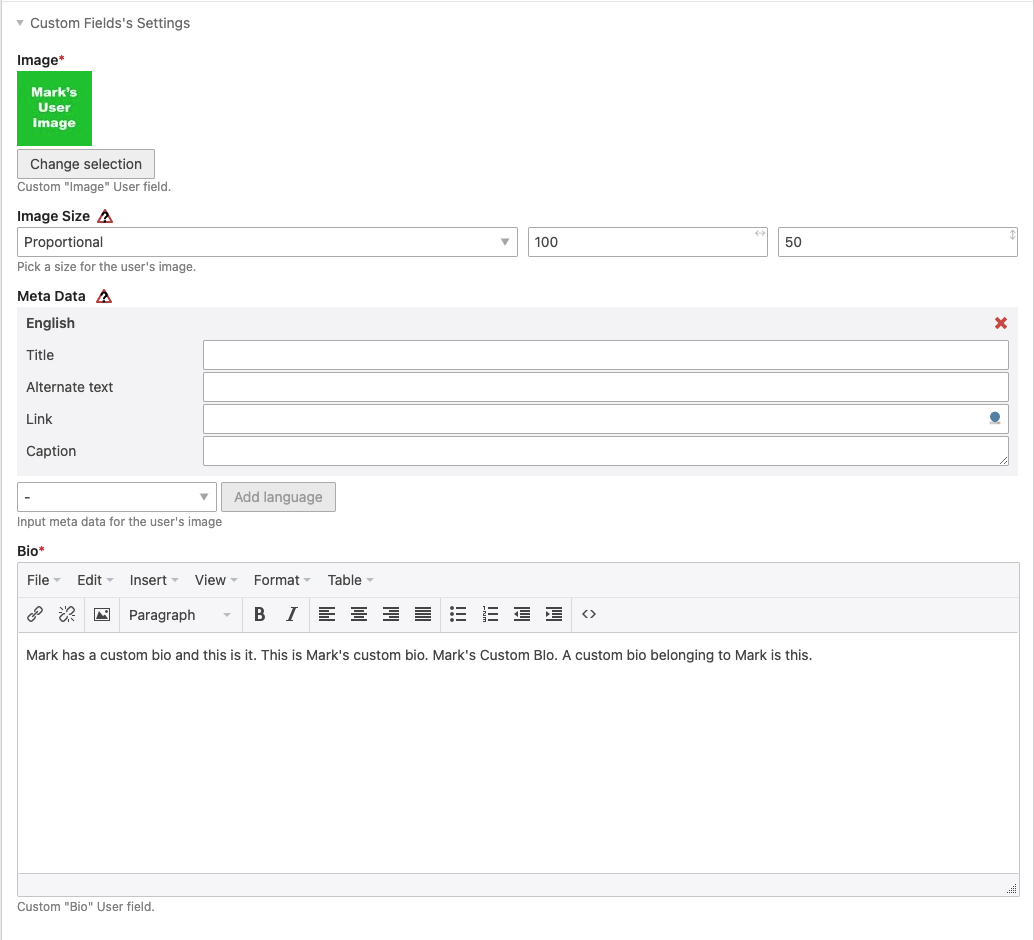
## Adds two custom user fields, "User Image" and "User Bio", which can be added to templates using custom tags. Add into news templates with a dynamic id to display an author's image and bio on posts or put in a static id to display a specific user's image and/or bio anywhere you'd like.
- On the "Edit User" page is a new section containing our two custom fields.
- On any template, for this example I'm using "news_full.html5", add the custom tags "{{user_image::id}}" and "{{user_bio::id}}" to display them, making sure to replace id with the User's id.

> For this example we wanted to add an author's image and bio to news posts so $author_id is obtained using \NewsModel::findByAlias but you can use them anywhere as long as you add a valid user id
- Can be styled using the "user_image" and "user_bio" class and id.
## Requirements
- PHP 8.1 or higher
- Contao 5.0 or higher
## Installation
1. Extract this bundle into `vendor/bright-cloud-studio/add-user-fields`.
2. Run `composer dump-autoload`.
3. Clear Contao cache.
4. Use insert tags `{{user_image::USER_ID}}` and `{{user_bio::USER_ID}}` to display fields.