https://github.com/brodazz/mp4-player
Estensione per Visual Studio Code che riproduce video .mp4 (video + audio) direttamente in una scheda dell'editor, affiancabile al codice. Player HTML5 nativo, scorciatoie da tastiera e Content-Security-Policy restrittiva. Scritta in TypeScript.
https://github.com/brodazz/mp4-player
custom-editor html5-video media mp4 typescript video video-player vscode vscode-extension webview
Last synced: 4 days ago
JSON representation
Estensione per Visual Studio Code che riproduce video .mp4 (video + audio) direttamente in una scheda dell'editor, affiancabile al codice. Player HTML5 nativo, scorciatoie da tastiera e Content-Security-Policy restrittiva. Scritta in TypeScript.
- Host: GitHub
- URL: https://github.com/brodazz/mp4-player
- Owner: Brodazz
- License: mit
- Created: 2026-06-24T16:00:19.000Z (6 days ago)
- Default Branch: main
- Last Pushed: 2026-06-24T17:02:51.000Z (5 days ago)
- Last Synced: 2026-06-24T18:16:03.241Z (5 days ago)
- Topics: custom-editor, html5-video, media, mp4, typescript, video, video-player, vscode, vscode-extension, webview
- Language: TypeScript
- Homepage:
- Size: 232 KB
- Stars: 0
- Watchers: 0
- Forks: 0
- Open Issues: 0
-
Metadata Files:
- Readme: README.md
- Changelog: CHANGELOG.md
- License: LICENSE
- Security: SECURITY.md
Awesome Lists containing this project
README
# Modern Video Player — with Audio for VS Code
[](https://marketplace.visualstudio.com/items?itemName=Brodazz.mp4-player)
[](https://marketplace.visualstudio.com/items?itemName=Brodazz.mp4-player)
[](https://marketplace.visualstudio.com/items?itemName=Brodazz.mp4-player)
[](https://github.com/Brodazz/mp4-player/actions/workflows/ci.yml)
[](LICENSE)
Extension that plays `.mp4`, `.mov` and `.m4v` videos (video **and** audio) in a
Visual Studio Code editor tab. You can keep the video open in one pane and keep
writing code in another by splitting the editor — no external windows.
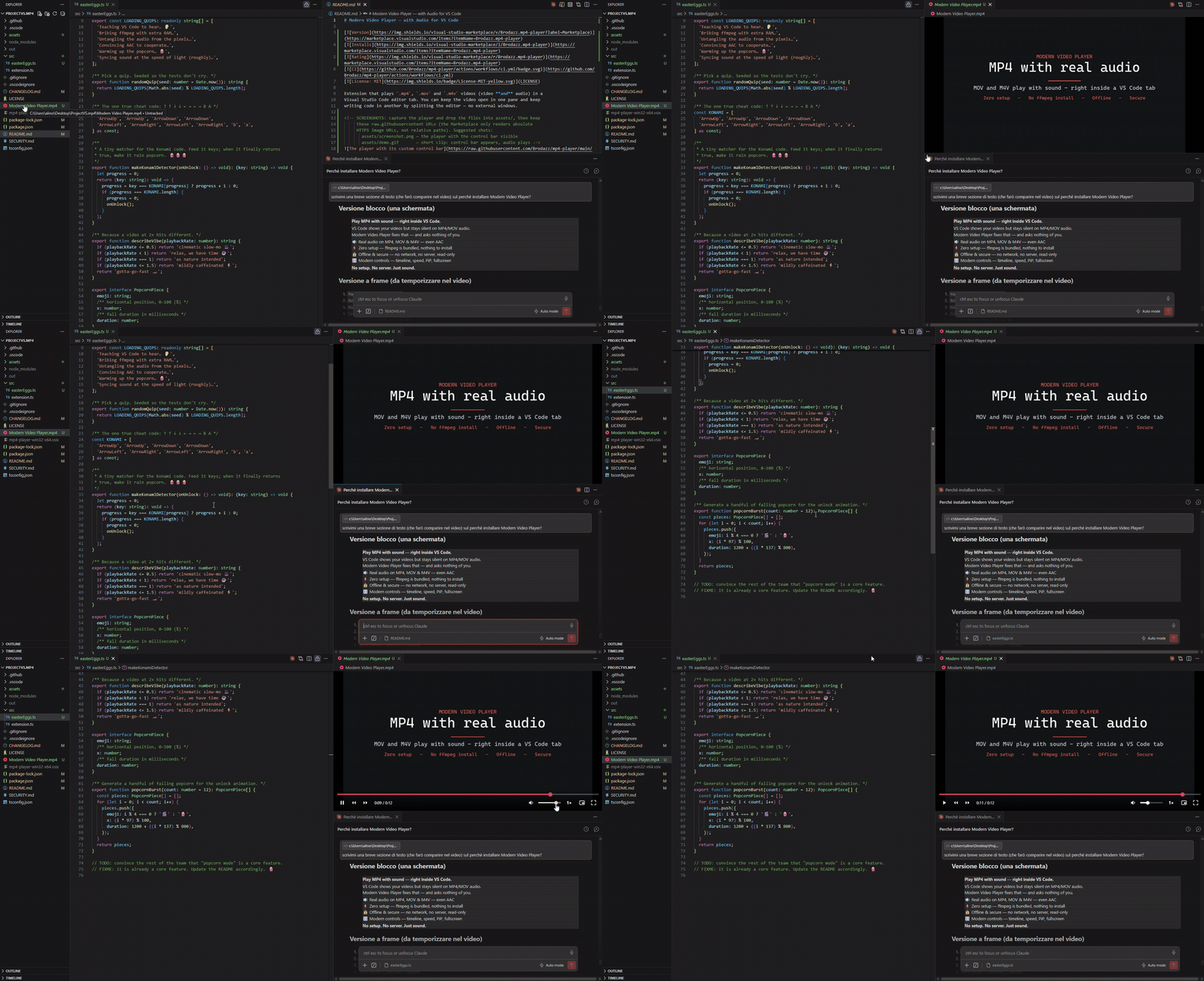
*A modern workflow: a reference video (Modern Video Player), your code and your AI assistant — all at once, in VS Code.*
## Why this one
Most video extensions for VS Code either **play MP4 without sound** (Chromium in
VS Code can't decode AAC audio) or **make you install `ffmpeg` yourself**. This one
just works: it **bundles `ffmpeg`**, so MP4/MOV/M4V play **with audio out of the
box** — no setup, no local server, fully **offline**, in a single lightweight and
secure extension.
- 🔊 **Real audio** on MP4/MOV/M4V — even AAC, which VS Code can't decode on its own
- ⚡ **Zero setup** — `ffmpeg` is bundled; nothing to install
- 🔒 **Secure & offline** — no network, no local server, read-only editor, strict CSP
- 🎛️ **Modern control bar** — seekable timeline, speed (0.25×–2×), volume, Picture-in-Picture, fullscreen
- 🪶 **Lightweight & focused** — does one thing, well
- 🖥️ **Cross-platform** — Windows, Linux, macOS (Intel & Apple Silicon)
| | This extension | Other VS Code video extensions |
|---|:--:|:--:|
| Audio on MP4/MOV (incl. AAC) | ✅ out of the box | ❌ silent — or ⚠️ only if you install ffmpeg |
| Setup required | ✅ none (ffmpeg bundled) | ⚠️ often needs ffmpeg installed |
| Network / local server | ✅ none — fully offline | ⚠️ some run a local HTTP server |
| Footprint | 🪶 lightweight | 🐘 some ship large WASM decoders |
| Security | 🔒 strict CSP, read-only, no network | varies |
| Control bar (speed · PiP · fullscreen) | ✅ built-in | varies |
## How it works
VS Code is built on Electron (Chromium), so an HTML5 `` tag in a Webview
plays the **H.264** video of MP4/MOV/M4V files. The VS Code engine, however, does
not decode **AAC audio**: that's why the extension extracts the audio track and
transcodes it locally (with a bundled `ffmpeg`) into MP3, then plays it **in
sync** with the video. Everything happens offline, on your PC. The extension
registers a *Custom Editor* for `.mp4`, `.mov` and `.m4v` files.
## Installation
### From a `.vsix` file
1. Download the `.vsix` file (from the *Releases* page, or build it yourself, see below).
2. In VS Code: **Extensions** (`Ctrl+Shift+X`) → `...` menu → *Install from VSIX...*
3. Or from the terminal: `code --install-extension mp4-player-win32-x64.vsix`
### Usage
- Open a `.mp4`, `.mov` or `.m4v` file from the Explorer: the player starts.
- To place code and video side by side, use the editor split (`Ctrl+\` or drag the tab).
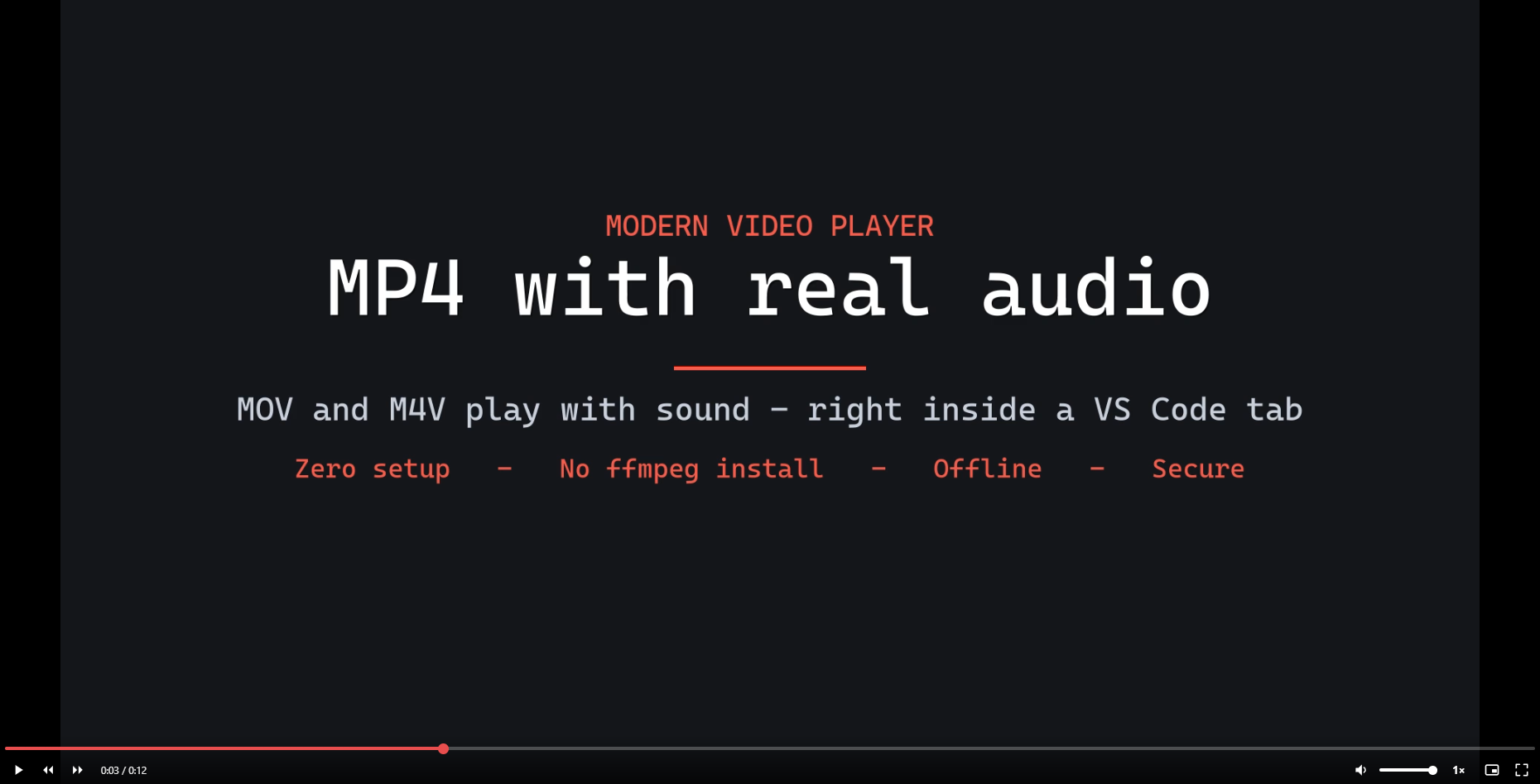
- A **custom control bar** appears at the bottom of the player on mouse move
(play/pause, seekable timeline, time, volume, playback speed, Picture-in-Picture,
fullscreen) and fades out during playback. Keyboard shortcuts work too (see below).
## Keyboard shortcuts
| Key | Action |
|---|---|
| `Space` / `K` | Play / Pause |
| `←` / `→` | Back / Forward 5s |
| `↑` / `↓` | Volume up / down |
| `<` / `>` | Slower / Faster (0.25×–2×) |
| `M` | Mute |
| `P` | Picture-in-Picture |
| `F` | Fullscreen |
## Development
```bash
npm install
npm run compile # or: npm run watch
```
Press **F5** in VS Code to open the *Extension Development Host* test window.
### Packaging (.vsix)
```bash
npm run package
```
## Security
See [SECURITY.md](SECURITY.md). In short: restrictive Content-Security-Policy,
cryptographic nonce, file access limited to the video's folder, read-only editor,
no network connections.
## Supported codecs
- **Video**: **H.264** (the most common). Codecs such as **H.265/HEVC** may not
be supported by the VS Code engine: in that case the player shows an error.
- **Audio**: handled via local transcoding with `ffmpeg`, so it works even with
**AAC** (which VS Code does not decode on its own). The audio is converted to a
temporary MP3 file the VS Code engine plays reliably, then cached for instant
reopens. The cache **cleans itself up** (files older than 7 days, and a 1 GB cap).
## Platforms
Dedicated packages for **Windows (x64)**, **Linux (x64)**, **macOS Intel** and
**macOS Apple Silicon**: audio works on all of them thanks to a bundled `ffmpeg`
for each platform. The VS Code Marketplace automatically downloads the right
package for your system.
## License
[MIT](LICENSE) © Alessandro Broda