https://github.com/bugblitz98/jsonviewer-vscode
JSON Graph Visualizer VS Code Extension
https://github.com/bugblitz98/jsonviewer-vscode
developer-tools diagram freetooldev json visualization vscode-extension
Last synced: about 1 month ago
JSON representation
JSON Graph Visualizer VS Code Extension
- Host: GitHub
- URL: https://github.com/bugblitz98/jsonviewer-vscode
- Owner: BugBlitz98
- License: mit
- Created: 2025-08-31T07:46:46.000Z (10 months ago)
- Default Branch: main
- Last Pushed: 2026-03-15T06:23:24.000Z (4 months ago)
- Last Synced: 2026-03-15T15:46:51.730Z (4 months ago)
- Topics: developer-tools, diagram, freetooldev, json, visualization, vscode-extension
- Language: TypeScript
- Homepage: https://marketplace.visualstudio.com/items?itemName=jsonviewertools.animesh-jsonviz78
- Size: 5.02 MB
- Stars: 2
- Watchers: 0
- Forks: 0
- Open Issues: 2
-
Metadata Files:
- Readme: README.md
- Changelog: CHANGELOG.md
- Funding: .github/FUNDING.yml
- License: LICENSE
Awesome Lists containing this project
README
# JSON Viewer: Interactive Graph Visualizer for VS Code
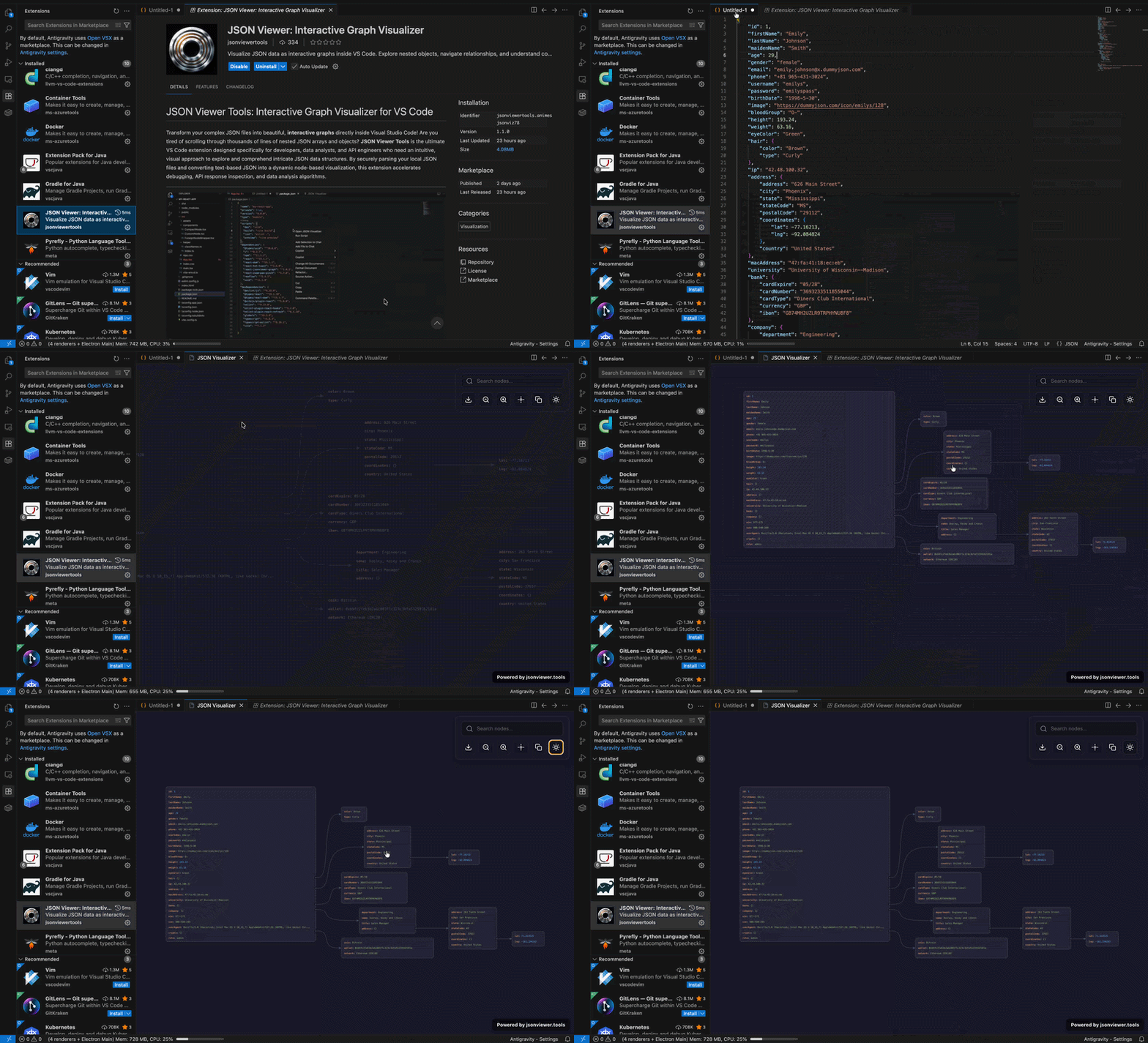
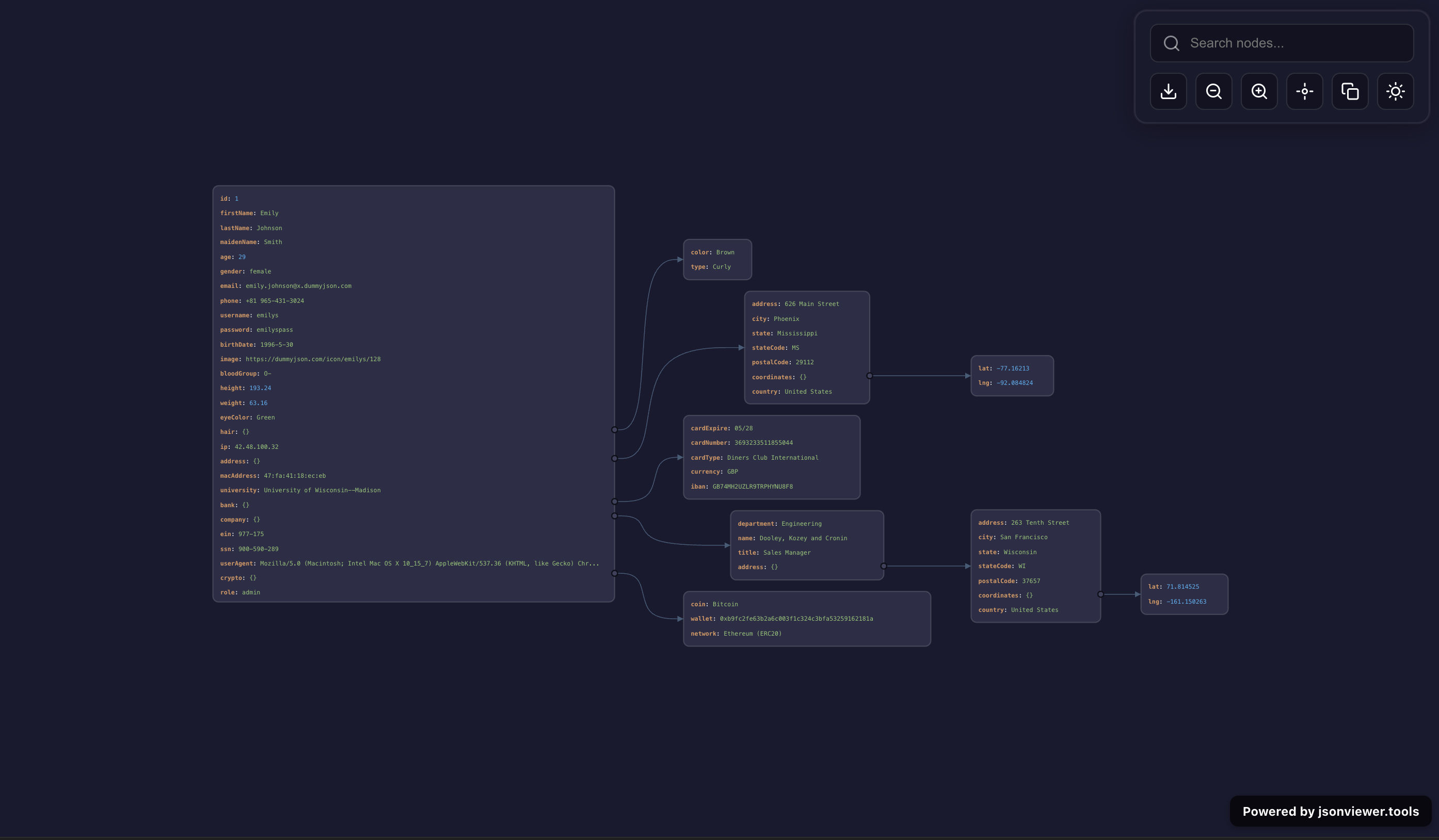
Visualize JSON as **interactive graphs, trees, and diagrams** directly inside Visual Studio Code.
Stop scrolling through large, nested JSON files. This extension transforms raw JSON into a **clean, visual, node-based graph**, helping developers quickly understand complex data structures, debug APIs, and analyze responses.
Perfect for **developers, backend engineers, API testers, and data analysts**.
---
---
## ✨ Features
- 📊 **Interactive JSON Graph Viewer**
Convert JSON into a visual graph and explore relationships instantly.
- 🌳 **Tree & Structure Visualization**
Understand nested objects and arrays without manual tracing.
- 🔍 **Search & Highlight Nodes**
Quickly find keys, values, and deeply nested data.
- 🧭 **Zoom & Pan Navigation**
Smooth navigation across large JSON datasets.
- 📸 **Export JSON Graph as Image**
Share diagrams with your team or documentation.
- 🌗 **Dark & Light Theme Support**
Matches your VS Code theme automatically.
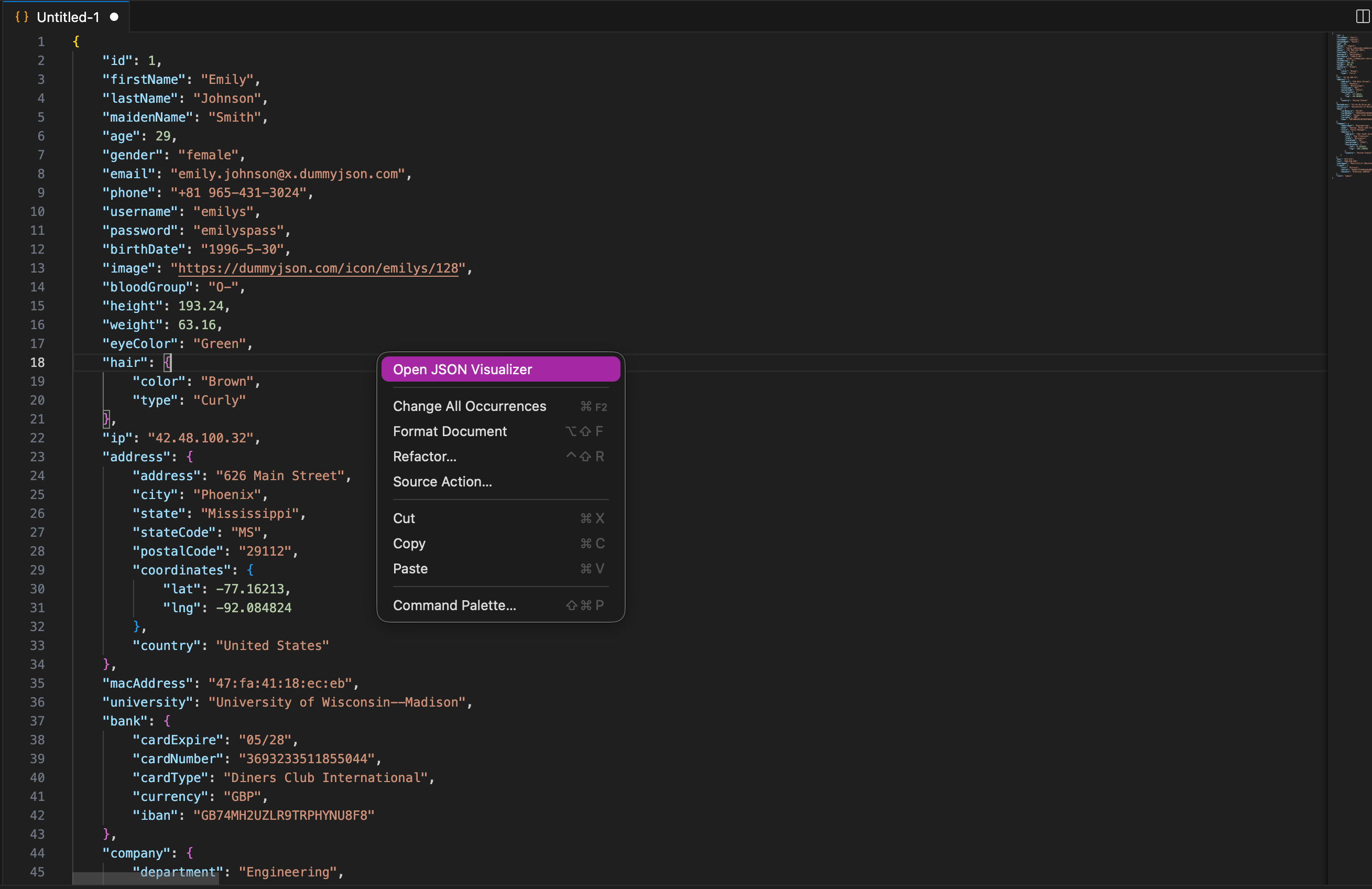
- 📂 **One-Click Open (Context Menu + Command)**
Launch visualizer instantly from editor.
- 🔐 **100% Local & Secure**
No data leaves your machine.
---
## 🎯 Use Cases
- Debug **REST API responses**
- Explore **large JSON files**
- Visualize **configuration files**
- Understand **nested data structures**
- Inspect **MongoDB / API payloads**
- Analyze **complex JSON schemas**
---
## 📦 Installation
1. Open **VS Code**
2. Go to Extensions (`Ctrl+Shift+X`)
3. Search:
👉 **JSON Viewer**
👉 **JSON Visualizer**
👉 **JSON Graph Viewer**
4. Click **Install**
---
## 🚀 Usage
1. Open any `.json` file
2. Right-click → **Open JSON Visualizer**
OR
Press `Ctrl+Shift+P` → Search **JSON Visualizer**
3. View your JSON as an **interactive graph**
---
## 🛠 Command
| Command | Description |
|--------|------------|
| `Open JSON Visualizer` | Open JSON as interactive graph |
---
## 🖼️ Screenshots

---
## ⚡ Keywords (SEO)
json viewer, json visualizer, json graph viewer, json tree viewer, vscode json extension, json explorer, json diagram, json data visualization, json inspector, json parser
---
## ☕ Support
If this tool helps you, support development ❤️
[Buy Me a Coffee](https://buymeacoffee.com/animeshmanna)
---
## 📄 License
MIT License