https://github.com/bullet-physics-playground/bpp
Physics simulation experiments
https://github.com/bullet-physics-playground/bpp
lua physics-simulation povray qt5 simulation
Last synced: 2 months ago
JSON representation
Physics simulation experiments
- Host: GitHub
- URL: https://github.com/bullet-physics-playground/bpp
- Owner: bullet-physics-playground
- License: other
- Created: 2015-10-05T18:22:15.000Z (almost 11 years ago)
- Default Branch: master
- Last Pushed: 2026-04-26T14:46:14.000Z (2 months ago)
- Last Synced: 2026-04-26T15:22:17.663Z (2 months ago)
- Topics: lua, physics-simulation, povray, qt5, simulation
- Language: POV-Ray SDL
- Homepage: https://github.com/bullet-physics-playground
- Size: 28.8 MB
- Stars: 36
- Watchers: 5
- Forks: 6
- Open Issues: 2
-
Metadata Files:
- Readme: README.md
- Funding: .github/FUNDING.yml
- License: LICENSE
Awesome Lists containing this project
README
# The Bullet Physics Playground
A simple physics simulation software for prototyping and experimenting with the
[Bullet Physics](http://bulletphysics.org) library. It provides a graphical user
interface (GUI) for real-time interaction and a command-line interface (CLI) for
batch processing and scripting.


[](https://github.com/bullet-physics-playground/bpp/issues)
## Features
* **Physics Simulation:** Powered by the robust and widely-used Bullet
Physics library.
* **Cross-Platform:** Builds and runs on Linux, Windows, and macOS.
* **GUI:** An OpenGL-based GUI for visualizing and interacting with the
simulations in real-time.
* **Scripting:** Extend and control simulations using Lua scripting.
* **Import/Export:**
* Import models from [OpenSCAD](http://www.openscad.org/).
* Export scenes to [POV-Ray](http://www.povray.org/) for high-quality
rendering.
* **Command-Line Interface:** A powerful CLI for running simulations, rendering
animations, and piping data to other tools like
[gnuplot](http://www.gnuplot.info/).
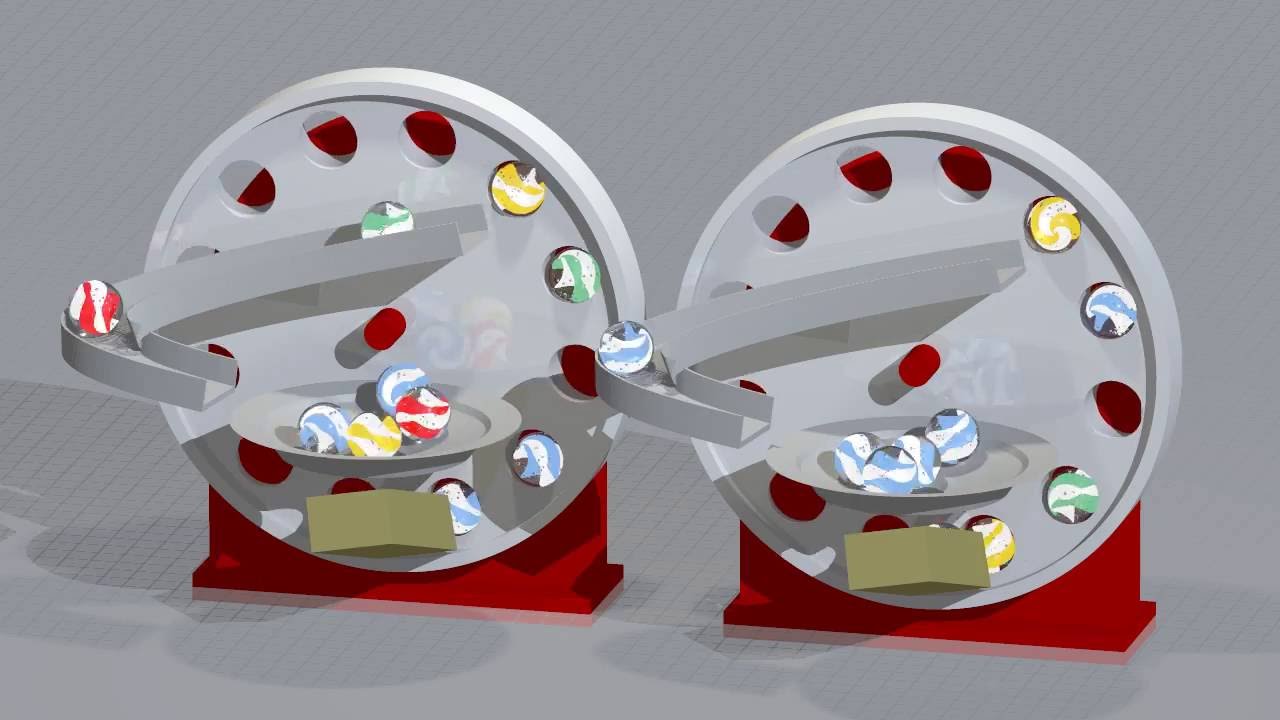
## Videos on YouTube
## Build
Select your operating system:
* [Build on Linux](https://github.com/bullet-physics-playground/bpp/wiki/Build-on-Linux)
* [Build on Windows](https://github.com/bullet-physics-playground/bpp/wiki/Build-on-Windows)
* [Build on Mac OS-X](https://github.com/bullet-physics-playground/bpp/wiki/Build-on-Mac-OS-X)
## Usage
### GUI
* **S:** Start/stop the physics simulation.
* **P:** Toggle POV-Ray export mode.
* **G:** Toggle PNG screenshot saving mode.
* **A:** Toggle display of the world axis.
* **F:** Toggle FPS display.
* **Enter:** Start/stop the animation.
* **Space:** Toggle between fly and revolve camera modes.
* **Arrow Keys:** Move the camera.
* **H:** Show the QGLViewer help window.
### Command-Line
The command-line interface allows you to run simulations without the GUI. For
example, you can pipe the simulation data to `gnuplot` to visualize the results:
```bash
bpp -n 200 -f demo/basic/01-hello-cmdline.lua | \
gnuplot -e "set terminal dumb; plot for[col=3:3] '/dev/stdin' using 1:col title columnheader(col) with lines"
```
## Documentation / Wiki
* [Basic Usage HOWTO](https://github.com/bullet-physics-playground/bpp/wiki/Basic-Usage-HOWTO)
* [LUA Bindings Reference](https://github.com/bullet-physics-playground/bpp/wiki/LUA-Bindings-Reference)
## Contributing
Contributions are welcome! Please feel free to submit a pull request or open an
issue on the [GitHub repository](https://github.com/bullet-physics-playground/bpp).
## License
The Bullet Physics Playground is licensed under the
[GNU Lesser General Public License](LICENSE).
## Acknowledgments
* **Jakob Flierl** – [koppi](https://github.com/koppi) – Initial release.
* **Jaime Vives Piqueres** – [jaimevives](https://github.com/jaimevives) –
POV-Ray export and his
[latest computer generated images](http://www.ignorancia.org/index.php?page=latest-images).