https://github.com/bunsdev/pulsar
https://github.com/bunsdev/pulsar
Last synced: 4 months ago
JSON representation
- Host: GitHub
- URL: https://github.com/bunsdev/pulsar
- Owner: BunsDev
- Created: 2021-11-11T02:12:03.000Z (over 4 years ago)
- Default Branch: main
- Last Pushed: 2021-05-05T19:32:52.000Z (about 5 years ago)
- Last Synced: 2026-01-12T14:41:54.945Z (5 months ago)
- Size: 5.24 MB
- Stars: 0
- Watchers: 0
- Forks: 0
- Open Issues: 0
-
Metadata Files:
- Readme: README.md
Awesome Lists containing this project
README
# 🏗 scaffold-eth - 🎟 Simple NFT Example
> Mint and display NFTs on Ethereum with a full example app...
---
## 🏃♀️ Quick Start
required: [Node](https://nodejs.org/dist/latest-v12.x/) plus [Yarn](https://classic.yarnpkg.com/en/docs/install/) and [Git](https://git-scm.com/downloads)
```bash
git clone https://github.com/austintgriffith/scaffold-eth.git simple-nft-example
cd simple-nft-example
git checkout simple-nft-example
```
```bash
yarn install
```
```bash
yarn start
```
> in a second terminal window:
```bash
cd simple-nft-example
yarn chain
```
> in a third terminal window:
```bash
cd simple-nft-example
yarn deploy
```
📱 Open http://localhost:3000 to see the app
---
> ✏️ Edit the mint script `mint.js` in `packages/hardhat/scripts` and update the `toAddress` to your frontend address (wallet address in the top right or localhost:3000).

> in a terminal window run the **mint** script:
```bash
yarn mint
```

👀 You should see your collectibles show up if you minted to the correct address:

👛 Open an *incognito* window and navigate to http://localhost:3000 (You'll notice it has a new wallet address).
⛽️ Grab some gas for each account using the faucet:

🎟 Send an NFT to the *incognito* window address:

🕵🏻♂️ Inspect the `Debug Contracts` tab to figure out what address is the `owner` of `YourCollectible`?
💼 Edit your deployment script `deploy.js` in `packages/hardhat/scripts`
---
🔏 Edit your smart contract `YourCollectible.sol` in `packages/hardhat/contracts`
📝 Edit your frontend `App.jsx` in `packages/react-app/src`
🔑 Create wallet links to your app with `yarn wallet` and `yarn fundedwallet`
⬇️ Installing a new package to your frontend? You need to `cd packages/react-app` and then `yarn add PACKAGE`
## 📡 Deploy NFT smart contract!
🛰 Ready to deploy to a testnet?
> Change the `defaultNetwork` in `packages/hardhat/hardhat.config.js`

🔐 Generate a deploy account with `yarn generate`

👛 View your deployer address using `yarn account` (You'll need to fund this account. Hint: use an [instant wallet](https://instantwallet.io) to fund your account via QR code)

👨🎤 Deploy your NFT smart contract:
```bash
yarn deploy
```
---
---
> ✏️ Edit your frontend `App.jsx` in `packages/react-app/src` to change the `targetNetwork` to wherever you deployed your contract:

You should see the correct network in the frontend:
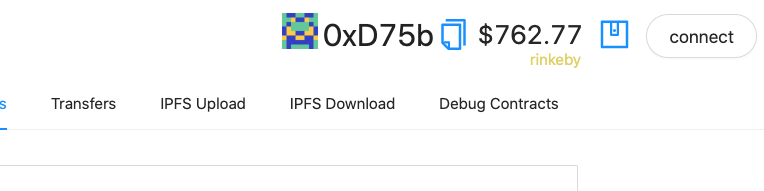
An instant wallet running on xDAI insired by [xdai.io](https://xdai.io).
🎫 Ready to mint a batch of NFTs for reals?
```bash
yarn mint
```
await tenderlyVerify(
{contractName: "YourContract",
contractAddress: yourContract.address
})
```
Make sure your target network is present in the hardhat networks config, then either update the default network in `hardhat.config.js` to your network of choice or run:
```
yarn deploy --network NETWORK_OF_CHOICE
```
Once verified, they will then be available to view on Tenderly!

## ⚔️ Side Quests
#### 🐟 Open Sea
> Add your contract to OpenSea ( create -> submit NFTs -> "or add an existing contract" )
(It can take a while before they show up, but here is an example:)
https://testnets.opensea.io/assets/0xc2839329166d3d004aaedb94dde4173651babccf/1
---
#### 🔍 Etherscan Contract Verification
> run `yarn flatten > flat.txt` (You will need to clean up extra junk at the top and bottom of flat.txt. Sorry, rookie stuff here.)
> copy the contents of `flat.txt` to the block explorer and select compiler `v0.6.7` and `Yes` to `Optimization` (200 runs if anyone asks)

---
#### 🔶 Infura
> You will need to get a key from [infura.io](https://infura.io) and paste it into `constants.js` in `packages/react-app/src`:

---
## 🛳 Ship the app!
> ⚙️ build and upload your frontend and share the url with your friends...
```bash
# build it:
yarn build
# upload it:
yarn surge
Join the telegram [support chat 💬](https://t.me/joinchat/KByvmRe5wkR-8F_zz6AjpA) to ask questions and find others building with 🏗 scaffold-eth!
yarn s3
===================================================== [⏫ back to the top ⏫](https://github.com/austintgriffith/scaffold-eth#-scaffold-eth)
yarn ipfs
```

> 👩❤️👨 Share your public url with a friend and ask them for their address to send them a collectible :)
