https://github.com/buresdv/swiftyterminalcolors
Colorize our Terminal applications the Swift way
https://github.com/buresdv/swiftyterminalcolors
Last synced: 3 months ago
JSON representation
Colorize our Terminal applications the Swift way
- Host: GitHub
- URL: https://github.com/buresdv/swiftyterminalcolors
- Owner: buresdv
- Created: 2024-04-24T12:45:09.000Z (over 2 years ago)
- Default Branch: main
- Last Pushed: 2024-04-24T15:10:42.000Z (over 2 years ago)
- Last Synced: 2025-03-02T09:45:20.492Z (over 1 year ago)
- Language: Swift
- Size: 8.79 KB
- Stars: 3
- Watchers: 1
- Forks: 0
- Open Issues: 0
-
Metadata Files:
- Readme: README.md
Awesome Lists containing this project
README
# Colorize your CLIs the Swift way
SwiftyTerminalColors allows you to change colors and fonts of your CLI outputs in a familiar, SwiftUI-like way.
## Quick Example
```swift
print("I will be bright green, bold and in italics".color(.greenBright).font([.bold, .italic]))
```
## How to Install
The only tested way of using this package is through Xcode. To do so:
1. Copy the address of this repository
2. In Xcode, click `File → Add Package Dependencies…`
3. In the top right of the sheet that opens, paste the address you copied in step 1 into the field called `Search or Enter Package URL`. Xcode will find this package, called `swiftyterminalcolors`
4. Click `Add Package`
And it's done!
## Overview
The package provides three extensions on `String`, called `.color()`, `.background()` and `.font()`. As their names suggest, `.color()` lets you change the color of a particular string, `.background()` the background, and `.font()` accepts a set of possible fonts.
## Usage
### Basic Usage
To change the formatting of a particular string, add `.color()`, `.background()` or `.font()` (in any order) to the end of it:
```swift
print("I will be green".color(.green))
```
```swift
print("I will be blue".background(.blue))
```
```swift
print("I will be bold".font([.bold, .italic]).background(.red))
```
### Advanced Usage
This package also supports formatting only portions of strings. To do so, you can use either string interpolation or concatenation.
#### Interpolation
```swift
print("\("I will be bold".font([.bold])) \("And I will be in italics")".font([.italics]))
```
#### Concatenation
```swift
print("I will be bold".font([.bold]) + " And I will be in italics".font([.italics]))
```
### Production Usage
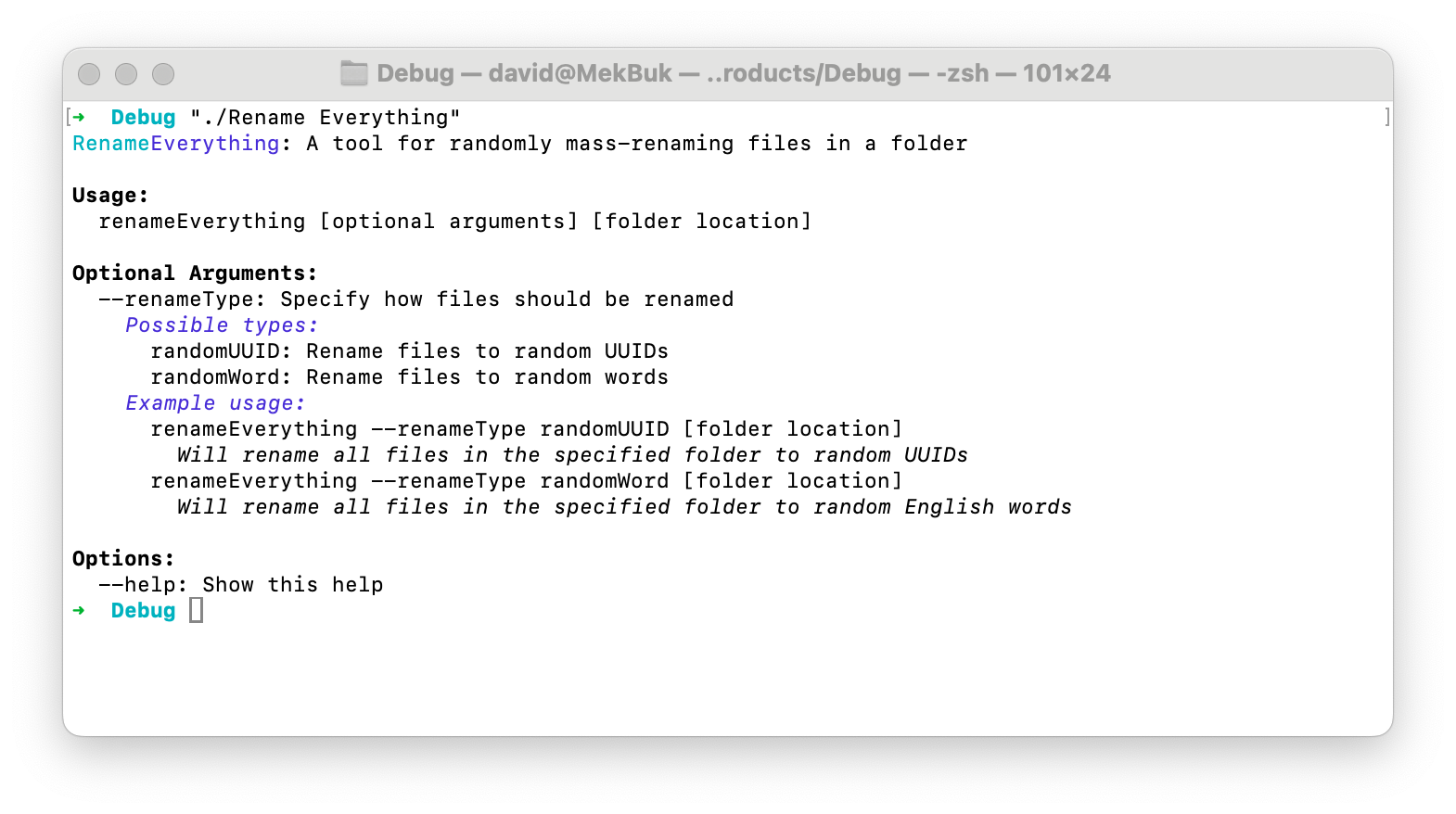
Here is how I'm using this package in my app [RenameEverything](https://github.com/buresdv/RenameEverything) to display a colorful help:
```swift
extension String
{
static let helpText: String = """
\("\("Rename".color(.cyan))\("Everything".color(.blue))"): A tool for randomly mass-renaming files in a folder
\("Usage:".font([.bold]))
renameEverything [optional arguments] [folder location]
\("Optional Arguments:".font([.bold]))
--renameType: Specify how files should be renamed
\("Possible types:".font([.italic]).color(.blue))
randomUUID: Rename files to random UUIDs
randomWord: Rename files to random words
\("Example usage:".font([.italic]).color(.blue))
renameEverything --renameType randomUUID [folder location]
\("Will rename all files in the specified folder to random UUIDs".font([.italic]))
renameEverything --renameType randomWord [folder location]
\("Will rename all files in the specified folder to random English words".font([.italic]))
\("Options:".font([.bold]))
--help: Show this help
"""
}
```
## Roadmap
These features will be added in the future:
- [ ] Support for RGB colors
- [ ] Any other ideas you might have :)
## License
This library is licensed under [CC BY-ND 4.0 DEED](https://creativecommons.org/licenses/by-nd/4.0/)