https://github.com/burhanverse/anya-cursors
Anya ( Spy X Family ) cursor pack for linux
https://github.com/burhanverse/anya-cursors
custom-cursors linux
Last synced: 9 months ago
JSON representation
Anya ( Spy X Family ) cursor pack for linux
- Host: GitHub
- URL: https://github.com/burhanverse/anya-cursors
- Owner: Burhanverse
- Created: 2024-09-16T08:09:17.000Z (about 2 years ago)
- Default Branch: main
- Last Pushed: 2024-09-16T08:38:57.000Z (about 2 years ago)
- Last Synced: 2025-01-22T16:22:58.686Z (over 1 year ago)
- Topics: custom-cursors, linux
- Language: Shell
- Homepage:
- Size: 167 KB
- Stars: 1
- Watchers: 1
- Forks: 0
- Open Issues: 0
-
Metadata Files:
- Readme: README.md
Awesome Lists containing this project
README
# Anya-Cursors
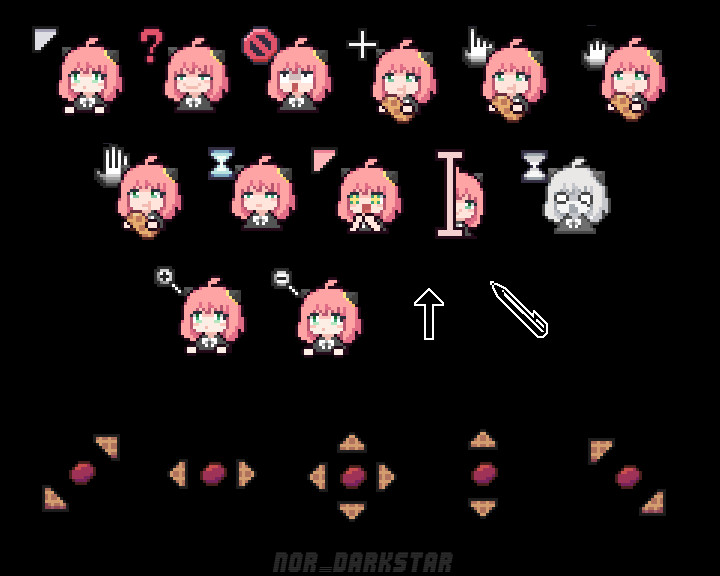
Anya Cursor theme
## Features
- Complete cursor theme with multiple cursor states
- Hyprland configuration file included (`cursor.conf`)
- Persistent cursor settings that survive reboots
- Multiple size options (16, 24, 32, 48 pixels)
- Compatible with both XCursor and modern desktop environments
## Installation
### Installer
To use the installer, clone the repository and go inside it.
```
git clone https://github.com/Burhanverse/Anya-cursors
cd Anya-cursors
```
Then, run the installer script. For local installation, use
```
./install.sh
```
And for system wide installation use:
```
sudo ./install.sh
```
### Set the cursor theme
#### For Hyprland Users
This repository includes a `cursor.conf` file specifically for Hyprland users. To use it:
1. **Import the configuration** by adding this line to your `~/.config/hypr/hyprland.conf`:
```
source = /path/to/Anya-cursors/cursor.conf
```
Or copy the contents directly into your main config file.
2. **Restart Session** or reboot system.
The configuration includes:
- Environment variables for XCursor theme and size
- Persistent cursor settings that survive reboots
- GTK application compatibility
- Multiple cursor size options (16, 24, 32, 48)
**Note**: This configuration uses XCursor format (not Hyprcursor) as it provides better compatibility and the cursor theme persists properly across sessions.
#### For Other Desktop Environments
There are various ways to set this (or another) cursor theme.
You will find all the needed information on this [ArchWiki](https://wiki.archlinux.org/title/Cursor_themes)
### Uninstallation
If you installed it locally, run this command in your terminal:
```
rm -r $HOME/.icons/Anya-cursors*
```
And if you installed it system-wide use:
```
sudo rm -r /usr/share/icons/Anya-cursors*
```
## Credits
[NOR-DARKSTAR](https://www.gnome-look.org/p/2169016) For linux port.
[Rachit-Pal](https://github.com/Rachit-Pal/AnyaCursor) Windows cursor pack (source)