https://github.com/bybrooklyn/alchemist
Alchemist is a Rust-based video transcoding system that automatically converts your media library to efficient AV1/HEVC format using hardware acceleration (GPU) or software encoding (CPU fallback).
https://github.com/bybrooklyn/alchemist
astro automation bun ffmpeg-wrapper rust tailwindcss transcoding
Last synced: 14 days ago
JSON representation
Alchemist is a Rust-based video transcoding system that automatically converts your media library to efficient AV1/HEVC format using hardware acceleration (GPU) or software encoding (CPU fallback).
- Host: GitHub
- URL: https://github.com/bybrooklyn/alchemist
- Owner: bybrooklyn
- License: gpl-3.0
- Created: 2026-01-06T15:18:56.000Z (6 months ago)
- Default Branch: master
- Last Pushed: 2026-04-04T18:30:36.000Z (3 months ago)
- Last Synced: 2026-04-04T20:30:15.931Z (3 months ago)
- Topics: astro, automation, bun, ffmpeg-wrapper, rust, tailwindcss, transcoding
- Language: Rust
- Homepage: https://alchemist-project.org
- Size: 92.2 MB
- Stars: 1
- Watchers: 0
- Forks: 1
- Open Issues: 0
-
Metadata Files:
- Readme: README.md
- Changelog: CHANGELOG.md
- Contributing: CONTRIBUTING.md
- License: LICENSE
- Code of conduct: CODE_OF_CONDUCT.md
Awesome Lists containing this project
README
# Alchemist
Point it at your media library. Walk away. Come back to a smaller, better-encoded collection.
Alchemist saves space automatically without asking you to babysit shell commands or risk your originals. It is GPLv3 open source, self-hosted, and ships as one application with a web UI for setup, monitoring, and day-to-day control. No paid tier, no private "pro" feature tree, no license key.
## Why Alchemist?
Running `ffmpeg` by hand works when you only have a few files and a lot of patience. Flow tools like Tdarr can scale and branch, but they also ask you to run more moving parts and model media policy as a graph. Alchemist is built for the self-hoster who wants the boring path: one process, deterministic planning, plain explanations, automatic hardware selection, and public GPLv3 code for every feature it ships.
## What It Does
Alchemist scans your library, inspects each file, and decides whether transcoding would actually help. If a file is already efficient, it skips it and tells you why in plain English instead of leaving you to guess.
If supported hardware is available, Alchemist uses it automatically. NVIDIA, Intel, AMD, and Apple Silicon are all detected and used without manual setup, and if there is no GPU available it falls back to CPU encoding on its own.
Your originals stay safe. Alchemist never overwrites anything until the new file passes its quality checks. You can keep both files or let Alchemist replace the original, but nothing is lost until you decide that is what you want.
Everything is visible in the web dashboard. You can see what is running, what was skipped, how much space you have recovered, and pause or cancel work whenever you want.
## Features
- Give movies, TV, and home videos different behavior with per-library profiles.
- Convert or remux a single uploaded file from the **Convert** page using the same pipeline Alchemist uses for library jobs.
- Catch corrupt or broken files before they surprise you with Library Doctor.
- See exactly how much storage you have recovered in the savings dashboard.
- Understand every skipped file immediately with plain-English explanations.
- Get a ping when work finishes through Discord, Gotify, ntfy, Telegram, email, or a webhook, with quiet hours for non-critical events.
- Create named API tokens for automation, with `read_only`, `arr_webhook`, `jellyfin`, and `full_access` access classes.
- Accept Sonarr/Radarr download webhooks through a narrowed `arr_webhook` token and optional container path translations.
- Connect Jellyfin with a narrowed plugin token for enqueue, completion events, job details, and library refresh.
- Expose read-only operational context to local assistants through the MCP server.
- Keep heavy jobs out of the way with a scheduler for off-peak hours.
- Push urgent files to the front with the priority queue.
- Switch the engine between background, balanced, and throughput modes without restarting the app.
- Let hardware acceleration happen automatically on NVIDIA, Intel, AMD, or Apple, with CPU fallback when needed and cached detection on repeat boots.
- Preserve HDR metadata or tonemap to SDR depending on what you need.
- Add folders once and let watch folders keep monitoring them automatically.
- Shape audio output with stream rules for commentary stripping, language filtering, and default-track retention.
- Surface storage-focused recommendations through Library Intelligence, including remux opportunities and commentary cleanup candidates.
## Hardware Support
Alchemist uses hardware acceleration when it can and falls back to CPU encoding automatically when it cannot. You do not need different workflows for different machines.
| Vendor | Encoders |
|--------|------------------------------------------|
| NVIDIA | AV1, HEVC, H.264 (NVENC) |
| Intel | AV1, HEVC, H.264 (QSV) |
| AMD | HEVC, H.264 (VAAPI/AMF) |
| Apple | HEVC, H.264 (VideoToolbox) |
| CPU | AV1 (SVT-AV1), HEVC (x265), H.264 (x264) |
CPU fallback is automatic when no GPU is available.
## Quick Start
### Docker (Recommended)
If you want the fastest path to a running instance, use the published container:
```yaml
services:
alchemist:
image: ghcr.io/bybrooklyn/alchemist:latest
container_name: alchemist
ports:
- "3000:3000"
volumes:
- ~/.config/alchemist:/app/config
- ~/.config/alchemist:/app/data
- /path/to/media:/media
environment:
- ALCHEMIST_CONFIG_PATH=/app/config/config.toml
- ALCHEMIST_DB_PATH=/app/data/alchemist.db
restart: unless-stopped
```
Then open [http://localhost:3000](http://localhost:3000) in your browser.
First-time setup is only reachable from the local network.
On Linux and macOS, the default host-side config location is
`~/.config/alchemist/config.toml`. When you use Docker, the
recommended bind mount is still `~/.config/alchemist`, mapped
into `/app/config` and `/app/data` inside the container.
If you prefer `docker run`, this is the trimmed equivalent:
```bash
docker run -d --name alchemist -p 3000:3000 -v ~/.config/alchemist:/app/config -v ~/.config/alchemist:/app/data -v /path/to/media:/media -e ALCHEMIST_CONFIG_PATH=/app/config/config.toml -e ALCHEMIST_DB_PATH=/app/data/alchemist.db --restart unless-stopped ghcr.io/bybrooklyn/alchemist:latest
```
### Binary
Download the latest release from [GitHub Releases](https://github.com/bybrooklyn/alchemist/releases). Prebuilt binaries are published for Linux x86_64, Linux ARM64, Windows x86_64, macOS Intel, and macOS Apple Silicon.
FFmpeg must be installed separately for binary installs:
```bash
sudo apt install ffmpeg
sudo dnf install ffmpeg
sudo pacman -S ffmpeg
brew install ffmpeg
winget install Gyan.FFmpeg
```
Start Alchemist, then open [http://localhost:3000](http://localhost:3000):
```bash
./alchemist
```
If port 3000 is already busy, native runs automatically use the next available
port and print an `INFO` line with the exact
`http://127.0.0.1:` link. Set `ALCHEMIST_SERVER_PORT=3000` to require a
specific port.
On Windows, run `alchemist.exe` instead.
Direct Linux/macOS binary installs can check for signed updates from the
About dialog. Alchemist verifies the release manifest and asset checksum,
backs up the database, drains active jobs, then restarts to apply eligible
direct-binary updates. Docker, Homebrew, AUR, Windows, and source installs
show the appropriate package-manager or manual update guidance instead.
### From Source
For macOS and Linux:
```bash
git clone https://github.com/bybrooklyn/alchemist.git
cd alchemist
just install
just build
./target/release/alchemist
```
Alchemist requires Rust 1.85 or later (MSRV). Use `rustup update stable` to ensure you are on a recent toolchain, and make sure FFmpeg is installed separately.
For Windows local development:
```bash
just install-w
just dev
just check
```
The core contributor path is supported on Windows. Broader release and utility recipes remain Unix-first.
## CLI
Alchemist exposes explicit CLI subcommands:
```bash
alchemist scan /path/to/media
alchemist run /path/to/media
alchemist plan /path/to/media
alchemist plan /path/to/media --json
```
- `scan` enqueues matching work and exits
- `run` scans, enqueues, and waits for processing to finish
- `plan` analyzes files and reports what Alchemist would do without enqueuing jobs
## First Run
1. Open [http://localhost:3000](http://localhost:3000).
2. Complete the setup wizard. It takes about 2 minutes.
During first-time setup, the web UI is reachable only from the local network.
3. Add your media folders in Watch Folders.
4. Alchemist runs the initial scan and queues matching work automatically.
5. Click **Start** in the header when you are ready for the engine to process queued work.
6. Check the Dashboard to see progress and savings.
## Automation + Subpath Notes
- API automation can use bearer tokens created in **Settings → API Tokens**.
- Read-only tokens are limited to observability and monitoring routes.
- ARR webhooks should use the dedicated `arr_webhook` token class, not a full-access token.
- Jellyfin plugins should use the dedicated `jellyfin` token class, not a full-access token.
- MCP clients can launch `alchemist --mcp` for read-only engine, job, scan, savings, and system-health tools.
## Open Source
Alchemist is GPLv3. The public repository is the product:
there is no commercial unlock, no separate enterprise build,
no license-key gate, and telemetry is opt-in/off by default.
See [Open Source](docs/docs/open-source.md) for the details.
## Backups
Alchemist stores all state in a single SQLite database. You can download a
consistent, gzip-compressed snapshot at any time:
- UI: **Settings → Runtime → Backup database**
- API: `POST /api/system/backup` (requires a full-access token)
The snapshot is produced via SQLite's online backup path, so it is safe to run
while encodes are in flight.
## Supported Platforms
| Platform | Status |
|----------|--------|
| Linux x86_64 | ✅ Supported |
| Linux ARM64 | ✅ Supported |
| Windows x86_64 | ✅ Supported |
| macOS Apple Silicon | ✅ Supported |
| macOS Intel | ✅ Supported |
| Docker linux/amd64 | ✅ Supported |
| Docker linux/arm64 | ✅ Supported |
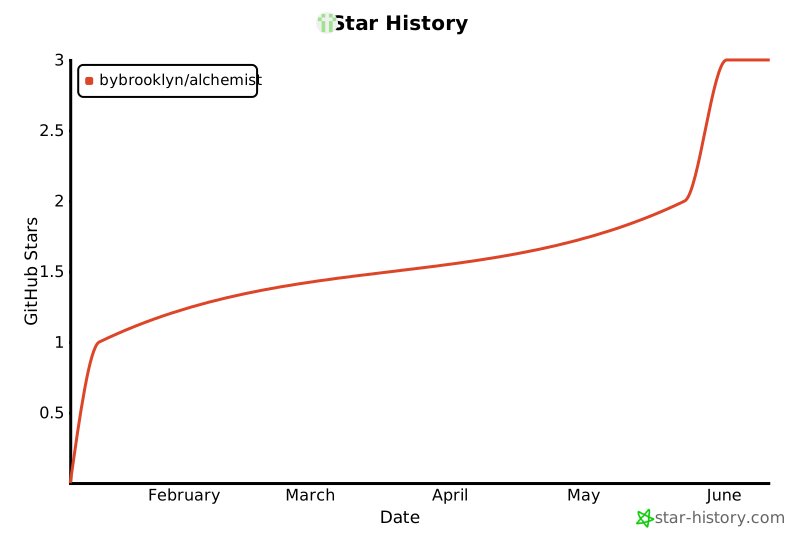
## Star History
## License
Licensed under GPLv3. See [LICENSE](LICENSE) for details.
## Contributing
Start with [CONTRIBUTING.md](CONTRIBUTING.md) for contribution terms,
[docs/docs/contributing/development.md](docs/docs/contributing/development.md)
for local setup, and [RELEASING.md](RELEASING.md) for the release process.