https://github.com/bytrangle/most-reacted-comments
Collection of Github workflows to make the lives of open-source maintainer easier
https://github.com/bytrangle/most-reacted-comments
Last synced: about 1 year ago
JSON representation
Collection of Github workflows to make the lives of open-source maintainer easier
- Host: GitHub
- URL: https://github.com/bytrangle/most-reacted-comments
- Owner: bytrangle
- License: mit
- Created: 2021-11-15T10:13:32.000Z (over 4 years ago)
- Default Branch: main
- Last Pushed: 2021-12-06T10:37:19.000Z (over 4 years ago)
- Last Synced: 2025-06-12T13:19:13.240Z (about 1 year ago)
- Language: Python
- Size: 364 KB
- Stars: 0
- Watchers: 1
- Forks: 0
- Open Issues: 1
-
Metadata Files:
- Readme: README.md
- License: LICENSE
Awesome Lists containing this project
README
## Get mosted reacted comments
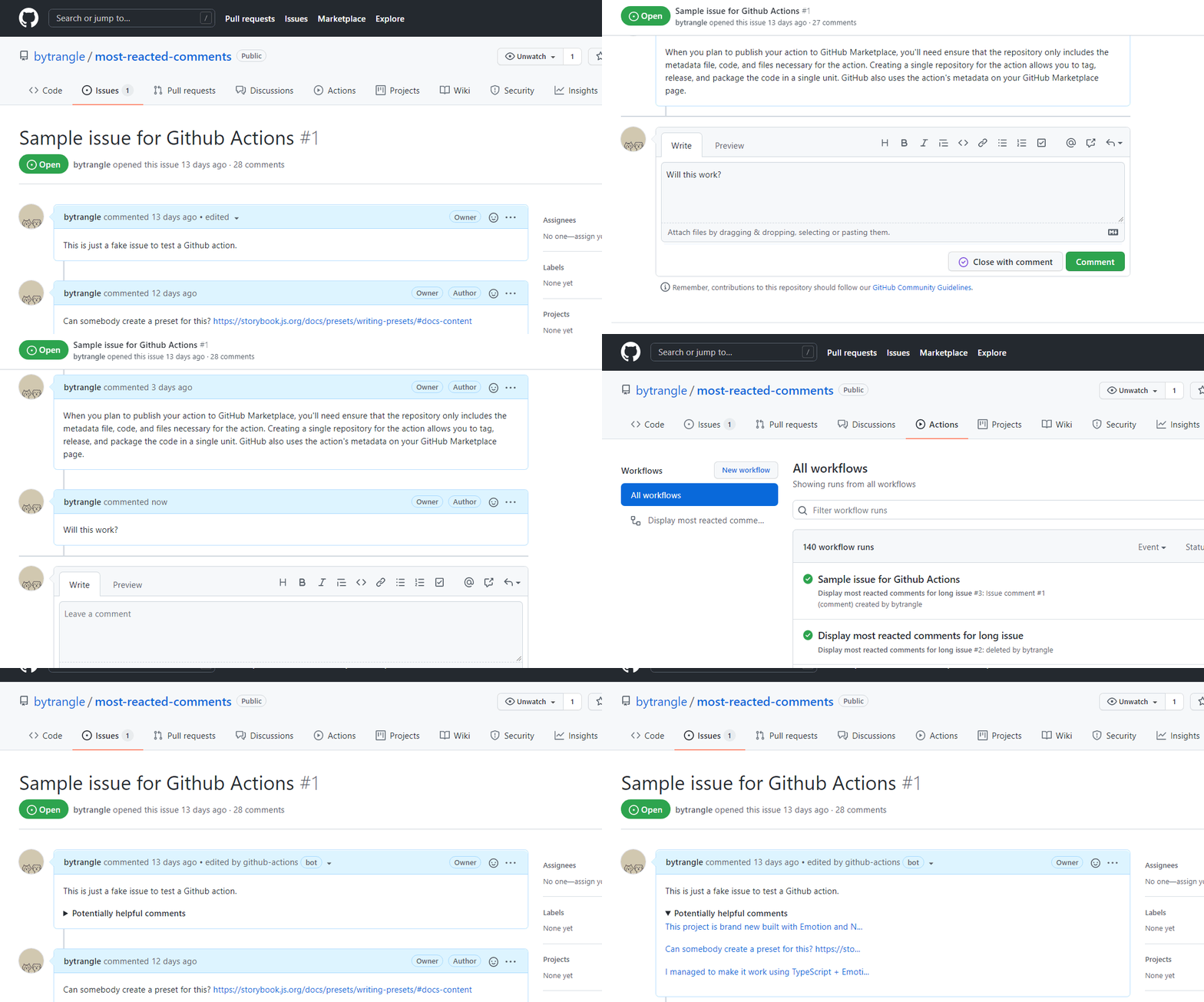
A simple workflow to make long-winded issues more useful. It checks for the most reacted comments and add them to the issue's original body
## Screenshot
## What does this action do
- It is triggered on comment creation or deletion
- Get the issue number that contains the comment in which the action is run
- Get a list of comments for the given issue
- If the number of comments for the issue is greater than a certain value, create a list that contains all comments that receive at least one reaction
- If list length is greater than 0, rank the comments by the number of reactions they receive, in descending order.
- Only take the X most reacted comments. This X value is defined by the action user.
- Insert these comments into the issue's body.
## Usage
An example workflow to use this action may look like this:
```yml
name: Display most reacted comments for long issue
on:
issue_comment:
types: [created, deleted]
jobs:
update-issue:
name: Get most reacted comments and add it to the issue's original post
runs-on: ubuntu-latest
steps:
- name: checkout repo content
uses: actions/checkout@v2
- name: add most reacted comments to issue
uses: bytrangle/welcome-to-open-source@v1.0
id: add_most_reacted_issue
with:
repo_token: ${{ secrets.GITHUB_TOKEN}} # required
# this can be a unique token provided by Github at the start of each workflow
# or a personal access token generated in Settings
min_total_comments: 10
# optional
# default is 20
max_reacted_comment_count: 3
# optional
# default is 5
```
## Why use this workflow?
Issues with more than 20 comments are tricky. They are hard to keep up with for maintainers and long-time participants. They are also a nightmare to read for newcomers.
Yet it is not so easy as closing the issue, because highly-commented ones tend impact a lot of users.
This workflow will get the most reacted comments in an issue and add it to the issue's original body so that anyone can get a glimpse of the issue in the least time possible.
## Caveats
Ideally, this workflow should be run on comment reaction. However, at the moment, there is no such event hook in Github Action.
We can make do by getting the action to run on comment creation or deletion until Github actually implements the comment reaction hook.
## Acknowledgement
Many thanks to [python container action](https://github.com/jacobtomlinson/python-container-action) for sharing how to write a Docker file run Python.