https://github.com/bzdgn/open-api-web-service-example
Demo Project for Open API Web Service with Spring Boot
https://github.com/bzdgn/open-api-web-service-example
java open-api open-api-specification open-api-v3 openapi openapi-generator openapi-specification openapi3 spring-boot web-service
Last synced: 6 months ago
JSON representation
Demo Project for Open API Web Service with Spring Boot
- Host: GitHub
- URL: https://github.com/bzdgn/open-api-web-service-example
- Owner: bzdgn
- Created: 2023-01-29T13:35:15.000Z (over 3 years ago)
- Default Branch: main
- Last Pushed: 2023-01-29T20:38:21.000Z (over 3 years ago)
- Last Synced: 2025-08-24T14:42:31.025Z (12 months ago)
- Topics: java, open-api, open-api-specification, open-api-v3, openapi, openapi-generator, openapi-specification, openapi3, spring-boot, web-service
- Language: Java
- Homepage:
- Size: 494 KB
- Stars: 1
- Watchers: 1
- Forks: 0
- Open Issues: 0
-
Metadata Files:
- Readme: README.md
Awesome Lists containing this project
README
This project is a demonstration of OpenAPI Web Service with Spring Boot.
TOC
---
- [0 Introduction](#0-introduction)
- [1 Setup](#1-setup)
- [2 OpenAPI Specs](#2-openapi-specs)
- [3 OpenAPI Plugin](#3-openapi-plugin)
- [4 Testing with Postman Collection](#4-testing-with-postman-collection)
0 Introduction
---------------
This project is a demonstration of OpenAPI Web Service with Spring Boot.
With OpenAPI, you can define the models and your service specifications in yaml format and build the skeleton of your web service.
There are good and bad parts and I'm going to list my personal opinions;
The good parts of OpenAPI are;
- The boilerplate code is automatically generated
- You can define the models within the yaml files and they are auto-generated
- The endpoint skeleton is also generated. You can either use the generated controller or override it to customize it.
The bad parts of OpenAPI are;
- You need to dig around the documentation and the net for the use of plugins
- It adds complexity when you are using OpenAPI within a multi-module project
- Using the generated models in a distinct shared project and injecting the resources is not easy
In this project, I'm not going to dive into these topics. This project will give you a simple example of OpenAPI web service.
[TOC](#toc)
1 Setup
--------
We use OpenAPI to generate models, generate a template for the web service and also helper classes. So that within one simple yaml file, the model classes and also the api template is generated for the controller of the web service.
There are two files that does the magic for the auto-generated code/template;
- The OpenAPI spec file(s) in yaml format, that define(s) the web service skeleton and schemas. These file(s) placed in the **src/main/resources/openapi** folder.
- The build plugin that generates the code based on the OpenAPI yaml file. This is defined in the **pom** file.
In the pom file, build/plugin section has reference for spec file and package names for model and service packages. Plugin uses the yaml spec and generates the model/service classes under the defined packages.
Then these generated files are placed in the target/generated-sources/src folder as can be seen below;
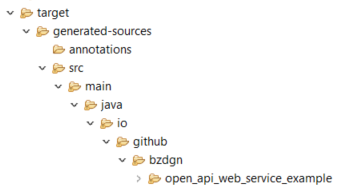
After importing it to an IDE (I use eclipse), you need to add the OpenAPI generated code into the build path.
1. The files need to be added will be under **target/generated-sources/src/main/java**
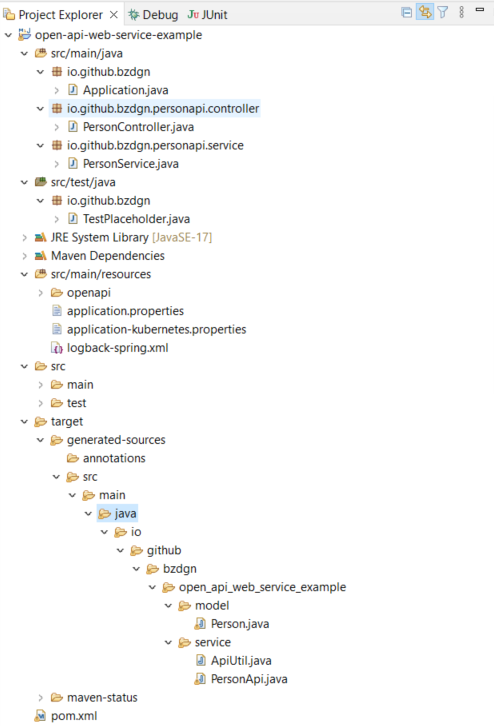
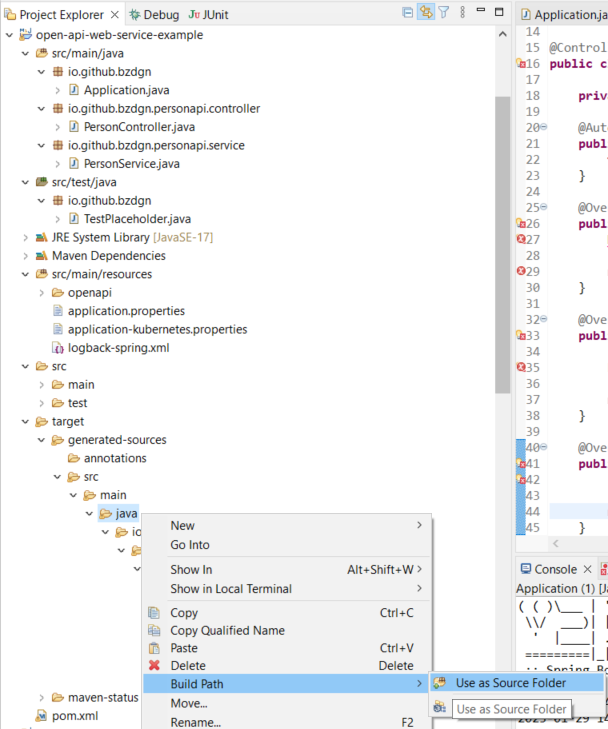
2. Right click to this folder and add it to the build path
3. See the generated code is visible in the project
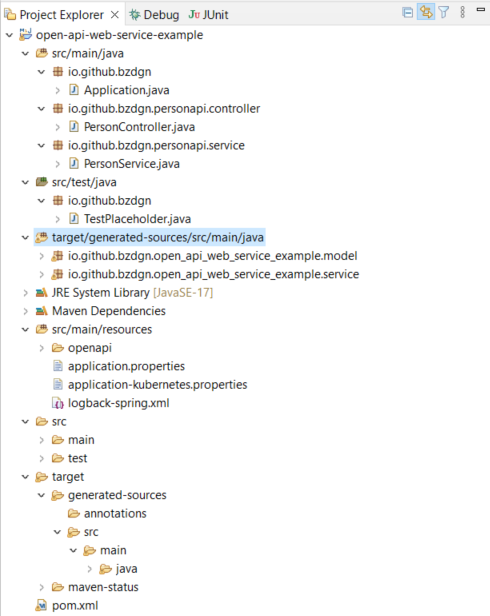
[TOC](#toc)
2 OpenAPI Specs
----------------
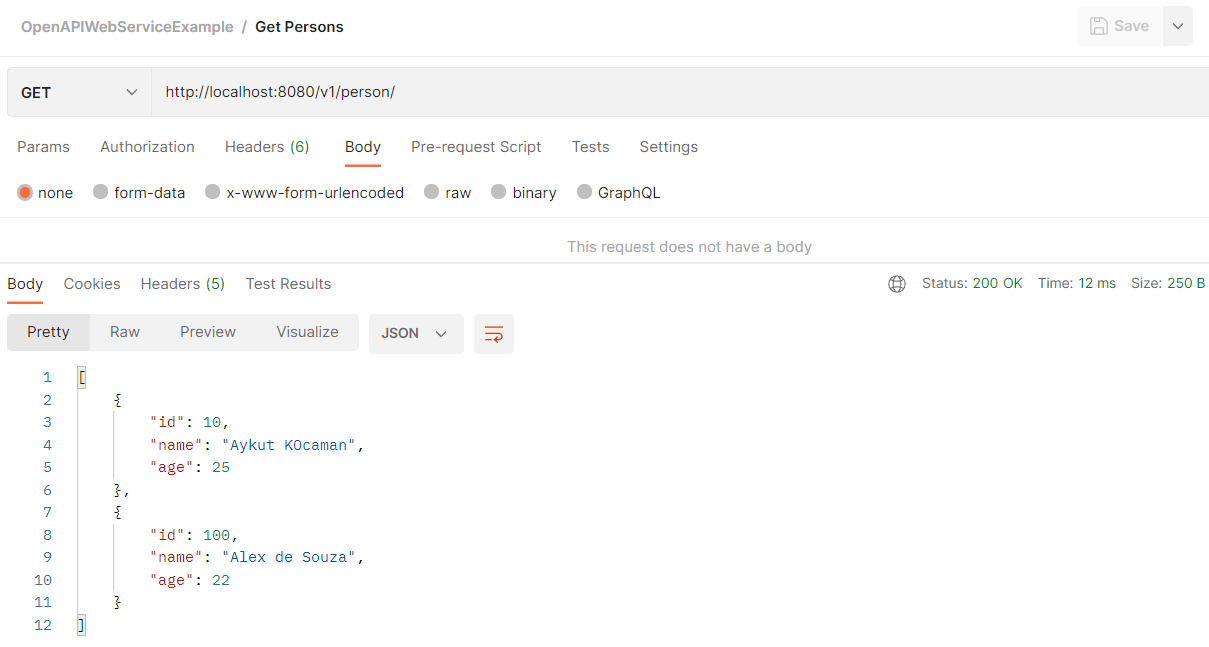
The spec file defines the endpoints, and the structure of the model classes those are used in endpoints. We have two get operations and one post operation. These operations uses Person model for request or response and one operation returns an array of Person model.
You can see the file in project sources [here](https://github.com/bzdgn/open-api-web-service-example/blob/main/src/main/resources/openapi/person-api.yaml). The content of the file is as follows;
```yaml
openapi: 3.0.3
info:
title: Person Service
description: Public service for querying the persons
version: 1.0
servers:
- description: Local development environment
url: http://localhost:8080/v1
- description: Kubernetes test environment
url: http://some-link-here.com/v1
- description: Kubernetes acc environment
url: http://some-link-here.com/v1
- description: Kubernetes production environment
url: http://some-link-here.com/v1
paths:
/person/{id}:
get:
operationId: getPerson
tags:
- person
parameters:
- name: id
in: path
description: person id
required: true
schema:
type: integer
format: int32
responses:
200:
description: Person results
content:
application/json:
schema:
$ref: '#/components/schemas/Person'
400:
description: not a valid person
/person:
get:
operationId: getPersons
tags:
- person
responses:
200:
description: Person results
content:
application/json:
schema:
$ref: '#/components/schemas/PersonList'
400:
description: not a valid person
post:
operationId: addPerson
tags:
- person
requestBody:
required: true
content:
application/json:
schema:
$ref: '#/components/schemas/Person'
responses:
200:
description: Zoekresultaten
content:
application/json:
schema:
$ref: '#/components/schemas/Person'
400:
description: not a valid person
components:
schemas:
Person:
type: object
properties:
id:
required: true
description: id of the person
type: integer
format: int32
name:
description: name of the person
type: string
age:
description: age of the person
type: integer
format: int32
PersonList:
type: array
items:
$ref: '#/components/schemas/Person'
```
Under the **paths** section, the endpoint is defined. OpenAPI plugin will define the service classes based on this section. Under the **components** section there is **schemas** where the model classes are defined. OpenAPI will generate the model classes based on this section.
Important to notify that the service uses these generated models. If you use maven in command line, the generator will notify you if there are inconsistencies.
[TOC](#toc)
3 OpenAPI Plugin
-----------------
OpenAPI plugin generates the code based on yaml specs. In the build [plugin section](https://github.com/bzdgn/open-api-web-service-example/blob/main/pom.xml);
```xml
org.openapitools
openapi-generator-maven-plugin
${openapi-generator-maven-plugin.version}
generate-sources
generate
${project.basedir}/src/main/resources/openapi/person-api.yaml
spring
${project.build.directory}/generated-sources/
true
true
ApiUtil.java
io.github.bzdgn.open-api-web-service-example.model
io.github.bzdgn.open-api-web-service-example.service
true
true
true
java8
false
none
none
false
```
If you look at the configuration, a few keys are important;
| variable | description |
| -------- | ----------- |
| inputSpec | This is where you reference your Api spec, in our example, it is the person-api.yaml file |
| output | This is the output folder where all the generated code is placed. Under the project build directory, which is target, it's placed in **generated-sources** folder |
| generateModels | This determines if the model classes are generated, set to **true** |
| generateSupportingFiles | This is the utility file that plugin generates, set to **true** |
| supportingFilesToGenerate | The name of the utility file, in our example **ApiUtil.java** |
| modelPackage | The package that the model generated files placed |
| apiPackage | The package that the service generated files placed |
| skipValidateSpec | Does the validation in the generation. It's set to **true** in this example but sometimes useful to set to **false** when using multimodule projects |
[TOC](#toc)
4 Testing with Postman Collection
----------------------------------
I've placed a simple postman collection [under the misc folder, here](https://github.com/bzdgn/open-api-web-service-example/blob/main/misc/OpenAPIWebServiceExample.postman_collection.json). You need to import this collection in Postman to test the example web service.
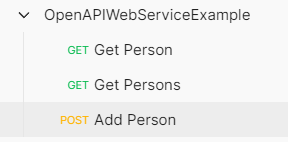
Initially the **person** repository will be empty. The implemntation is a simple stub for testing, using an ArrayList to store the posted **Person** objects.
You can post via the Postman;
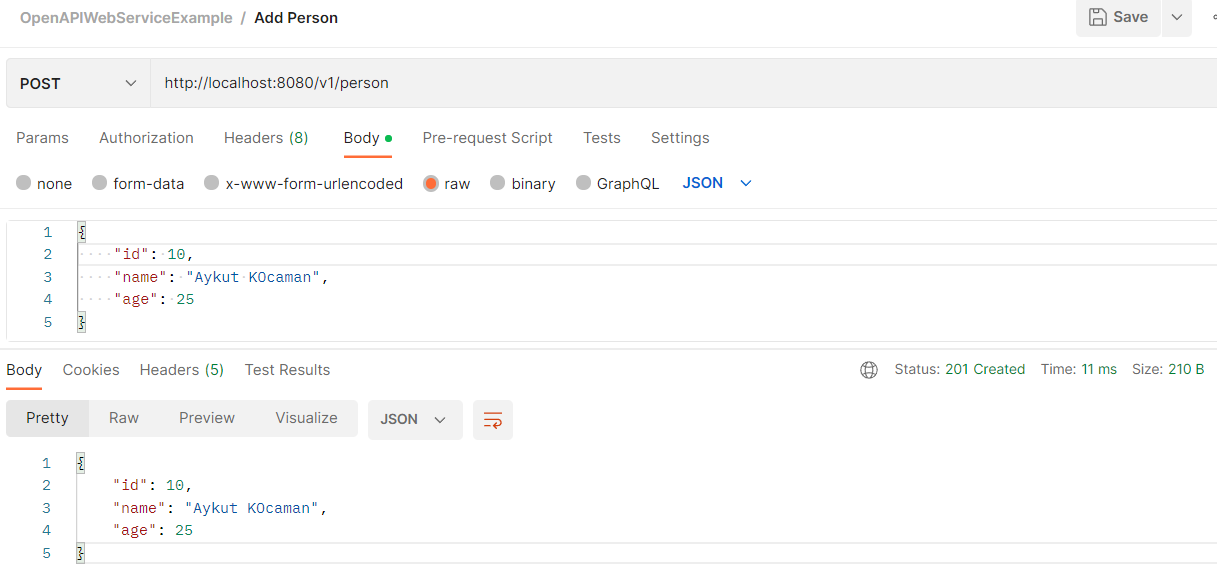
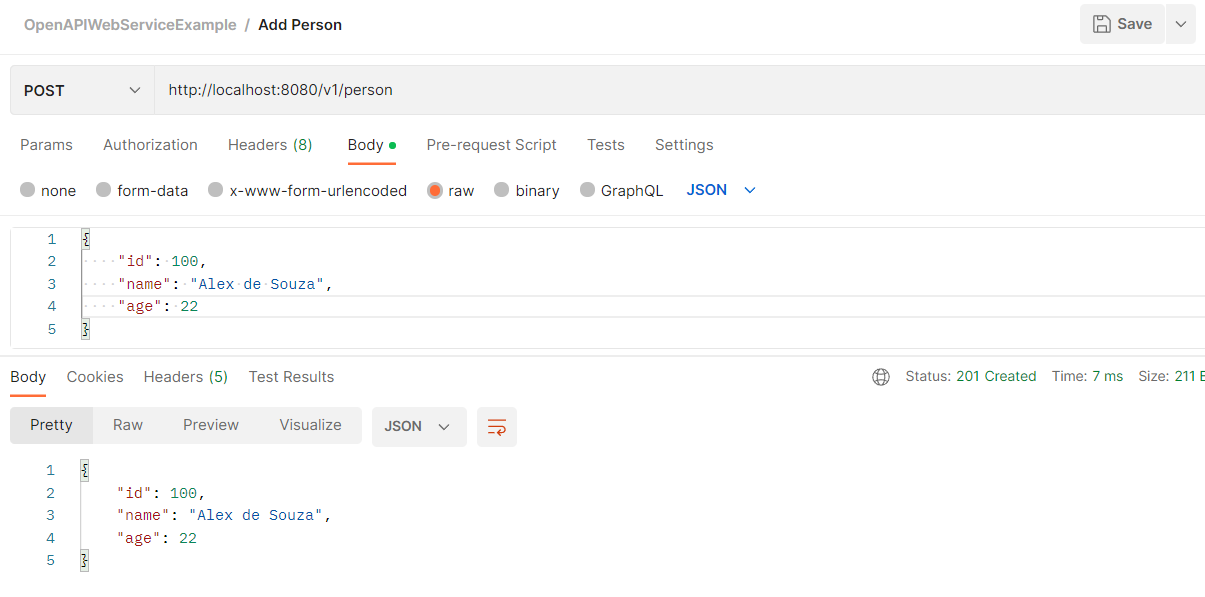
Then you can get **Person** by id;
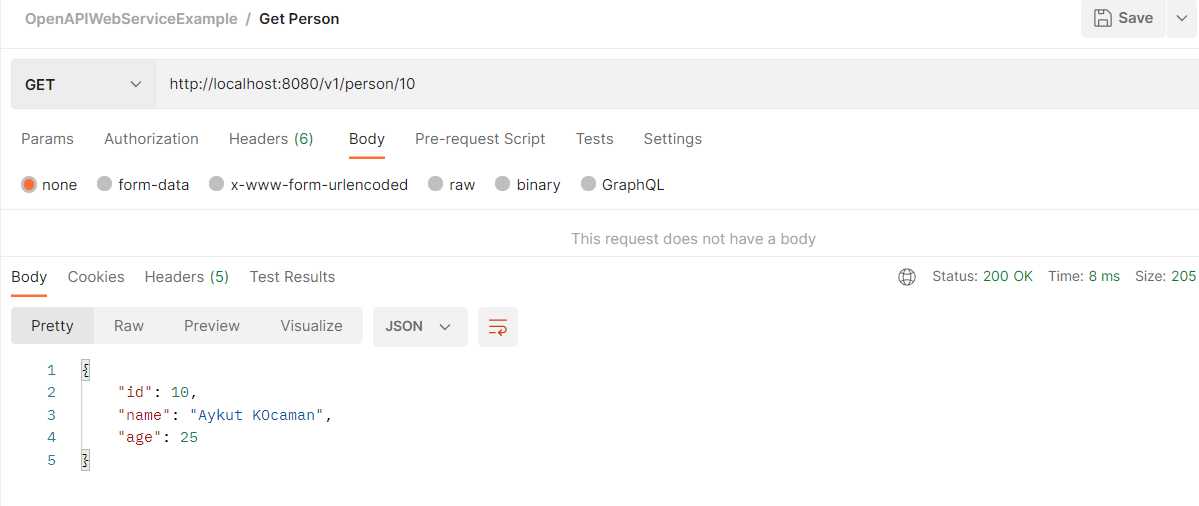
Or you can the whole **Person** repository;
[TOC](#toc)