https://github.com/c-w-d-harshit/system-prompt-generator
Easily create dynamic system prompts. Enjoy 3 free generations, then use your API key for unlimited access. Built with Next.js and Tailwind CSS.
https://github.com/c-w-d-harshit/system-prompt-generator
nextjs openai shadcn-ui vercelaisdk
Last synced: 2 months ago
JSON representation
Easily create dynamic system prompts. Enjoy 3 free generations, then use your API key for unlimited access. Built with Next.js and Tailwind CSS.
- Host: GitHub
- URL: https://github.com/c-w-d-harshit/system-prompt-generator
- Owner: C-W-D-Harshit
- License: mit
- Created: 2025-01-03T17:37:19.000Z (12 months ago)
- Default Branch: main
- Last Pushed: 2025-01-29T04:00:52.000Z (11 months ago)
- Last Synced: 2025-04-02T23:11:30.820Z (9 months ago)
- Topics: nextjs, openai, shadcn-ui, vercelaisdk
- Language: TypeScript
- Homepage: https://systemprompt.pro
- Size: 721 KB
- Stars: 8
- Watchers: 1
- Forks: 1
- Open Issues: 0
-
Metadata Files:
- Readme: README.md
- License: LICENSE
Awesome Lists containing this project
README
# System Prompt Generator
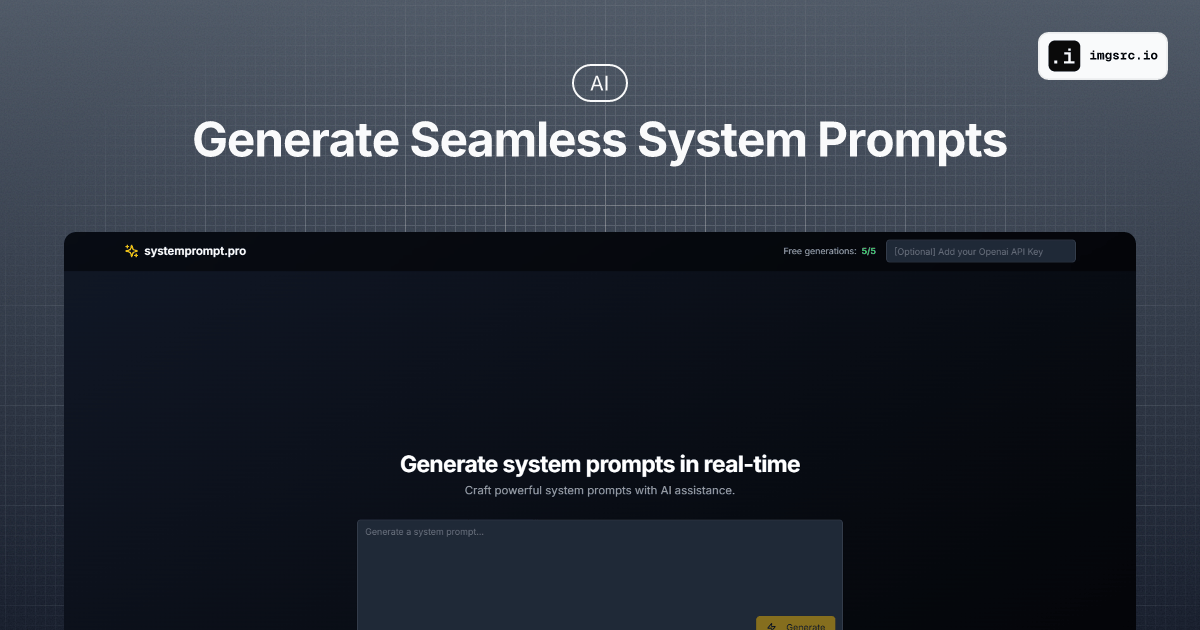
A modern web application that helps users create effective AI system prompts with intelligent assistance. Built with Next.js and OpenAI.
## Features
- 🚀 Intelligent system prompt generation
- 🎨 Beautiful, responsive UI with dark mode
- ✨ Real-time prompt generation
- ⌨️ Smart keyboard shortcuts:
- Enter to submit
- Shift+Enter for new line
- Ctrl/Cmd+Enter for new line
- 🔄 Loading state animations
- 🔑 OpenAI API key integration
- 💯 Free tier with 3 generations
- 📋 One-click copy to clipboard
- 🔄 Regeneration capability
- 📱 Mobile-friendly design
## How It Works
The system uses a multi-step generation process to create highly effective system prompts:
1. **Initial Enhancement**
- Takes your input prompt
- Uses GPT-4 to enhance and structure it professionally
- Adds missing context and improves clarity
2. **Three-Step Refinement**
- Step 1: Converts the enhanced prompt into a system prompt format
- Step 2: Adds stricter guidelines and specific examples
- Step 3: Final optimization with additional safety measures and clear instructions
3. **Final Output**
- Delivers a production-ready system prompt
- Includes proper formatting and structure
- Ensures compatibility with various AI models
This iterative process ensures each generated prompt is:
- Well-structured
- Comprehensive
- Clear and concise
- Safe and controlled
- Ready for immediate use
## Tech Stack
- Next.js 15 (App Router)
- React
- TypeScript
- Tailwind CSS
- Framer Motion
- OpenAI API
- Shadcn UI
## Getting Started
1. Clone the repository:
```sh
git clone https://github.com/c-w-d-harshit/system-prompt-generator.git
cd system-prompt-generator
```
2. Install dependencies:
```bash
npm install
# or
pnpm install
```
3. Create a `.env.local` file in the root directory:
```bash
OPENAI_API_KEY=your_openai_api_key_here
PRE_SYSTEM_PROMPT='Your pre-system prompt here'
SYSTEM_PROMPT='Your system prompt here'
UPSTASH_REDIS_REST_URL="https://your-upstash-url.upstash.io"
UPSTASH_REDIS_REST_TOKEN="your_upstash_token_here"
```
4. Run the development server:
```bash
npm run dev
# or
pnpm dev
```
Open [http://localhost:3000](http://localhost:3000) with your browser to see the application.
## Contributing
Contributions are welcome! Please feel free to submit a Pull Request.
1. Fork the project
2. Create your feature branch:
```bash
git checkout -b feature/AmazingFeature
```
3. Commit your changes:
```bash
git commit -m 'Add some AmazingFeature'
```
4. Push to the branch:
```bash
git push origin feature/AmazingFeature
```
5. Open a Pull Request
## License
Distributed under the MIT License. See `LICENSE` for more information.
## Contact
Portfolio: [cleverdeveloper.in](https://www.cleverdeveloper.in)
## Acknowledgments
- [Next.js](https://nextjs.org/)
- [OpenAI](https://openai.com/)
- [Tailwind CSS](https://tailwindcss.com/)
- [Shadcn UI](https://ui.shadcn.com/)