https://github.com/cable8mm/commonmark-unfenced
Unleash your fenced code from `laravel-labs/unfenced`
https://github.com/cable8mm/commonmark-unfenced
Last synced: about 2 months ago
JSON representation
Unleash your fenced code from `laravel-labs/unfenced`
- Host: GitHub
- URL: https://github.com/cable8mm/commonmark-unfenced
- Owner: cable8mm
- License: mit
- Created: 2024-04-06T11:14:54.000Z (about 2 years ago)
- Default Branch: main
- Last Pushed: 2024-04-14T01:12:41.000Z (about 2 years ago)
- Last Synced: 2025-09-24T11:51:17.689Z (9 months ago)
- Language: PHP
- Homepage:
- Size: 18.6 KB
- Stars: 0
- Watchers: 1
- Forks: 0
- Open Issues: 0
-
Metadata Files:
- Readme: README.md
- License: LICENSE.md
Awesome Lists containing this project
README
# Unfenced
Unleash your fenced code.
An extension for [`league/commonmark`](https://github.com/thephpleague/commonmark/).
## Installation
After installing the package, you will need to register the extension.
### Using `graham-campbell/markdown`
In your `config/markdown.php` file, add the extension somewhere after the `CommonMarkCoreExtension`:
```diff
return [
// ...
'extensions' => [
League\CommonMark\Extension\CommonMark\CommonMarkCoreExtension::class,
League\CommonMark\Extension\GithubFlavoredMarkdownExtension::class,
+ Laravel\Unfenced\UnfencedExtension::class,
],
];
```
### Manually
```php
use Laravel\Unfenced\UnfencedExtension;
use League\CommonMark\Environment\Environment;
use League\CommonMark\Extension\CommonMark\CommonMarkCoreExtension;
use League\CommonMark\MarkdownConverter;
$environment = new Environment();
$environment->addExtension(new CommonMarkCoreExtension());
$environment->addExtension(new UnfencedExtension());
$converter = new MarkdownConverter($environment);
echo $converter->convert('...');
```
## Usage
Features are enabled via the "info" string of the code fence.
> [!NOTE]
> This extension does not include any CSS.
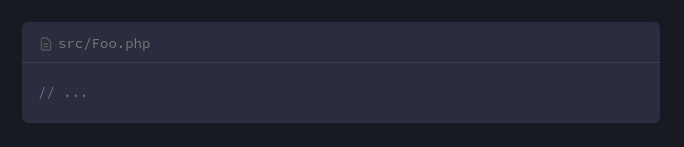
### Adding file names
To display a file name above your code, add the `filename` attribute:
````markdown
```php filename=src/Hello.php
// ...
```
````
### Adding tabs
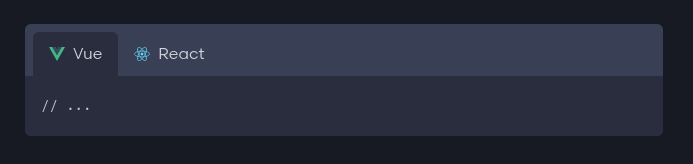
Adjacent code fences can be grouped into a tabbed view by specifying the `tab` attribute:
````markdown
```vue tab=Vue
// ...
```
```javascript tab=React
// ...
```
````
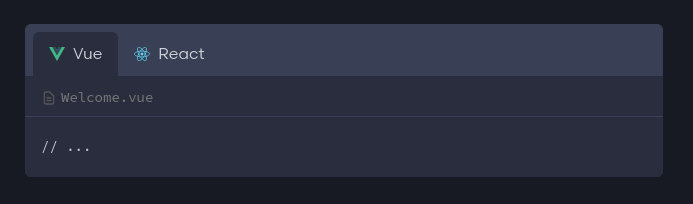
You may also include the `filename` attribute, which is especially helpful when providing code samples where the file name differs depending on the language:
````markdown
```vue tab=Vue filename=Welcome.vue
// ...
```
```javascript tab=React filename=Welcome.jsx
// ...
```
````
The extension will inject JavaScript into your page when tabs are used. The JavaScript enables the following features:
* It will apply an `active` class to the active tab button and tab content. You may use CSS to highlight the active tab, and hide the inactive tab content.
* If multiple tabbed sections are found, and they contain identical tab names, they will be synchronized. I.e, clicking the "React" tab in one section, will switch to that tab in all sections.
* The active tab is saved to the browsers local storage so that it persists between pages and visits.